Week-3 Challenge: ADVISOR Tool
Q1.ADVISOR MODAL FOE EV _default_in
STEPS INVOLVED
STEP 1:first we have download the ADVISOR TOOL and that has to be added into the matlab path that been placed in screenshots
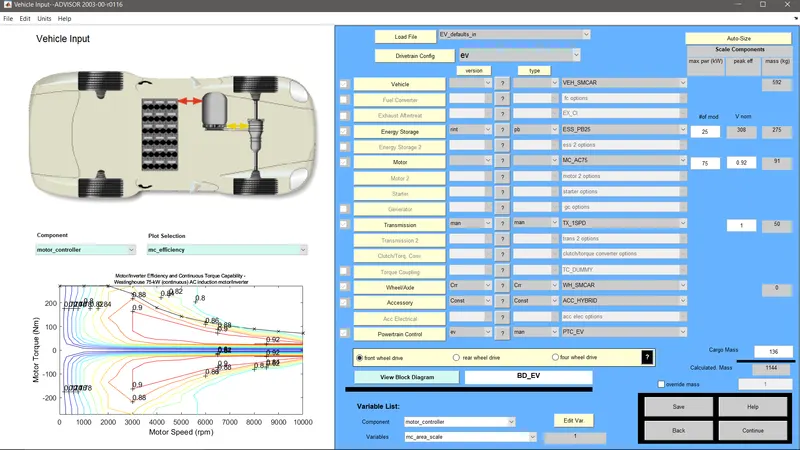
STEP 2:after tha modal has been opened now as per question we have select the EV_DEFAULT modal and load It
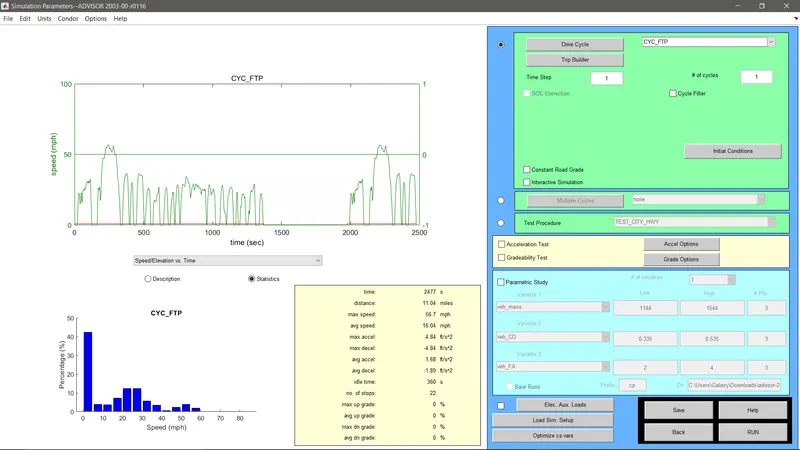
STEP 3: The drive cycle block has to be fixed into FTP DRIVE CYCLE
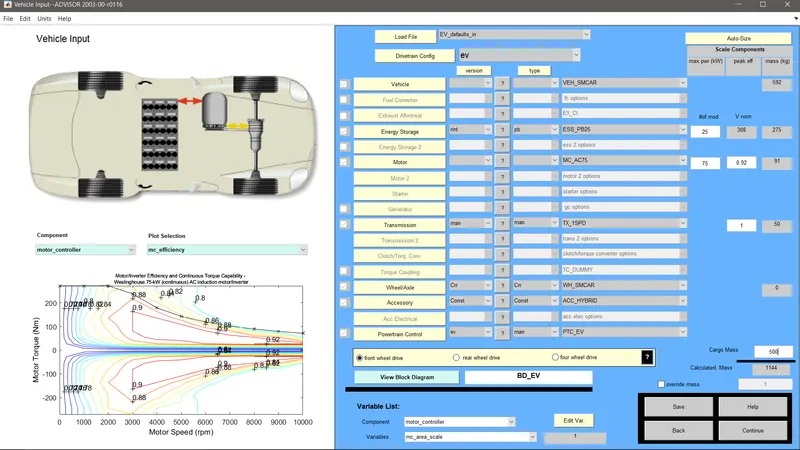
STEP 4: We have to change the mass of the CARGO into 500kg as per the question
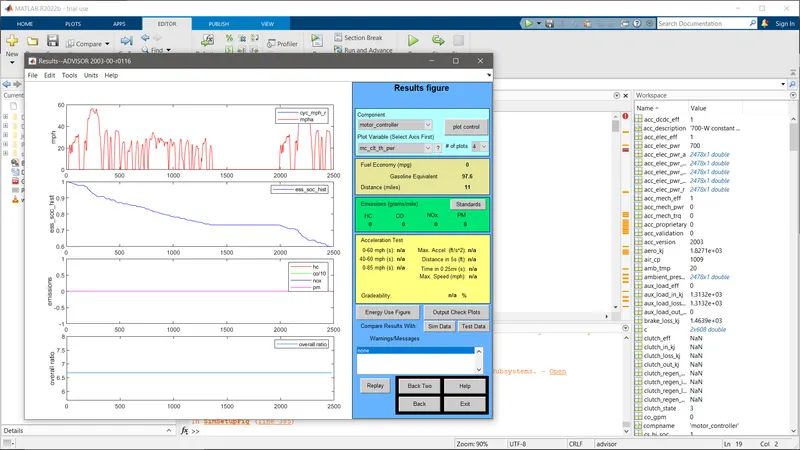
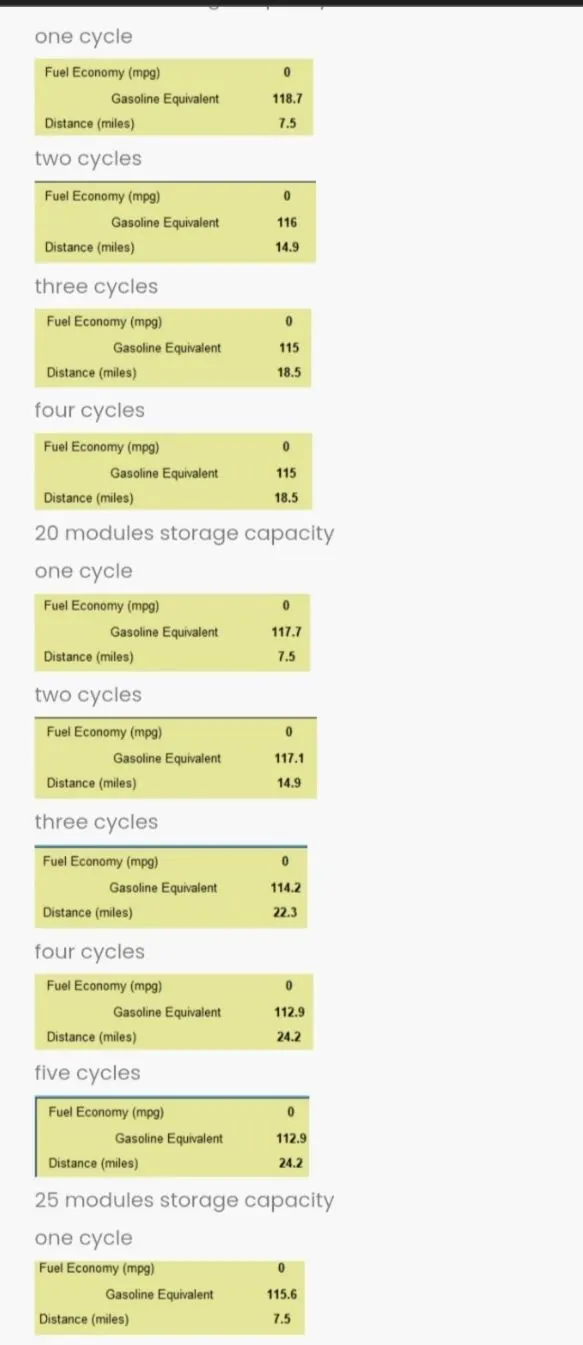
after setting all the datas we have click the CONTINUE and then we have to RUN the modal for the output for the single drive cycle we Ilmiles which is 17KMso we have increase the drive cycle and battery systems as per that the 45km will be attained and the results are showned in the screen shots
Q2.DIFFERENT BATTERY CAPACITY
STEP 1: On keeping all the parametrs same we have to change the battery capacity values and observe the results
STEP 2: On that from the observation ENERGY IS DIRCTLY PROPOTIONAL TO DISTANCE TRAVELLED
Q3.PIRUS_JPN_default_in GRADEABILITY TEST
STEP 1:Now we have change the MODAL from EV _default to PIRUS_JPN and load it.
SREP 2: Click the continue fron that we have an GRADEABILITY TEST option we have the change the value from 0 to different values and
STEP 3: Now RUN the MODAL and check for results and observe it for different values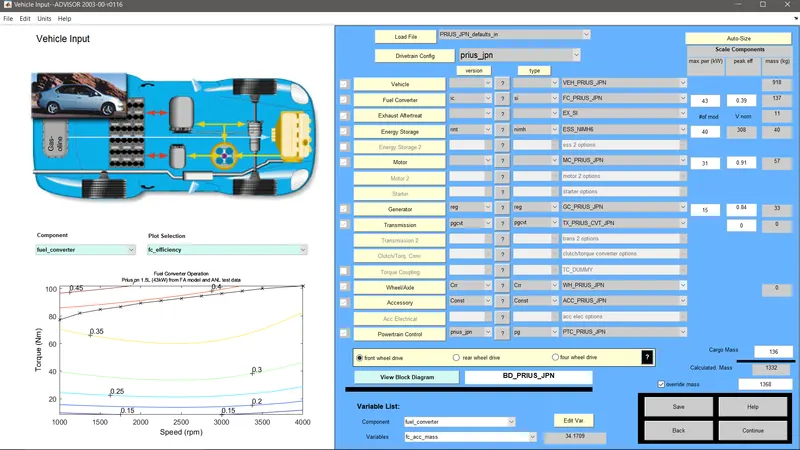
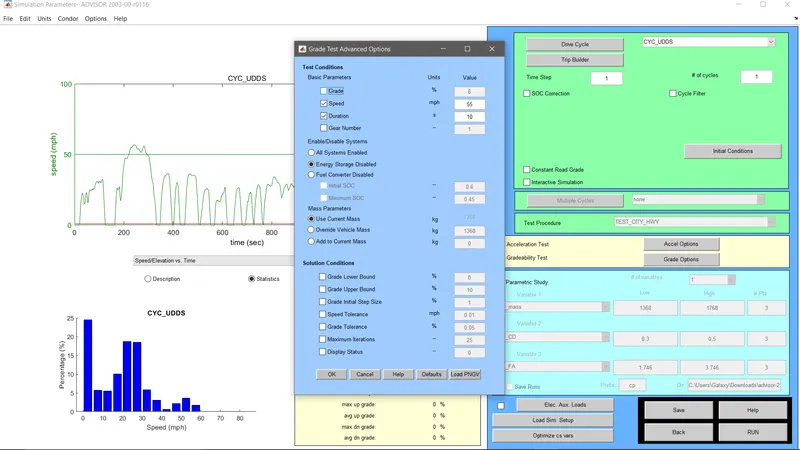
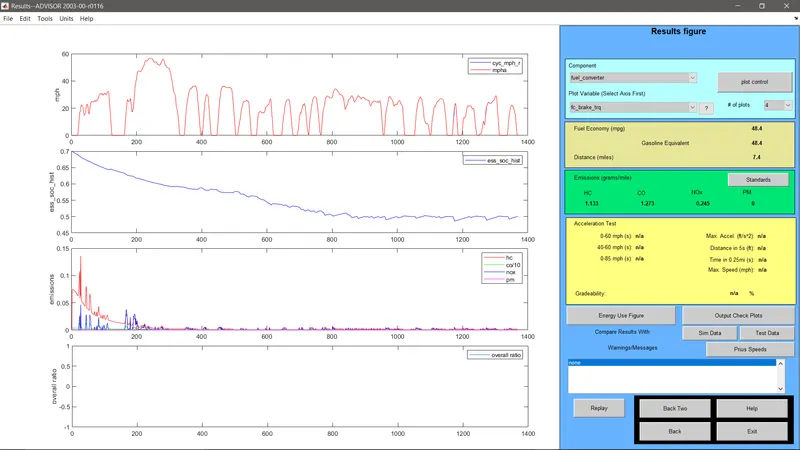
OBSERVATION:SPEED INVERSLY PROPOTIONAL TO GRADEABILITY