Simulation using ADVISOR Tool
Simulation using Advisor Tool
Aim:
Simulation of the model with the condition given using ADVISOR tool.
Theory:
ADVISOR stands for ADvanced VehIcle SimulatOR, is a set of model, data, and script text files for use with Matlab and Simulink. It was developed by Nataional Renewable Energy Laboratoty (NREL). It is designed for rapid analysis of the performance and fuel economy of conventional, electric, and hybrid vehicles. ADVISOR also provides a backbone for the detailed simulation and analysis of user defined drivetrain components, a starting point of verified vehicle data and algorithms from which to take full advantage of the modeling flexibility of Simulink and analytic power of MATLAB.
Benefits of ADVISOR tool are as follow:
- Estimate the fuel economy of vehicles that have not yet been built
- Learn about how conventional, hybrid, or electric vehicles use (and lose) energy throughout their drivetrains
- Compare relative tailpipe emissions produced on a number of cycles
- Evaluate an energy management strategy for your hybrid vehicle’s fuel converter
- Optimize the gear ratios in your transmission to minimize fuel use or maximize performance, etc.
The models in ADVISOR are:
- mostly empirical, relying on drivetrain component input/output relationships measured in the laboratory, and
- quasi-static, using data collected in steady state (for example, constant torque and speed) tests and correcting them for transient effects such as the rotational inertia of drivetrain components.
Limitation are;
- In electrical components’ communication with each other, ADVISOR deals in power, and not in voltage and current.
- The vehicle dynamics calculations required for traction control and the wheel slip model assume that the front axle is the only drive axle.
Procedure:
1. Simulation of EV_defaults_in
We will open the EV_defaults_in from Load File
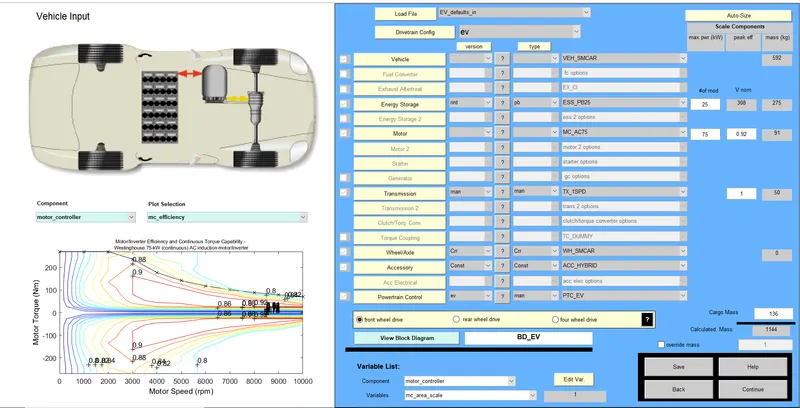
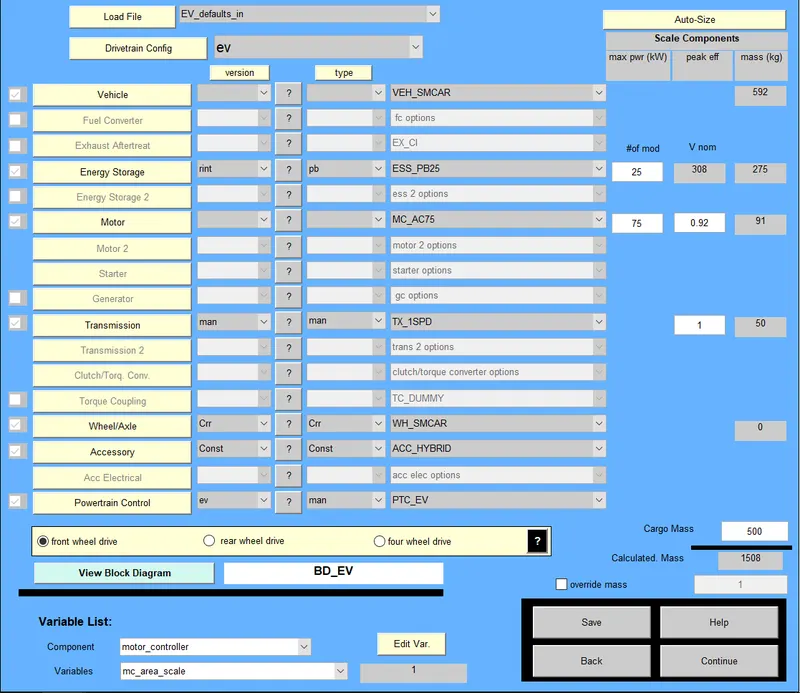
The cargo weight is changed to 500 kg. This will change the overall mass.
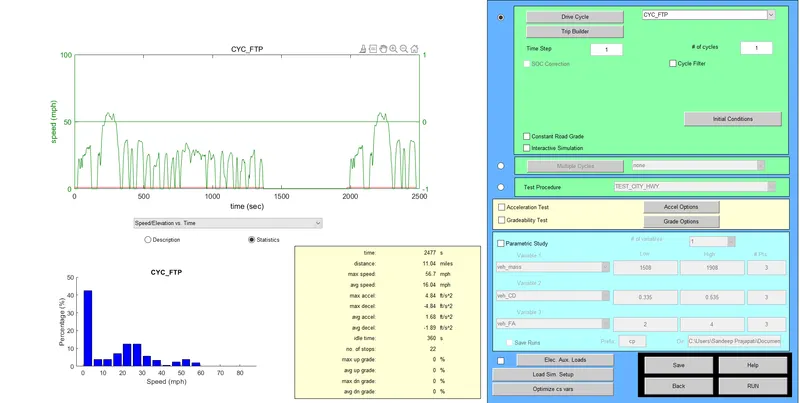
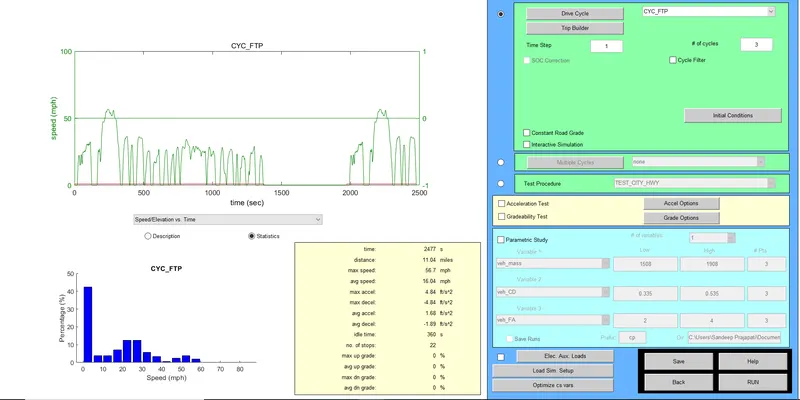
In the next step, we will change the drive cycle to CYC_FTP
For the single cycle, the result is as follow:
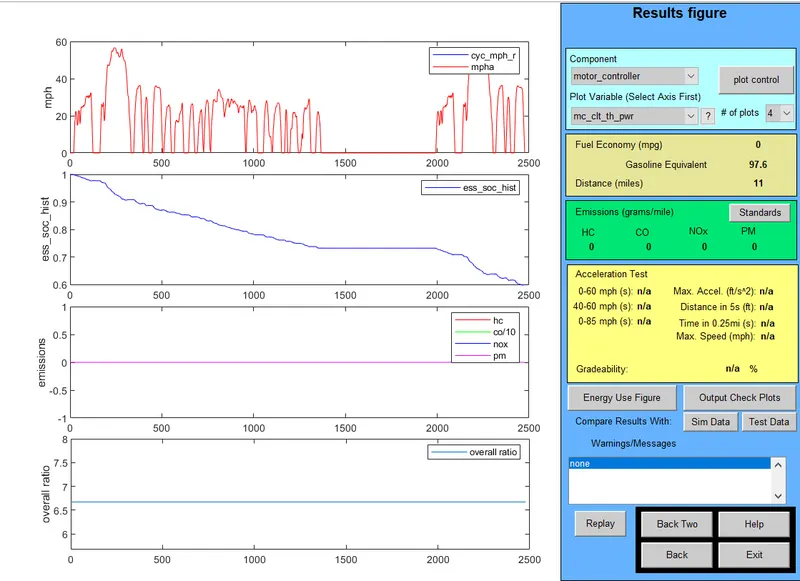
For the single cycle, the distance covered is 11 miles that is 17.8 km. So we will increase the number of cyle to 3 to see the result.
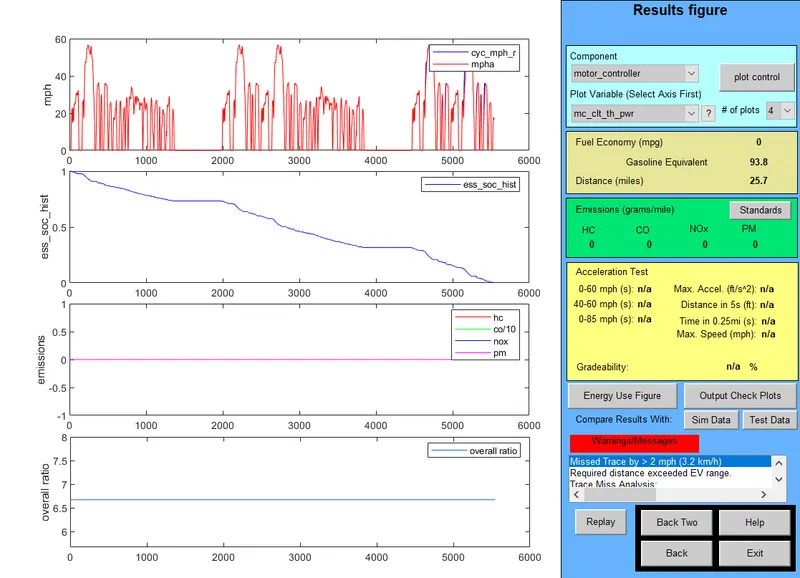
After increasing the number of cycles to 3, the distance covered is 25.7 miles which is 41.4 km. Even before completing the 3rd cycle the battery drains out. So the FTP cycle is not able to complete 45 km, as it fall short by 3.6 km.
2. Changing Battery Capacity of EV_defaults_in
To change the battery capacity, we will change the maximum power of the battery. For instance 70 kW.
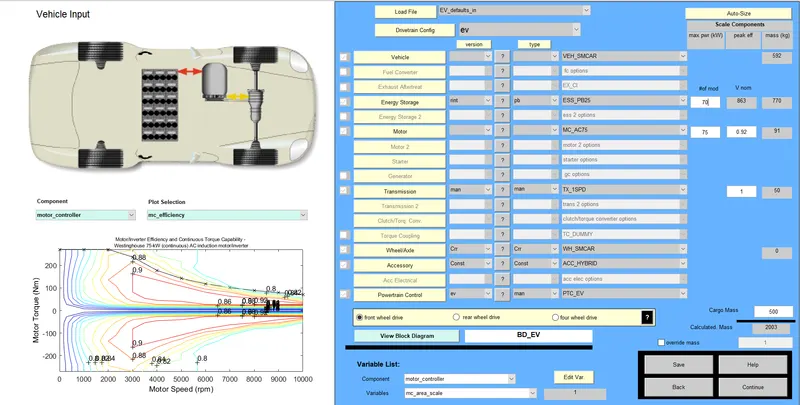
We will keep the drive cycle as FTP and number of drive cycle as 3.
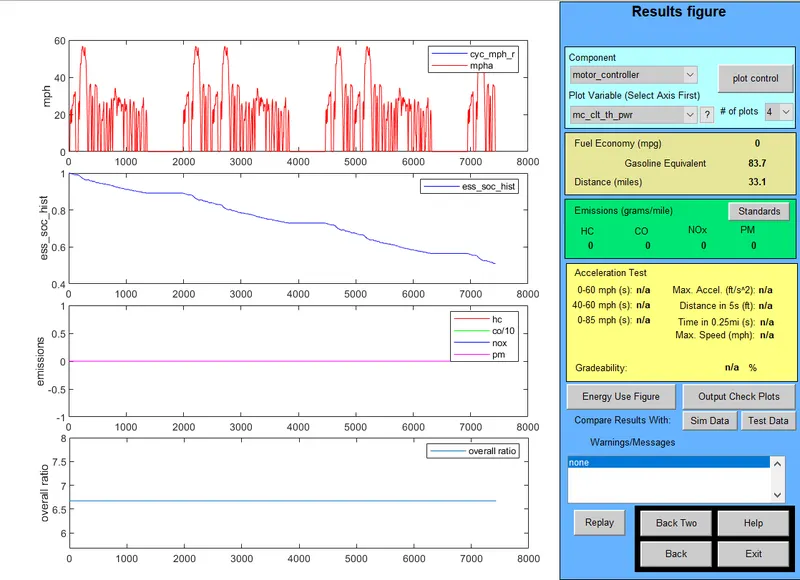
It can be seen that the distance covered is 33.1 miles which is 53.3 km. So, by increasing the maximum power capacity of battery, the range can be increased. Also, FTP cycle is able to complete 45 km distance.
3. Gradeability test of PRIUS_Jpn_defaults_in
We will open the model PRIUS_Jpn_defaults_in from Load File
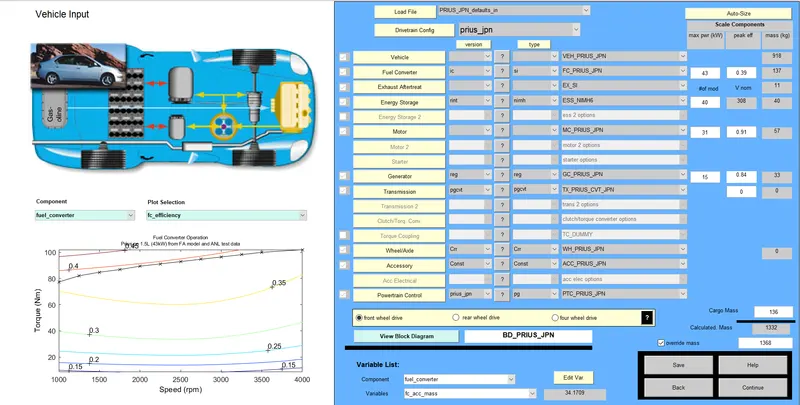
Lets keep the driving cycle as Urban Dynamometer Driving Schedule (UDDS) and number of cycle as 1.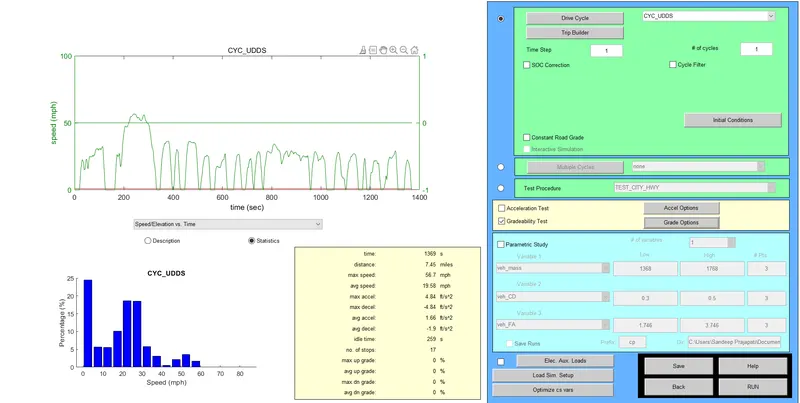
In gradeability test, we have Grade Option, where we can change the speed of the vehicle. Here we will change the vehicle speed and check the gradeability at different speed.
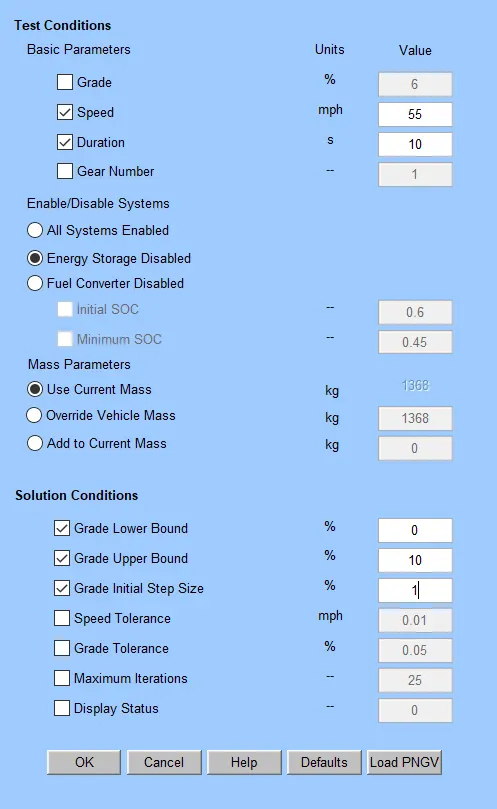
The result of gradeability at 55 mph is 1.7 %
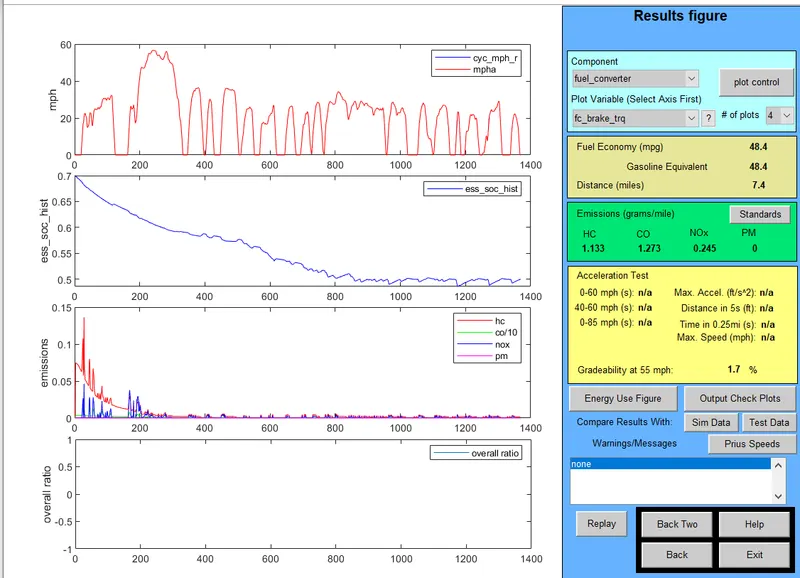
Likewise for the following speed the gradeability is:
| Speed (mph) | Gradeability |
| 30 | 2.5 % |
| 40 | 2.5 % |
| 45 | 2.2 % |
| 50 | 2 % |
| 55 | 1.7 % |
| 60 | 1.5 % |
As the speed increases, the gradeability decreases.
Result:
- The FTP cycle is not able to complete 45 km, as it fall short by 3.6 km.
- By increasing the maximum power capacity of battery, the range can be increased. Also, FTP cycle is able to complete 45 km distance.
- As the speed increases, the gradeability decreases.
Conclusion:
Simulated the model with the condition given using ADVISOR tool.