Week-3 Challenge: ADVISOR Tool
Aim: For EV_defaults_in file, if cargo mass is 500 kg with all other default conditions, can the vehicle travel for 45 km with FTP drive cycle? Conclude your observations.
What is Advisor tool ?
Advanced Vehicle Simulator is a set of model data and script text files for use with MATLAB and Simulink. It is designed for rapid analysis of the performance and fuel economy of conventional electric and hybrid vehicles.
It was first developed in 1994 by the national renewable energy laboratory,The main use of this tools is that it allows users to asses the effective changes in vehicle comonents.
It has mainly 3 windows they are,1) vehicle window 2) simulation parameter 3) results window
Steps followed in starting the Advisor tool:
- Intially open the MATLAB
- set the default location folder first
- Now in the commond window type the advisor and then click enter.
- Now new GUI window will open.
- Then click on the start button to operate the Advisor tool.
Question:1
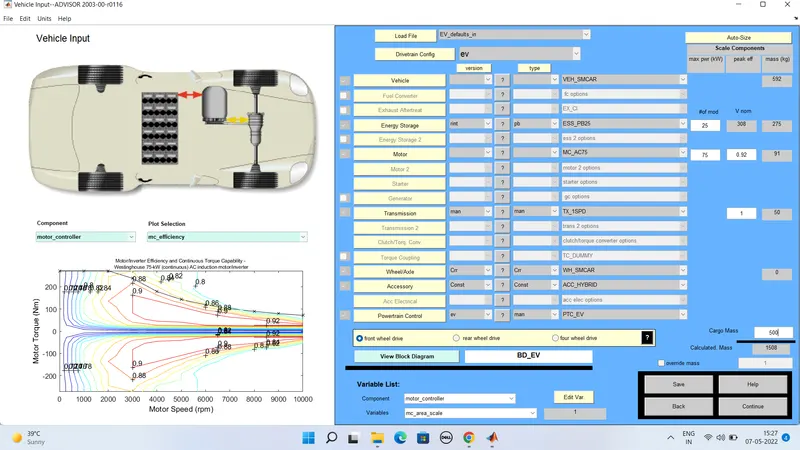
1)First from the above figure we need to change the parallel_defaults to EV_defaults in vehicle input section.
2) Now change the cargomass to 500kg as per the question given.we can see that total mass aslo changed
3) Then now click on continue , the a new window willl open i.e simulation
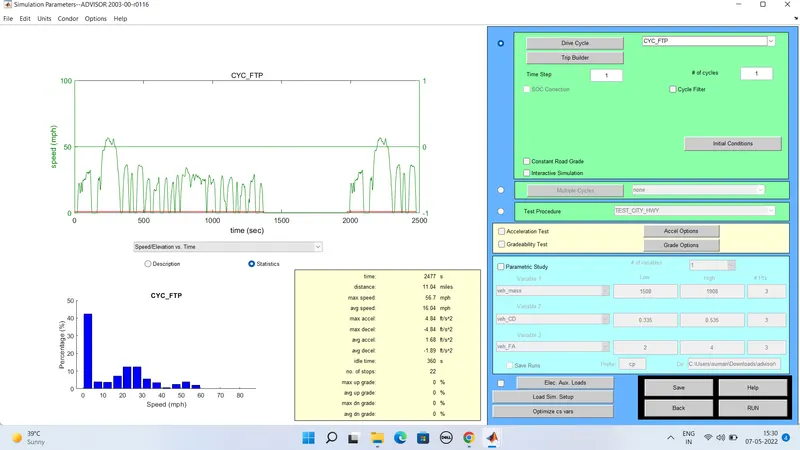
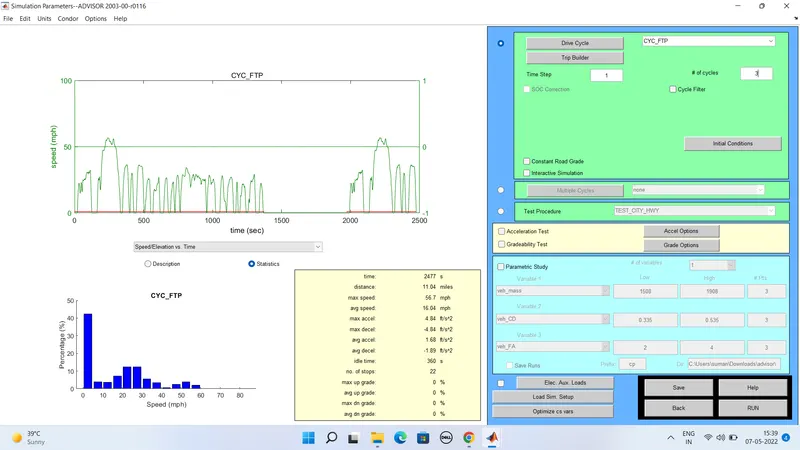
Now a new simulation window is opend then change the drive cycle to CYC_FTP .
Now below that there is a #cycle option were we can change the drive cycles.
Now press the run button the simulation will start and the result obtined is shown below
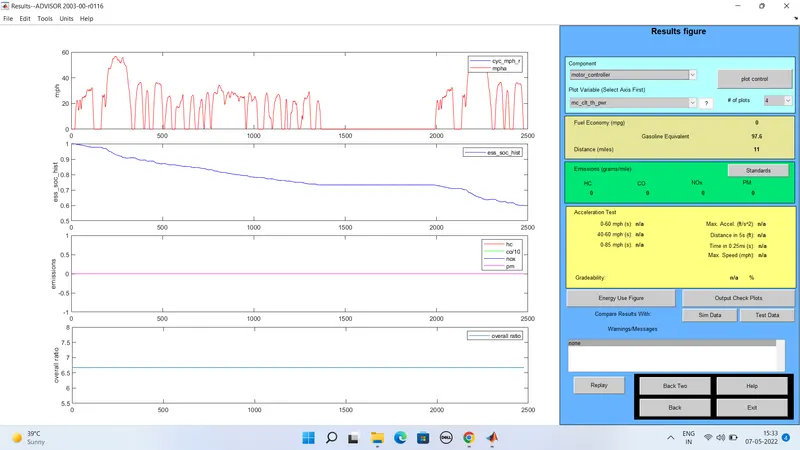
From the above results the distance travelled by the vehicle in 1drive cycle is 11 miles i.e 17.7km
Now for increasing the number of drive cycle to 2:
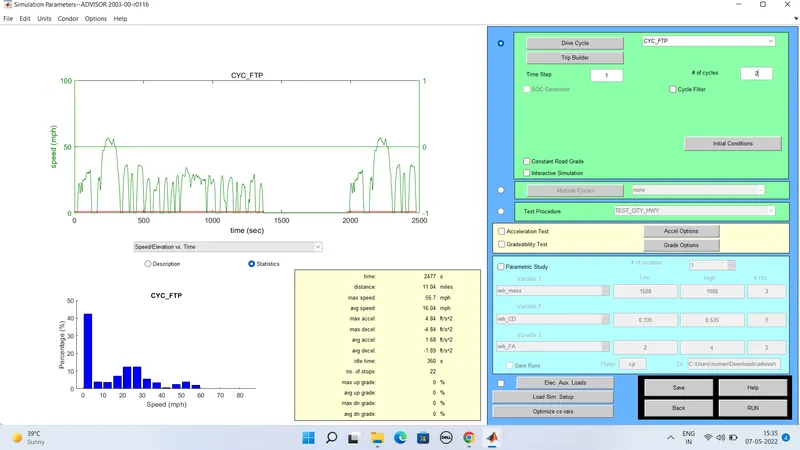
OUTPUT for 2 drive cycle:
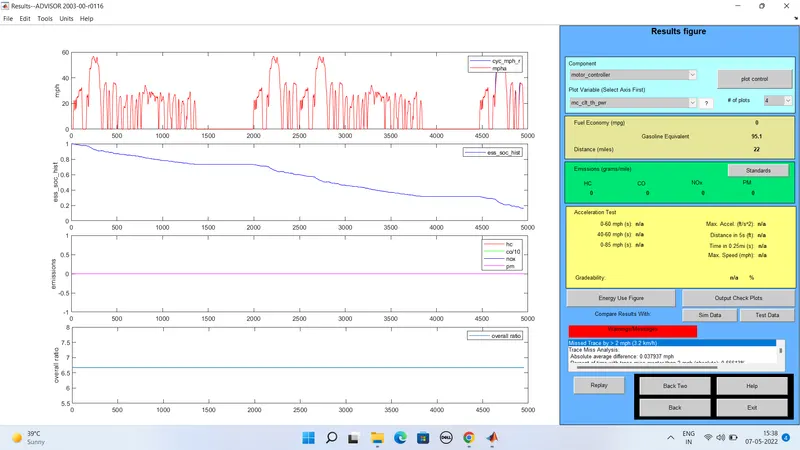
From the above results the distance travelled by the vehicle in 2 drive cycle is 22 miles i.e 35.4km
Now for increasing the number of drive cycle to 3:
OUTPUT for 3 drive cycle:
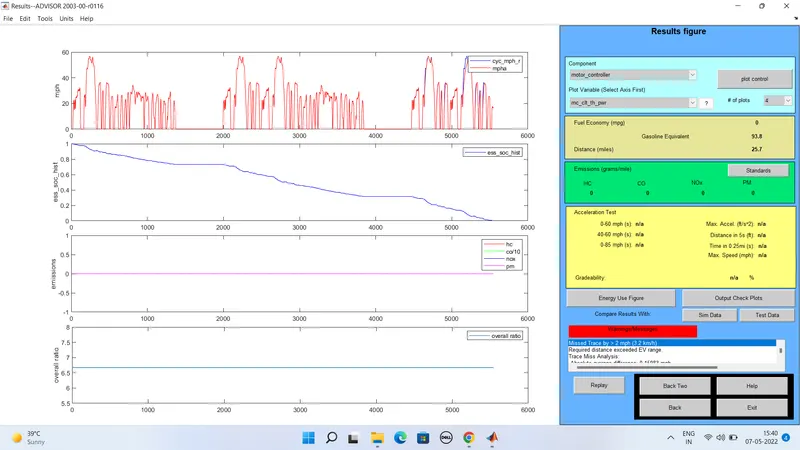
From the above results the distance travelled by the vehicle in 2 drive cycle is 25.7 miles i.e 41.36km.
| No of Drive cycles | Distance traveled by the vehicle in kms |
| 1 | 17.7km |
| 2 | 35.4km |
| 3 | 41.36km |
Here the minimum distance traveled by the vehicle is 17.7km ab=nd maximum is 41.36km.
Question :2:
Aim : In the above case, try changing the battery capacity and repeat the simulation.
Here in this question we need to change the battery capacity , from the below figure the #of mod V nom indicates the the battery storage capacity
we see that the change in the battery from the box1 then there is aslo change in the weight of the battey and voltage from box2 and 3
Here in this step we change the drive cycle to 2 or 3 one at the time and run the simulation,we can repate the simulation by changing the battery and drive cycle.
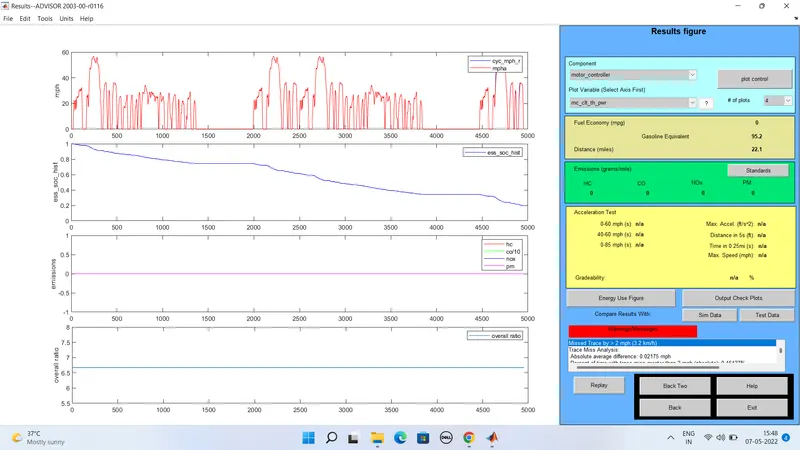
1) For energy storage system with 26 modules and for 2 drive cycles:

Output results:
2) For energy storage system with 27 modules and for 2 drive cycles:

Output results:
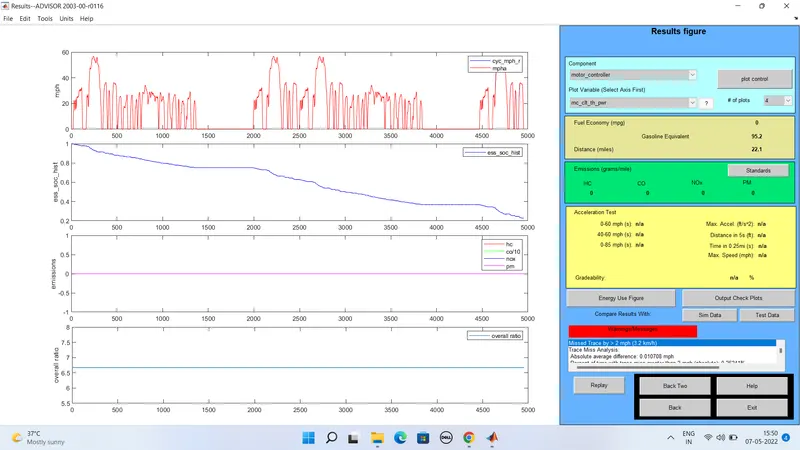
3) For energy storage system with 28 modules and for 2 drive cycles:

Output results:
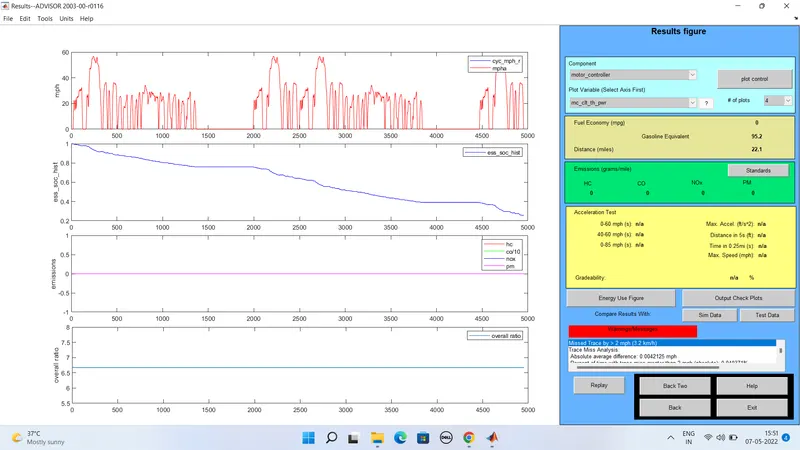
4) For energy storage system with 26 modules and for 3 drive cycles:
Output results:
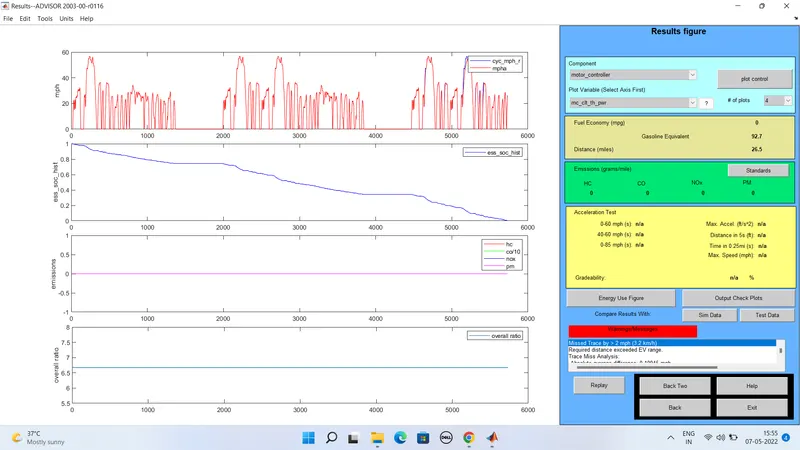
5) For energy storage system with 27 modules and for 3 drive cycles:
Output results:
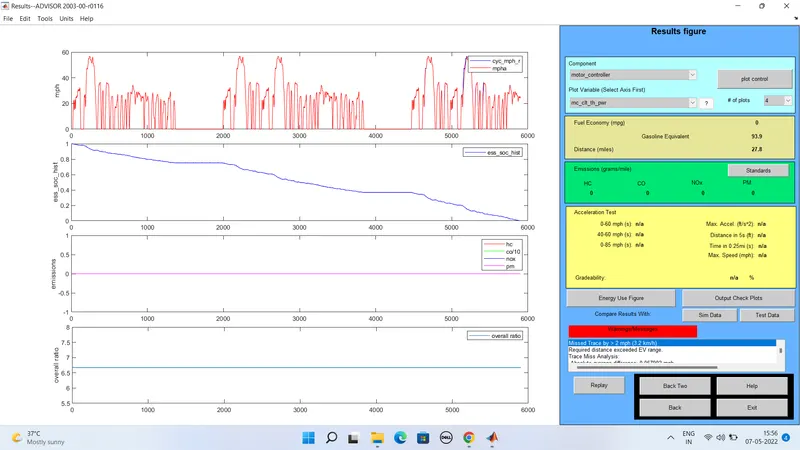
6) For energy storage system with 28 modules and for 3 drive cycles:
Output results:
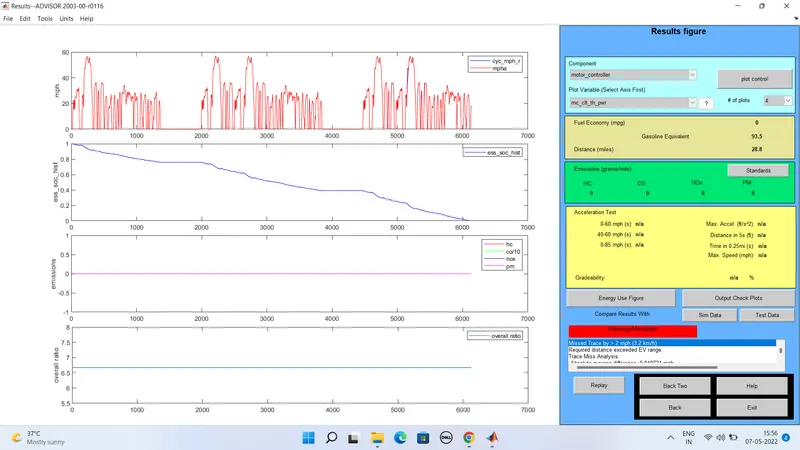
For Drive cycle 2:
| Battery mod | voltage | km | Battery weight |
| 26 | 321 | 35.56 | 286 |
| 27 | 333 | 35.56 | 297 |
| 28 | 345 | 35.56 | 308 |
For Drive cycle 3:
| Battery mod | Voltage | km | Battery weight |
| 26 | 321 | 42.64 | 286 |
| 27 | 333 | 44.73 | 297 |
| 28 | 345 | 46.34 | 308 |
when we changed the battery module in drive cycle 2 we get constant distance,where as when we changed the battery module in drive cycle 3 we get changes in the distance.
Question:3:
Aim: To Perform gradeability test with PRIUS_Jpn_defaults_in file Compare your results in table and conclude.
- In this question we need to change the advisor tool vehicle input by selecting the PRIUS_jpn_default model then repate the same process as above.
- But here we need to click on the gradebility test and then click on the grade option .
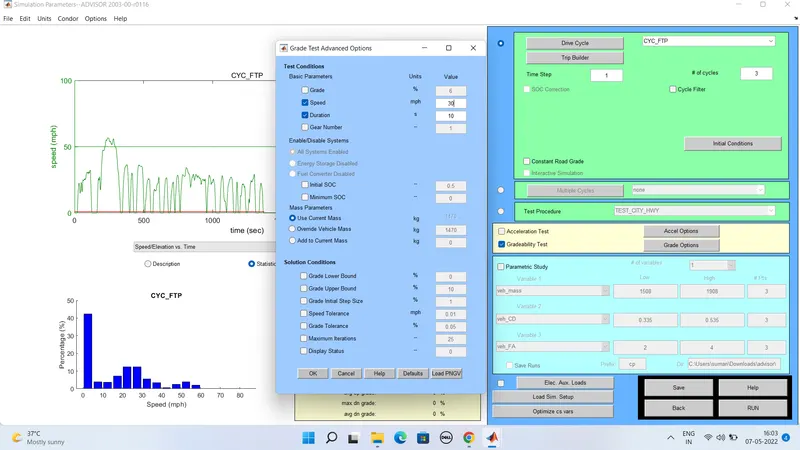
- In this gare option we can change the speed and duration
- so here we change the speed for instant 1 and duration for 2nd instant then click on all systen enabled
- Then press ok run the simulation results will be out according to the inputs
Results for the duration is 10 sec:
1) when the speed is 30 miles/hr i.e 48.28km Gradeability=17.2%
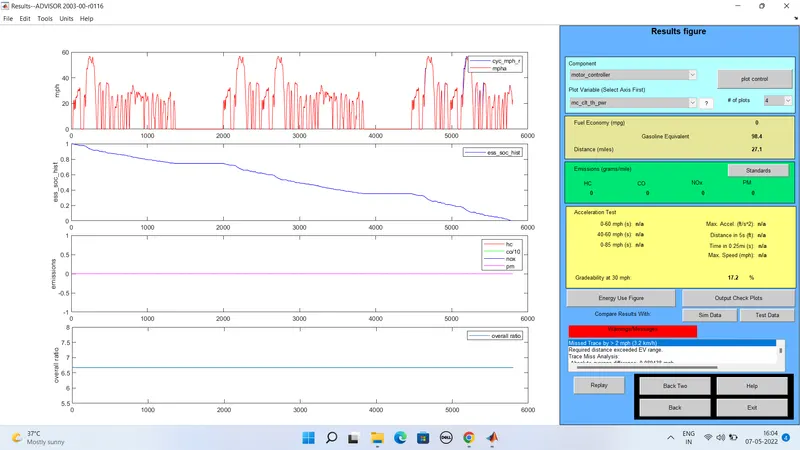
2) when the speed is 35 miles/hr i.e 56.32km Gradeability = 14.5%
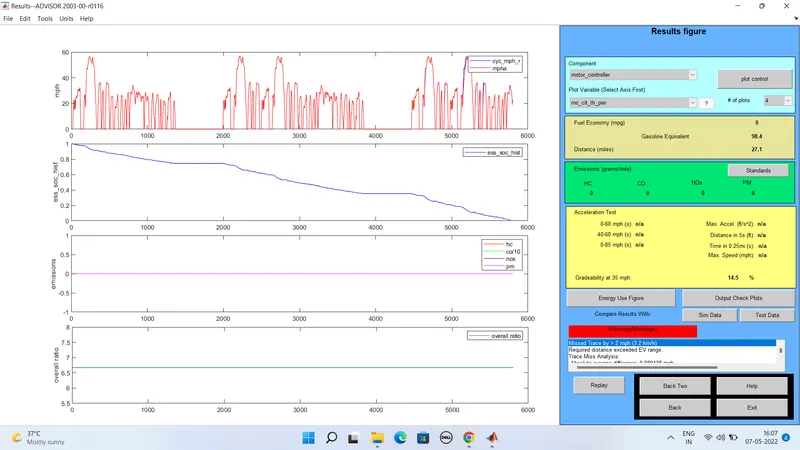
3) when the speed is 40 miles/hr i.e 64.37km Gradeability = 12.3%
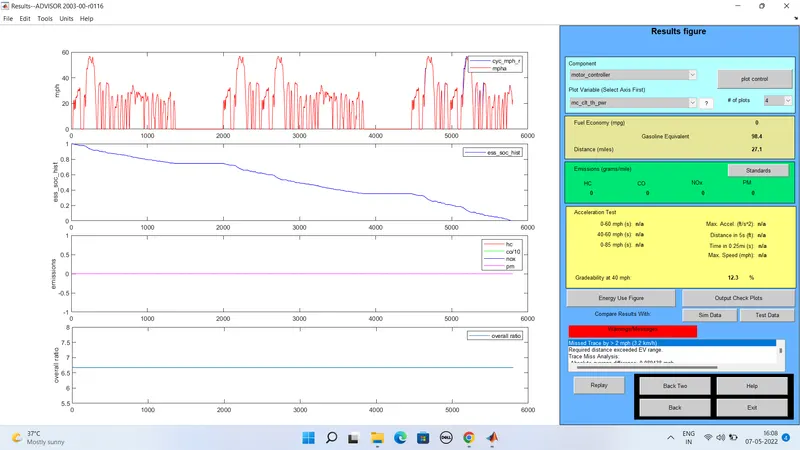
4) when the speed is 45 miles/hr i.e 72.52km Gradeability = 10.5%
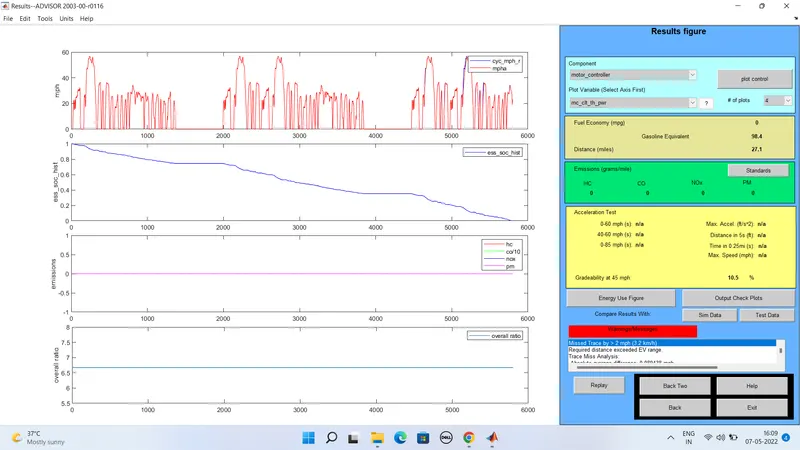
5) when the speed is 50 miles/hr i.e 80.46km Gradeability = 9%
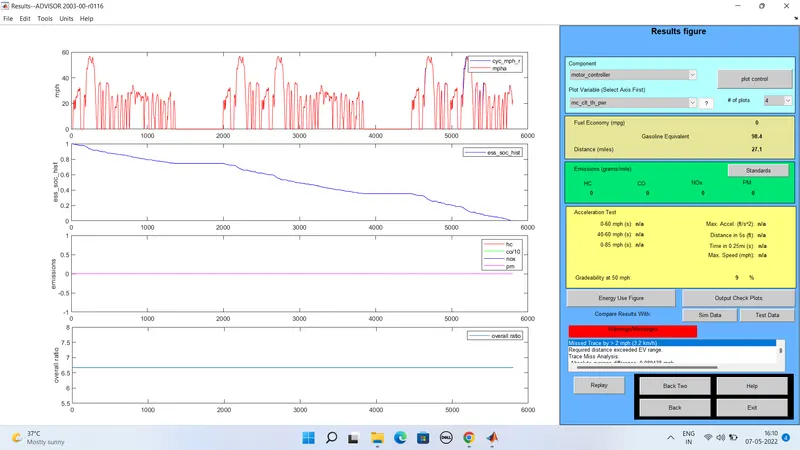
Results for the duration is 20 sec:
1) when the speed is 30 miles/hr i.e 48.28km Gradeability=16.2%
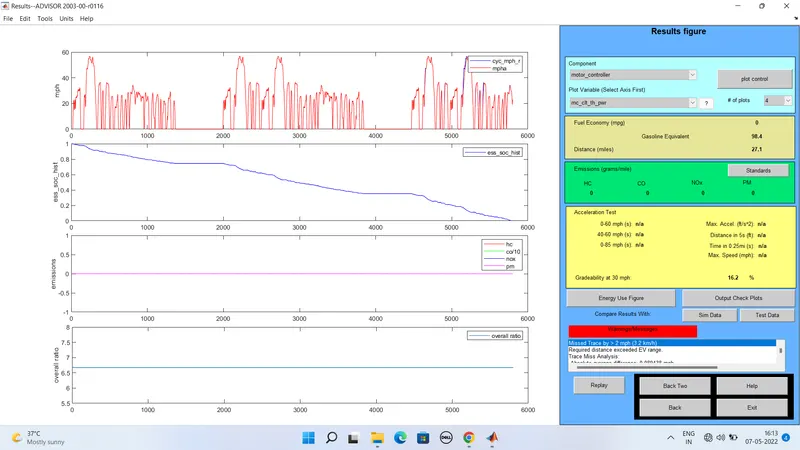
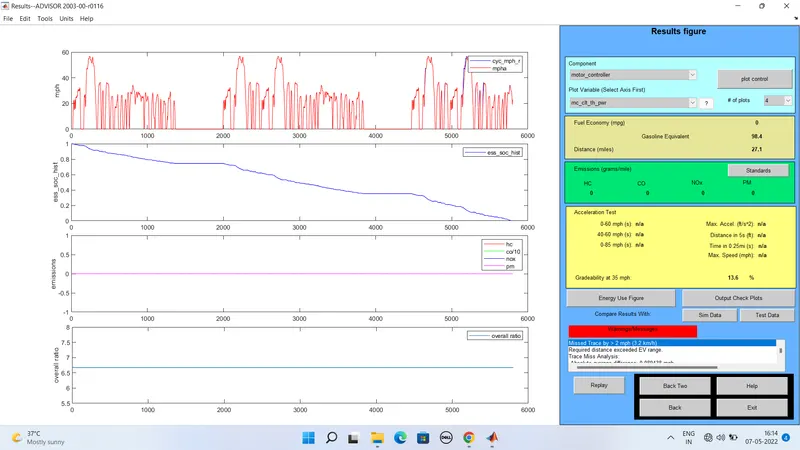
2) when the speed is 35 miles/hr i.e 56.32km Gradeability=13.6%
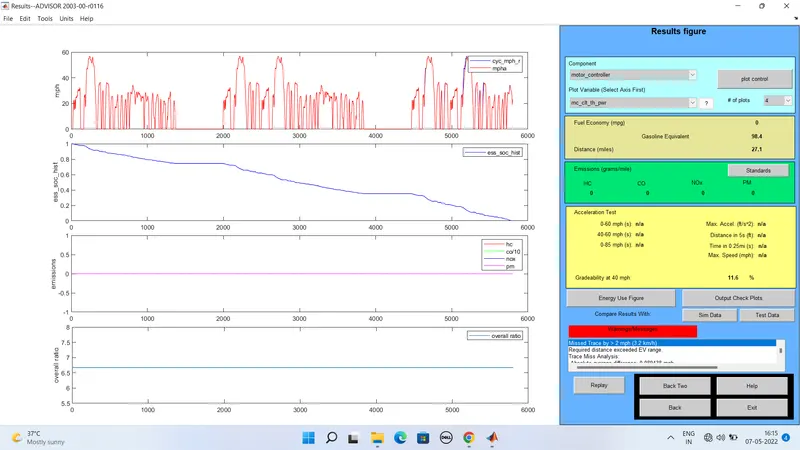
3) when the speed is 40 miles/hr i.e 64.37km Gradeability=11.6%
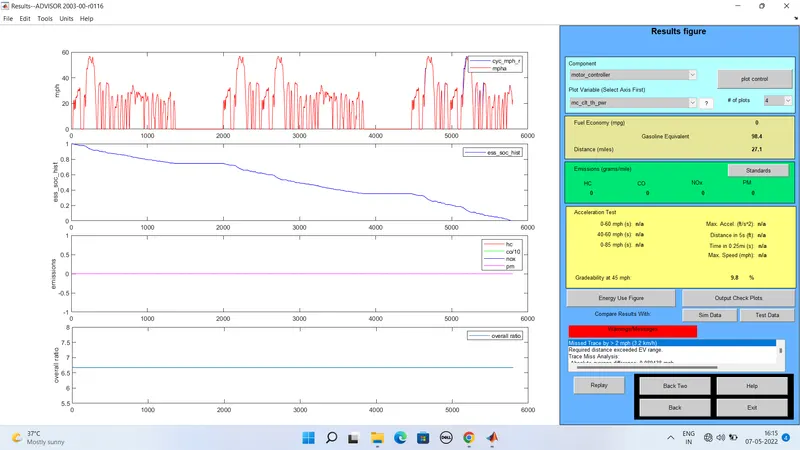
4) when the speed is 45 miles/hr i.e 72.52km Gradeability = 9.8%
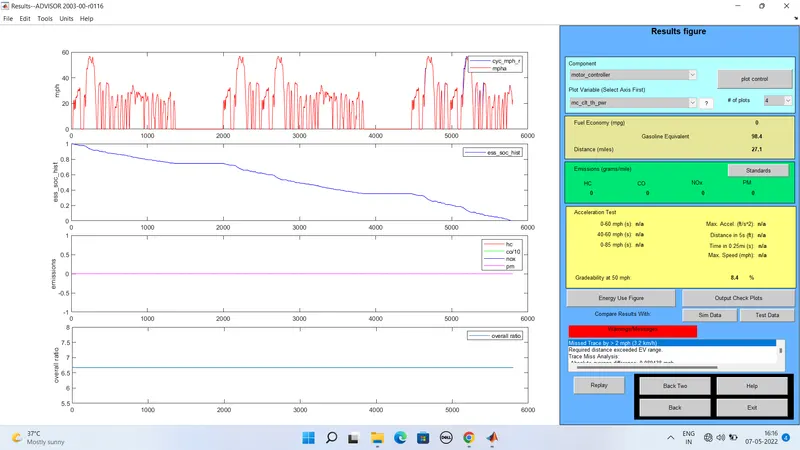
5) when the speed is 50 miles/hr i.e 80.46km Gradeability = 8.4%
For duration of 10 sec:
| Sl.no | Vehicle speed mph | Vehicle speed kmph | Gradeability% |
| 1 | 30 | 48.28km | 17.2 |
| 2 | 35 | 56.32km | 14.5 |
| 3 | 40 | 64.37 | 12.3 |
| 4 | 45 | 72.52 | 10.5 |
| 5 | 50 | 80.46 | 9 |
For duration of 20 sec:
| Sl.no | Vehicle speed mph | Vehicle speed kmph | Gradeability% |
| 1 | 30 | 48.28km | 16.2 |
| 2 | 35 | 56.32km | 13.2 |
| 3 | 40 | 64.37 | 11.6 |
| 4 | 45 | 72.52 | 9.8 |
| 5 | 50 | 80.46 | 8.4 |
from the above table we can say that the when vehicle speed increased there is a decrease in gradebility.
Conculsion:
BY using advisor tool we have obtained required results
In case 1: we have used the EV_defaults_in file and changed the cargo mass to 500kg
In case 2: we have chnaged the battery capacity and done the simulation
In case 3: we have performed the gradeability test with PRIUS_jpn_defaults_in file