Week-3 Challenge: ADVISOR Tool
ANSWER-1
Aim: To simulate models with given repective conditions using ADVISOR tool.
Theory: ADVISOR means Advanced Vehicle Simulator. ADVISOR is a MATLAB/Simulink based simulation program for rapid analysis of the performance and fuel economy of light and heavy-duty vehicles with conventional (gasoline/diesel), hybrid-electric, full-electric, and fuel cell powertrains.
Opening ADVISOR:
I. Download the tool from the provided link. Extract the files in the MATLAB directory.
2. Make the current directory as advisor folder for running the tool.
3. Open the advisor.m file and run the program.
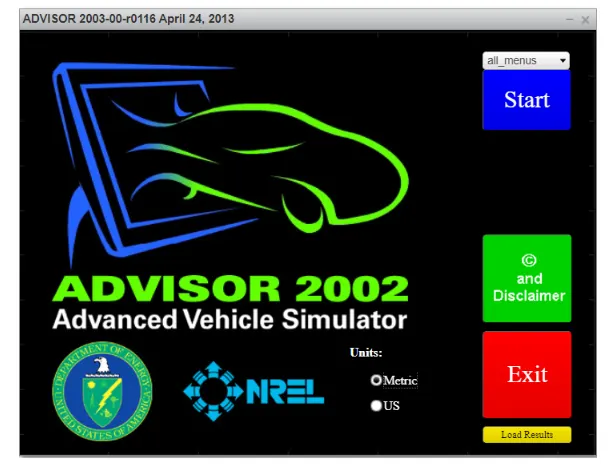
4. Change the units as metric and start the tool.
Open ADVISOR tool.
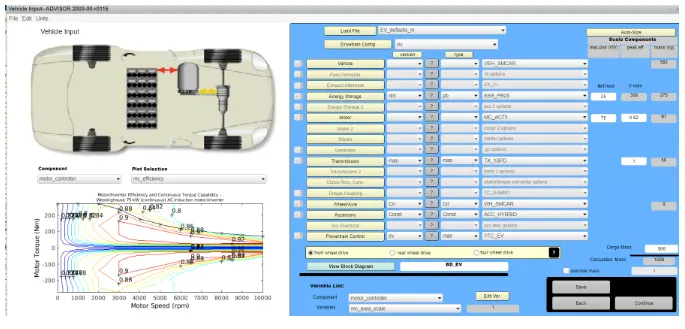
1. Open EV_defaults_in file, we can observe all values like energy consumption etc. The total weight is calculated automatically including all components and cargo mass can be varied.
2. Keep the cargo mass as 500kg, and continue for next process.
3. By default the drive cycle is UDDS, change it to the 1TP cycle. We can observe that the total range of this EV with 17P drive cycle as 17.77km.
4. To know whether the vehicle travels for 45km, we should calculate for 3 drive cycles.
5. Run the simulation.
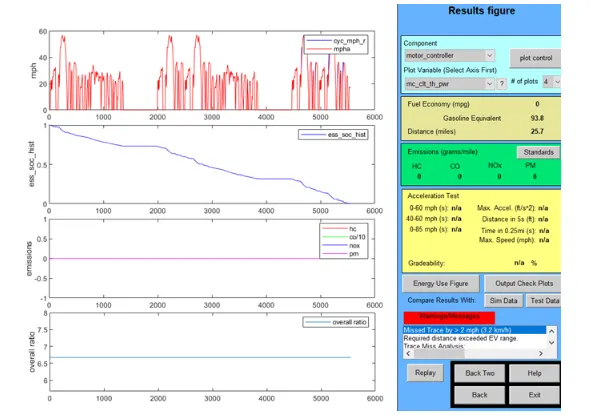
RESULT:There are 4 plots visible in the results. First plot shows drive cycle for 3 times. Second plot is State of Charge(SOC) which drains completely before the third drive cycle completes. Third plot shows zero emissions occurred. Fourth plot shows that distance covered by the vehicle is 41.4km. The vehicle was unable to make 45km with 500kg cargo mass and FTP drive cycle.
__________________________________________________________________________________________________________________________________________________________________________________________________________________________________
ANSWER-2
To simulate by changing the battery capacity in the above case.
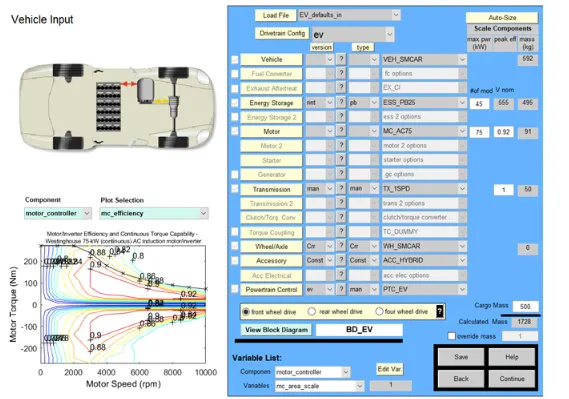
1. After loading the EV_defaults_in file, change the battery capacity. By default it is given as 25kW, and change it to 35kW.
2. Continue with the simulation program with 3 1TP drive cycles.
3. Run the simulation.
RESULT:
ULT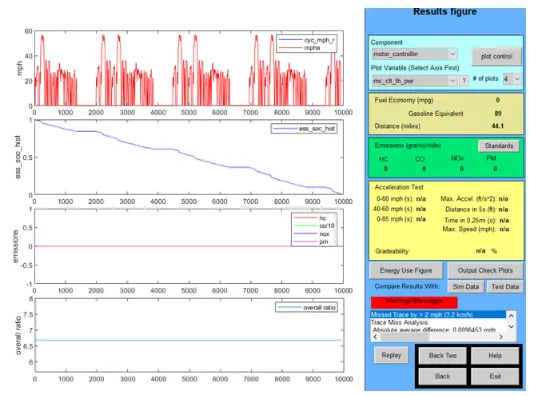
______________________________________________________________________________________________________________________________________________________________________________________________________________________________
ANSWER-3
To perform gradeability test for PRIUS_jpn_defaults.
I. Load PRIUS_jpn_defaults_in tile.
2. We can obverse vehicle mass as 918kg. Cargo mass as 136kg by default. Power values for energy storage, fuel converter, generator etc are given.
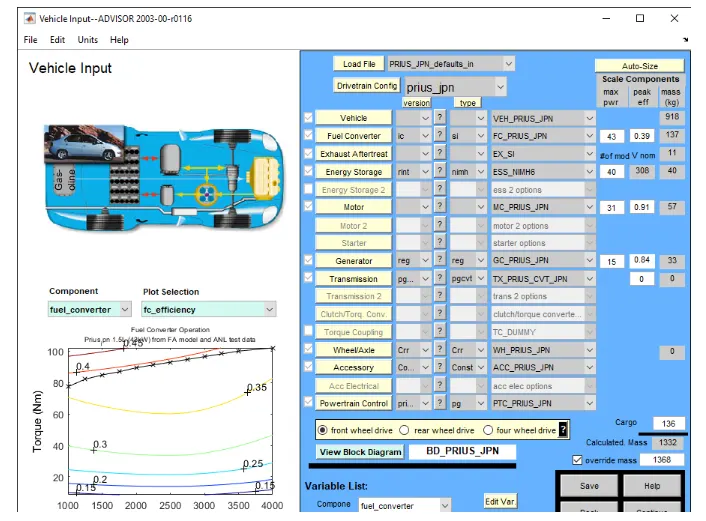
3. Continue with the process. Check the gradeability test box and click on options.
4. By default it is given as 55mph with lOseconds durationof time.
5. Now, run the program and observe various values and plots in results.
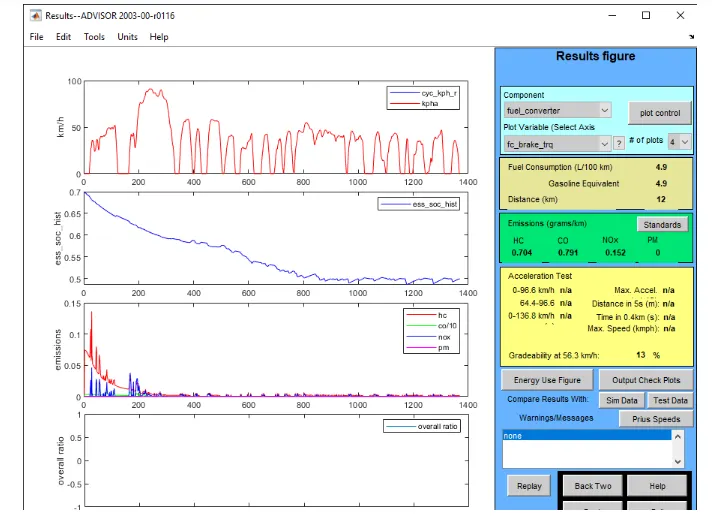
6. We can observe that gradeability at 88.5kmph is 1.7%.
7. Now, go to before step and change the value of speed as 65mph and run the program.
8. Continue with the speeds of 75 and 85mph and note the gradeability percentage.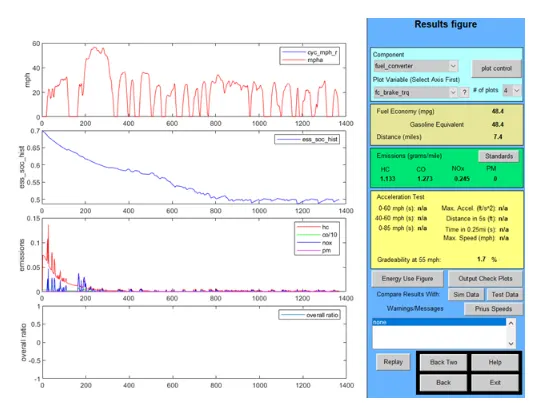
CONCLUSION
: We can see that as the speed of vehicle increases, the gradeability decreases. Hence they are inversely proportional.
SPEED GRADEABILITY
65 12
75 0.7
90 0.3
45 2.2