Week-3 Challenge: ADVISOR Tool
Q1. For EV_defaults_in file, if cargo mass is 500 kg with all other default conditions, can the vehicle travel for 45 km with FTP drive cycle? Conclude your observations.
Ans : Following step are follow in advisor tool
- First step is open Matlab and extract advisor.m file
- Tyep advisor in command window and enter
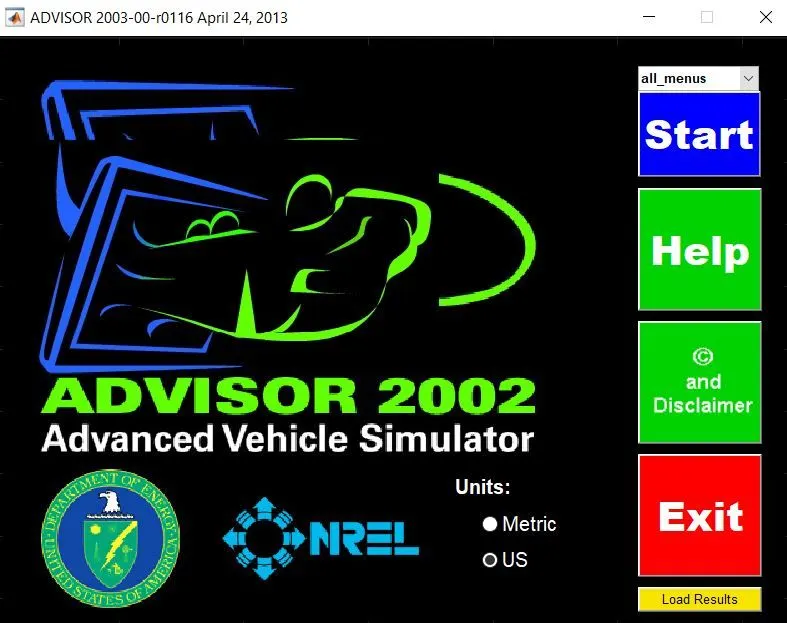
- After that advisor window/GUI will be open and select units as metric & click on start
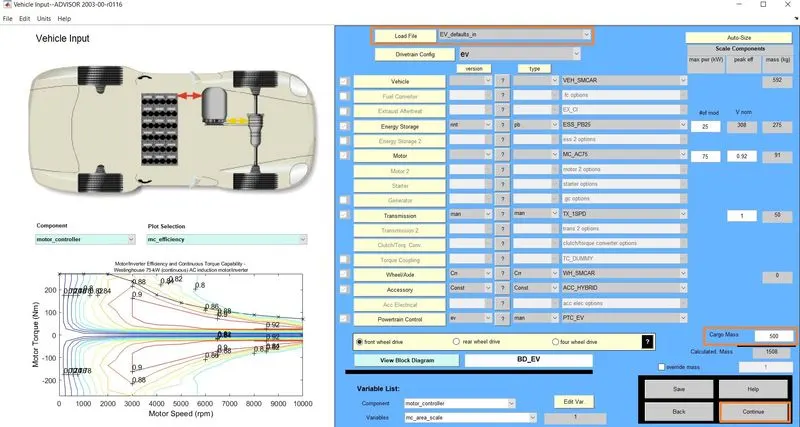
- The main window/GUI will be open and bydeaults parallel_default_in is open, so we have to select load file to EV_defaults_in
- Next thing we have to change cargo weight 500kg which is available in bottom of the corner
- Keep all other value default conditions
- Click on continue and next window/GUI will be open
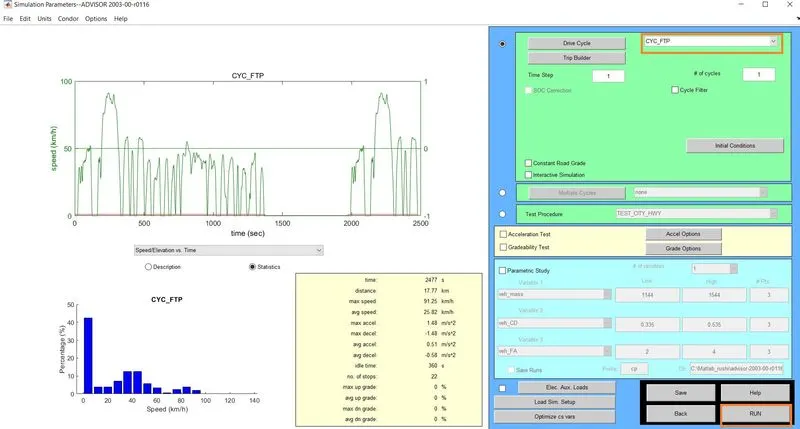
- At the right side of top select drive cycle to FTP
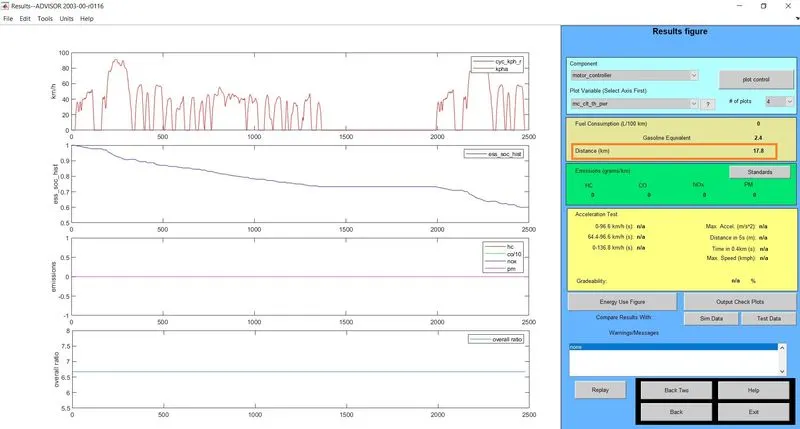
- Click on RUN and see the results open in next GUI
Changeing the drive cycle by 3 and 6
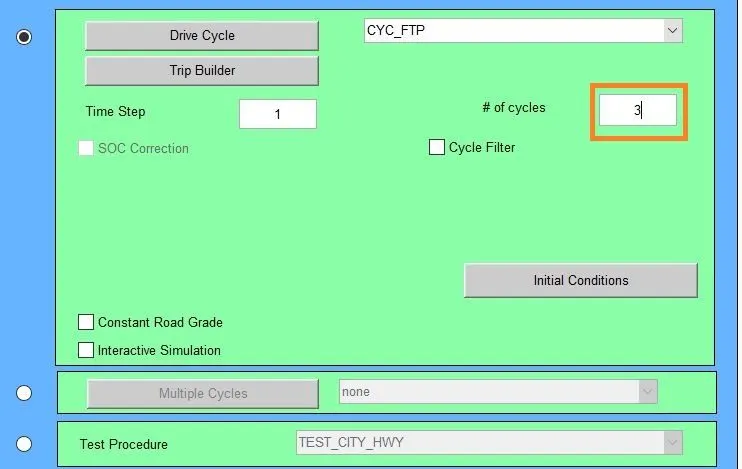
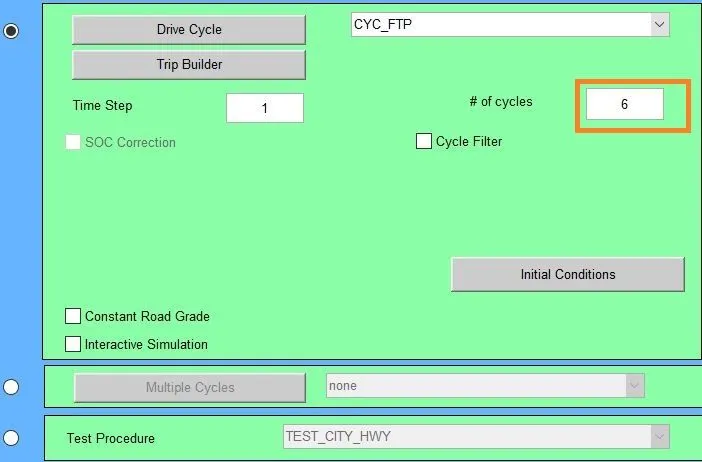
Result : We can see that at right side result fig. distance is 17.4km. So, the vehicle can't travel a distance of 45km in one drive cycle. So adding 2 drive cycle it wiil travel 35.5km and three drive cycle it will be 41.1km. After that if we still increase the no. of drive cycle the distance will be constant as 41.1km
Q2. In the above case, try changing the battery capacity and repeat the simulation.
Ans :
Procedure :
- In above simulation to change the battery capacity we need to edit battery module #mod i.e. number of battery module
- Also we have to change drive cycle to 2, 3 and see result
2 Drive cycle and 27 module
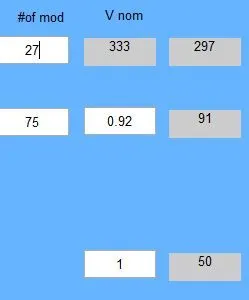

Output

2 Drive cycle and 29 module
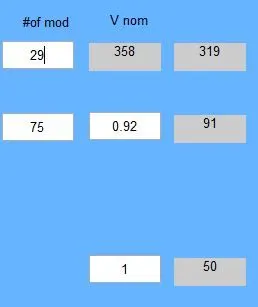
Output
3 Drive cycle and 27 module

Output

3 Drive cycle and 27 module
Output

Number of Module 2 Drive Cycle Distance (km)
27 35.5
29 35.5
Number of Module 3 Drive Cycle Distance (km)
27 44.8
29 47.7
Results : From above we can conclude that by increasing the number of two drive cycle it will not reached the distance of 45km for 27 and 29 no. of battery module. Hence we have to incresed the no. of drive cycle for 27 and 29 module and we are getting at 29 battery module 47.7km distnace.
Q3. Perform gradeability test with PRIUS_Jpn_defaults_in file
Compare your results in table and conclude.
Ans :
- First step is open Matlab and extract advisor.m file
- Tyep advisor in command window and enter
- After that advisor window/GUI will be open and select units as metric & click on start
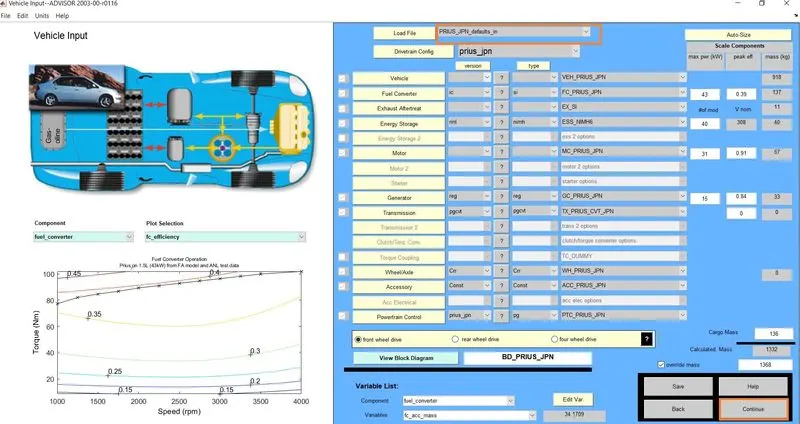
- The main window/GUI will be open and bydeaults parallel_default_in is open, so we have to select load file to PRIUS_Jpn_defaults_in
- Keep all other value default conditions
- Click on continue and next window/GUI will be open
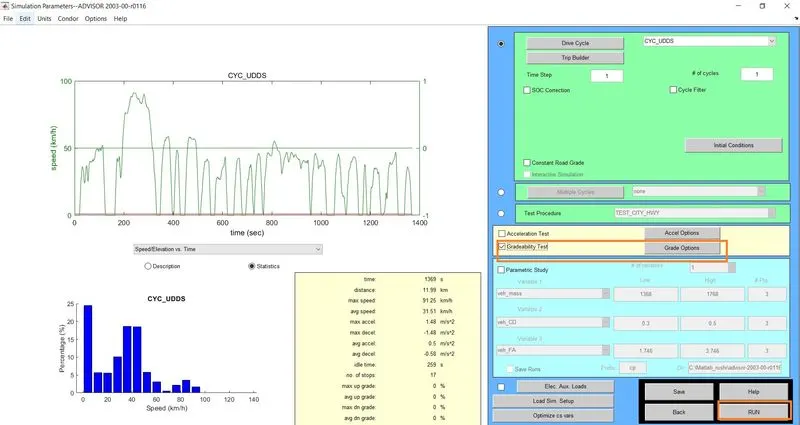
- At the right side select gradeability test and click on grade option
- The grade test advance option window will be open
- Put speed Value and click on ok
- Click on RUN and see the gradeability test result open in next GUI
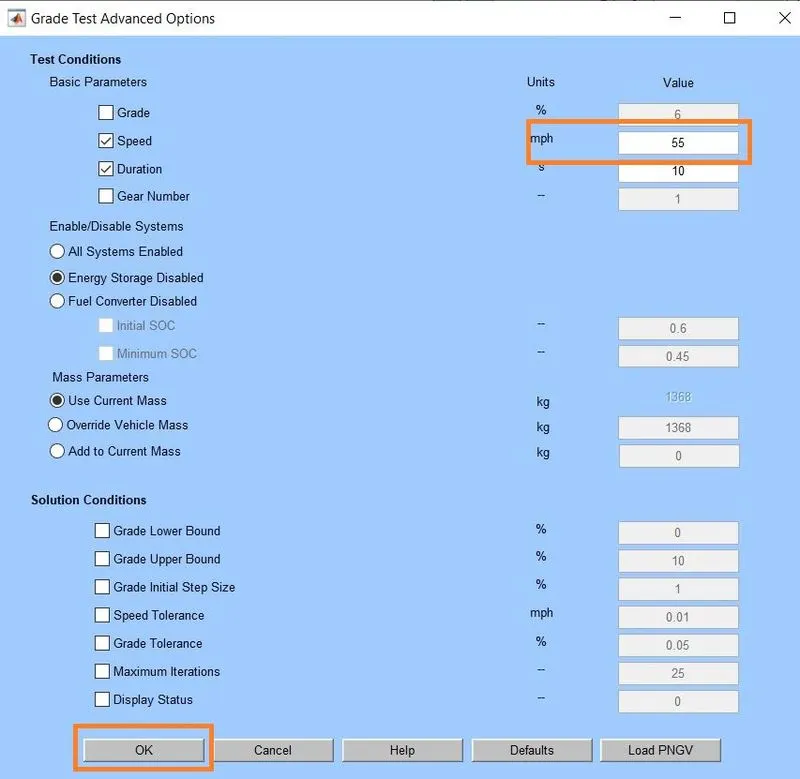
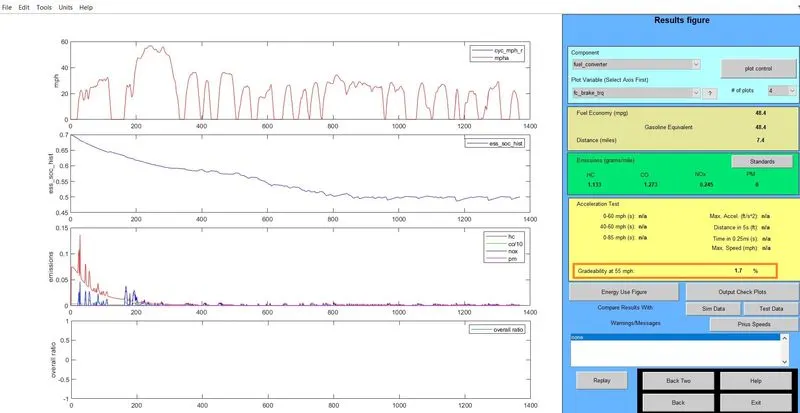
The speed is Kept as 55mph, then gradability is 1.7%
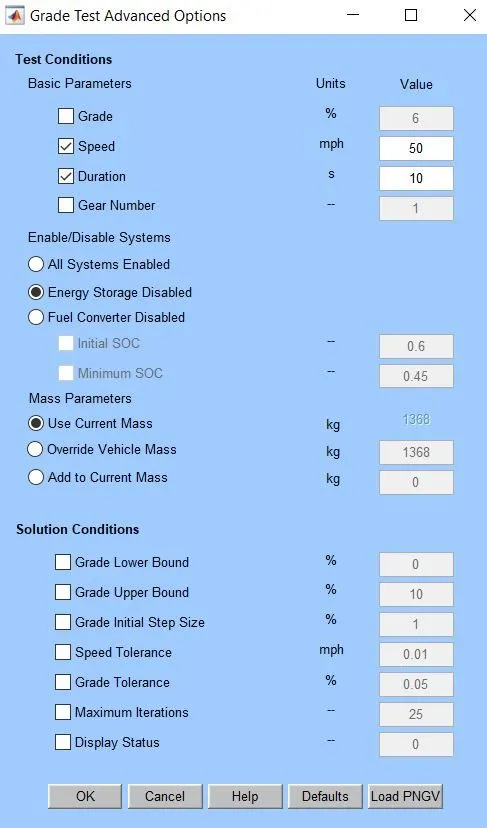
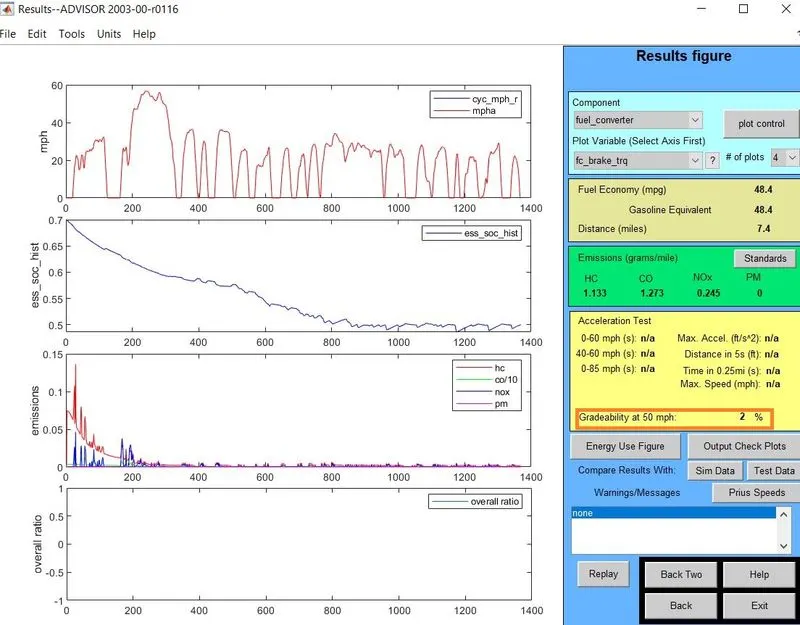
The speed is Kept as 50mph, then gradability is 2%
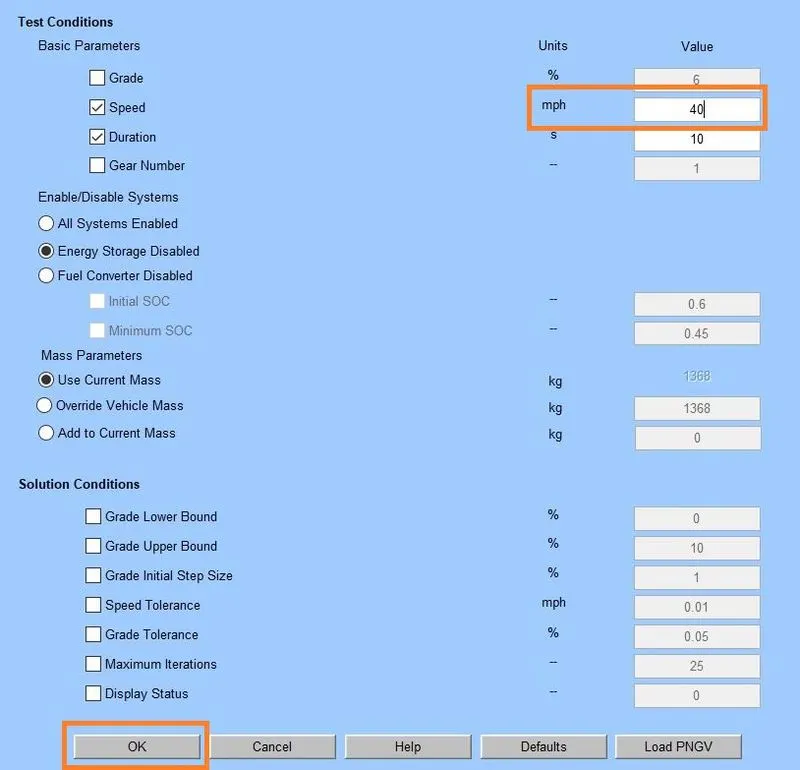
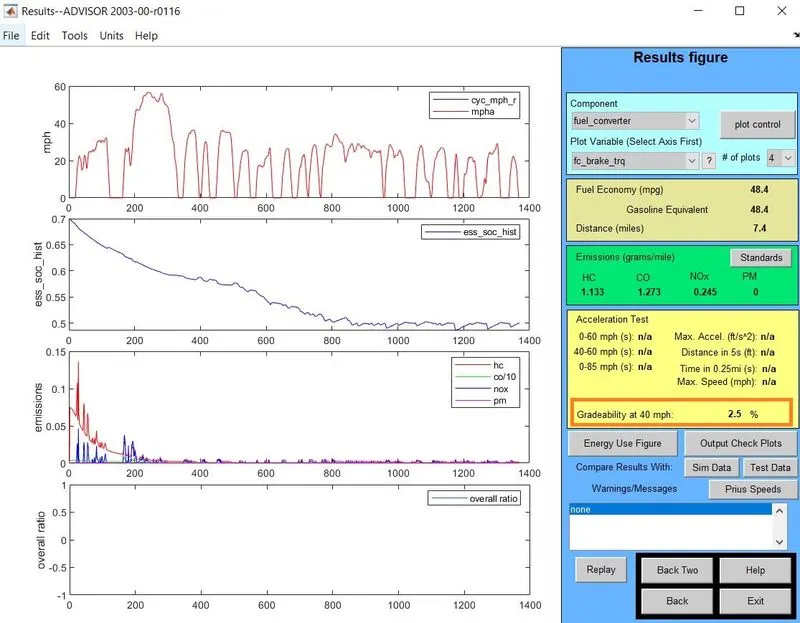
The speed is Kept as 40mph, then gradability is 2.5%
| Speed (mph) | Gredability (%) |
| 55 | 1.7 |
| 50 | 2 |
| 40 | 2.5 |
Results : So we can conclude that if speed has increases the gradability decreases.