Week-3 Challenge: ADVISOR Tool
AIM
- For EV_defaults_in file, if cargo mass is 500 kg with all other default conditions, can the vehicle travel for 45 km with FTP drive cycle? Conclude your observations.
- In the above case, try changing the battery capacity and repeat the simulation.
- Perform gradeability test with PRIUS_Jpn_defaults_in file Compare your results in table and conclude.
PROCEDURE
1ST
ADVISOR TOOL
Advanced Vehicle Simulator (ADVISOR) was first developed in November 1994 at the National Renewable Energy Laboratory. It was designed as an analysis tool to assist the US Department of Energy (DOE) in developing technologies for hybrid electric vehicles (HEV) through the Hybrid Electric Vehicle Propulsion System contracts with Ford, General Motors, and DaimlerChrysler. Its primary role is to highlight the system-level interactions of hybrid and electric vehicle components and their impacts on the vehicle performance and fuel economy.
ADVISOR was first released publicly via the Internet (www.nrel.gov/transportation/analysis) in September 1998. The number of public users of the software tool has grown steadily from a small group of about 30 initial partners to a group of over 4500 individuals that have downloaded the software. The majority (68%) of ADVISOR users are members of industry while 29% are members of academia with the remaining 3% representing government entities. This large user community provides feedback necessary to improve the models and component data to be used within the models.
Reference - Journal of Power Sources
(Here in this challenge we are going to use the ADVISOR tool to observe the given data)
Given data:
Vehicle model – EV_defaults_in; Cargo mass – 500 kg
To find:
With all other default conditions, can the vehicle travel for 45 km with FTP drive cycle
- To do so, Open MATLAB. Then in current folder source ADVISOR file. Then open the advisor.m program file. Now in the command window type as ‘advisor’ and run the program.
- Advisor tool popup appears. Select the unit as Metric and Start the tool.
- Now we have the Vehicle input window.
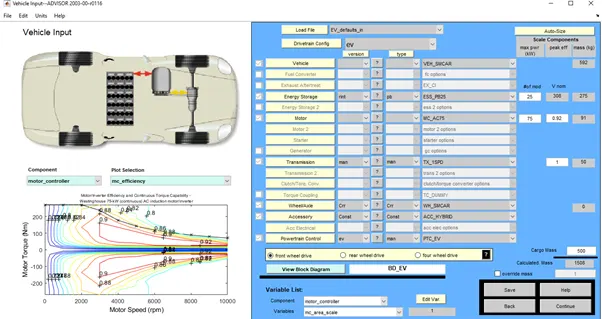
Load the given vehicle model from Load File and change the default Cargo mass of 136 kg to 500 kg as per given data and select Continue.
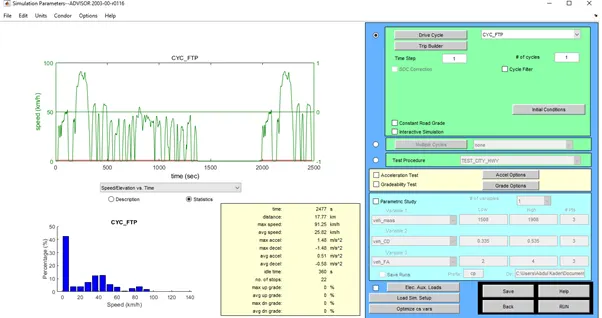
- Now we have the Simulation parameter window where we have our vehicles statistical data and other functions.
- As per our given data, we have to change the Drive Cycle to CYC_FTP. Now we can see the changes in statistical data of the vehicle.
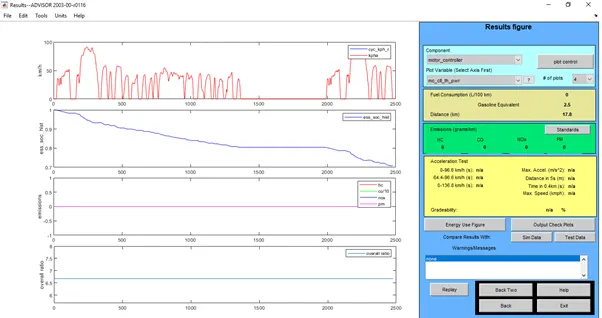
- Now Run the Simulation. Result window appears. From the observation we can see that the vehicle with cargo mass of 400 kg and FTP Drive Cycle cannot travel 45 km. It can only travel up to 17.8 km.
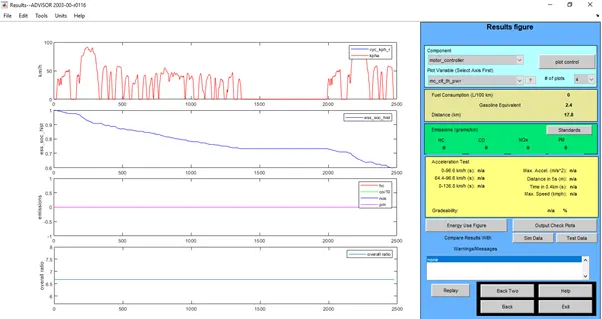
The reason of failure to travel 45 km is choosing a wrong drive cycle condition. FTP Drive Cycle is used for LDV (Light Duty Vehicles) testing. Two Driving cycles can achieve more than 45 km with a cargo mass of 500 kg are CYC_L60MPH (96.35 km) and CYC_VEIL2NREL (139.29 km).
2ND
Now with the same above condition we are going to change the battery capacity and repeat the simulation.
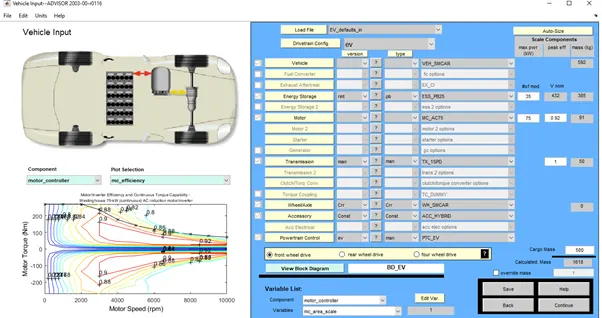
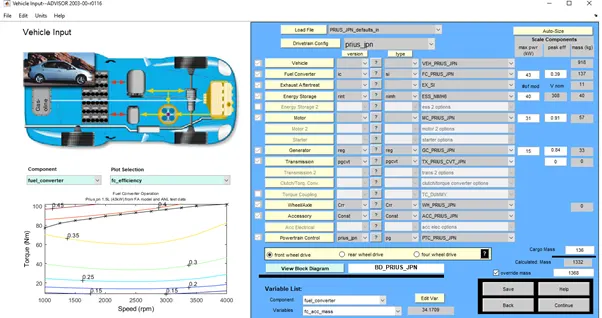
- In order to change the battery condition in Vehicle input window, we have to change the max power (KW) in the Energy storage dialogue box. I’ve changed the default value of 25 kW to 35 kW and continued the process.
- In Simulation parameter the Drive cycle remains the same as prev. one CYC_FTP. Now run the simulation.
- In the results window we can observe that there is an increase usage of Gasoline equivalent. It raised from 2.4 to 2.5 which can be seen on the energy storage graph.
Before Increase in Battery Condition


After Increase in Battery Condition


3RD
Gradeability test with PRIUS_Jpn_defaults_in
- To do so, In Vehicle input load the PRIUS_Jpn_defaults_in and hit continue to proceed.
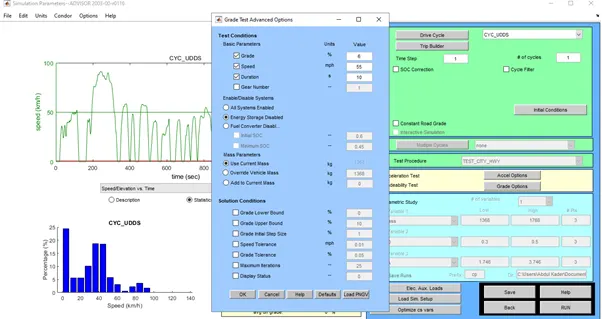
- Now we have the Simulation parameter window. In order to perform Gradeability test select the Gradeability test check box. And in Grade options popup you’ll find Test conditions. In Basic parameters we have 55 mph as a default Speed. Now let us run the simulation with the default Speed and check for gradeability.
- Here in the results window we can see that with 55 mph i.e. Gradeability of 88.5 kmph is 1.7%.
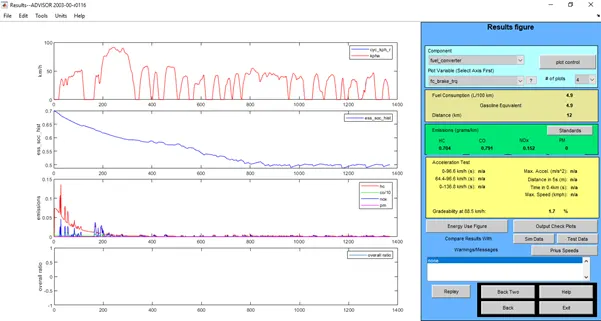
- Like so we’ll compare the results by increasing the speed. The comparison of Gradeability with different speeds are shown in the attachment.
Gradeability Test Result
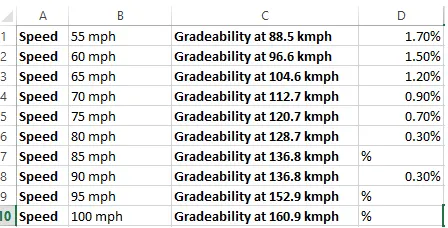
With the above comparison we can see that the Grade value decreases with increase in speed.