Week 3 Challenge
AIM – Apply the IRC railway loads on the Structure and Create the model in Staad Pro and analysis the Structure .
INTRODUCTION – The Project of I Girder Bridge to be designed for the following data given below
Width of the bridge deck is 26m
Span of the bridge is 25m
Pier height is 10m
PROCEDUCE IN DETAIL:- IRC Railway load data is given by IRC
| Load(kN) | Distance(m) |
| 170 | |
| 170 | 2.2 |
| 170 | 12.3 |
| 170 | 2.2 |
We create model step by step and apply the IRC live and run assign
STEP1:- First create the node and select the add beam command and create the beam.
STEP2:- Select the beam then go to the translation repeat Command and create the beam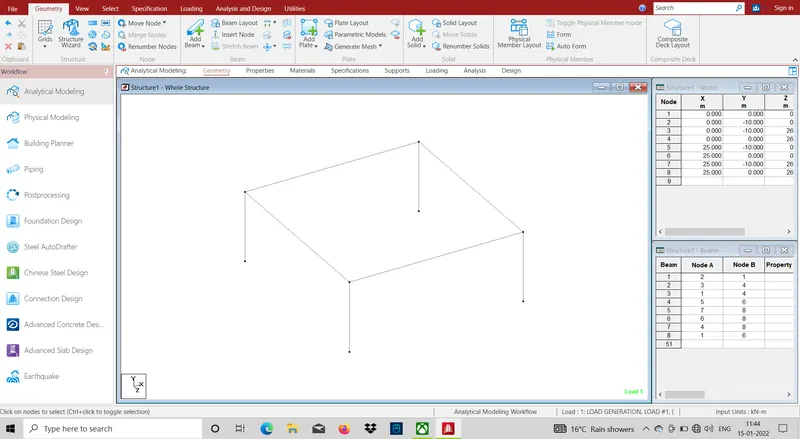
Step3:- Then using the plate command and create the plate with help of translation command
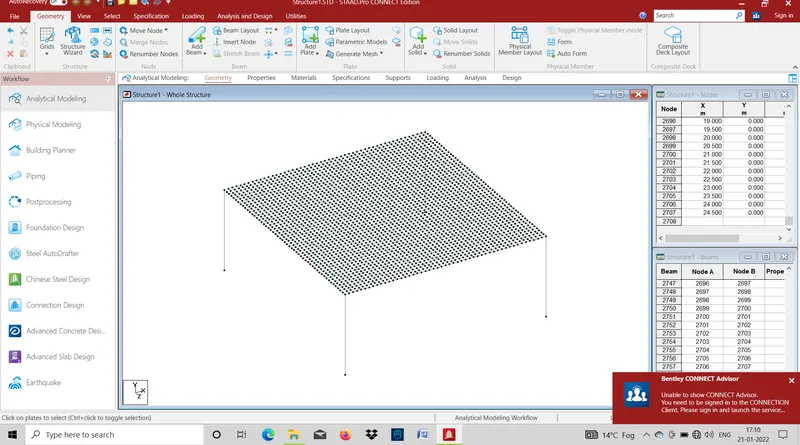
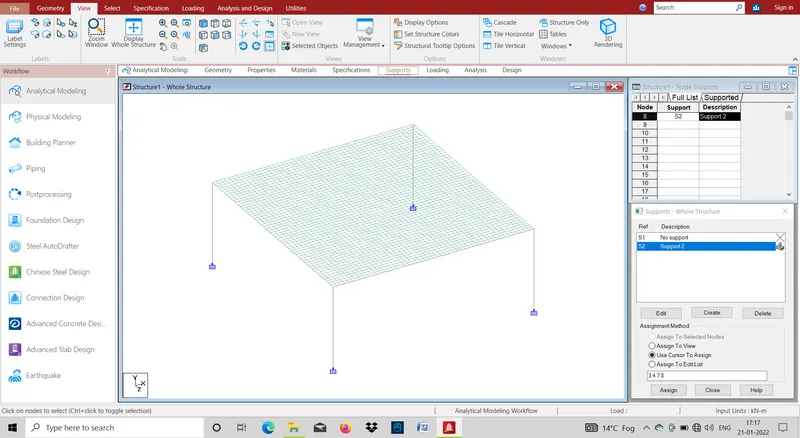
Step4:- After create the model then go the support command and add fixed support and select the node the create the fixed support
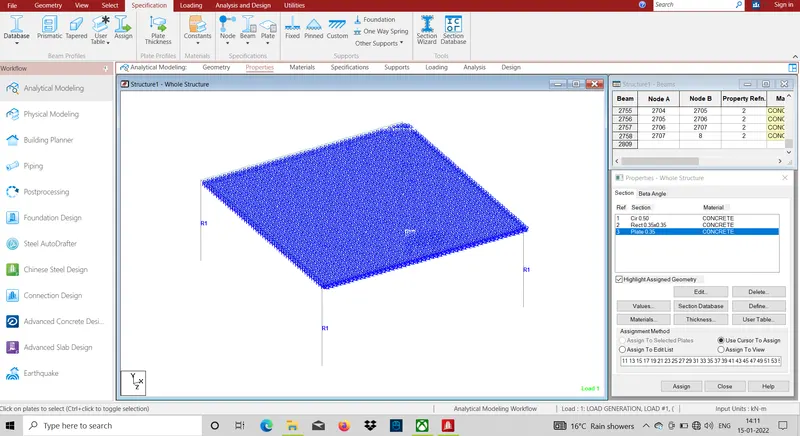
Step5:- After Create the support then go to the properties command and select geometry and assign the properties
Step6:-After assign the properties the go to the loading command and create the Vehicle definations
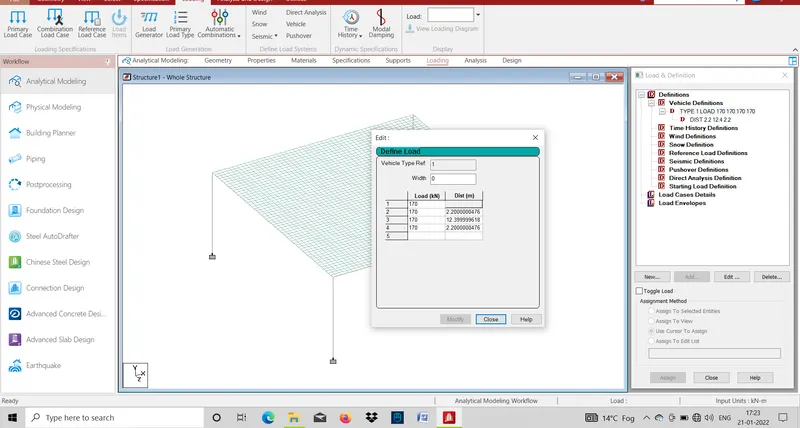
Step7:-After create the Vehicle definations the Calulate Moving (Generate) Load
GENERATE LOAD = (Span of bridge + Vehicle Length)/Per mesh length of plate
Span of Bridge =25m
Vehicle length =20m
Per mesh length of plate =0.5m
GENERATE LOAD= (25+20)/0.5
=90
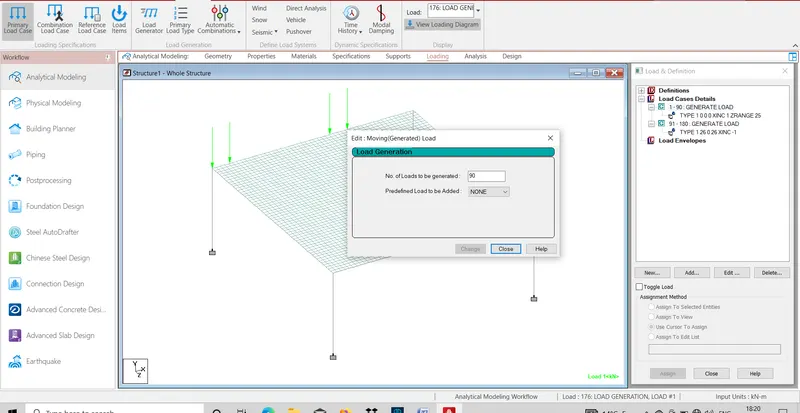
STEP8:-After Genernate load then go to defined range of load
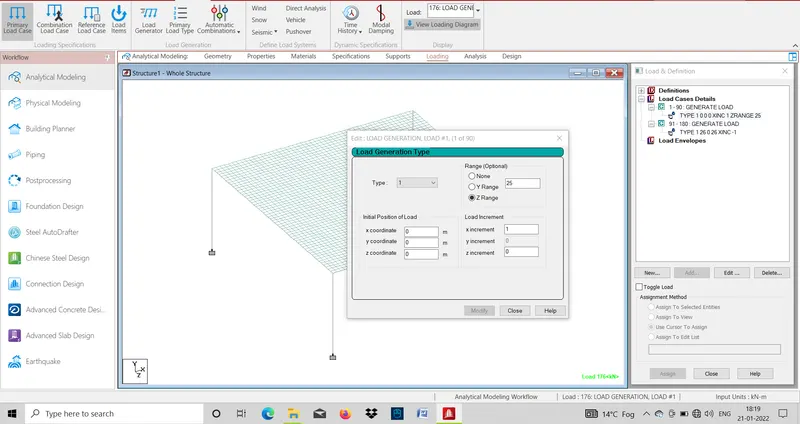
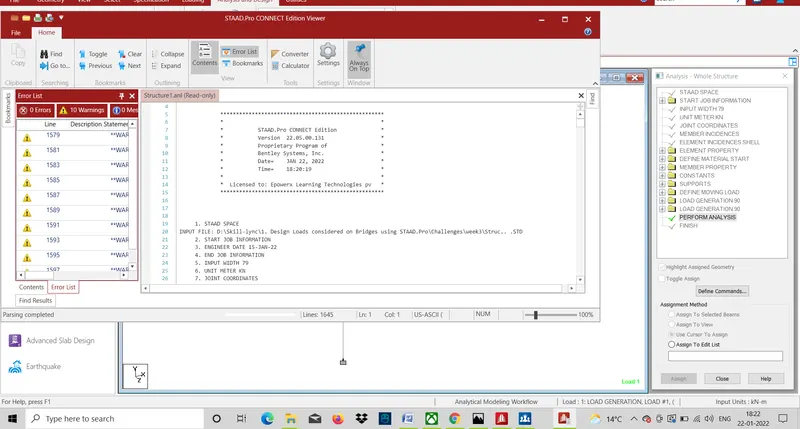
Step9:- Then slave the file and assign run analysis model
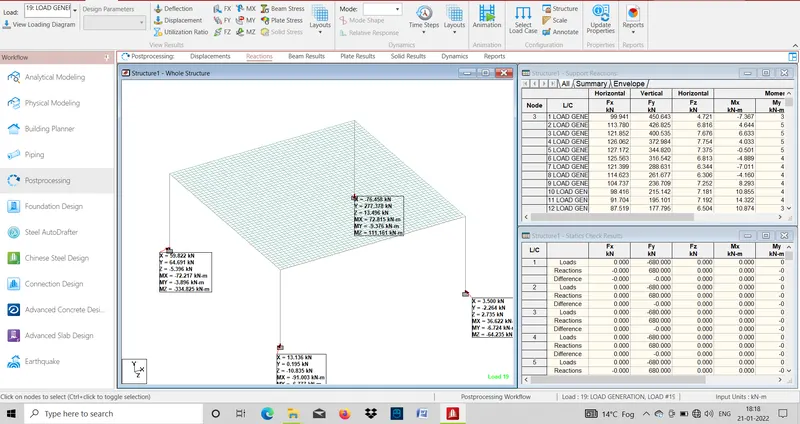
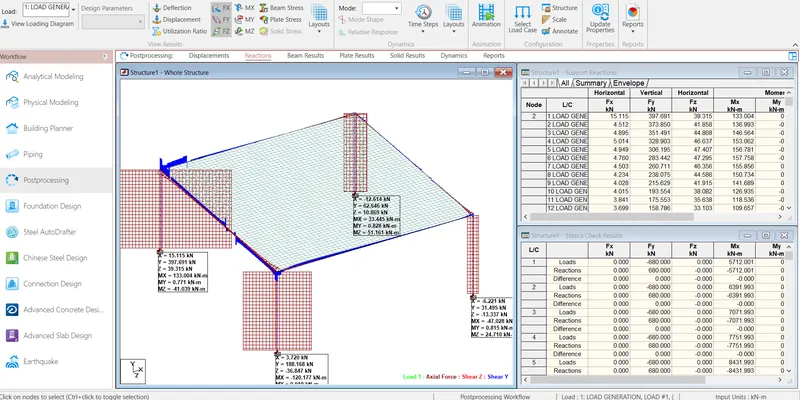
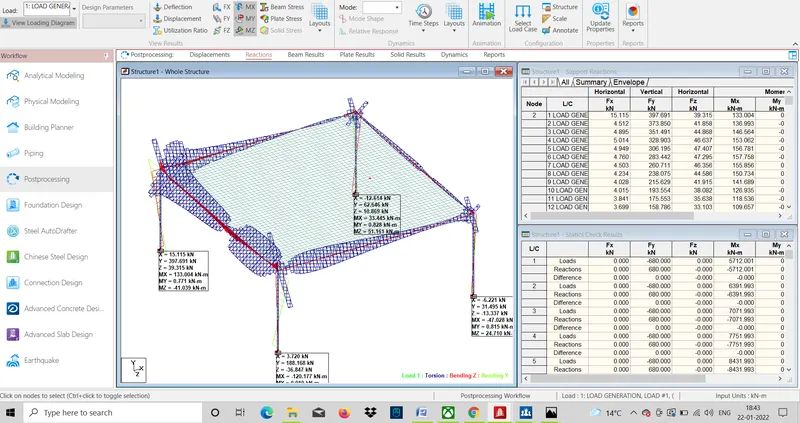
Step9:- Then Check the Deflection, displacement and all deformation on the structural element
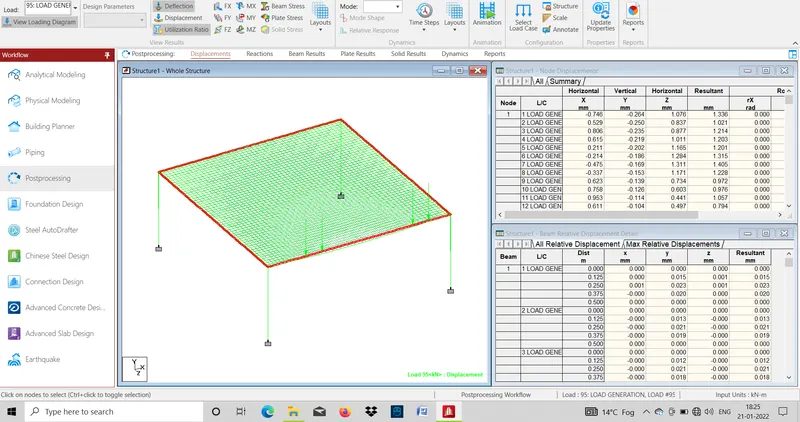
RESULT:- Total No of generate load is 90 act on the I girder Brigde.
Shear Force And Bending Moment of Structure