Week 3.2 - 2R Robotic Arm Challenge
Forward kinematics of a 2R robotic arm.
1) step - wise explanation of code.
* Insert the length of the robotic arms
* Enter the value of theta (angles) using 'linspace' command to select angle automatically.
* Using for loop.
* Enter all the coordinates.
* plotting
* Making videoFile
* closing videoFile
2) Errors while programming
Unable to understand the THETA1 and THETA2 in for loop.
difficult to understand 'ct' functioning.
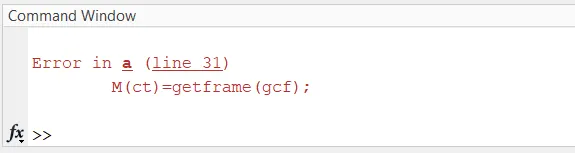
Output was giving many figure instead of one figure.
Unable to upload the output.
3) To overcome errors
* Raised mentoring session ticket and rectified the errors.
4) Screenshots showing error
5) Link for output.
https://drive.google.com/file/d/1IXUVojnJEmx8hwjpeW03mRTeFveaTYvG/view?usp=sharing
% A program for 2-R robotic arm.
clear all
close all
clc
%inputs
l1=1;
l2=0.5;

theta1=linspace(0,90,100);
theta2=linspace(0,90,100);
ct=1;
for i=1:length(theta1)
    THETA1=theta1(i);
    for j=1:length(theta2)
        THETA2=theta2(j);
        % coordinates
        x0=0;
        y0=0;

        x1=l1*cosd(THETA1);
        y1=l1*sind(THETA1);

        x2=x1+l2*cosd(THETA2);
        y2=y1+l2*sind(THETA2);

        figure(1)
        % plotting
        plot([x0 x1],[y0 y1],[x1 x2],[y1 y2],'Linewidth',3)
        axis([-0.1 1.5 0 1.5])
        %pause(0.03)
        M(ct)=getframe(gcf);
        ct=ct+1;


    end
end

movie(M)
videoFile=VideoWriter('forward_kinematics.avi','Uncompressed AVI');
open(videoFile)
writeVideo(videoFile,M)
close(videoFile)