Week 3
Study -
For the given component, check for the geometrical errors and mesh with the given element Quality criteria. After meshing the component the thickness has to be assigned.
Write a detailed report on your meshing process and also mention which method you used to extract the mid-surface along with the reason.
|
S.No |
Quality Criteria |
Value |
|
1 |
Target/Average length |
5 |
|
2 |
Minimum Length |
2 |
|
3 |
Maximum Length |
7 |
|
4 |
Aspect |
3 |
|
5 |
Warpage |
15 |
|
6 |
Skewness |
45 |
|
7 |
Jacobian |
0.7 |
|
8 |
Minimum Quad Angle |
45 |
|
9 |
Maximum Quad Angle |
135 |
|
10 |
Minimum Tria Angle |
30 |
|
11 |
Maximum Tria Angle |
120 |
|
10 |
Tria Percentage |
15 |
1. Title – Mid surfacing and quality mesh generation.
2. Objective –
- To import CAD file and check and fix grammatical errors.
- To mid surface component and mesh the imported component according to quality criteria.
- To improve mesh using ANSA features and assign thickness.
3. Introduction –
ANSA is a computer aided engineering tool, used for finite element analysis and computational fluid dynamics. It is an integrated environment which provides ready to run model from CAD model. ANSA is deployed with many algorithms which is used to create best mesh with best quality. ANSA is easy to maintain and update, any part geometry can be changed locally without recreating from scratch. ANSA offers may benefits to CAE engineer like model time reduction with quality mesh, efficient data handling, ability to provide model for different solvers etc.
4. Procedure –
ANSA supports reading most major CAD formats though direct import and it prepares model for most of the popular software. In this study we are going to import CAD geometry and generate best quality mesh with some criterion. We need to stick with procedure to create model. Start with geometry cleaning – look for crack and faults, generate mid surface, then generate mesh and after it check quality and improve it, now, it will be ready to export with different formats. Steps to be followed –
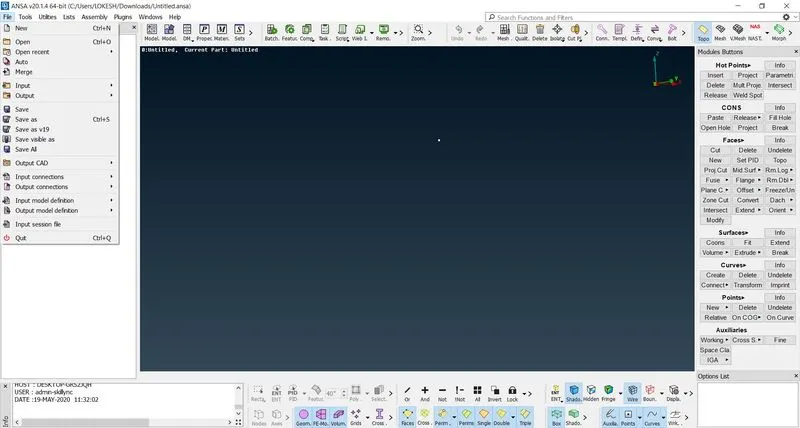
1. First, import the CAD geometry using open option in file menu.
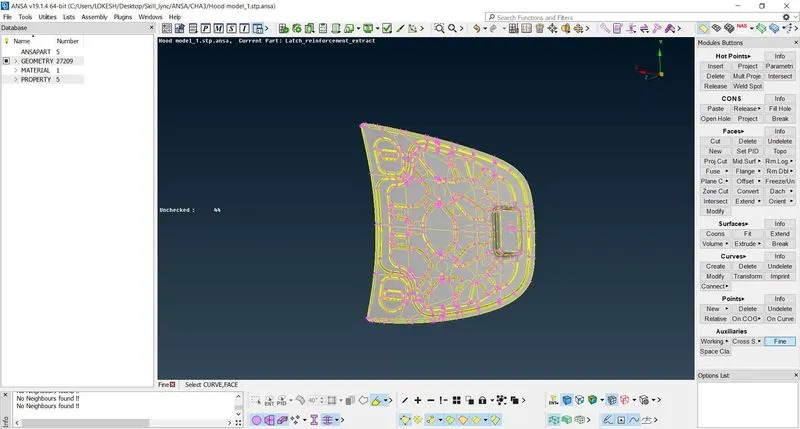
2. Starting with geometry clean-up, After, importing model, perform topology(if there is single cons there are needed to be stiches together), which is a part of faces feature. It stitches surfaces together and cone indicated by red colour converts into yellow (double cone). In this model there is no single cone, so there is no need to perform topology, if we do every double cones will be converted into triple cone.
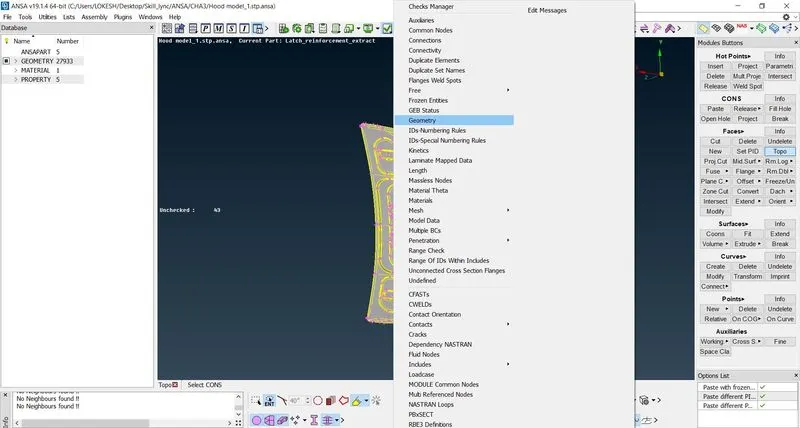
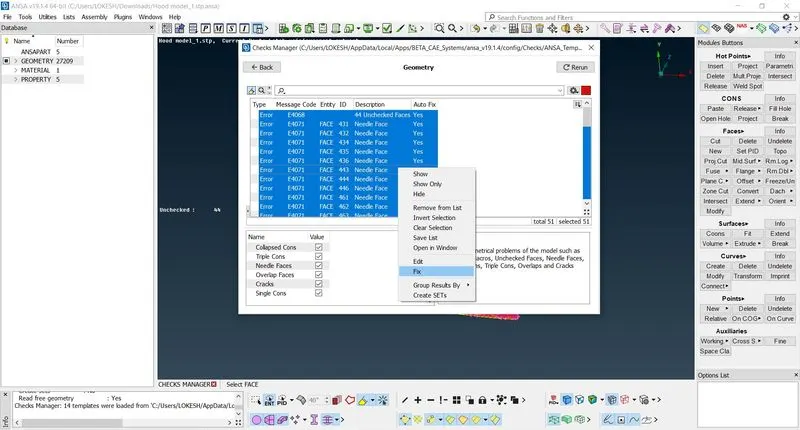
3. Now perform geometry check, with enabling single cone, triple cone, cracks, collapsed cone, unchecked face, needle faces and overlap faces. This check tells you about inappropriate geometry.
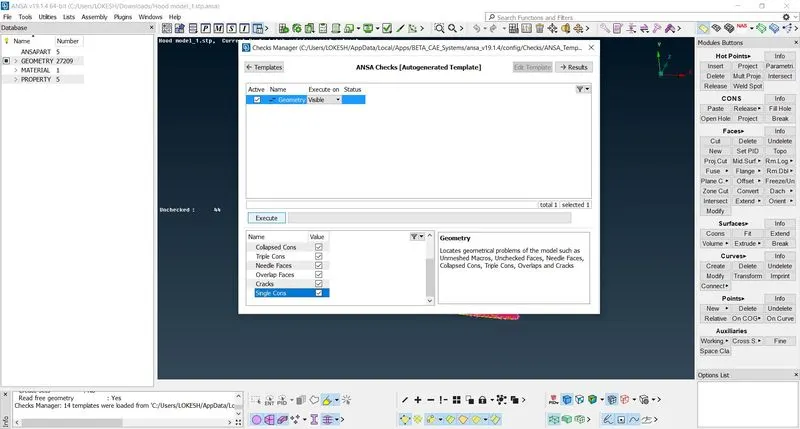
4. Most of the problems can be auto fixed by ANSA. Select all faults and fix these by option fix, which appears on click right button of mouse. Most of faults will be gone but some like triple cons will be still there, which is to be fixed manually. Triple cons is always indicated by cyan colour so find them and use release con option to separate from other surfaces, cyan colour become red and which will be converted into yellow after performing topology.
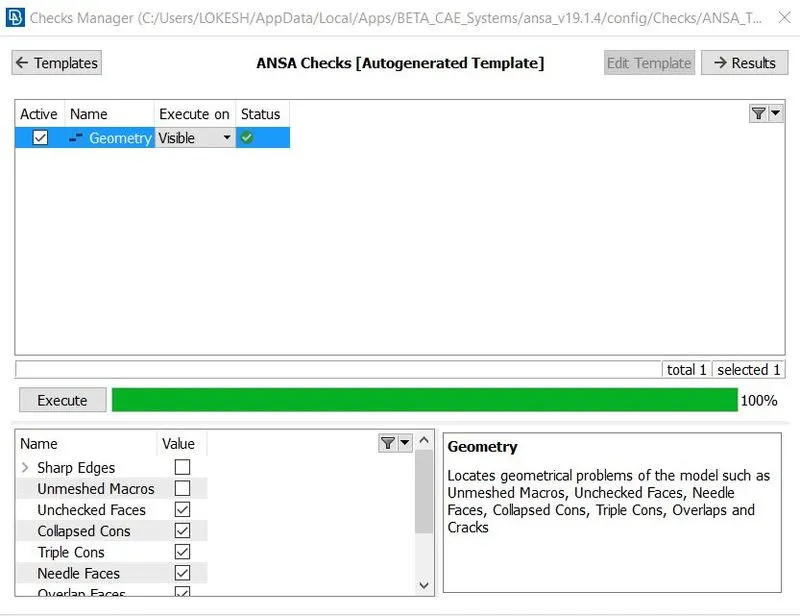
5. Use check geometry option again and after execution it will show green colour, mean we can proceed since our geometry is appropriate now.
6. Now comes mid surface generation step. This can be done with two different methods first – manual mid surfacing and auto mid surfacing. Mid surface option in faces can be directly used to generated mid surface for whole model in one go, but it will not work every time, so there we will need to generate mid surface manually.
7. For manual mid surfacing we need to measure the thickness of every plate first and then use option offset in faces to offset that face at middle of plate, which will be a mid surface of that plate. Be aware about direction of offset faces, direction will be shown by feature but it can be inverted using negative offset distance, when needed.
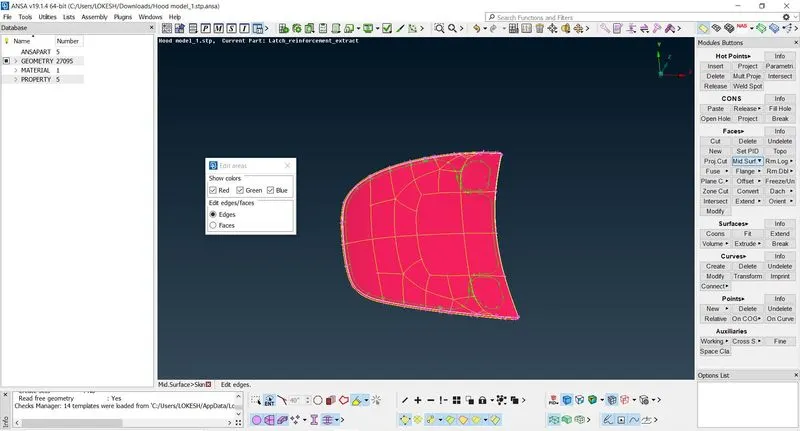
8. Generate mid surface for every plate including features.
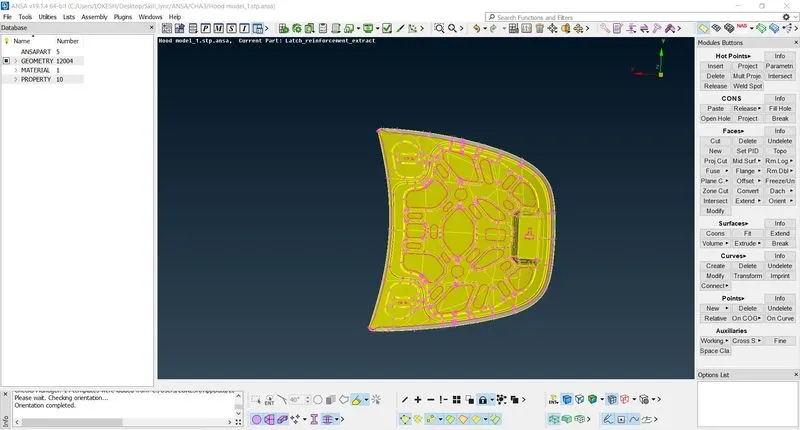
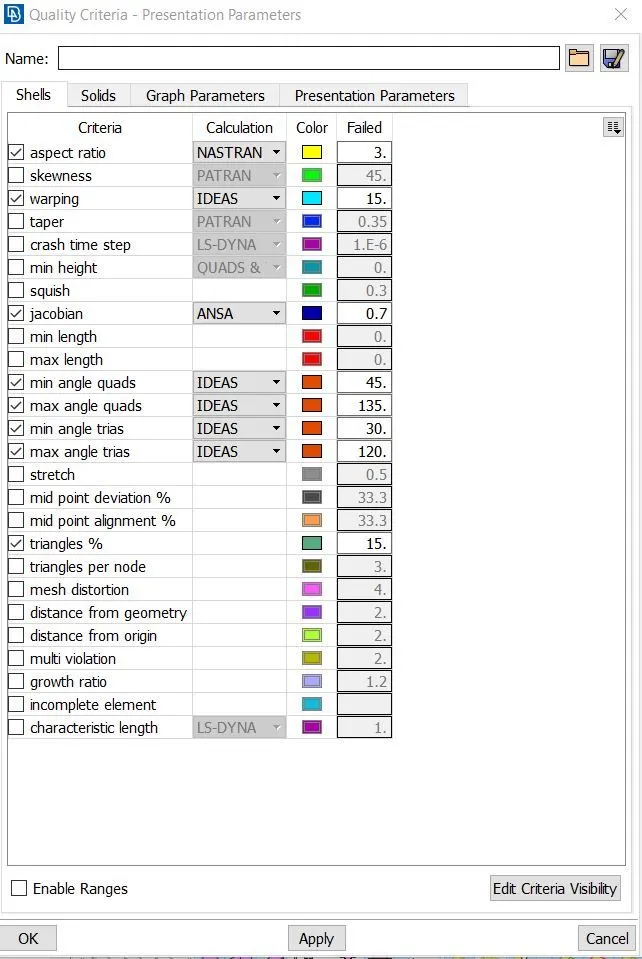
9. Now again check geometry and proceed for mesh generation. Set quality criteria as given, it includes aspect ratio, warping, jacobian and many more. Quality criteria option can be found on tool bar or we can search it from search box.
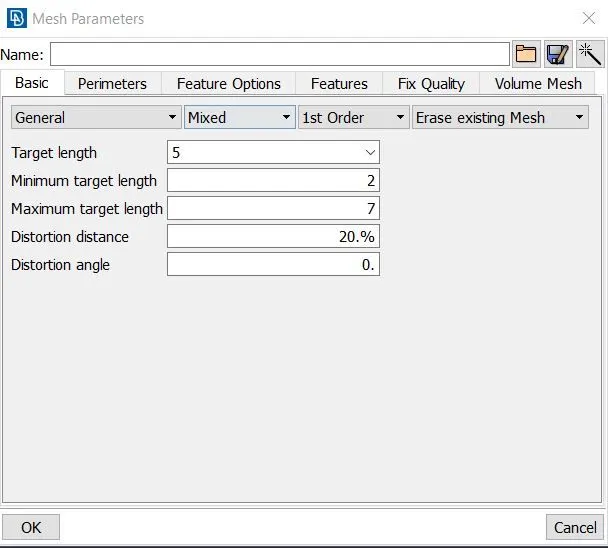
10. Set Mesh parameters as given, target length-5, minimum and maximum target length-2,7. This option can be found near quality criteria option.
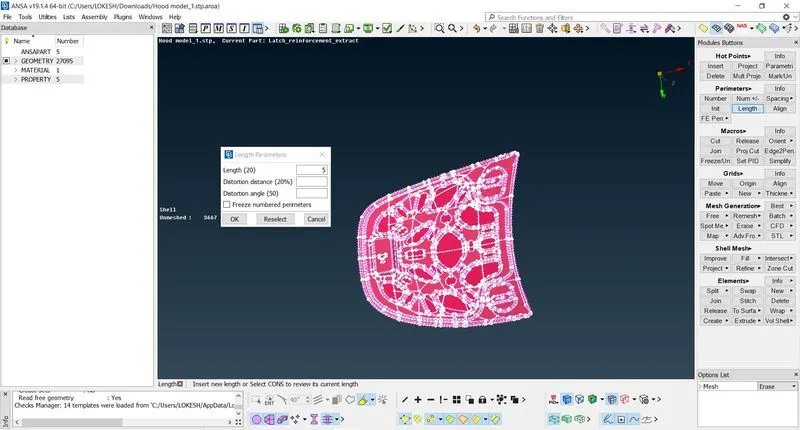
11. Use option length in perimeters option to give length- 5, between two hot points.
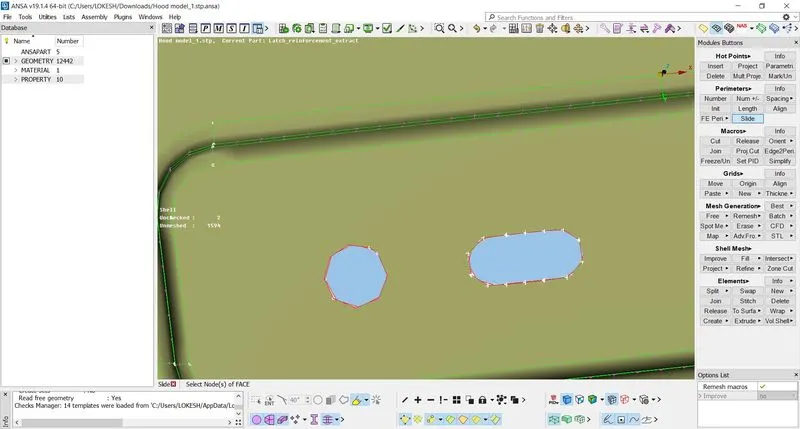
12. Even number of hot points is preferred and make hole’s edges parallel to nearer surface, using slide option.
13. Now, Use option best in mesh generation, this option creates quality mesh. In mesh triangles should be minimum for it reconstruction, improve, spilt, swap and smooth option can be used. No triangles should be directly opposite and trias near free edge and hole should be eliminated.
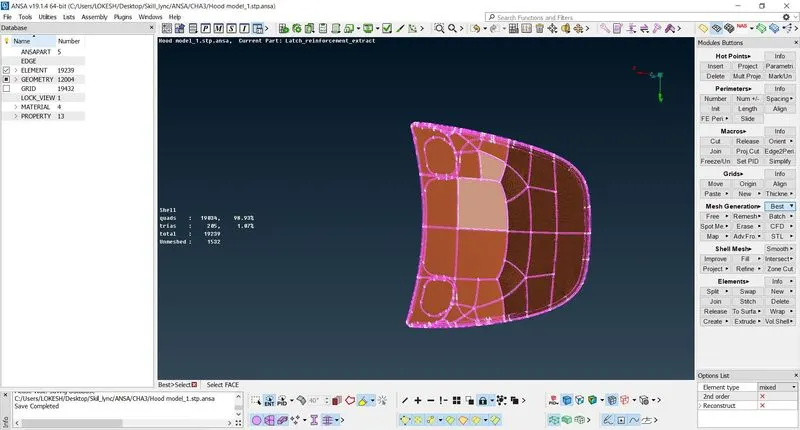
14. Face can be cut into parts in order to get good mesh at complex area later they can be joined after mesh generation. Hidden mode can be used to finds element which is not complying our quality criteria.
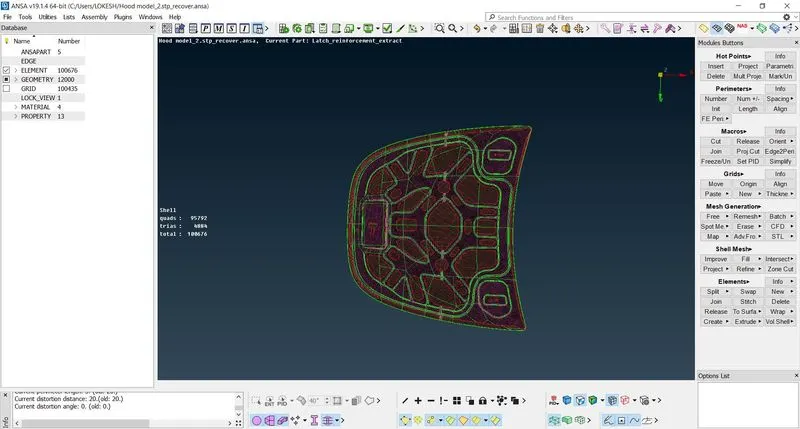
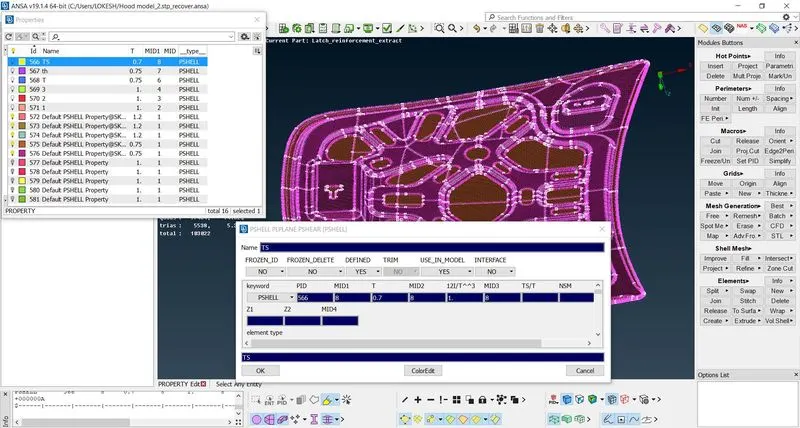
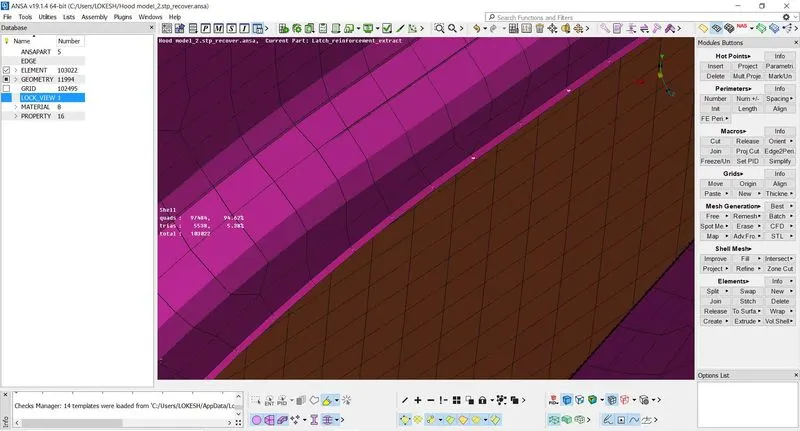
15. Now make property ID and assign thickness Because, mid surface has negligible thickness and we need a solid surface. Solid surface can be seen by enabling the option draw shell as solid in presentation parameter.
5. Conclusion –
ANSA is a multidisciplinary tool used for structural analysis only, but now it is used for FEM, CFD etc. We saw some of the important features of ANSA to perform tasks like geometry check and cleaning, meshing and thickness assignment. ANSA provide multiple option to generate mesh according to required. We saw how to assign materials to different part of a component and the colour orientation also. We understood mesh quality also like triangles should not be around hole or free perimeter.