Week 2 Challenge : Surface meshing on a Pressure valve
Objective: To check for geometrical errors, perform topology cleanup accordingly, and generate mesh of a valve for given target lengths.
Procedure:
The challenge is divided into 3 stages:
1) Repairing geometry
2) Performing clean-up for a better-resulting mesh
3) Generating mesh
1) Repairing Mesh
To check errors present in the geometry, Checks option under TOOLS toolbar with geometry option was used. The tool was executed for all entities in the geometry.
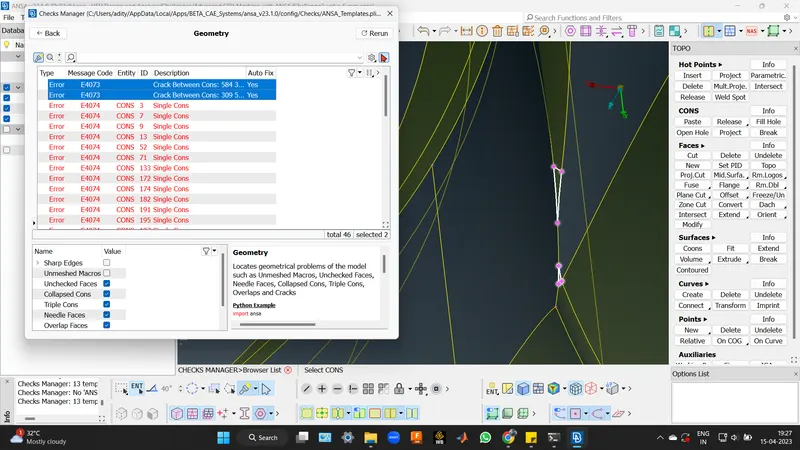
These errors were resolved using topological tools, such as Fill Hole option under the CONS toolbar and New under the FACES toolbar.
(Although the instructor used 'Fill Hole' option under CONS Toolbar for patching the cracks, I observed some glitching happening around the region. The cons for the concerned areas were yellow, meaning they were double cons instead of single, and still there were visible gaps. Hence, I alternatively used COONS under 'New' option for patching the cracks, which resulted in surfaces with smooth finishing.)
For the purpose of defining a Control Volume, inlets and outlets for the given model are patched with surfaces. This can be performed using 'Fill Hole' option under CONS Toolbar or 'New' option under FACES Toolbar.
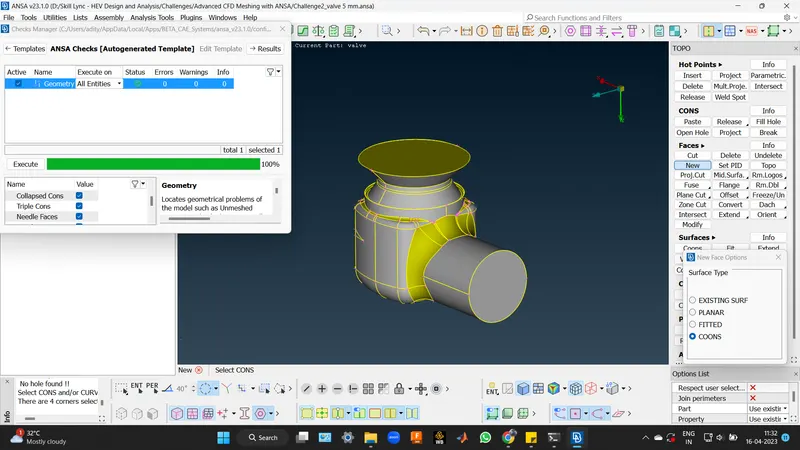
2) Performing clean-up for a better-resulting mesh:
After repairing the damaged geometry, it was later cleaned up by removing small edges which would impact mesh generation without providing much significance to the quality of results. Cut option under FACES toolbar was used for this purpose.
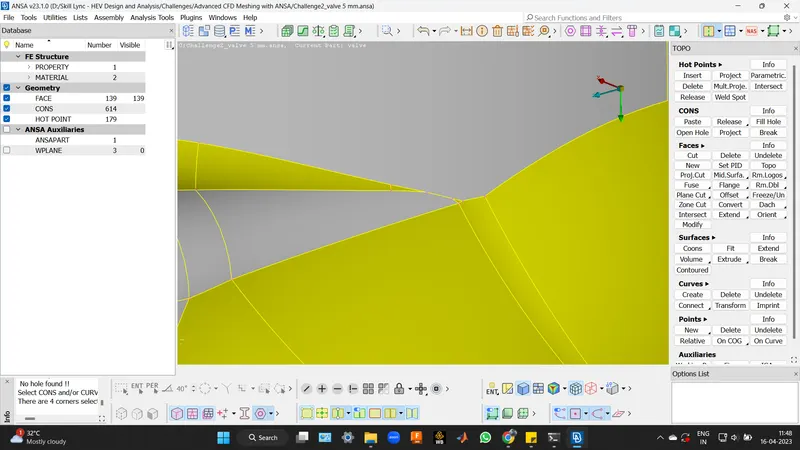
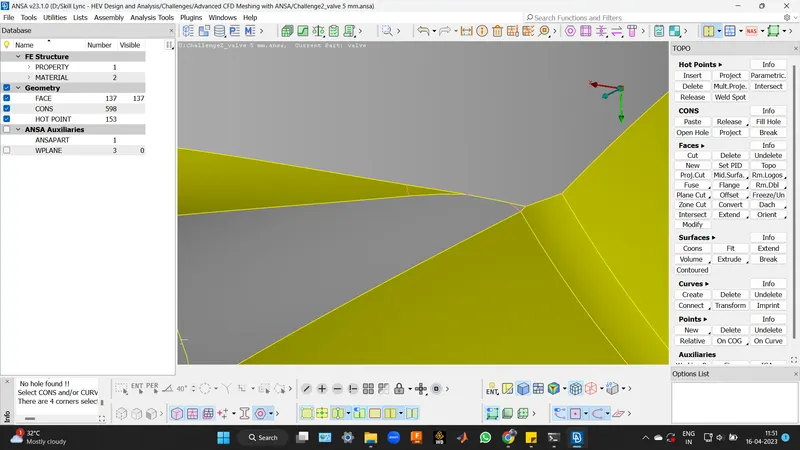
3) Generating mesh:
Since, in this challenge, three separate cases with different mesh lengths were asked, the hassle of creating PID regions was intentionally avoided as for a uniform target length and quality criteria, mesh can be generated in a single shot for all of the components in the model. In cases of added complexities, it would have been a better approach to define PID regions under the Properties option.
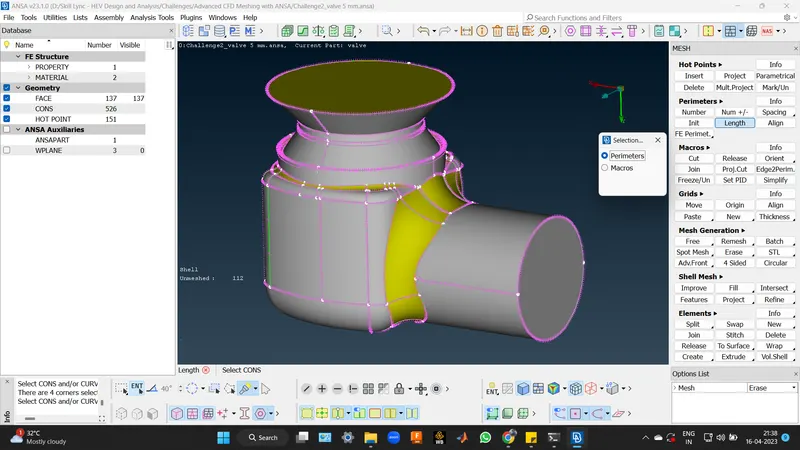
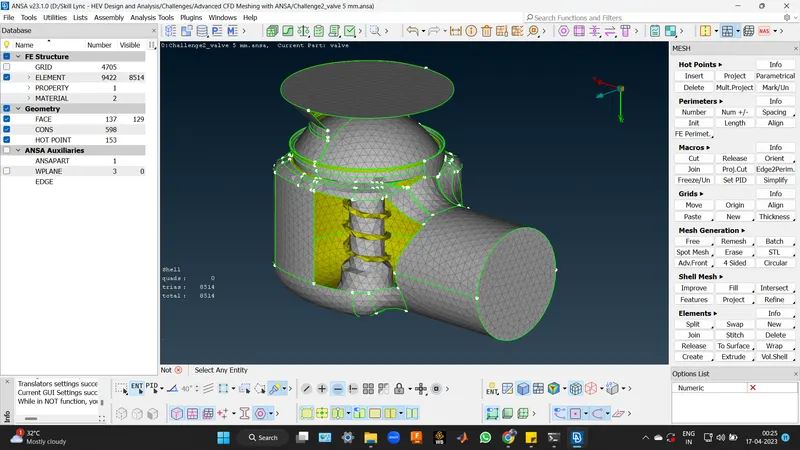
Target Length of 1 mm were defined for all components using 'Length' option under Perimeters toolbar for both perimeters and macros. Target Lengths also defined inside the 'Mesh Parameters' Option under the utilities toolbar along with Min. and Max. Lengths.
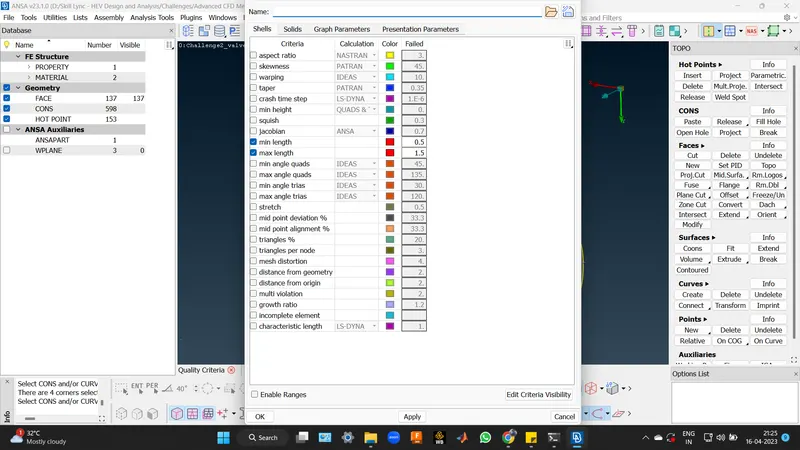
Min. and Max. Lengths under Quality Criteria were also set.
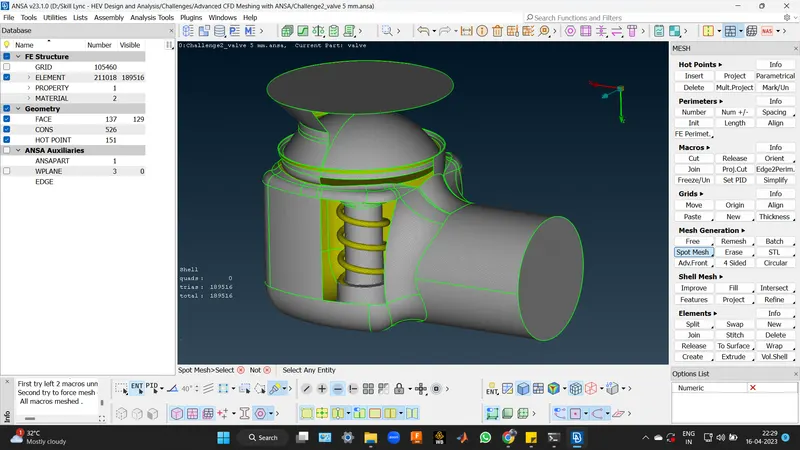
Spot Mesh was implemented to generate mesh for all surfaces present in the geometry.
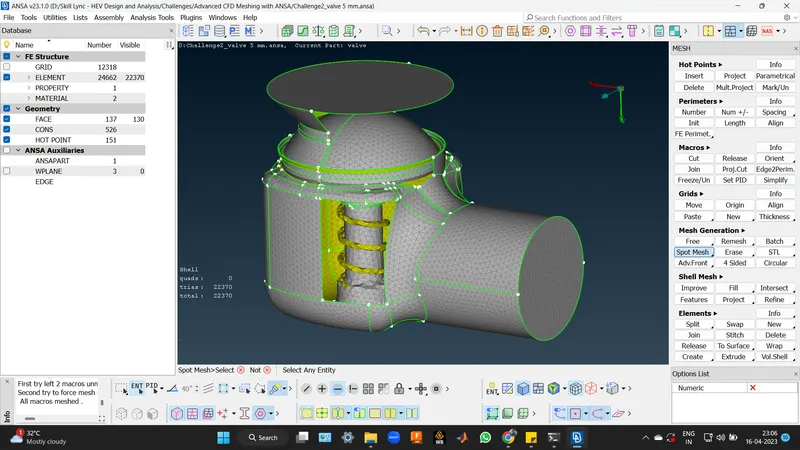
Same procedure was followed for other target lengths.
Learning Outcomes: Usage of topological repair and cleanup tools, setting mesh parameters and assigning PID (I have implemented it in my next challenge) to different surfaces was learnt from this challenge.
Result: The topology was successfully repaired and cleaned, and meshes of 1mm, 3mm and 5mm target lengths were successfully generated.
Conclusion: The topology was successfully repaired and cleaned, and meshes of different target lengths were successfully generated.