Week 2 Challenge : Surface meshing on a Pressure valve
AIM : To check the geometrical errors and perform the topology cleanup. Mesh the model with target lenght of 1mm, 3mm, 5mm.
OBJECTIVES:
- Learn to check the geometrical erros and clear those errors with topology cleanup method.
- Create PID for model.
- Surface meshing with different target length.
PROCEDURE:
- After import the model, checked the geometrical erros using check geometry option.
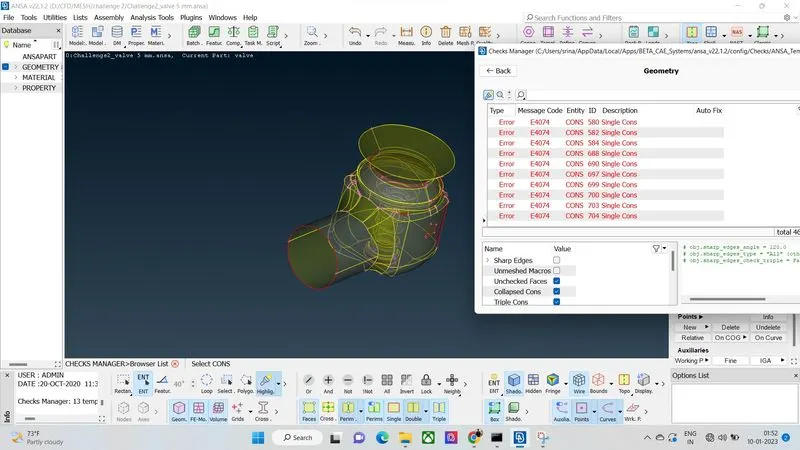
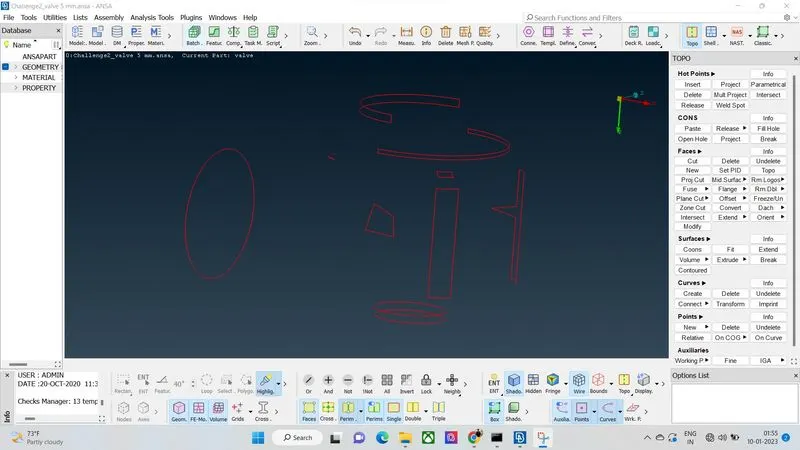
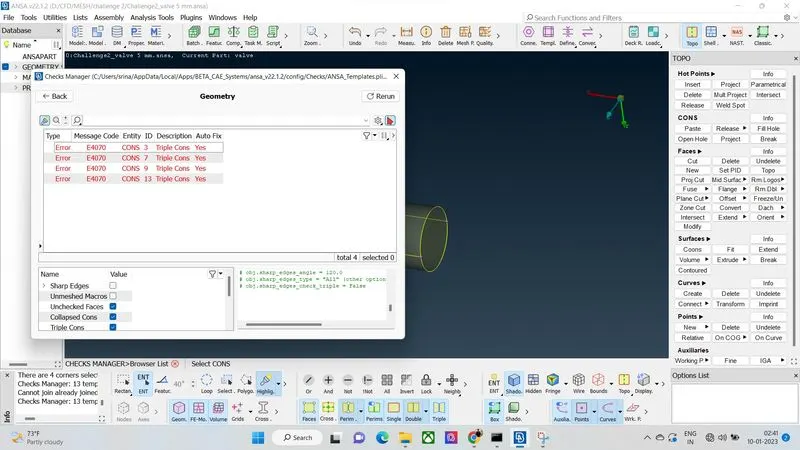
- These are the geometrical erros which are highlighted with an red mark found in the given model.
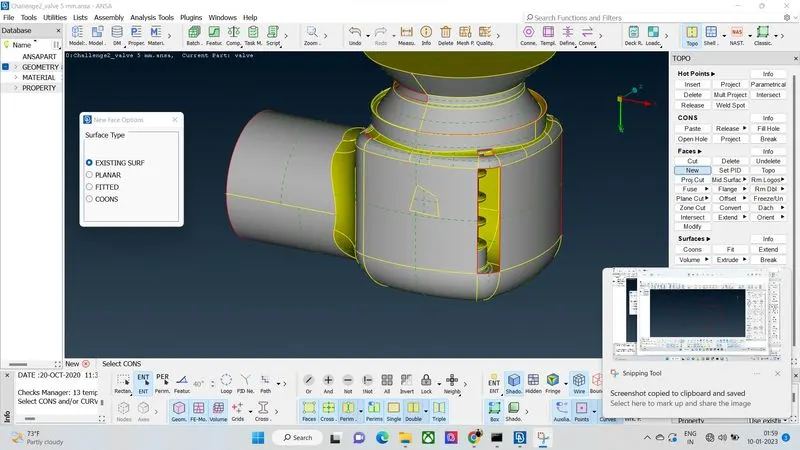
- The process of generating new surfaces with reference of existing surface using New faces option.
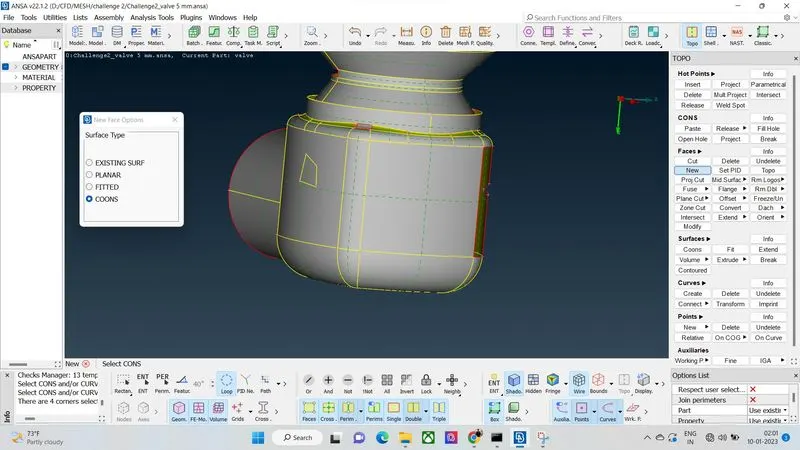
- The prcess of generating new surfaces with COONS option.
- Filling up the holes with Fill holes option.
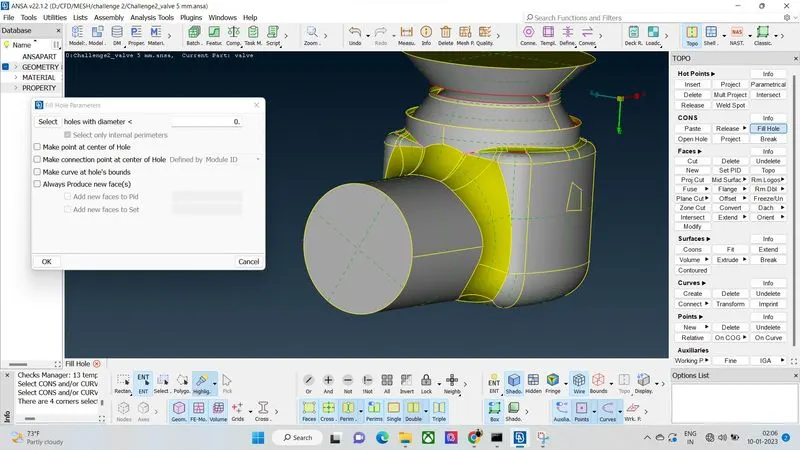
- After done topology cleanup with fitted, planar, existing surface, coons option checked the surfaces with wireframe mode.
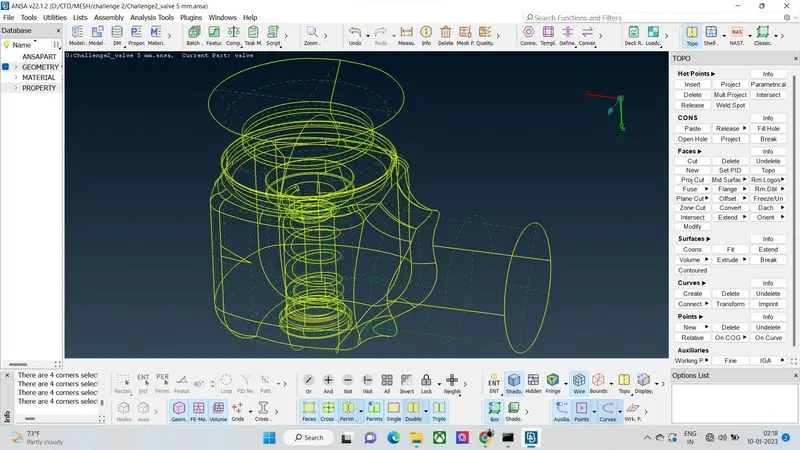
- Again ran an check geometry option to know about the errors, it shows with only a triple cons errors , but triple cons errors should not considered as a erros, so the geometry clean up was done.
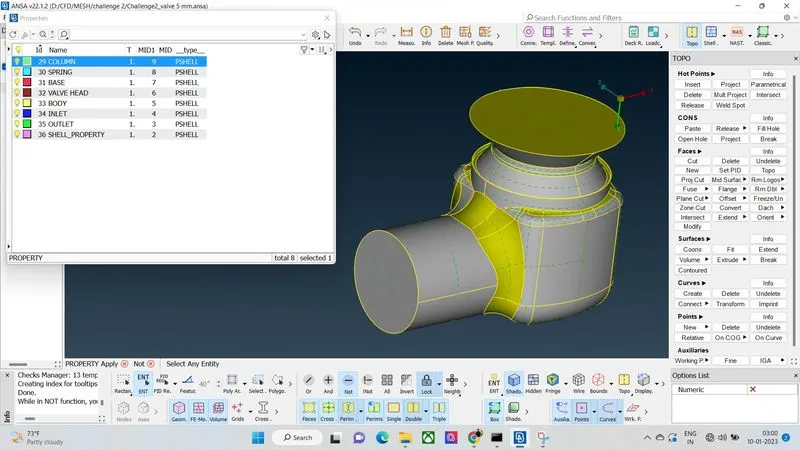
- Created a separate PID for model.
- Meshing was done for outer body with given target length of 5mm using spotmesh option, before meshing ensured the mesh parameters with element type of tria element and 5mm target length.
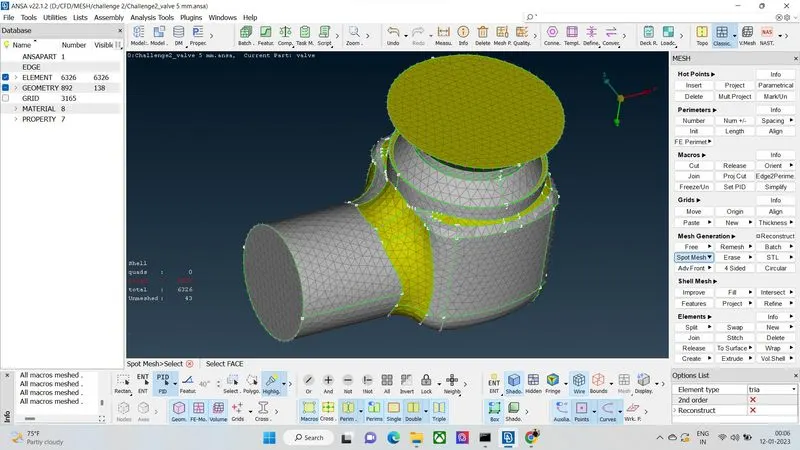
- Meshing was done for inner valve with given target length of 5mm.
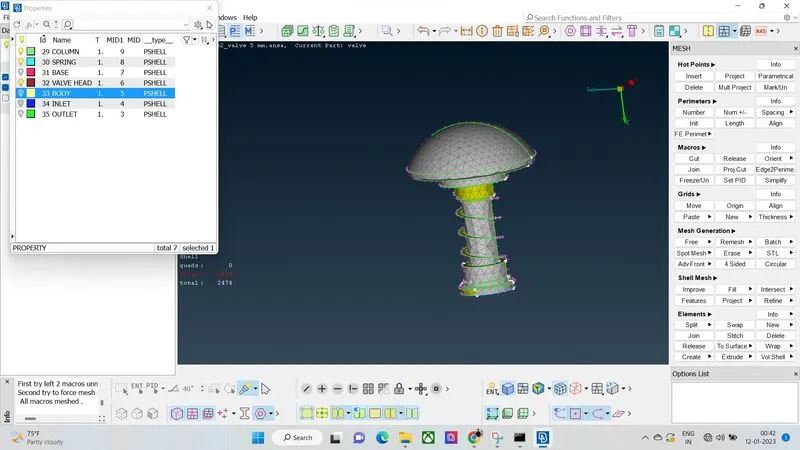
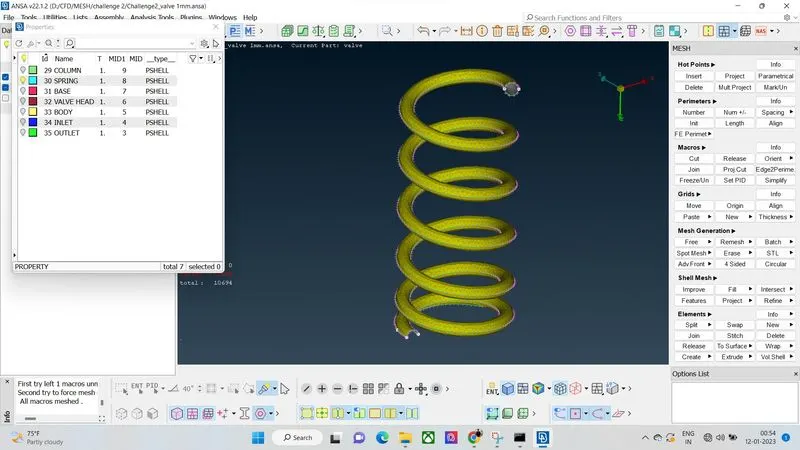
- Meshing done for spring, but the spring diameter was is 3mm so its not properly meshed with 5mm target length.
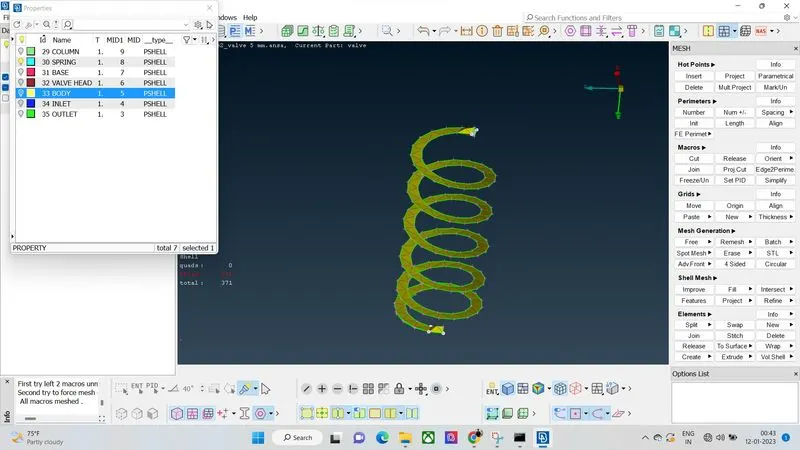
- Meshing done for outer body with given 3mm target length.
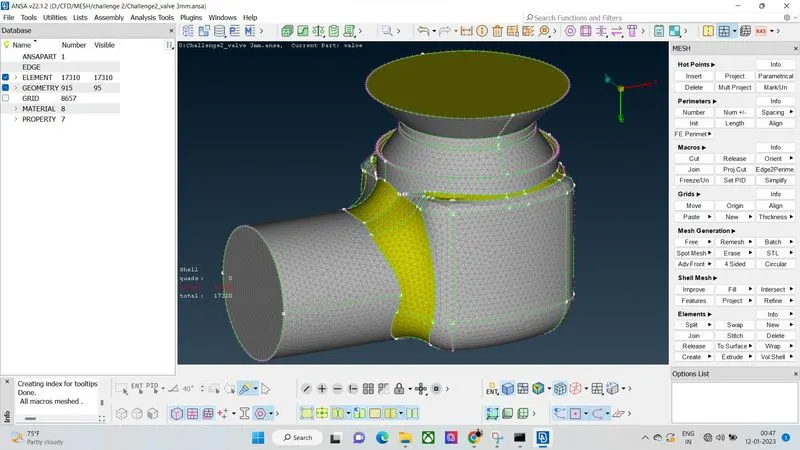
- Meshing done for inner valve with given target length of 3mm.
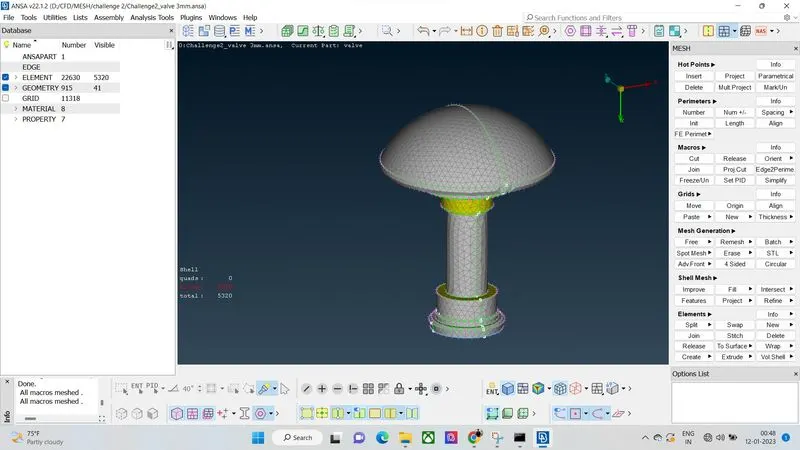
- Meshing done for spring with given target length of 3mm.
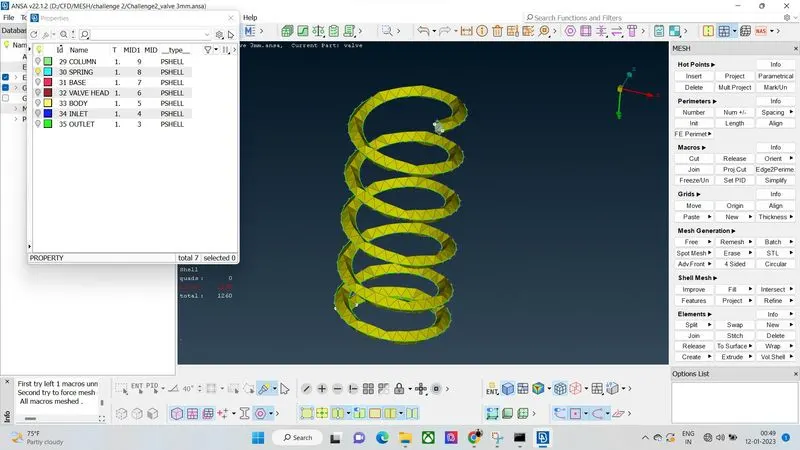
- Meshing done for outer body with givwn target length of 1mm.
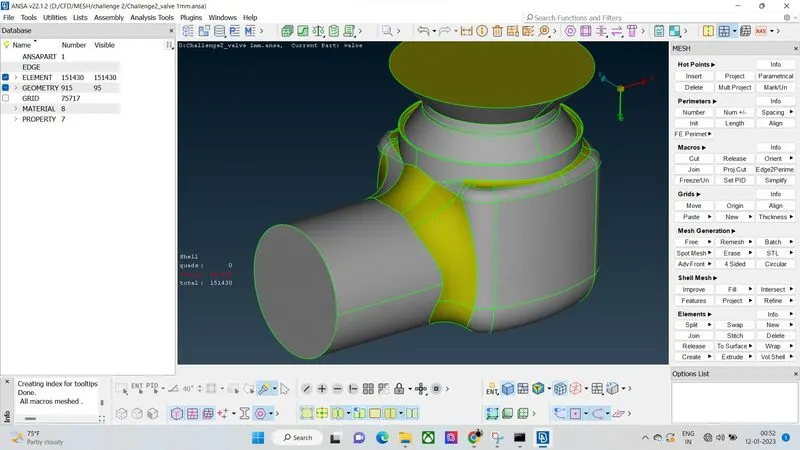
- Meshing done for inner valve with given target length of 1mm.
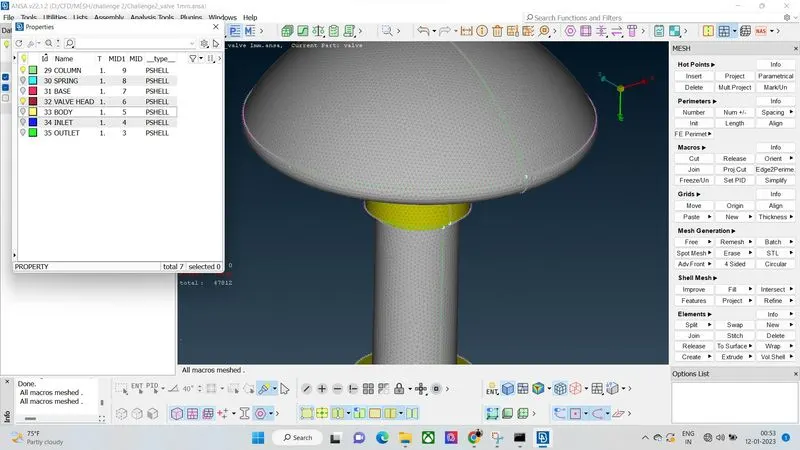
- Meshing done for spring with taget length of 1mm and it can be proposed as fine mesh.
LEARNING OUTCOMES:
- How to do check the geometrical errors of the model.
- How to do the topology cleanup of the model with faces option.
- How to create a separate PID for the model.
- How to use the boolean opeartions and wireframe mode.
- How to mesh the model with different target length.
- How to ensure the fine mesh of the model.
RESULT:
The 1mm mesh length gives a good results because some regions in CAD are having small surfaces for example; the spring diameter is 3mm, 5mm and 3mm mesh length are damaged the surfaces 1mm target length gives a fine mesh results,so lesser mesh length gives a fine meshed output.
CONCLUSION:
The topology cleanup is mandatory process in meshing beacuse its helps to clear all the geometrical errors and unpatched surface areas. Meshing length should give according to th geomtrical dimension or structure, lesser mesh length gives the fine meshed output throughtout will get the exact results in solver.