Week 2 Challenge : Surface meshing on a Pressure valve
SURFACE MESHING ON A PRESSURE VALVE USING ANSA
OBJECTIVE:
To surface mesh the given Pressure Valve Model with the given Target Lengths 1mm, 3mm & 5mm And Mesh Using ANSA Preprocessor.
PROCEDURE:
- Open the given Pressure Valve Model into the ANSA appliction.
- Make sure Cross Hatches should be ON, Drawing Mode should be PID and Module should be TOPO.
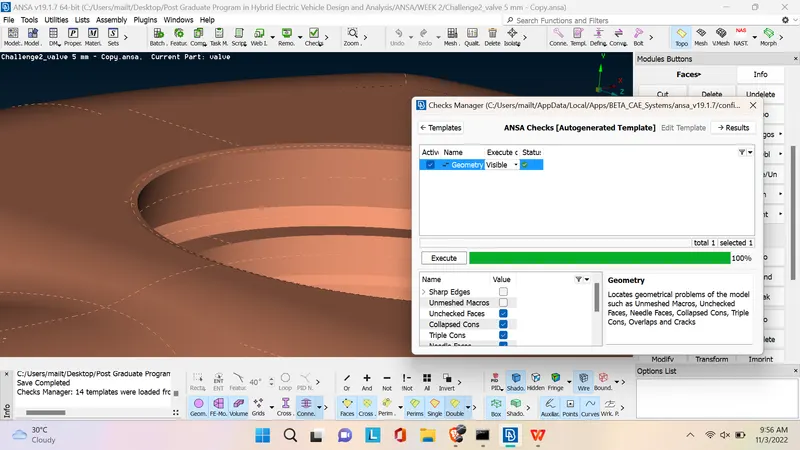
- Before Meshing we have to clean up the geometry of the Pressure Valve model. checking for geometric errors using Scripts > Checks > Geometry
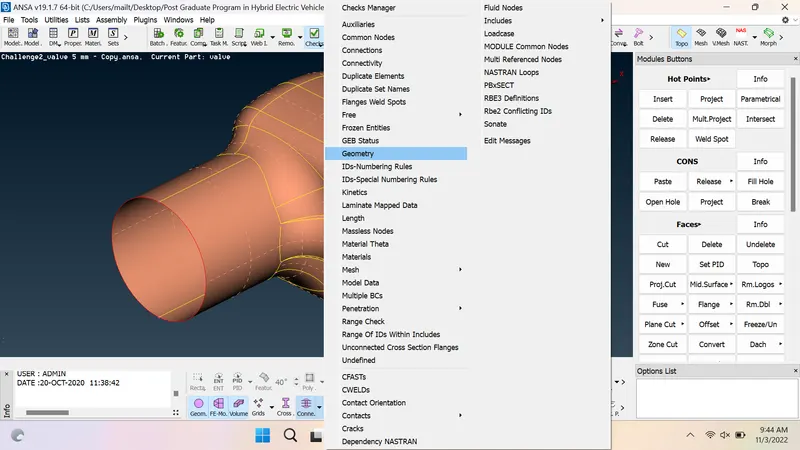
- It will give details about what are the errors present in the Given Pressure Valve Model.
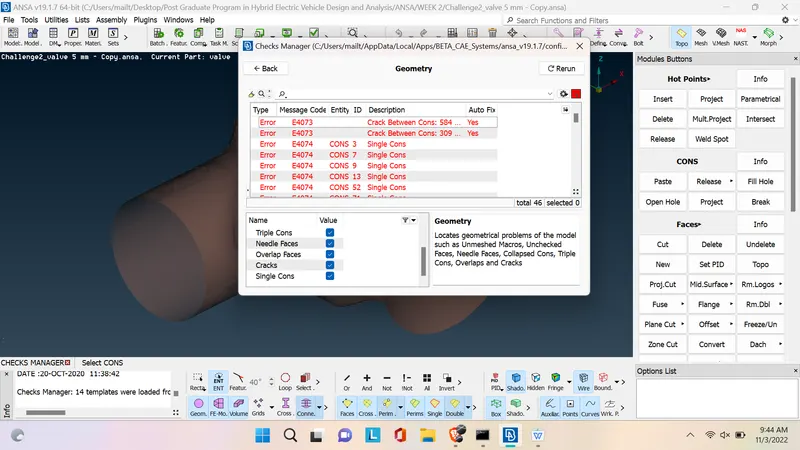
- We should Clear the Errors before meshing. Meshing object should be a closed model. If any Open portions, Cracks ( single cons means there is a open portion ) we have to close.
- By using Fill Hole option in the Cons Module button and New Option in the Faces Module.
- Refer below Images
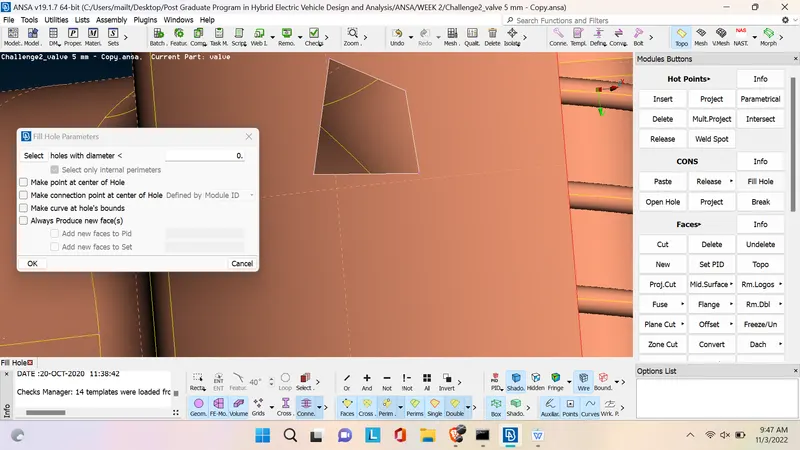
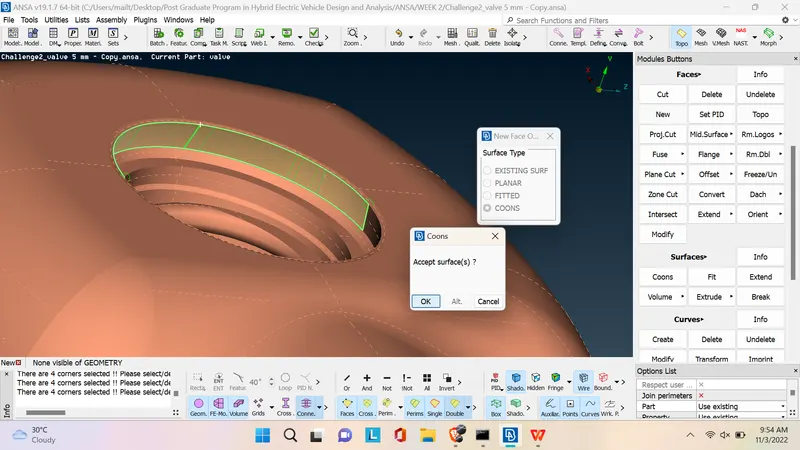
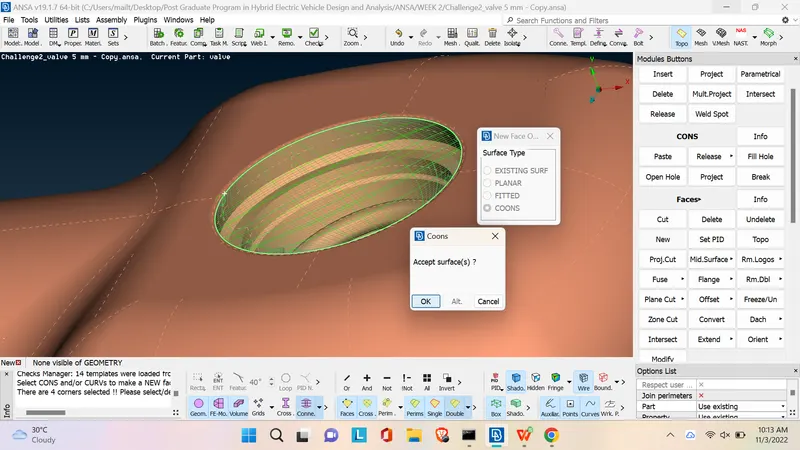
- After done all the corrections Check for errore again. below images shows there is no errors but there is a open portion in the model. we have to cover the open portion with new surface.
- Using New Surface option the open portion should be closed like below.
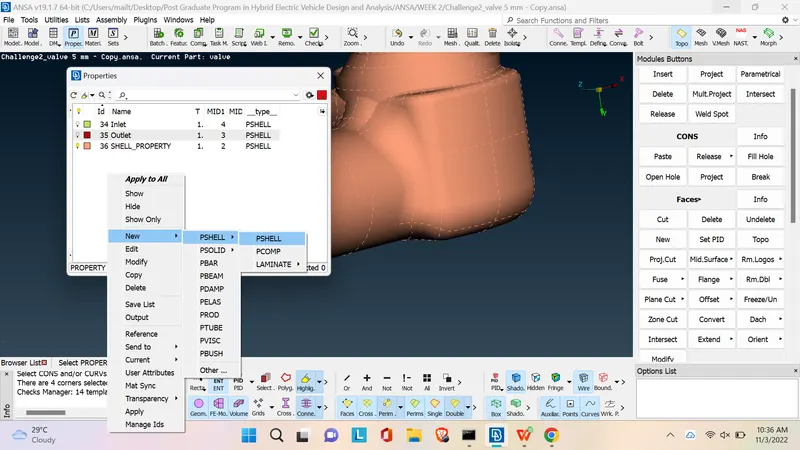
- Now we have a fully closed model of Pressure Valve. For easy Meshing we have to allocate various parts of the pressure valve into PShells. this can be done by follwing options PManager > it will open new popup, right click in the pop up window > New >PShell > PShell ( you have to edit the shell name and shell colour ) refer below image
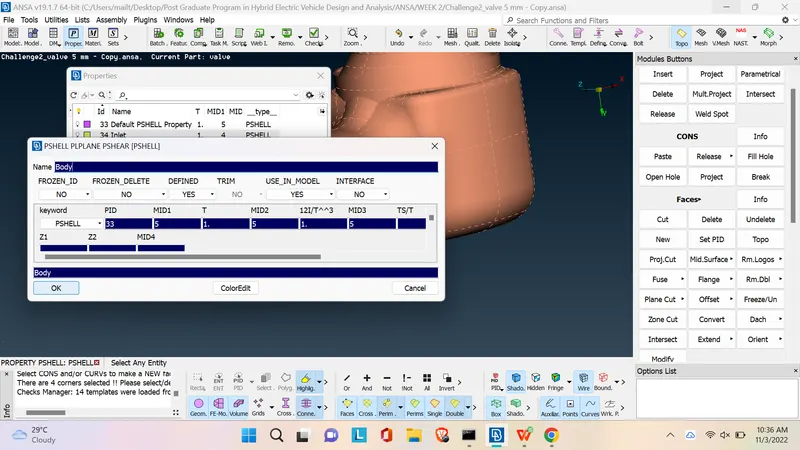
- Do this for all the parts of the Pressure Valve ( Outlet, Inlet, Body , Spring, Valve Head, Column, Base Surface ). If any unwanted shells present in the model we have to delete that shell. if that shell has nothing in it we cannot delete. for deleting empty shell we have to create new surface in the shell and then delete that shell.
- After all the Cleanups we will get Our Model like below
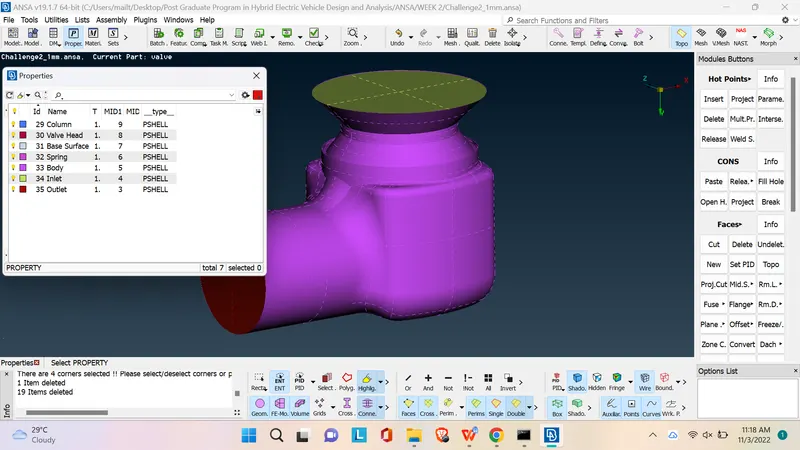
- Now wa can start meshing. as per our Objective we have three cases ( 1mm, 3mm and 5mm Target ).
- for meshing Switsh to Mesh Module > In Perimeters > Length > set Perimeters & Macros 1mm
- Goto Mesh Parameters > Set Mixed to Tria Element > Target 1mm ( This is for 1mm Meshing )
- Do the steps for 3mm and 5mm Meshing.
- After Meshing 1mm , 3mm & 5mm Model images are given below
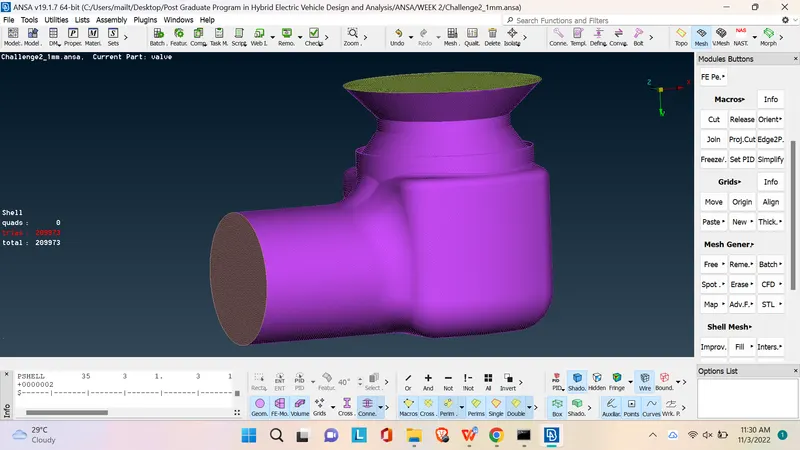
-
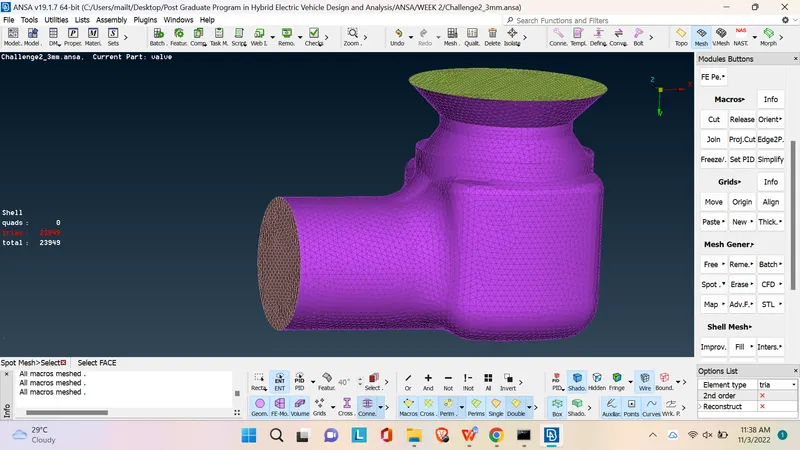
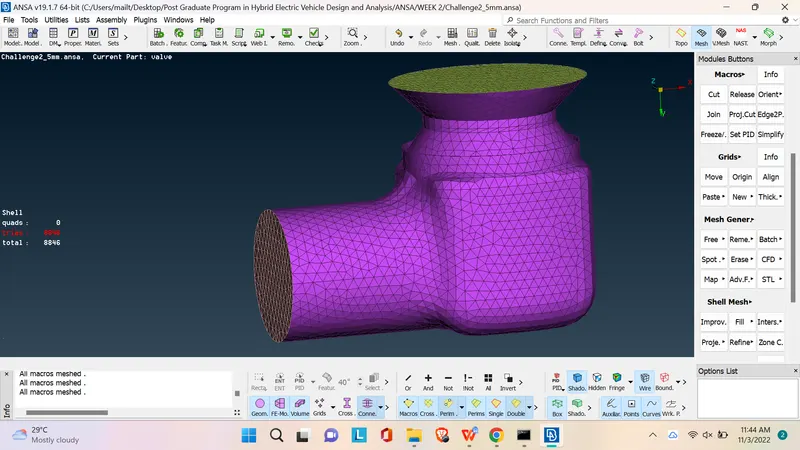
- Total no of Trios in 1mm Target : 209973
- Total no of Trios in 3mm Target : 23949
- Total no of Trios in 5mm Target : 8846
LEARNING OUTCOMES:
- Unterstanding Geometry checks.
- Usage of fill hole and Create new surface.
- Usage of Meshing Parameters.
- Usage of Spot mesh.
- Usage of Proprety Manager, PShell
RESULT:
- Thus the required Target length of 1mm, 3mm & 5mm have been applied on the given Pressure Valve model.
CONCLUSION:
- The Surface Meshing of the given Pressure Valve model has been achieved using ANSA Preprocessor.
- When target Value Low we can get finer the Geometry mesh.
--------------------------------------------------------------------------------------------------------------------------------------------------------------------