Week 2 Challenge
Answers :
1.1. Go to the Staad pro software. Create a new software, go to properties, create a circular section with a dimension, and select add.
1.2. As soon as you staad pro software, Set a particular name to the project and then select the metric below and create Project.
1.4. Some of the coral standards used in staad pro are as follows
A. For steel
1. AISC 360-16
2. AISC ASD
3. AISC CALCULATED
4. IS 800
5. IS 800-2007
B. For Concrete
1. ACI 318 1999
2. ACI 318 2002
3. IS 13920 1993
1.5. Go to define and then Go to Load and define the load. That is if it is concrete then the Fc value is 20 Kn (M20), 25 Kn (M25)
2.1. The input steps involved in RCC design are as follows
a. Go to Staad pro Software
b. Select a name and set it to metric and then create a file
c. Go to Geometry and select the Grids on XY Plane
d. Select the Properties of the Beam (Rectangular, Circular) etc and give a particular Dimension
e. Then go to the Materials and select the Material and assign it to the beam
f. Now go to the supports and select the type of support you want and assign it to the Beam.
g. Select the Load Point, UVL or UDL) which is necessary
h. And then go to the Analysis and RUN ANALYSIS
2.2. The difference Between the Fixed and the Enforced support is that In Fixed support there is no degree of freedom and the force and the moment are fixed which cannot be changed.
2. But in the Enforced support We can customize the force and the moment
3.1.
a. Go to Staad pro Software
b. Select a name and set it to metric and then create a file
c. Go to Geometry and select the Grids on XY Plane
d. Select the Properties of the Beam (Rectangular, Circular) etc and give a particular Dimension
e. Then go to the Materials and select the Material and assign it to the beam
f. Now go to the supports and select the type of support you want and assign it to the Beam.
g. Select the Load Point, UVL or UDL) which is necessary
h. And then go to the Analysis and RUN ANALYSIS
3.3.
There are different Support Conditions in Staad Pro
a. Fixed Support - Force and moment are fixed, cannot be changed
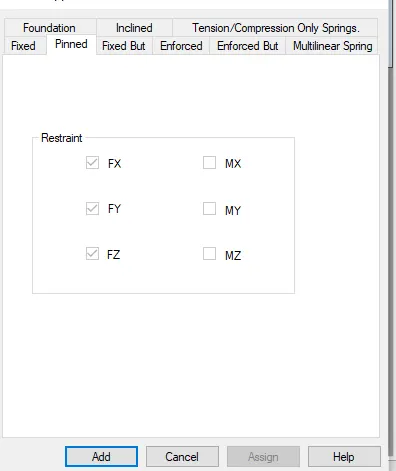
b. Pinned Support - Force is Restrained and Moments are not Restrained.
c. Fixed But - Force and Moment can be customized.
d. Enforced - Force and moment are fixed, and cannot be changed.
e. Enforced But - Force and Moment are released.
3.5. The different ways to see the SFD and BMD are.
1. Double click on the Beam after Running Analysis and we will get the SFD and BMD diagram.
1. Analyze the following structural elements and validate the results
A. Simply Supported Beam
a. A Simply supported beam with two point loads symmetrically placed
b. Span L = 20m
c. Load P = 50kN each
d. Both P located at 5m from each support
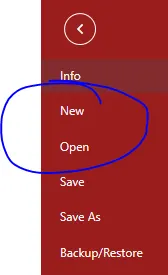
1. Create a new project. Set the unit to metric.
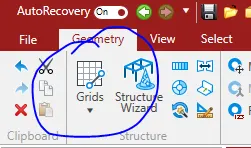
2. Go to Grids and create a Beam Grids
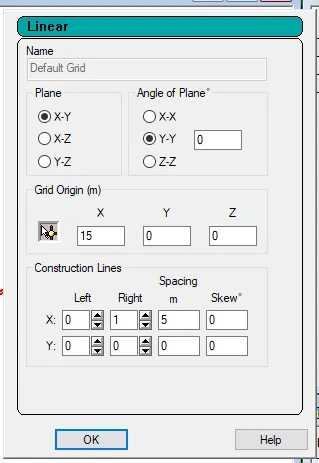
3. Set the plane to XY plane
4. Create a beam with 5m, 10m and 5m
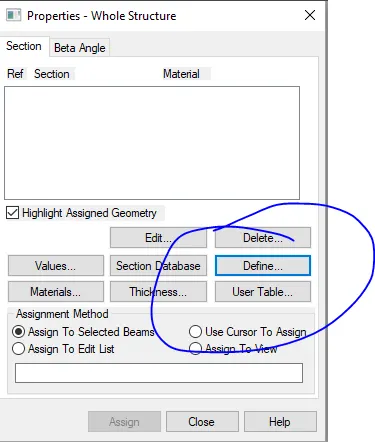
5. Then go to Properties and the for the dimension of beam we want.

6. Go to Define and then select the beam width and depth.
7. Then go to the materials and select the type of material we want. Here we have selected Concrete.

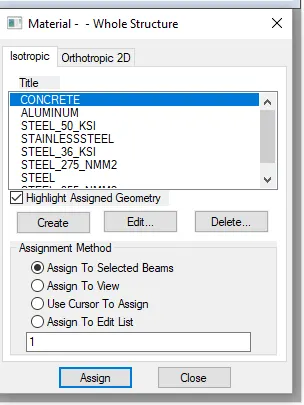
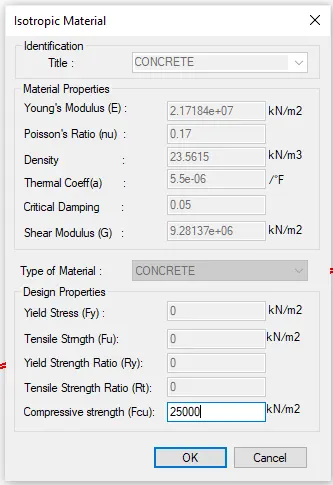
8. Select the Compressive strength for the Concrete.
9. Then go to support and select the Pinned support for the both ends

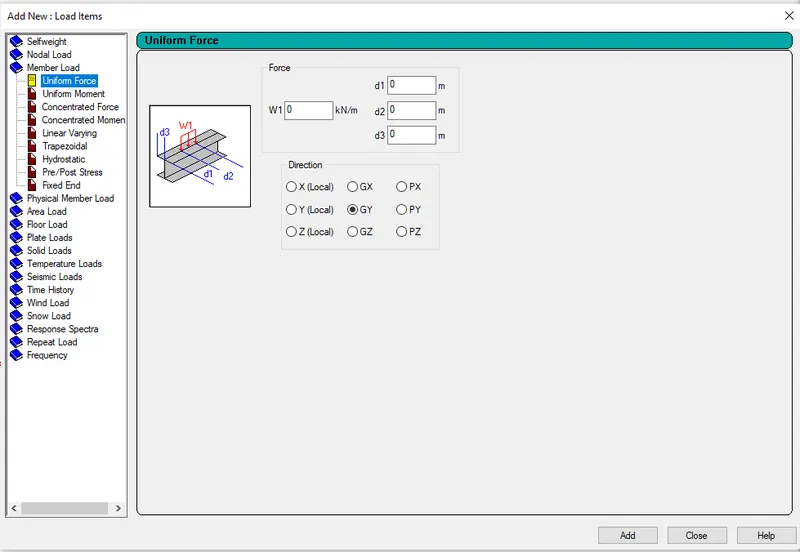
10. Then go to Loadings and set the Dead load to 50 Kn
11. After assigning the loads go to analysis and then run analysis
Conclusion : And in this way the Challenge 2 is completed