Week -2
Aim:
To make a simulink model of a doorbell using solenoid block.
To use a thermistor to sense the temperature of a heater & turn on or turn off the fan.
1.Door Bell
A chime doorbell uses a specialized sort of electromagnet called a Solenoid.
A solenoid is just an electromagnet where the coiled wire surrounds a metal piston.
The piston contains magnetically conductive metal, so it can be moved backward or forward by the electromagnetic field.
Press the button in the diagram below to see how this works.
The Principle behind Doorbell:
The solenoid is an electromagnet with wire winding and a small metal piston inside it.
When electric current flows through the wire, an electromagnetic field is generated which pulls the metal piston towards it.
The metal piston hits the tone bar located on both sides of the arrangement.
Using the parameter of the simulink for doorball :
PS-Simulink and Simulink-PS converter, Scopes, Displays, Pulse generator, electrical and mechanical references, solenoid, Battery, switch, ideal Transalation motion sensor, solver configuration
Simulink Model Explanation:
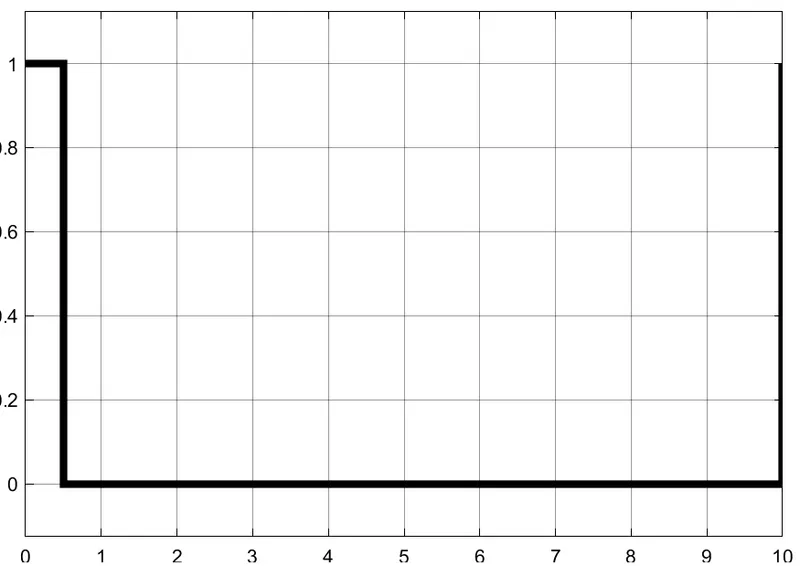
- The pulse generator is used to create square wave pulses at regular intervals.The block waveform parameters Amplitude,pulse width,period and phase delay,determine the shape of the output waveform.
- The switch block used is controlled by external physical signal.If the external signal is greater than the thresold parameter then the switch is closed, otherwise switch is open.
- The positive terminal of the switch is connected to switch and the negative terminal is connected to the electrical reference.
- The Solenoid block is connected with switch and battery and we will get a complete electrical circuit.The port c is connected with mechanical reference.
- The ideal translational sensor is connected with solenoid block R to observe the movement of the plunger.
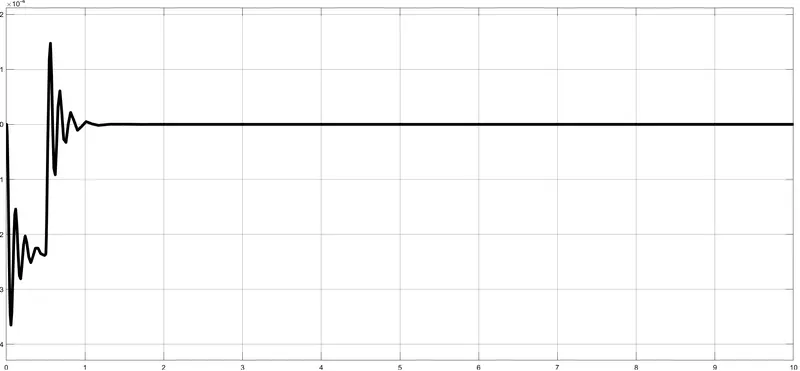
- Scope is connected with the ideal translational sensor to get the output.
- PS-Simulink converter is used to convert the physical signal to simulink signal.
- Solver Configuration:Each physical network represented by a connected simscape blocks requires solver setting information for simulation
Output:
The input signal of the Pulse generator
2.Thermistor
Given Inputs:
Temperature source: 20 °C from 0 to 10 seconds, 27 °C from 10 to 30 seconds, 23 °C from 30 to 50 seconds
Fan conditions: ON if the temperature above 25 °C, OFF otherwise
Blocks used in model:
- Repeating Sequence Stair
- Controlled Temperature Source
- Thermistor
- Resistor
- Voltage sensor
- Battery
- Switch
- Lamp
- Scope
- Dsiplay
- PS-Simulink Converter
- Simulink-PS Converter
- Solver Configuration
OUTPUT :
STUDY - 1: