Week -2
- Make a Simulink model of Doorbell using solenoid block with the following details:
In the above arrangement, when the switch is closed the electromagnet receives electrical power from the battery and pulls the metal arm to hit the bell producing sound.
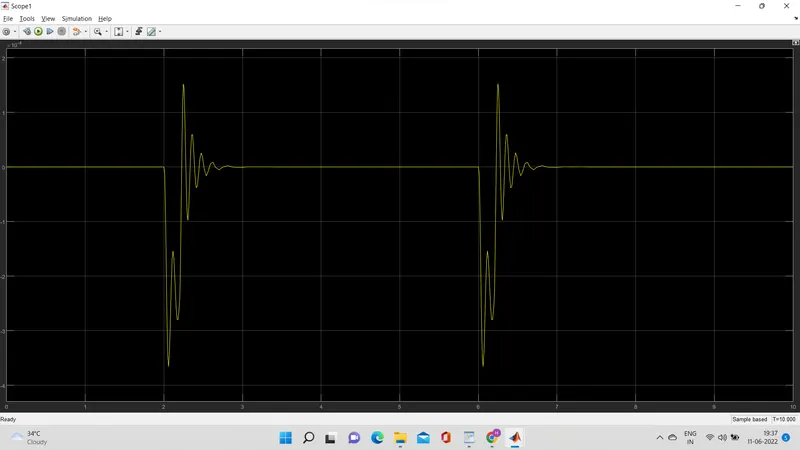
Create a situation where the switch is closed for 2 seconds and then released. Observe the physical movement of the plunger.
Assume remaining parameters.
The Principle behind Doorbell : The solenoid is an electromagnet with wire winding and a small metal piston inside it .... When electric current flows through the wire , an electromagnetic field is generated which pulls the metal piston towards it . The metal piston hits the tone bar located on both sides of the arrangement .
Now we set up the Simulink and simscape block setup for the solenoid doorbell . We need to understand what are the blocks involved and why they are involved . What are their characteristics and what role they play in the doorbell simulation ?
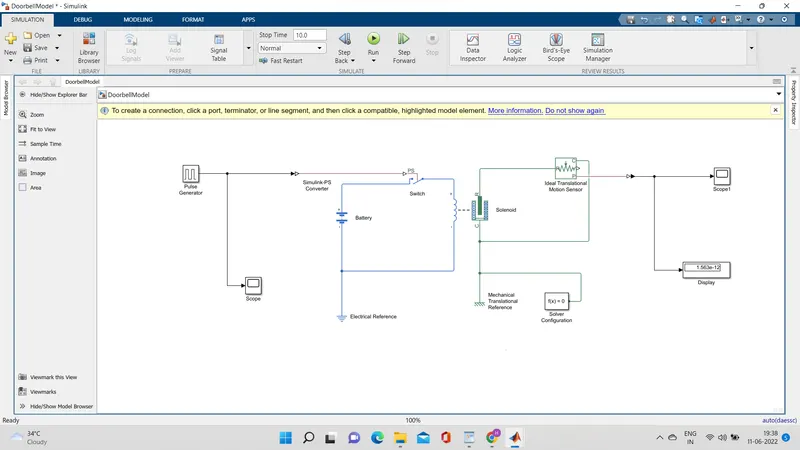
4 PS - Simulink and Simulink - PS converter , Scopes , Displays , Pulse generator , electrical and mechanical references , solenoid , Battery , switch , ideal Translation motion sensor , solver configuration . These are the following simscape and Simulink blocks that are going to use in this simulation .
PS - Simulink and Simulink - PS converter : These are basically the converter from Physical systems to Simulink signals and vice versa.
Scopes: Gives the plot of the output.
Pulse generator : is an analog input that has amplitude and frequency with which the input is transmitted .
Electrical and Mechanical references : is a reference block with which the system has a ground source as a base .
Solenoid : is an electromagnetic device that is represented as a block here .
Battery : is a device that has a negative and positive terminal for the electric circuit to be completed for an electric flow.
The Switch :- is a device the completes the electric circuit for current flow and can be controlled manually or automatically depends on the type of switch required .
Ideal Translated motion sensor : It's a type of sensor which provides the position or velocity input for the system to generate output .
Solver Configuration : It's a type of block that acts as a complete equation for where f ( x ) = 0 where we find the value of x and generate the output which represents the block diagram as an equation .
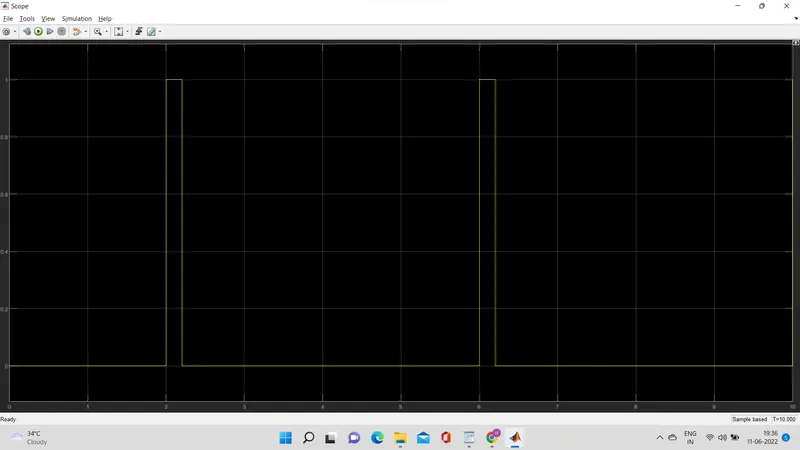
Before we begin the simulation we need to setup an input parameter here in pulse generator where we delay seconds should be 2 secs with amplitude 1 and Pulse time should be 4 secs to make it in half with 50 % pulse width .
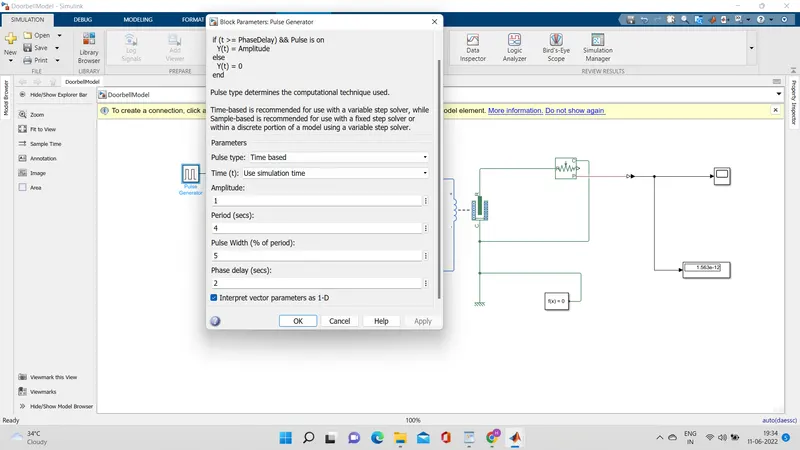
And here is the Full simulation with all the simscape and Simulink block system .
The Input signal of the pulse generator.
Scope1
Output:-
Scope2
2. Use a thermistor to sense the temperature of a heater & turn on or turn off the fan as per the below conditions :
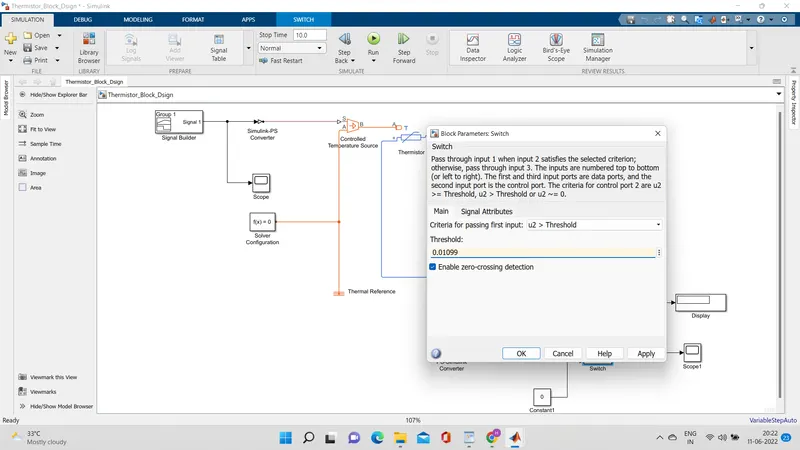
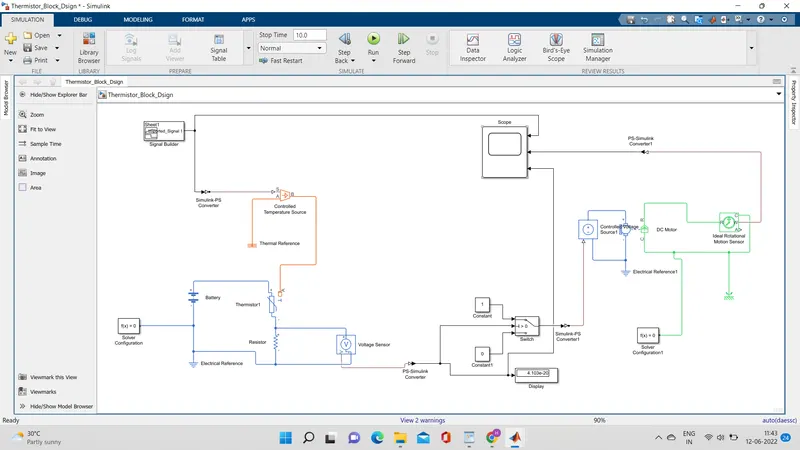
we going to use the same procedure as above to simulate a thermistor to sense the temperature of a heater .
Thermistor : thermal resistor is defined as a type of resistor whose electrical resistance varies with changes in temperature . Although all resistor's resistance will fluctuate slightly with temperature , a thermistor is particularly sensitive to temperature changes .
Thermistors act as a passive component in a circuit . They are an accurate , cheap , and robust to measure temperature . While thermistors do not work well in extremely hot or cold temperatures , they are the sensor of choice many different applications . Following is the Simulink block assembly for Thermistor based heater . And with condition follows here as :
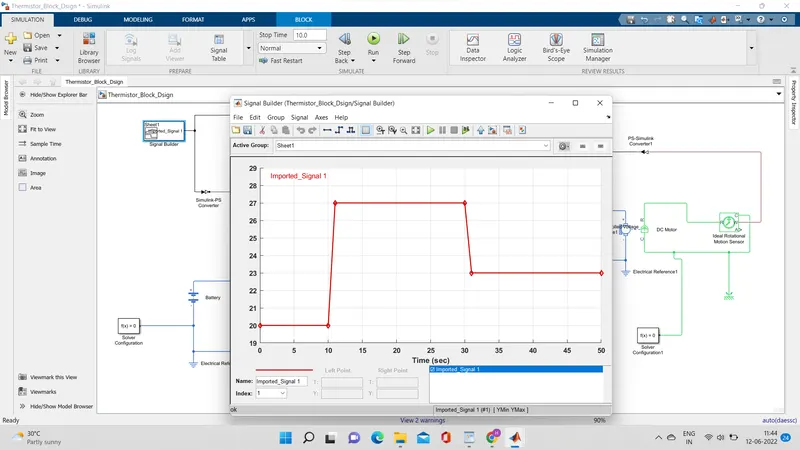
1.0-10 sec temperature 20
2.10-30 secs temperature 27
3.30-50 secs temperature 23
and you can see these details in plot basis in signal builder block where the input is inserted with these signals .