Week -2
AIM;
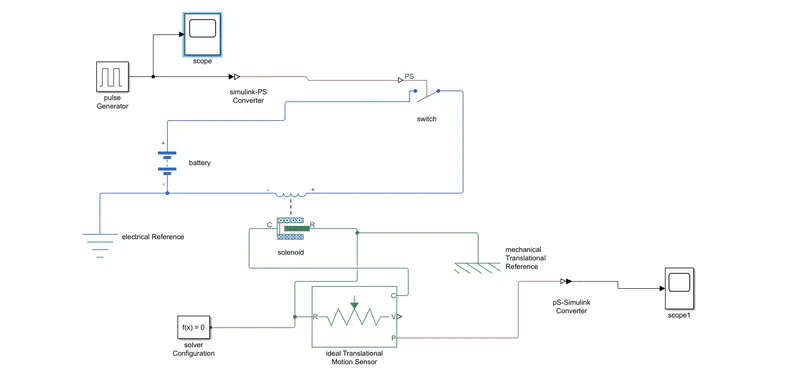
- TO make a simulink model for a doorbell using solenoid block
- To use thermistor to sense temperature of a heater and turn on/off the fan
STUDY 1;
A doorbell is a signaling device typically placed near a door to a building's entrance. When a visitor presses a button the bell rings inside the building, alerting the occupant to the presence of the visitor. Although the first doorbells were mechanical, activated by pulling a cord connected to a bell, modern doorbells are electric, operated by a pushbutton switch. Modern doorbells often incorporate intercoms and miniature video cameras to increase security.
CIRCUIT DIAGRAM;
BLOCKS USED;
- Pulse Generator
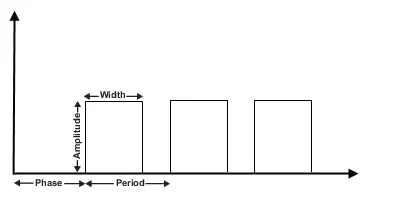
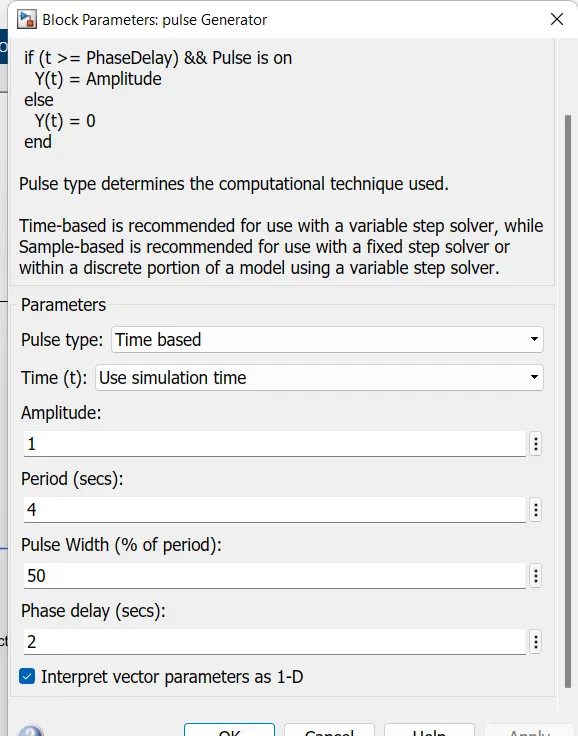
The Pulse Generator block generates square wave pulses at regular intervals. The block waveform parameters, Amplitude, Pulse Width, Period, and Phase delay, determine the shape of the output waveform. The following diagram shows how each parameter affects the waveform.
The Pulse Generator block can emit scalar, vector, or matrix signals of any real data type. To emit a scalar signal, use scalars to specify the waveform parameters. To emit a vector or matrix signal, use vectors or matrices, respectively, to specify the waveform parameters. Each element of the waveform parameters affects the corresponding element of the output signal. For example, the first element of a vector amplitude parameter determines the amplitude of the first element of a vector output pulse. All the waveform parameters must have the same dimensions after scalar expansion. The data type of the output is the same as the data type of the Amplitude parameter.
The block output can be generated in time-based or sample-based modes, determined by the Pulse type parameter.
Solenoid block ;
The Solenoid block represents the electrical characteristics and generated force for the solenoid in the following figure:
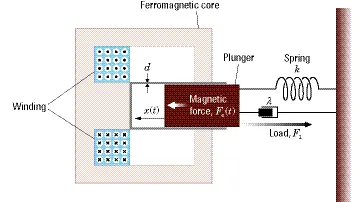
The return spring is optional. To remove the effects of this spring from the model, set the Spring constant parameter to 0.
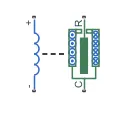
To show the direction in which the solenoid acts, the block icon changes dynamically based on value of the Motion direction under excitation parameter.
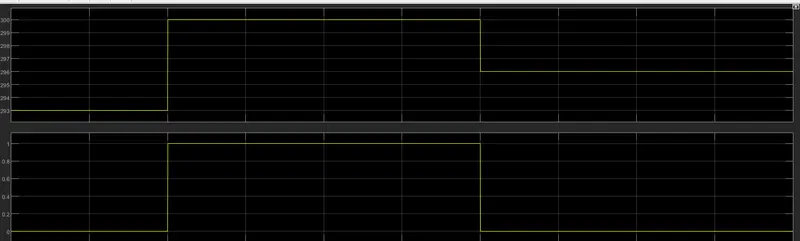
output plot;
2. Use a thermistor to sense the temperature of a heater & turn on or turn off the fan as per the below conditions:
Temperature source: 20 °C from 0 to 10 seconds, 27 °C from 10 to 30 seconds, 23 °C from 30 to 50 seconds
Fan conditions: ON if the temperature above 25 °C, OFF otherwise
The term thermistor comes from “thermal” and “resistor”. A thermistor is a type of resistor whose resistance is reliant on temperature; it’s a resistance thermometer. They’re made from metallic oxide which is moulded into a bead, disk, or cylindrical shape and then enclosed with epoxy or glass.
Thermistors don’t work well with extreme temperatures, but they are perfectly suited for measuring the temperature at a certain point; they’re precise when they’re used within a limited temperature range i.e. within 50 °C of the target temperature; this range is dependent on the base resistance.
Thermistors are easy to use, relatively cheap, and durable. They’re commonly used in digital thermometers, in vehicles to measure oil and coolant temperatures, and in household appliances such as ovens and refrigerators and are preferred for applications that require heating or cooling protection circuits for safe operation.
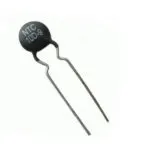
THERMISTOR BLOCK DIAGRAM;
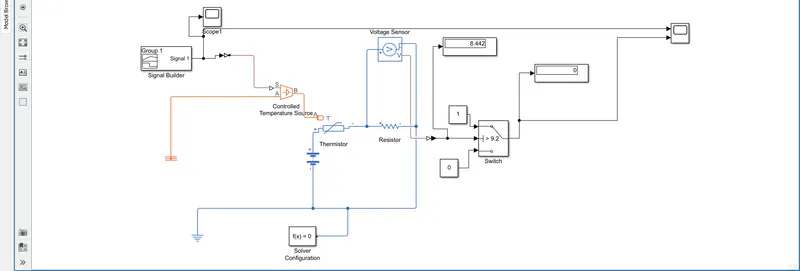
signal builder;
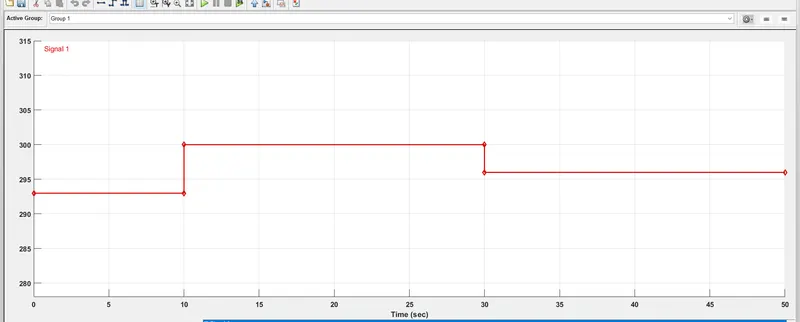
Temperature source: 20 °C from 0 to 10 seconds, 27 °C from 10 to 30 seconds, 23 °C from 30 to 50 seconds
RESULT;