Week -2
BELONG TO - LIVE SESSION EV BATCH 17-AVINASH SONTAKKE
As we know solenoid works on the faradays electromagnetic law .when the switch is in off condition,current will flows throgh the electromagnet and it generates EMF due to which the spring attracts towards the magnet and at same time bell will ring.when switch is in on condition there is no supply so bell will not ring.
Now we are developing the simulink model for the same .
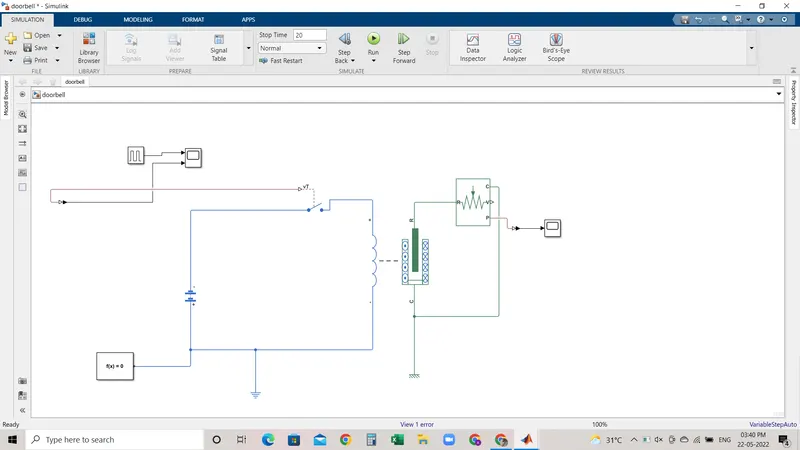
Blocks used for the simulation of doorbell :
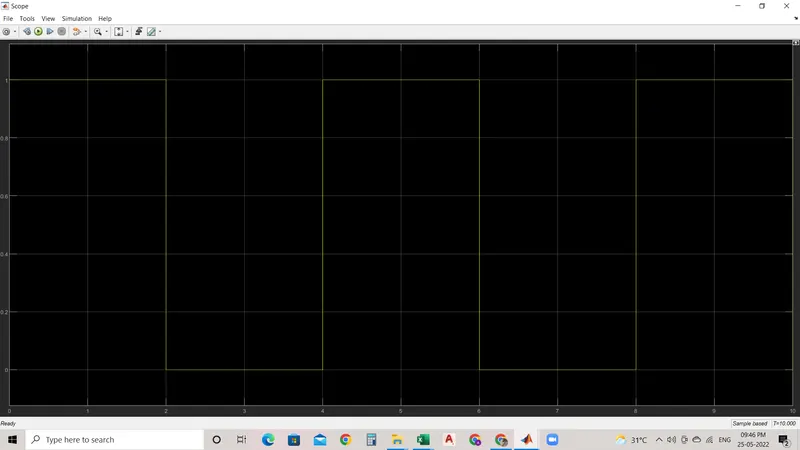
1. Pulse generator - as we have to give signal input or duration period for which bell will ring for that purpose we are going to use the pulse genrator. due to use of pulse generator for giveen certain input bell will ring and for rest it will not ring
2. SPST switch - single pole singel throw switch this switch is used for the on/off condition.for given certain input signal switch should be in off condition or in on condition .
3.Battry- battry is used as power source for bell the ring
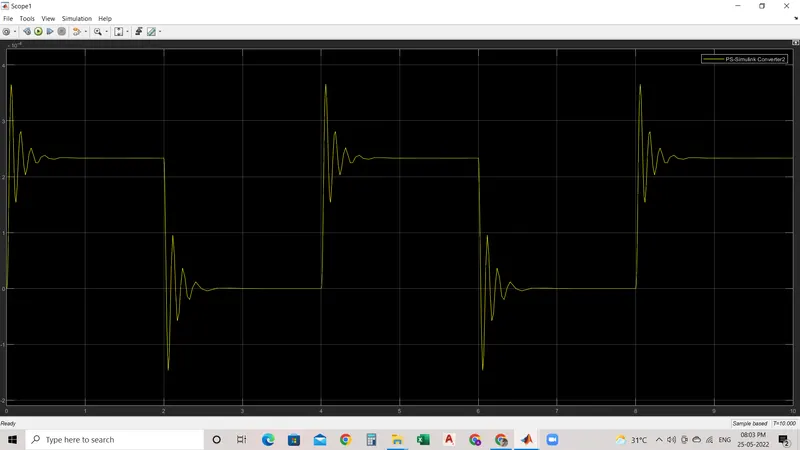
4. Solenoind - soleniod block is used for generate the EMF and atrract the spring to ring the bell .
5.Solver configuration - solver are used to solve the equation which represents the blocks .
6. Electrical and mechanical refrence - for electrical blocks we must have to use electrical ground for this we are using electrical refrence and same for mechanical refrences block .
7.Ideal transitional motion sensor -as the name suggest its sensor , it sense the displacement of solenoid.
8.Scope -simulink genrates the signal for viewing or display this signals this block is used .
Simulink model of Doorbell using solenoid block :
INPUT :
OUTPUT:
2. Use a thermistor to sense the temperature of a heater & turn on or turn off the fan as per the below conditions:
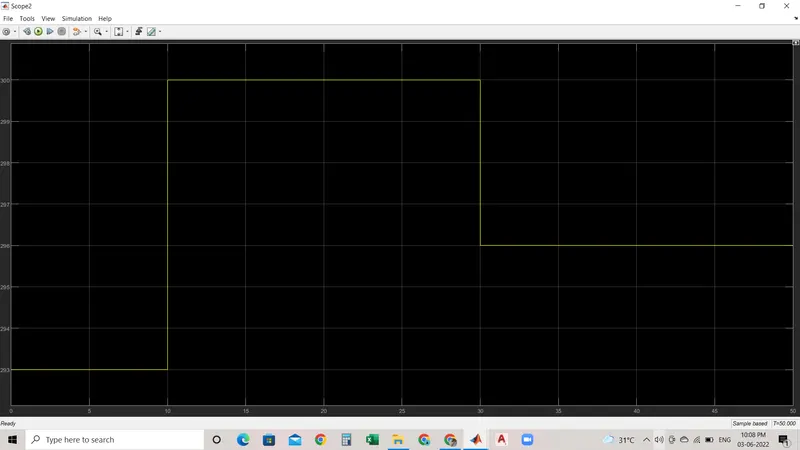
Temperature source: 20 °C from 0 to 10 seconds, 27 °C from 10 to 30 seconds, 23 °C from 30 to 50 seconds
Fan conditions: ON if the temperature above 25 °C, OFF otherwise
Blocks used for the thermistor base simulation:
1. Pulse generator - as we have to give signal input we are using signal block .
2. SPST switch - single pole singel throw switch this switch is used for the on/off condition.for given certain input signal switch should be in off condition or in on condition .
3.Battry- battry is used as power source.
4.Solver configuration - solver are used to solve the equation which represents the blocks .
5.Electrical and mechanical refrence - for electrical blocks we must have to use electrical ground for this we are using electrical refrence and same for mechanical refrences block .
6.Thermistor - as it used to sense the temperature .
7.Scope -simulink genrates the signal for viewing or display this signals this block is used .
Simulink model of Doorbell using solenoid block :
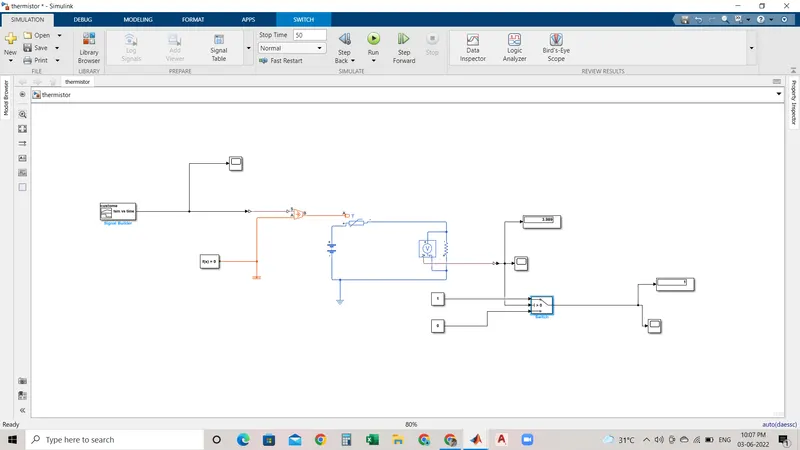
Before this signal is been fed into the Controlled temperature source the settings of the "Simulink Physical signal convertor have to be modified. In the input handling, the filter input & derivative has to be selected instead of signals this is because here we use two heat source namely "controlled temperature source" (the ideal energy source in a thermal network that can maintain a controlled temperature difference regardless of the heat flow rate).
The positive side of the thermistor is connected to the positive terminal of the battery and the negative side of the terminal is connected to the current sensor (which helps to detect the current flow in the circuit). This is followed by electrical resistance.
The value from the current sensor is converted into the Simulink signal using the convertor. The value obtained is displayed in the display block. This just to give the threshold value inside the switch, which has 2 outputs based on 2 conditions if the value is above the threshold value of the output will be 1 and f the value is below the threshold value of the output will be 0. The final output is recorded in the Scope.
output: