Week -2
The diagram will represent the doorbell using various electrical and mechanical systems
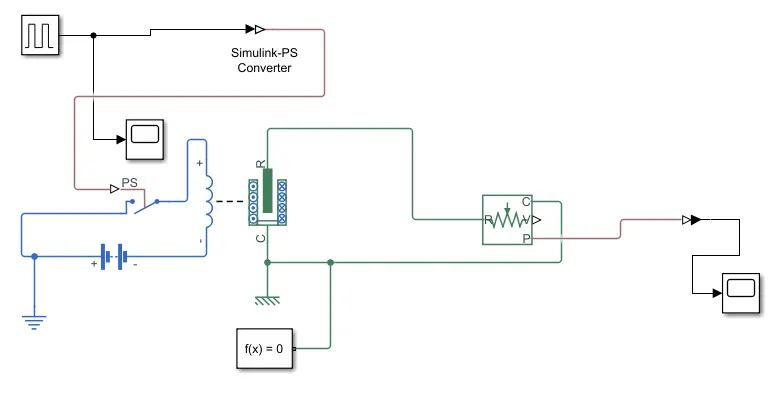
The above block diagram is the Simulink model of the doorbell using a solenoid valve circuit
Explanation of the model
The pulse generator is used to give the signal input where amplitude=1, period=4sec, pulse width=50%, and phase delay= 2sec. We are giving the input using a pulse generator, the input is converted into physical form with the use of a converter and sent to the switch of the electric circuit.
The electrical circuit consists of a solenoid a battery and a switch, one end of the solenoid is connected to the battery, and its other end is connected to the switch. An electrical reference is provided in the electrical circuit
The mechanical part of the solenoid is connected to an ideal translation motion sensor and the mechanical translational reference. The output of the model is physical which will be converted to Simulink and given to the scope for an output graph.
RESULTS
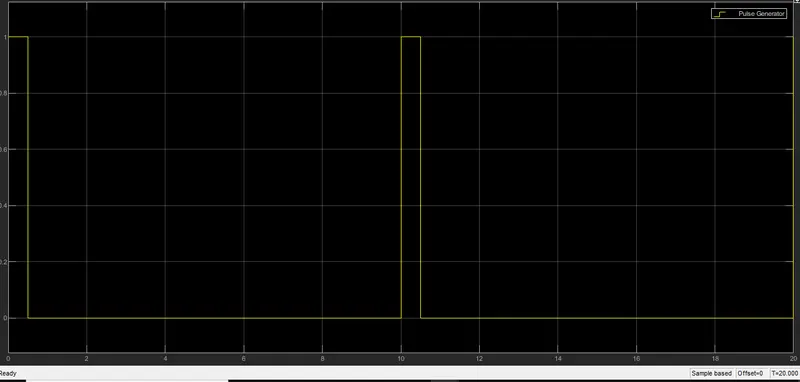
OUTPUT OF PULSE GENERATOR
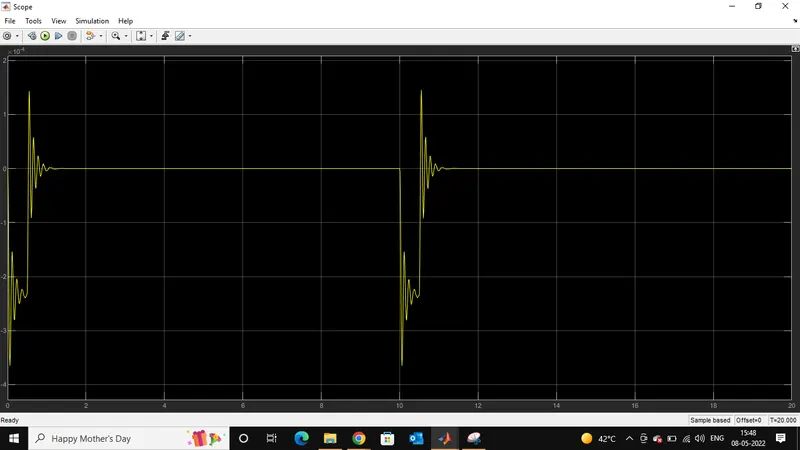
OUTPUT OF THE DOORBELL
We above plot shows the result of the graph, that the motion of the plunger was simulated and recorded. we can see that the switch is closed for 2 sec and after that switch is open. amplitude=0 means the switch is closed. it can also be seen that the plunger strikes after every 2 seconds.
second question
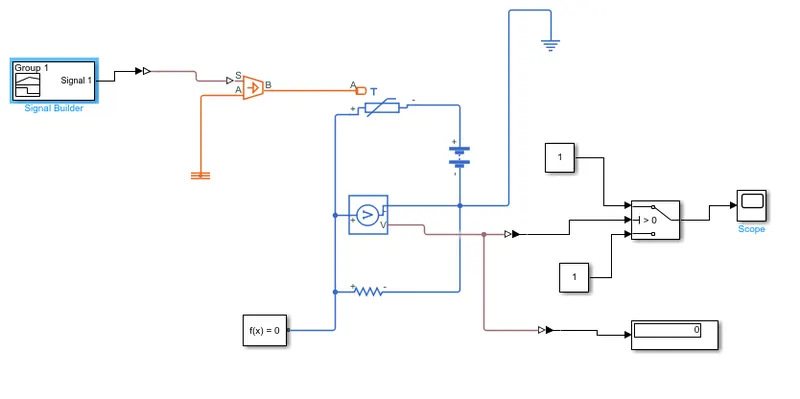
The above Simulink block diagram represents the thermistor connection which senses the temperature of a heater and passes the signal to a switch where a threshold limit is already set. if the temperature is above or equal to the threshold limit then it gives 1 as output which is switched on if the temperature is below the threshold limit, then it will give 0 as output which means switch off. the input signal I generated with the help of a signal builder block. the signal is generated with the help of a signal builder block. this signal is created according to the conditions given in this challenge. the conditions are 20 degrees from 0 to 10 sec, 27 degree from 10 to 30 sec, and 23 degrees from 30 to 50 sec.
there is condition of fan is given that if the temperature is 25 degrees and above the fan is on, or else it will be OFF.
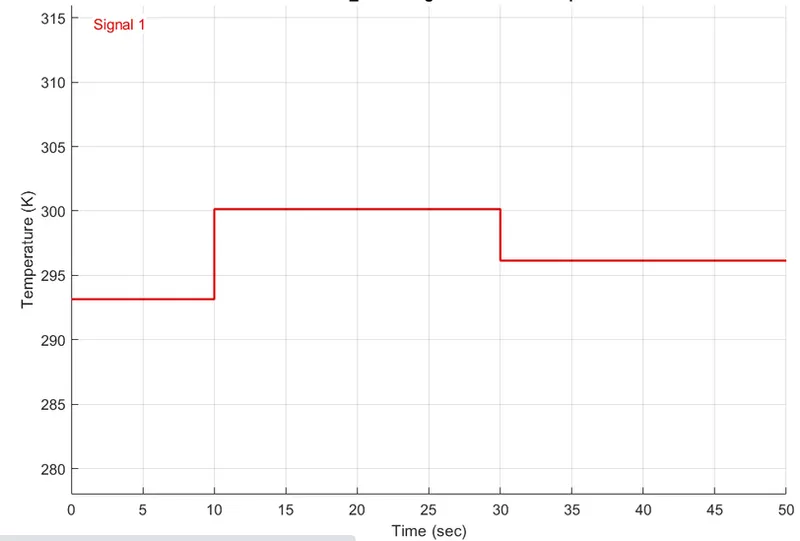
we are creating the above signals using the signal builder block and passing them to Simulink to the ps converter to convert the input signal to a physical signal. the signal is given to a controlled temperature source, this block is connected to the thermistor and a thermal reference block.
the thermistor is a part of an electric circuit where a battery a voltage sensor a resistor connected parallel to the voltage sensor, an electrical reference are connected to make a complete circuit. a solver configuration is also connected to that electrical circuit to solve all parameters before the beginning of the simulation, the voltage sensor senses the temperature in the form of voltage and sends the data to its output port, From this port, we get our output and send it to two different ps Simulink converter.
the signal is sent to the threshold switch if the temperature is above the threshold value of the switch then it gives 1 as an output which means the switch is on else it's off. the switch is connected to the scope where we can see over output.
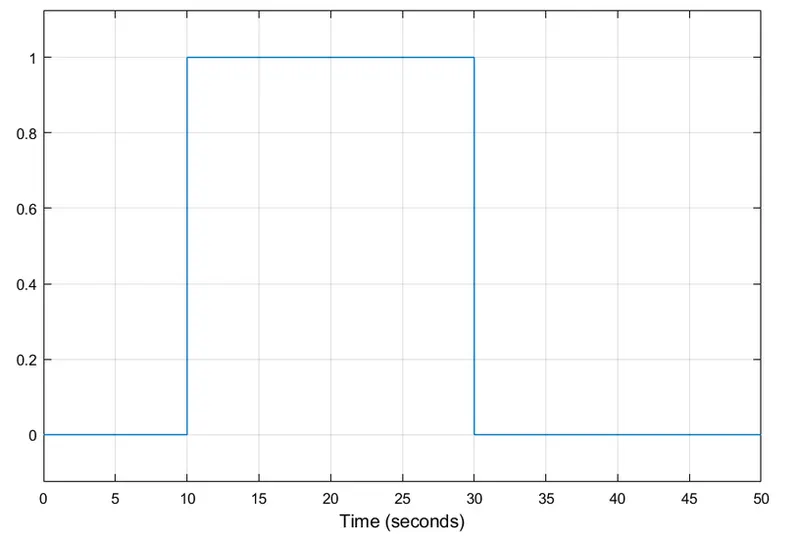
in the above plot, we can observe that the signal is 0 from 0 to 10 sec because the temperature is 20 degrees, which is below the threshold value, after the signal value is 1 as an output from 10 to 30 sec because the temperature is 27 degree, and once again the value is 0 from 30 to 50 sec because in this time the temp was 23 degree which is below the threshold that is 25 degree.
From the above graph, we can say that over the thermistor model is working according to over inputs.