Week 2- 2R Robotic Arm Challenge
% Forward kinematics of a robotic arm
clear all
close all
clc

% Inputs
% length of first link(m)
l1=1;
% length of second link(m)
l2=0.5;
%origin is fixed to the base of the first link coordinate will be (0,0)

% angle of first link
theta1= linspace(0,90,15);
% angle of second link
theta2=linspace(0,90,15);

% initiate the counter value
ct=1;
%using for loop to calculate each position of theta1
for i=1:length(theta1)
    THETA1=theta1(i);
%using for loop to calculate for each position of theta2 for one position
%of theta1

    for j=1:length(theta2)
        THETA2=theta2(j);
%Starting point coordinates of first link
        x0=0;
        y0=0;

%End point coordinates of first link and starting point coordinates of second link
x1= l1*cosd(THETA1);
y1= l1*sind(THETA1);

%End point coordinates of second link
x2= x1+l2*cosd(THETA2);
y2=y1+l2*sind(THETA2);

% Plotting
plot([x0 x1], [y0 y1], [x1 x2], [y1 y2],'linewidth',3)
axis([-0.1 1.5 0 1.5])
pause(0.03)
M(ct)= getframe(gcf);
ct=ct+1;

    end

end

movie(M)
videofile= VideoWriter('forward_kinematics.avi', 'Uncompressed Avi');
open(videofile)
writeVideo(videofile,M)
close(videofile)
Explanation of code:
- Program starts with usual matlab commands clear all close all clc
- Two links are attached by certain angle their inputs are assigned.Length of both the links are entered manually.
- Angles theta 1 & theta 2 are entered with the help of linspace command which takes 10 values between 0 and 90 with common difference of 10.
- Now counter 'ct' value is initiated.It helps in proper indexing in which the captured frames will be indexed sequentially which follows the proper order when comes to movie creation.
- Now nested for loop is used because in robotic arm simulation for a single movement of link-1, we are computing all possible moves of link 2.
- The value of 'i' is going to change from 1 to length of theta1 and value of 'j' is going to change from 1 to length of theta2.
- As the values of 'i' & 'j' changes theta1 and theta2 are taken from original arrays and are assigned to variables 'THETA1' and 'THETA2' which contains only one value and not an array.
- Loop counter variables are used to access particular value.For each position of theta1 means each position of link 1 , link 2 can take multiple positions depens on theta2.
- Enter the values of coordinates ([X0 X1], [Y0 Y1], [X1 X2], [Y1 Y2]).
- Then plot the values of the above coordinates with linewidth 3.
- Now axis command is used for fixing axes- changing x limits and y limits.
- Pause command is used to slow down the output.
- Getframe capture the figures as a frame we use to get individual frame and stored in variable M.
- Then incrementing the counter value by 1.
- End command is used to end for loop, this terminates the set of instructions.
- Movie command helps to play the movie frames in array 'M' once.
- Using the different individual frames a new uncompressed avi file is created using videofile command.
- Then we are opening the videofile using the open command and closing thevideofile using the close command.
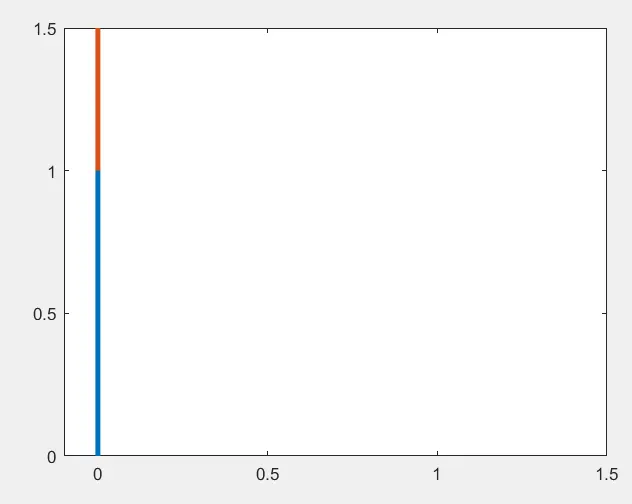
Plot: The combination of both links is shown below-
ANIMATION:The link for animation of 2R robotic arm is below:
https://drive.google.com/file/d/1lcg00bNlHISBup4lxIWt6LCWH_R6tDrW/view?usp=sharing
Errors faced while programming:

- The above error was observed because one of the loop was not ended as it's syntax, so an 'end' was put at the end of the for loop.

- Matlab is case sensitive while creating the video use 'VideoWriter' not 'videowriter' or 'Videowriter' or 'videoWriter'.
CONCLUSION:
We can conclude that the area covered by robotic arm is the space of robort that much area can be used for working.
These robots have various industrial application-
- Welding in automobile industry.
- Material handling.
- Assembly operations.
- Machine loading and unloading.
- Spray painting of automobile bodies.