Week 2- 2R Robotic Arm Challenge
%Kinematic movement of Robotic Arm
clear all
clc

%Inputs
L1 = 1;
L2 = 0.5;
theta1 = linspace(0,90,10);
theta2 = linspace(-90,90,50);
ct = 1;

for i = 1:length(theta1)
    T1 = theta1(i);
    for j = 1:length(theta2)
        T2 = theta2(j);
        x0 = 0;
        y0 = 0;

        x1 = L1*cosd(T1);
        y1 = L1*sind(T1);

        x2 = x1 + L2*cosd(T2);
        y2 = y1 + L2*sind(T2);

        %Plot
        plot([x0 x1],[y0 y1],[x1 x2],[y1 y2],'LineWidth',3)
        axis([0 2 0 2])
        xlabel('x axis')
        ylabel('y axis')
        pause(0.001)
        M(ct) = getframe(gcf);
        ct = ct+1;
    end
end

movie(M)
videofile = VideoWriter('forward_kinematics.avi','Uncompressed AVI')
open(videofile)
writeVideo(videofile,M)
close(videofile)
1. Explanation
- The inputs L1, L2, theta1 (angle of link1 changing from 0 to 90 deg with 10 points), and theta2 (angle of link2 changing from -90 to 90 deg with 50 points) are loaded.
- The current transformer starts from 1.
- The first 'for loop' is for the first link where 'i' changes from 1 to the number of values of theta1 and is loaded as T1.
- For the second link, another 'for loop' is added where j changes from 1 to the number of values of theat2 and is loaded as T2.
- The first coordinates of link1 are given as (x0,y0) i.e. (0,0),
- The end coordinates of link1 and link2 are calculated by the mentioned formula.
- Using the above 3 point coordinates, a line is plotted to start from the origin.
- x-axis and y-axis are labeled.
- The code is paused at 0.001
- When each time the code is executed and the fig frame is saved.
- The current transformer is exceeded by 1 and the whole process repeats until all the angles of link1 and link2 are calculated and plotted.
- Each fig frame is saved in compiled and made into a movie and is saved to the destined location.
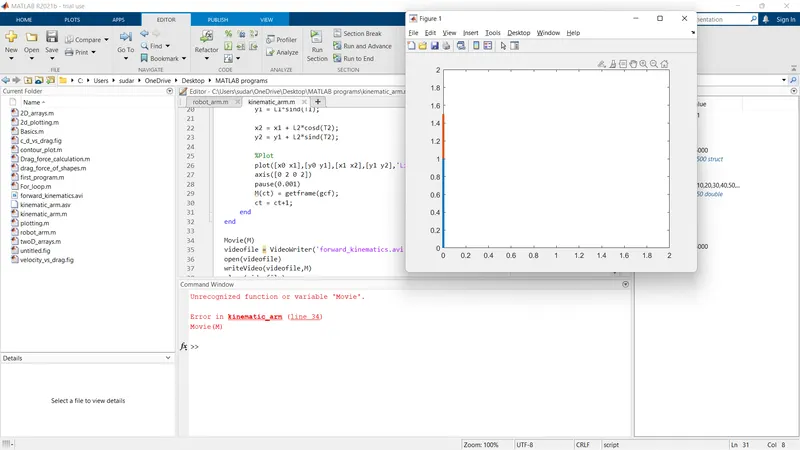
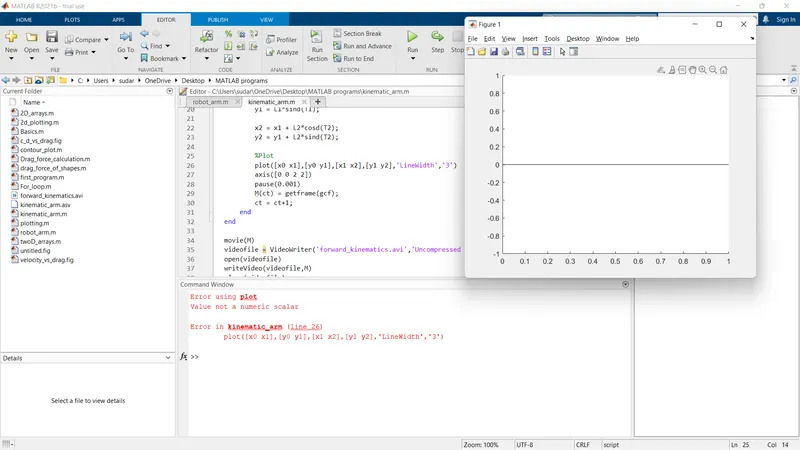
2 . The first error faced was in the axis line. I wrote the code by thinking it was (x1 y1 x2 y2) instead of (x1 x2 y1 y2). Another error was in the plot line, the number 3 for the linewidth was put underquotes. I had also used 'Movie' instead of 'movie' which MATLAB did not recognize.
3.
Link of the animation video - Robotic arm animation