Week 2- 2R Robotic Arm Challenge
The kinematic of a robotic manipulator is computed for different locations of the manipulator using the code below:
% Animation of the kinematic of a 2R  Robotic Arm
clear all
close all
clc

% Input Data for the angle and Link length
theta1 = linspace(0,90,10);
theta2 = linspace(0,90,10);
link1 = 1;
link2 = 0.5;

% Coordinates of the of Robot
x0 = 0;
y0 = 0;
ct = 1;

% Compute the position of the robot arm at each angle of the links theta1
% and theta2. Then plot each position and save the data to a movie frame
% Mov.

Mov(length(theta1) * length(theta2)) = struct('cdata',[], 'colormap', []);
for i=1:length(theta1)
    for j=1:length(theta2)
        % Position of the robot arm

        x1 = x0 + link1 .*cosd(theta1(i));
        y1 = y0 + link1 .* sind(theta1(i));

        x2 = x1 + link2 .* cosd(theta2(j));
        y2 = y1 + link2 .* sind(theta2(j));

        % Plot the robot arm position
        plot([x0,x1], [y0, y1], [x1,x2], [y1, y2], 'LineWidth', 3)
        axis([-0.1, 1.5, 0, 2.0])
        pause(0.1)

        % Save the plot as a movie frame.
        Mov(ct) = getframe(gcf);
        ct = ct + 1;

    end

end


% Write the movie frames to a video file.
movie(Mov)
videofile = VideoWriter('Forward_Kinematic.avi','Uncompressed AVI');
open(videofile)
writeVideo(videofile, Mov)
close(videofile)
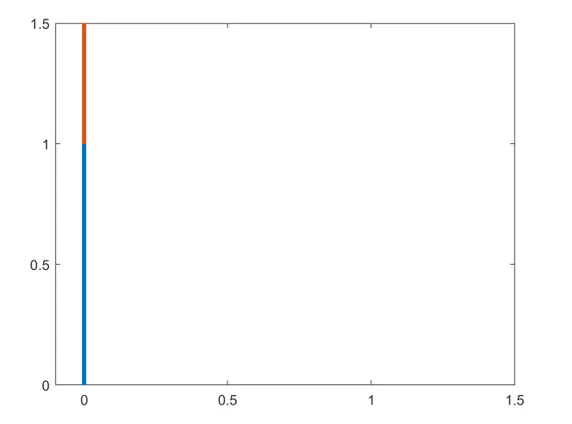
The output of the computation when the angle of the rob arm is perpendicular to the horizontal plane is shown below:
An animation of the kinematic of the robotic arm has been uploaded to youtube. The video can be accessed using the link https://youtu.be/rN4L1xCoB_I.