Week 2- 2R Robotic Arm Challenge
Aim : To similate the forward kinematis of a 2R robotic arm by using math lab.
Theory : Robotic arms are line like a human arms and we can rotate these arms by providing a joints to the arms. Arms are also called as links. And we can us use as many as links we want by using joints.
But in this project we are using 2 links, and these links can be rotated at any degress by giving theta values.
Code explanation :
- We write the programe by using clear all, close all, clc commands.
- we use the inputs as links lengths as l1=1 and l2 =o.5 or we can use different lengths according to our work.
- we give theta1 and theta2 values.
- we use the co-ordinates as x0 y0 as 0 because it is at fixed position.
- x1 is equal to l1*cosd(theta1) and y1 is equal to l1*sind(theta1)
- x2 is equal to x1+l2*cosd(theta2) and y2 is equal to y1+l2*sind(theta2)
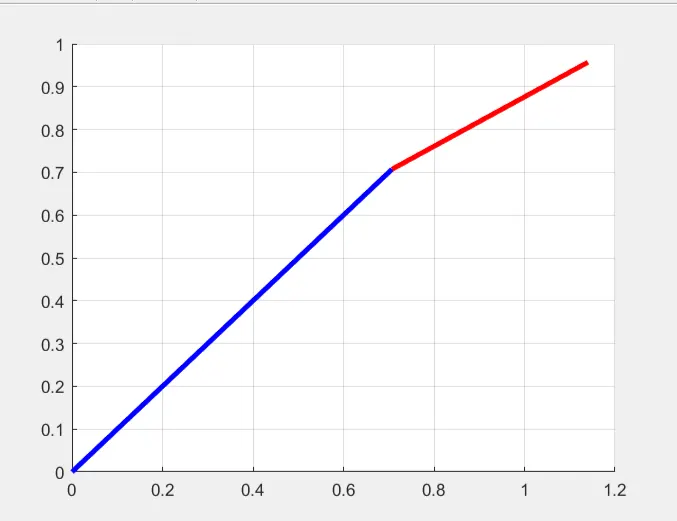
- And after completion of these we plot the graph.
Code 1:
% forward kinematics of 2R robotic arm manupulation.

clear all
close all
clc

% inputs
l1 = 1
l2 = 0.5

theta1 = 45
theta2 = 30

% co-ordinates
x0 = 0
y0 = 0

x1 = l1*cosd(theta1)
y1 = l1*sind(theta1)

x2 = x1+l2*cosd(theta2)
y2 = y1+l2*sind(theta2)

%plotting
line([x0 x1],[y0 y1],'linewidth',3,'color','b')
line([x1 x2],[y1 y2],'linewidth',3,'color','r')
grid on
Result :
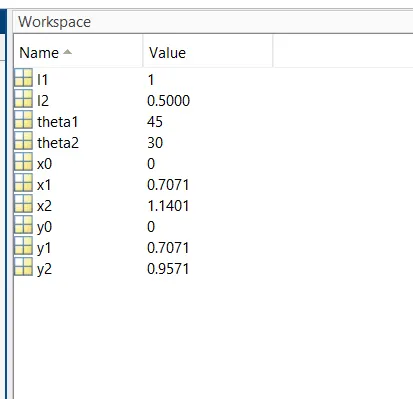
Plot :
Next we are coding to get a robotic arm video or animation :
Code explanation :
- We write the programe by using clear all, close all, clc commands.
- we use the inputs as links lengths as l1=1 and l2 =o.5 or we can use different lengths according to our work.
- we give theta1 and theta2 values. And here we use linespace command for both the theta values from (0 to 90 degrees).
- we use the co-ordinates as x0 y0 as 0 because it is at fixed position.
- x1 is equal to l1*cosd(THETA1) and y1 is equal to l1*sind(THETA1).
- x2 is equal to x1+l2*cosd(THETA2) and y2 is equal to y1+l2*sind(THETA2).
- And this we use plot command to plot the graph.
- movie(M) command is to make the plot as a video.
- And we write command as video file=videoWriter('saved file name','Uncompressed AVI')
- open(videofile) is to open the video file which we have saved.
- And finally we close the video file.
Code 2:
clear all
close all
clc

%inputs
l1 = 1
l2 = 0.5
theta1 = linspace(0,90,10)
theta2 = linspace(0,90,10)

ct=1
for i = 1:length(theta1)
    THETA1 = theta1(i)
    for j = 1:length(theta2)
        THETA2 = theta2(j)
        x0 = 0
        y0 = 0

        x1 = l1*cosd(THETA1)
        y1 = l1*sind(THETA1)

        x2 = x1 + l2*cosd(THETA2)
        y2 = y1 + l2*sind(THETA2)

        % plotting

        plot([x0 x1],[y0 y1],[x1 x2],[y1 y2],'lineWidth',3)
        axis([-0.1 1.5 0 1.5])
        pause(0.03)
        M(ct) = getframe(gcf)
        ct = ct+1

    end
end

movie(M)
videofile = VideoWriter('forward_k.avi','Uncompressed AVI');
open(videofile)
writeVideo(videofile,M)
close(videofile)
Video animation :
Result :
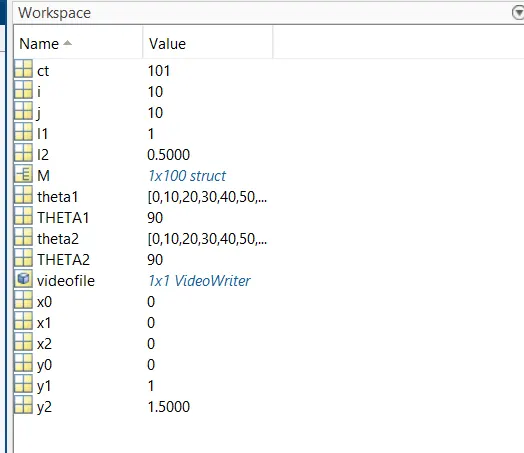
Errors occured :
1.
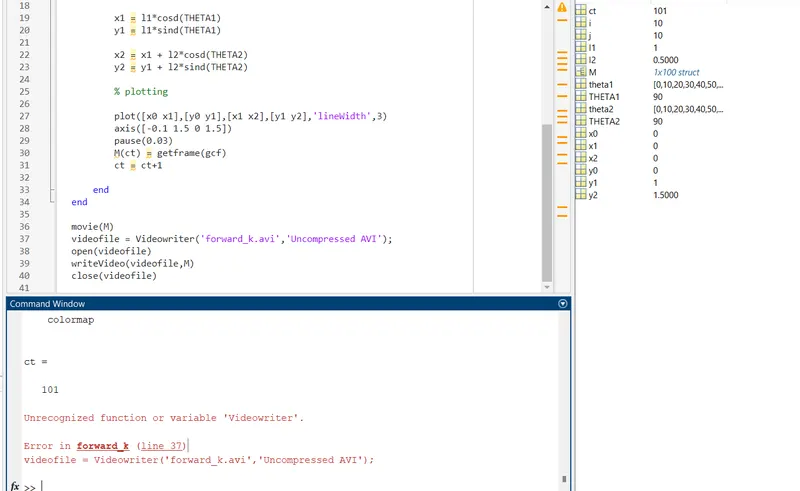
Solution : In line number 37 Videowriter is replaced as 'VideoWriter'.
2.
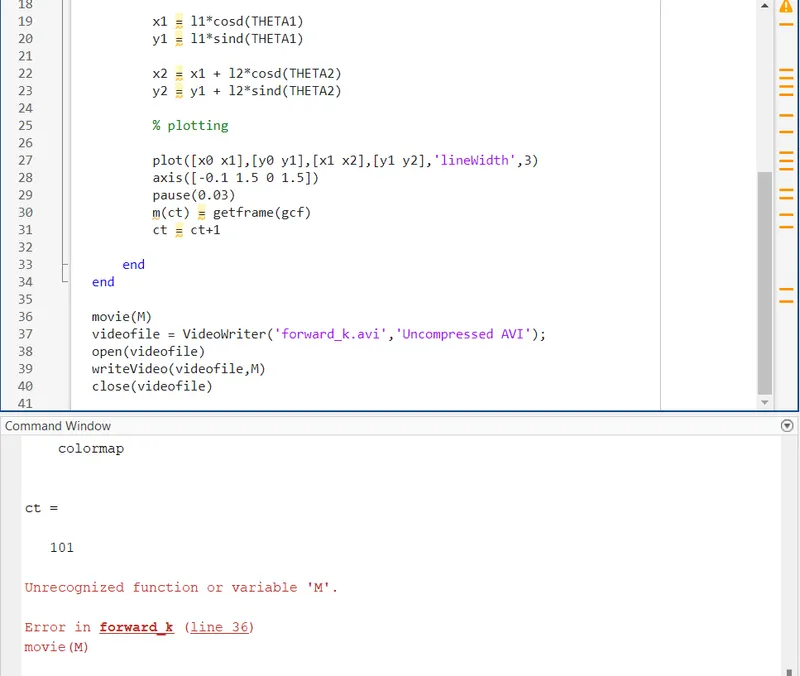
Solution :
In line number 36 we write m as capital M.