Week 2- 2R Robotic Arm Challenge
Robotic Arm
To Study position movement of robotic
Given Data
Length
l1=1;
l2=0.5;
Angle changes from initial condition
theta1=45;
theta2=30;
1st node position
x0=0;
y0=0;
2nd & 3rd position is variable using trignomenty
x1 = l1*cos(THETA1)
y1 = l1*sin(THETA1)
% link2 position
x2 = x1+ l2*cos(THETA2)
y2 = y1+ l2*sin(THETA2)
single position variable
Matlab Code
% Robatic arm
% Program bby jagaveerapandiyan
clear all;
close all;
clc;

% Inputs
l1=1;
l2=0.5;

theta1=45;
theta2=30;

%co-ordinates
%initial fixied node
x0=0;
y0=0;

%link1 position
x1 = l1*cosd(theta1);
y1 = l1*sind(theta1);

% link2 position
x2 = x1+ l2*cosd(theta2);
y2 = y1+ l2*sind(theta2);

%plotting
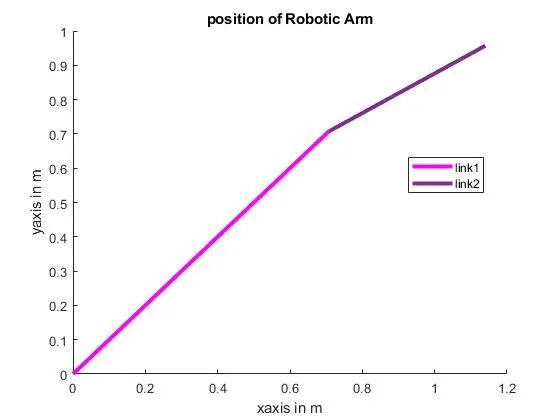
line ([x0 x1],[y0 y1],'linewidth',3,'color','m');
line ([x1 x2],[y1 y2],'linewidth',3,'color',[0.4940 0.1840 0.5560]);
xlabel('xaxis in m')
ylabel('yaxis in m')
legend('link1','link2')
title("position of Robotic Arm")
output
Now creating an array for change in angle
Error Faced
Error 1
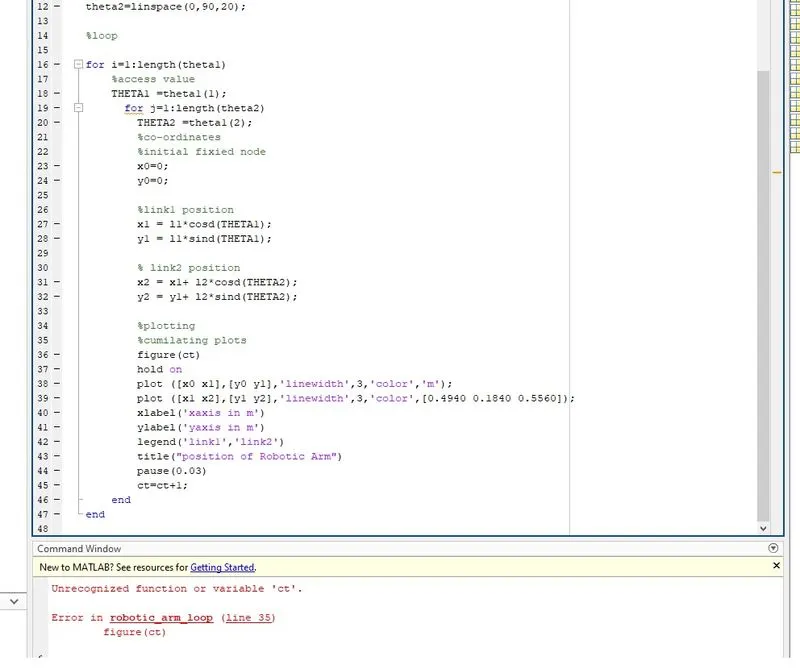
counter variable not assigned which can be assigned initial counter as 1
Error 2
multiplot creation in figure
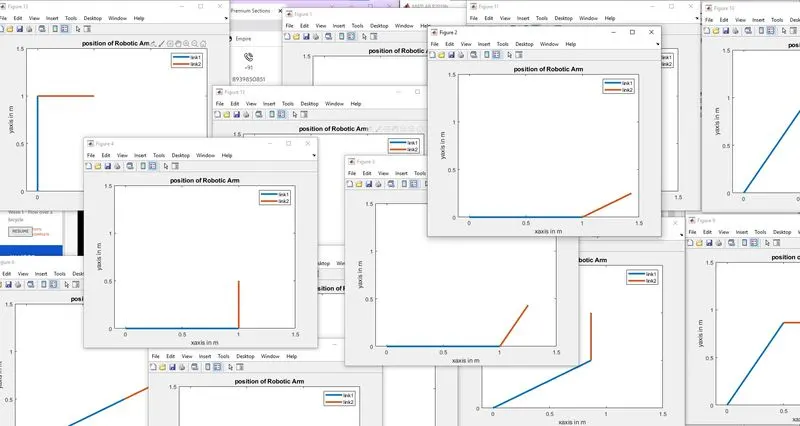
which can be troubleshot by saving the current figure in the array and removing figure and holding commands for different variable creation
Error 3
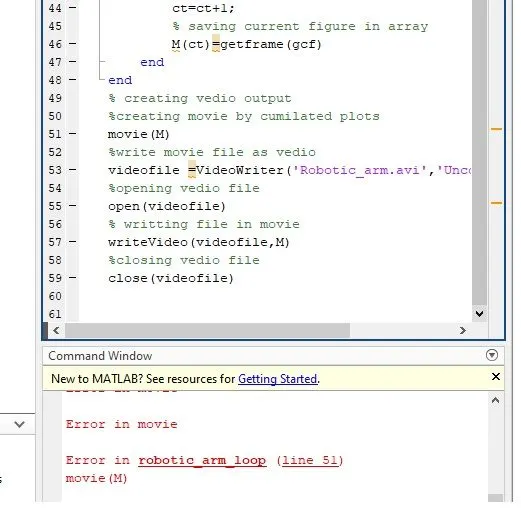
movie command error can be troubleshot by creating a counter variable after get figure array
Output
% Robatic arm
% Program bby jagaveerapandiyan
clear all;
close all;
clc;

% Inputs
l1=1;
l2=0.5;

theta1=linspace(0,90,40);
theta2=linspace(0,90,40);

%loop
%figure count
ct=1;
for i=1:length(theta1)
    %access value
    THETA1 =theta1(i);
      for j=1:length(theta2)
        THETA2 =theta2(j);
        %co-ordinates
        %initial fixied node
        x0=0;
        y0=0;

        %link1 position
        x1 = l1*cosd(THETA1);
        y1 = l1*sind(THETA1);

        % link2 position
        x2 = x1+ l2*cosd(THETA2);
        y2 = y1+ l2*sind(THETA2);

        %plotting
        %cumilating plots
        plot ([x0 x1],[y0 y1],[x1 x2],[y1 y2],'linewidth',3);
        axis([-0.1 1.5 0 1.5])
        xlabel('xaxis in m')
        ylabel('yaxis in m')
        legend('link1','link2')
        title("position of Robotic Arm")
        pause(0.03)

        % saving current figure in array
        M(ct)=getframe(gcf)

        %increasing figure
        ct=ct+1;
    end
end
% creating vedio output
%creating movie by cumilated plots
movie(M)
%write movie file as vedio
videofile =VideoWriter('Robotic_arm.avi','Uncompressed AVI')
%opening vedio file
open(videofile)
% writting file in movie
writeVideo(videofile,M)
%closing vedio file
close(videofile)
Graph output video
Conclusion
robotic arm study has been done for various positions and angles. created video by changing position here I face various problems which is troubleshot and finally got smoot output