Week 2- 2R Robotic Arm Challenge
The following code was written to make a video of the forward kinematics of a 2R robotic arm:
% Plotting an animation of forward kinematics of a 2R robotic manipulator
close all
clear all
clc

%Defining link lengths
l1 = 1;
l2 = 1.5;

%Defining angles of link
theta1 = linspace(0,90,10);

theta2 = linspace(0,90,10);
ct = 1;
for i = 1:length(theta1)
    THETA1 = theta1(i);
    for  j = 1:length(theta2)
        THETA2 = theta2(j);
     % Defining coordinates of links

        x0 = 0;
        y0 = 0;

        x1 = l1*cosd(THETA1);
        y1 = l1*sind(THETA1);

        x2 = x1+l2*cosd(THETA2);
        y2 = y1+l2*sind(THETA2);


        %plotting


        plot([x0 x1],[y0,y1],[x1 x2],[y1 y2],'linewidth',3)
        axis([0 2.5 0 2.5])
       pause(0.1)
        M(ct) = getframe(gcf);
       ct= ct+1;

    end
end
% Making a Video file
        movie(M)
        videofile = VideoWriter('robotic_arm.avi','Uncompressed AVI')
        open(videofile)
        writeVideo(videofile,M)
        close(videofile)
The link for the Youtube video of the code is https://www.youtube.com/watch?v=AKP3hWdQWtw
The explanation for the code is as follows:
- The code has first started with the standard commands close all, clear all and clc to clear the workspace and command Window
- Then the lengths of the 2 arms of the manipulator have been defined.
- Then it is followed by Defining the angles theta 1 & theta 2 which are an array of 10 numbers between 0 and 90 having the same interval between them. They have been created by using the linspace command
- Then a variable ct has been defined
- Then a for loop is used to plot the 1st arm for different values of theta1
- Another for loop is inserted inside the 1st for loop to plot the 2nd arm for different values of theta2
- Then the coordinates of the links are defined for plotting arms 1 and 2
- Then various commands like plot and axis have been used to generate the plot for both the arms.
- The pause command has been used to pause the plot every time it runs.
- A variable M is defined for every plot and the command getframe is used to store every frame into an array in M.
- ct is used to increment for each time a loop runs get all the different frames from the plot.
- Then both for loops are ended.
- Then Various commands(movie,videofile open,writeVideo and close) have been used to create a movie file from the different frames of M.
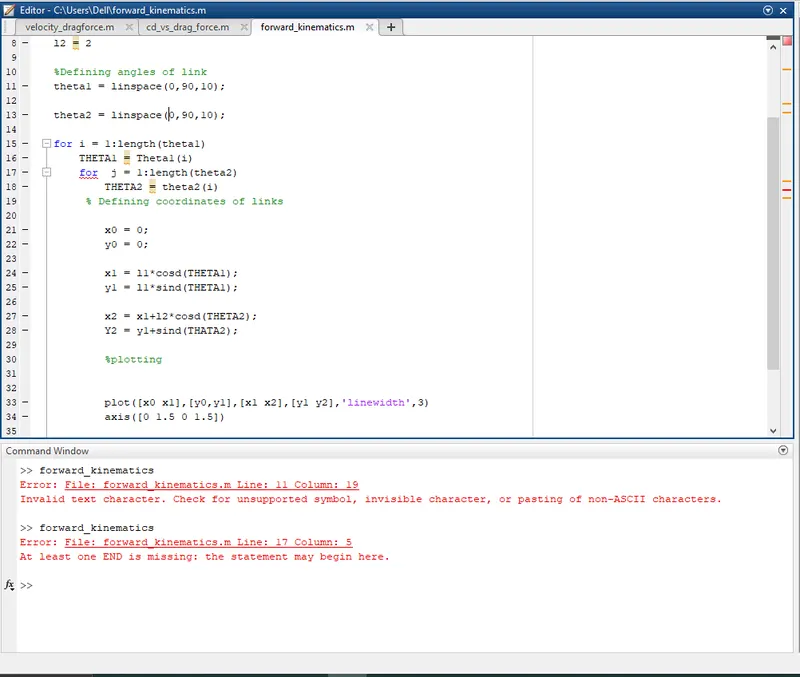
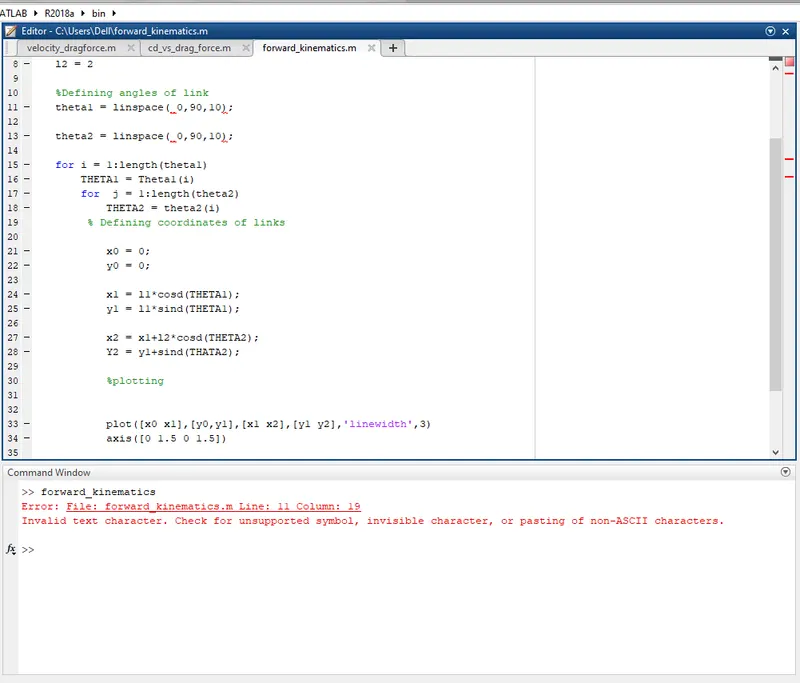
The various error I got during writing this program are