Week 2- 2R Robotic Arm Challenge
SIMULATING FORWARD KINEMATICS OF A 2R ROBOTIC ARM
%forward kinematics of a 2R robotic arm manipulator

clear all
close all
clc
 %Inputs
 l1 = 1;
 l2 = 0.5;
 theta1 = linspace(0,90,10);
 theta2 = linspace(0,90,20);

 ct = 1;

 for i = 1:length(theta1)
     THETA1 = theta1(i);
     for j = 1:length(theta2)
         THETA2 = theta2(j);
         x0 = 0;
         y0 = 0;
         x1 = l1*cosd(THETA1);
         y1 = l1*sind(THETA1);

         x2 = x1+l2*cosd(THETA2);
         y2 = y1+l2*sind(THETA2);

         %plotting
         plot([x0 x1],[y0 y1],[x1 x2],[y1 y2],'linewidth',3)
         axis([-0.1 1.5 0 1.5])
         pause(0.03)
         M(ct) = getframe(gcf);
         ct = ct+1;
     end
 end

 movie(M)
 videofile=videowriter('forward_kinematics.avi','uncompressed AVI');
 open(videofile)
 writevideo(videofile,M)
 close(videofile)
EXPLANATION OF PROGRAM
1.Length of both the links are taken as input.length of link-1 is taken as 1m and length of link-2 is taken as 0.5m
2.Angles traced by both the links for link-1 and for link-2 is taken as input.the angles traced are varied over a range to simulate the movement of the robotic arm.
3.Base position of link-1 is considered as origin(0,0)
4.Then two for loops are used to iterate over the range of angles traced by both the links.for each particular angle of link-1,link-2 is removed over its entire range,to obtain different positions of end effector at the angle of link-1
5.for particular value of theta1 and theta2, the end position of link-1 is claculated by these equations.
x1=x0+l1*cosd(theta1)
y1=y0+l1*sind(theta1)
the end position of link-1 is also the start position of link two.the end position of link-2 is claculated by these equations
x2=x1+l2*cosd(theta2)
y2=y1+l2*sind(theta2)
6.Then for each particular position of link-1 and link-2, a plot is made which is then captured frame by fram to make a movie
7.A video file of .'avi' format is made to save the movie
8.The movies is then written into the videofile and then final animation is thus created
ERRORS THAT OCCURRED DURING PROGRAMMING
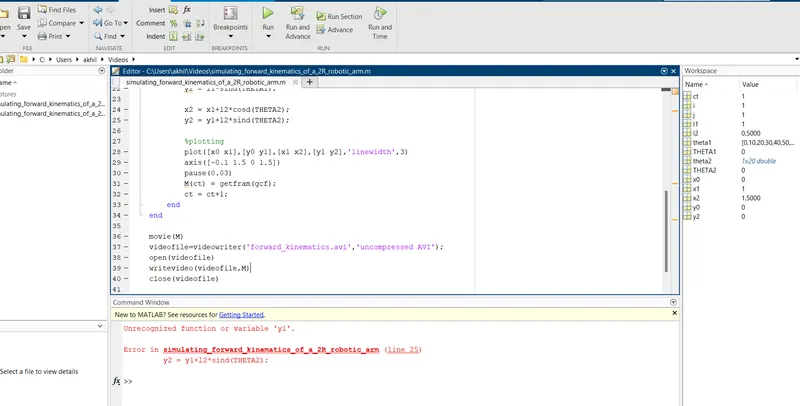
*i put input variable to rectify the error
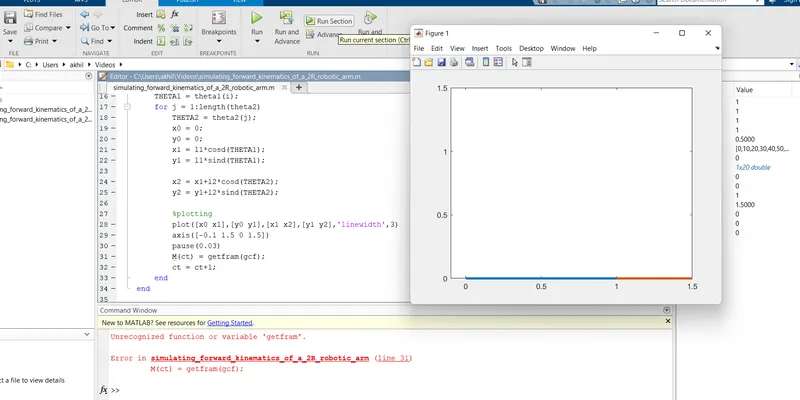
i rorgot to type e letter and i added e letter to the getfram for rectify the error
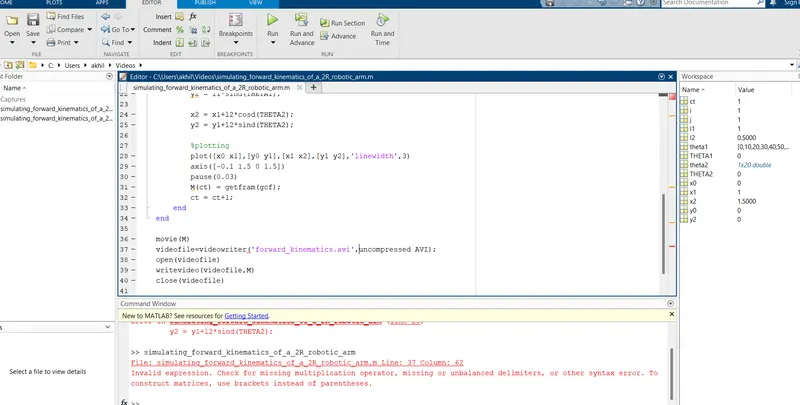
OUTPUT:
The output is obtained in the form of an animated video clip.This animation can be viewed by visiting the link mentioned below
https://youtu.be/-xXiUuw5iRk