Week 2- 2R Robotic Arm Challenge
The task given was to simulate the forward kinematics of a 2R Robotic Arm using either MATLAB or OCTAVE, I have used MATLAB to solve this.
The following code was used to obtain the result; every important step is explained in detail.
clear all
close all
clc

%inputs
l1 = 1; %length of first arm
l2 = 0.5; %length of second arm

theta1 = linspace(0,90,10); %0-90deg with 10 values in between
theta2 = linspace(0,90,10); %0-90deg with 10 values in between

ct = 1; %initializing counter

for i = 1:length(theta1)
    THETA1 = theta1(i);
    for j = 1:length(theta2)
        THETA2 = theta2(j);
        x0 = 0; %defining origin position
        y0 = 0; %defining origin position

        x1 = l1*cosd(THETA1);
        y1 = l1*sind(THETA1);

        x2 = x1+l2*cosd(THETA2);
        y2 = y1+l2*sind(THETA2);

        %plotting
        plot([x0 x1],[y0 y1],[x1 x2],[y1 y2],'linewidth',3)
        axis([-0.1 1.5 0 1.5])
        pause(0.03)
        M(ct) = getframe(gcf);
        ct = ct+1;
    end
end
%following code is to stitch the frames and make an AVI video file.
movie(M)
videofile = VideoWriter('2R Robotic Arm Challenge.avi', 'Uncompressed AVI');
open(videofile)
writeVideo(videofile,M)
close(videofile)
The above code was running without any error:
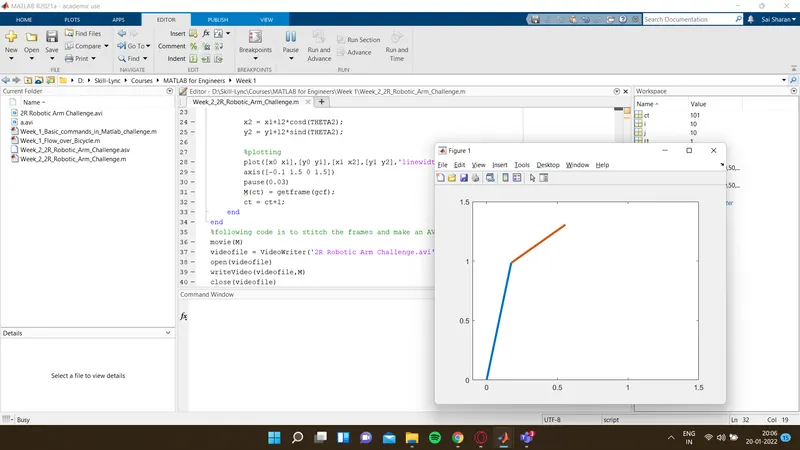
The final animated video output is: