Week -2
1)Doorbell system using solenoid block in Simulink:
Doorbell works under the principle of electromagnetic field, here solenoid is used to generate the magnetic fied where plunger gets attratected by passing electric signals in a brief interval of time.
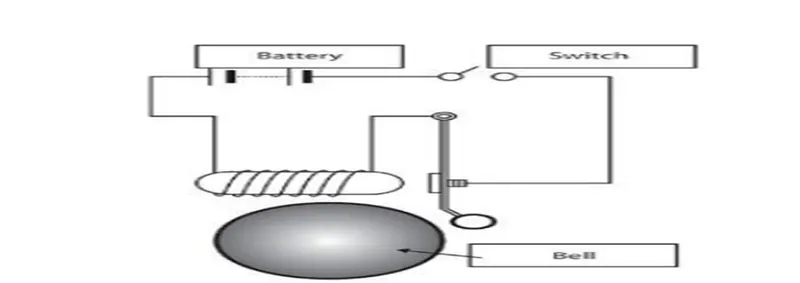
Blocks used:
Signal builder: to generate time signal with a interval of two seconds.
Scope: three scope signals are used to analyse the output of doorbell system in different stages.
Ps switch block: to perform on /off operations according to the signals.
Solenoid block: this block operates the plunger from the electromagnetic signals generated.
Ps Simulink convertor: converts real time simscape outputs into Simulink equivalent signal.
Simulink-ps: converts Simulink block signal to simscape model signals.
Battery source: produces power source for the solenoid block to ring.
Electrical refence: to properly ground all electrical blocks.
Mechanical reference: to properly ground all mechanical components.
Solver configuration: specifies solver parameters that the simscape model requires before simulation.
Procedure:
- The signal buider generates pulse signals in a interval of 2 seconds.
- The generated signals are plotted in scope and then converted into real time environment using convertor blocks.
- The switch block acts according to the signals from signal builder to control the flow power from battery and directed to control the solenoid.
- The directed power flows to the solenoid and attracts the plunger according to the given signals.
- From the solenoid the output is recorded using ideal motion sensor and later the signals are converted to Simulink output using converter block,then the output motion is analysed.
Results from scope output at different stages of model:
- Signal builder output: (time interval)
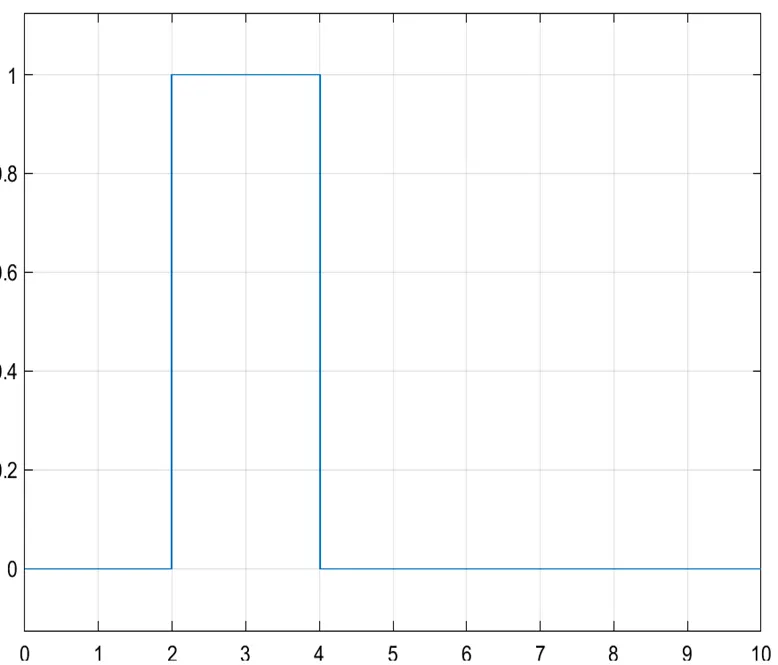
From this output the it understood that a signal is generated in a time interval of two
Seconds.
- Velocity/speed of plunger:
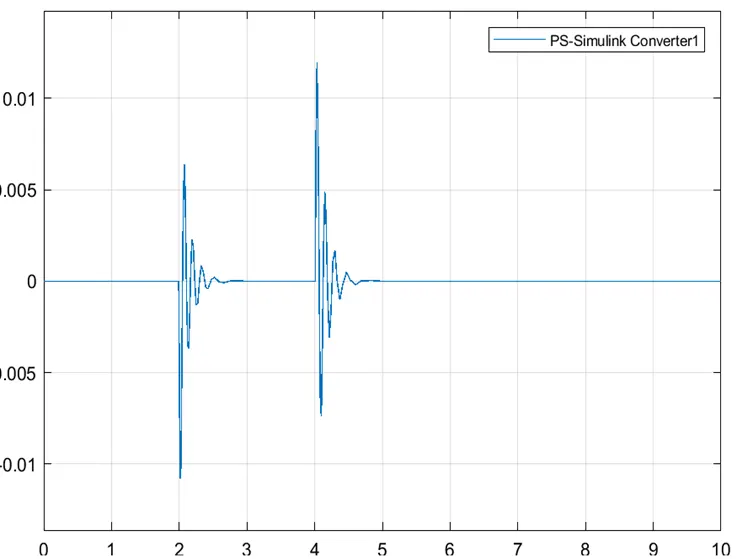
From this output velocity of plunger is recorded and it seems the plunger ring the bell
In interval of 2 seconds in a time span of two seconds.
- Motion of plunger:
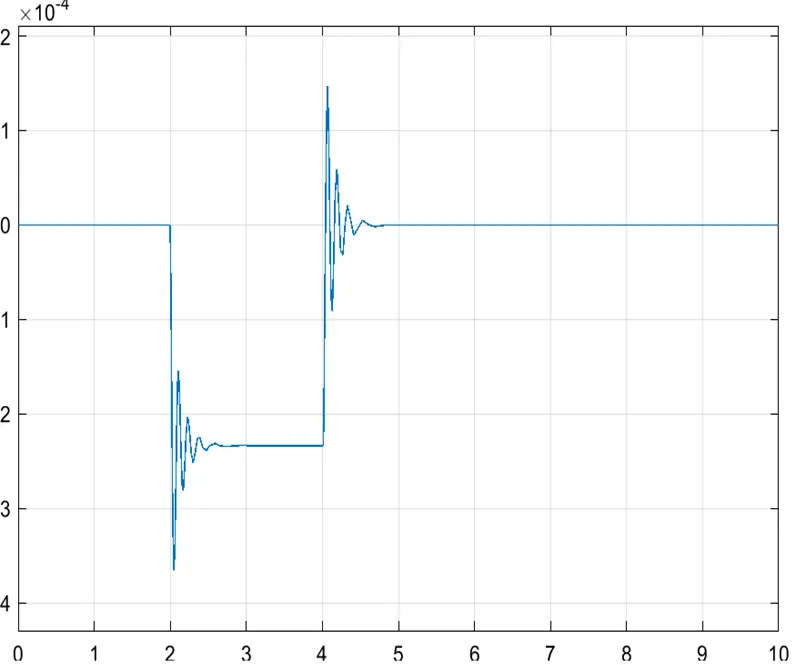
From the output the vibration occours in a intertval of two seconds within 10 seconds.
2)Thermistor controlled fan system model:
Basic idea to model the system:
A fan which operates above a particular temperature reading is modeled using a thermistor,which acts based on the controlled temperature source, the output power generated from battery source depends on operational values of thermistor reading,the voltage sensor/voltmeter is used and the output is given to a switch where the threshold of switch is voltmeter reading. The switch starts to operate when threshold criteria is satisfied, and the fan motor starts to run.
Thermistor:
Thermistors are temperature-dependent resistors, changing resistance with changes in temperature. They are very sensitive and react to very small changes in temperature. They are best used when a specific temperature needs to be maintained.
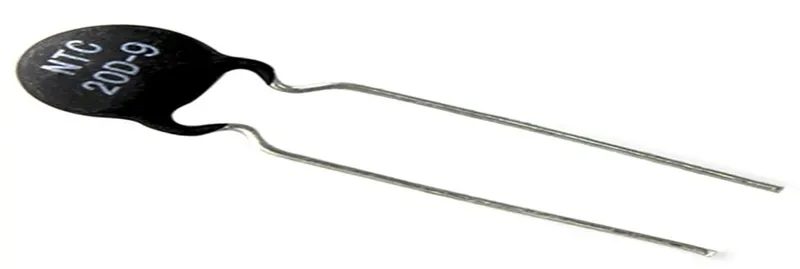
Blocks and Simscape models Used in this system:
- Signal builder: to a interchangeable signals in wave form,here signal graph is plotted for temperature vs time,customized wave form created here in signal buider for this model.
- Controlled temperature souce: the output signals from the signal builder is converted into variable temperature signals, a source for generating desired thermal energy.
- Ps-simulink and Simulink to ps convertor: they are used to convert the output signals from any model i.e Simulink/simscape into respective physical or Simulink signals.
- Thermistor: it is simcape model negative coeff Thrmistor, which acts accorting to heat flow from controlled temperature source.
- Solver configuration: The Solver Configurationblock specifies the solver parameters that your model needs before you can begin simulation.
- Switch: threshold dependent switch acts as a on off switch for fan motor to rotate according to conditions.
- Electrical reference: for proper grounding of all electrical model in simscape.
- Mechanical reference: for proper grounding of all mechanical model in simscape.
- Controlled voltage source: ideal voltage source driven by input signals from thermistor.
- Voltmeter/voltage sensor: this measures the voltage across the resistor.
- Dc motor: takes electrical torque as input to operate.
- Scope: display graph, at various stages.
Procedure/connecting different blocks:
- The first step is to create a signal that temperature and time dependent , it is produced by signal builder, those signals are converted into physical signals using convertors.
- The controlled temperature source converts the signals from signal builder into proper thermal energy and transfers it into thermistor.
- The thermistor acts according to temperature variation from temperature source and converts or allows power from battery source to resistor.
- A resistance is connected in series to the battery source and voltmeter is connected across the resistor to sense the electrical signal.
- A threshold dependent switch takes signals from voltmeter output,based on the the threshold vlues it acts as on/off switch.
- The threshold value(0.15507) is generated according to temperature variation in thermistor.
- When the swith is on condition the dc motor starts from input signals of controlled voltage,the respective rotational motion is sensed in motion sensor.
Results obtained from curves:
Signal builder output
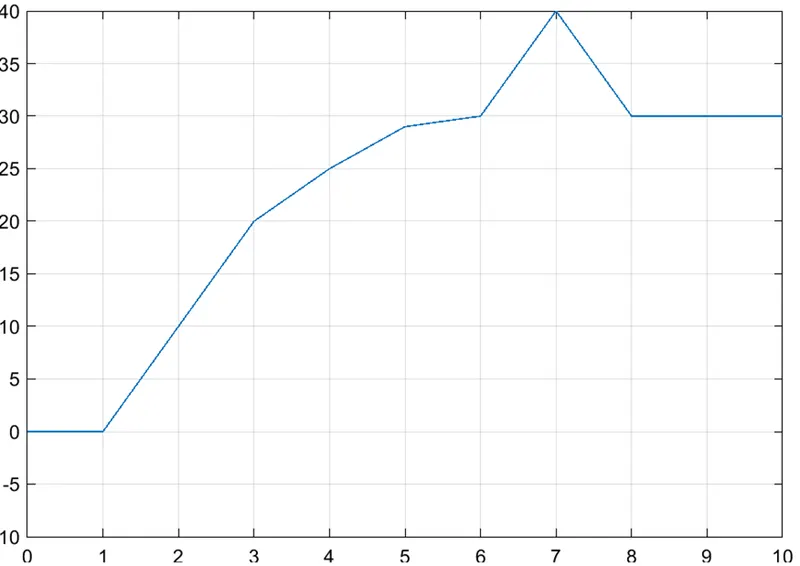
From the graph it is clearly understood that the temperature increases gradually with time.
Input is generated for time vs temperature
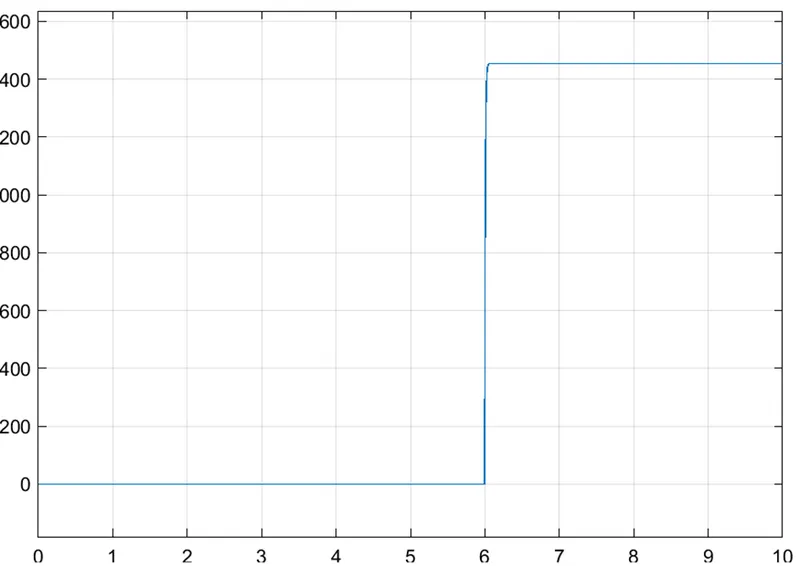
Angular velocity and displacement graph:
Displacement curve:
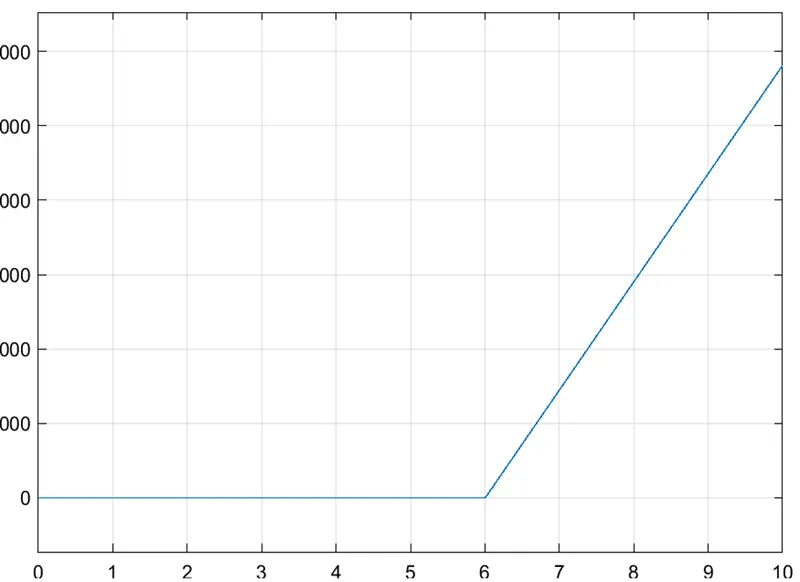
From the above two curves it is clear that the fan starts rotating 25deg