Week -2
Simulink Models for Doorbell using Solinoid and Run the fan between the Temperature Using Thermistor
Aim –
1.To make the Simulink model for the Doorbell By using Solenoid Block.
2.Use a Thermistor to sense the temperature of a heater and turn on or turn off the fan As per given condition.
Simulink model for the Doorbell by using Solenoid Block
The heart of a doorbell is an electromagnet. When you press a doorbell button, you complete an electrical circuit that allows household electricity to flow through the doorbell's internal electromagnet. The magnetic field generated by the electromagnet is then used to power a mechanism that creates the doorbell sound.
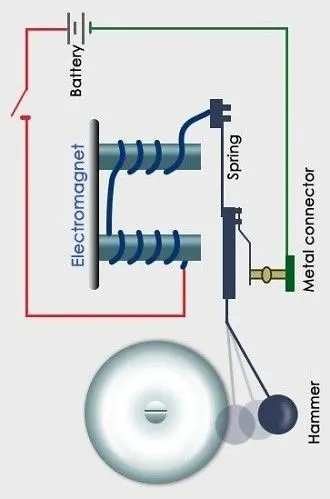
Given data :-
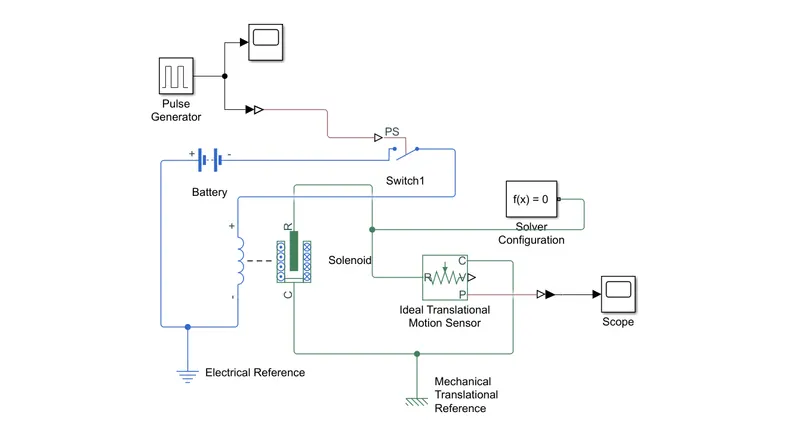
For the Model creation I used different blocks They are,
Pulse Generator
Switch
Battery
Solenoid
Ideal Translational Motion Sensor
Electrical Reference
Mechanical Translational Reference
Solver Configuration
Scope
Model-
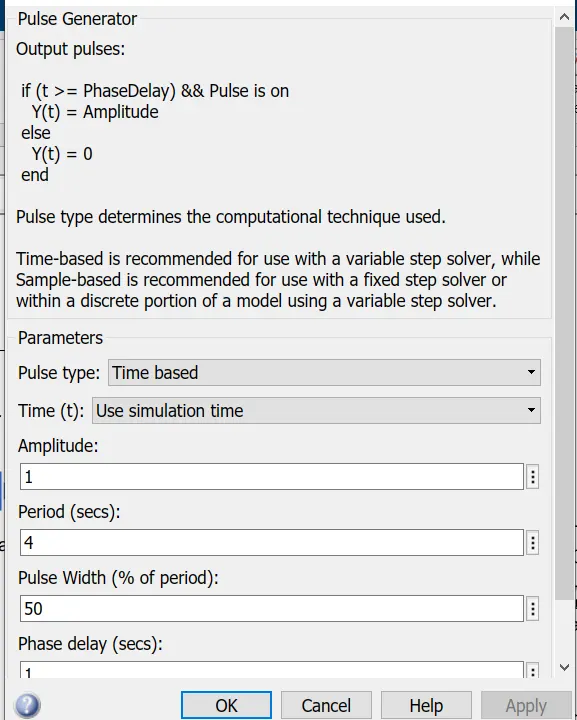
Pulse generator –
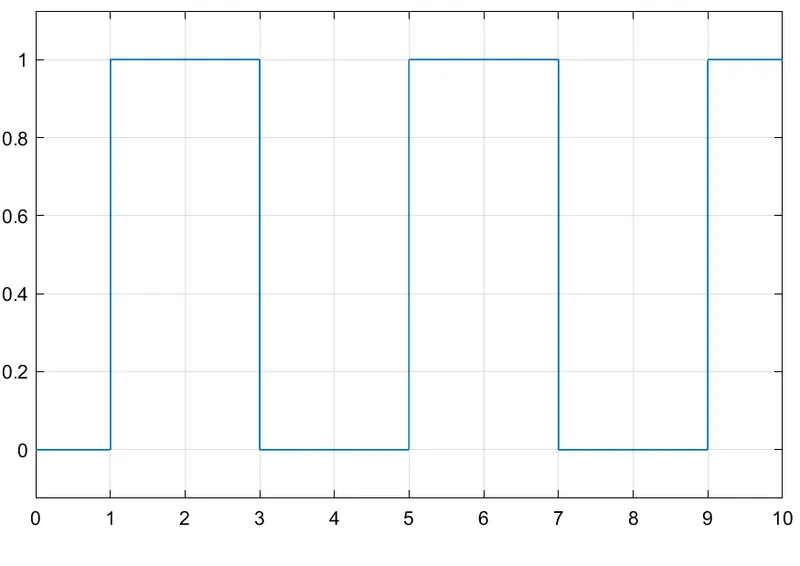
The block generates a pulse of amplitude 1 and for a duration of 4 seconds and puls width 50.This signal is then converted to Physical signal using the Simulink -PS Converter block.
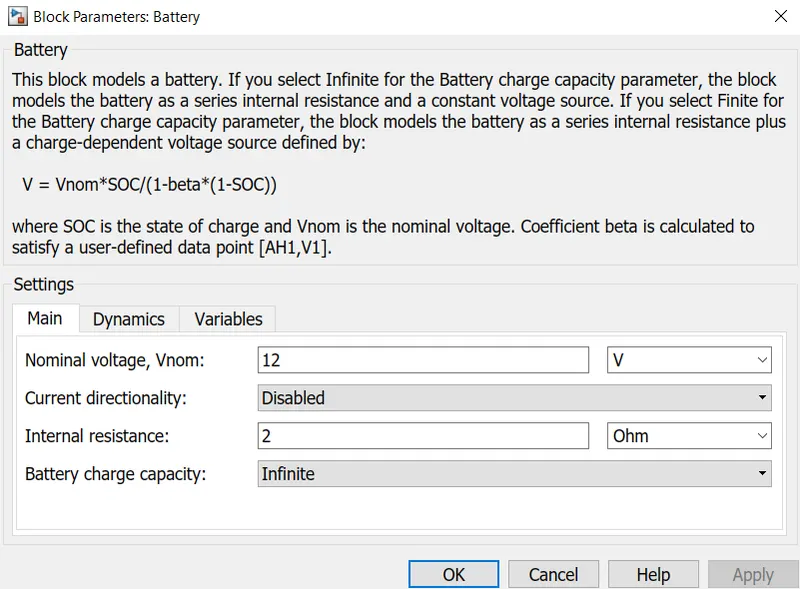
Battery -
Battery used is 12V with 2ohms internal resistance battery
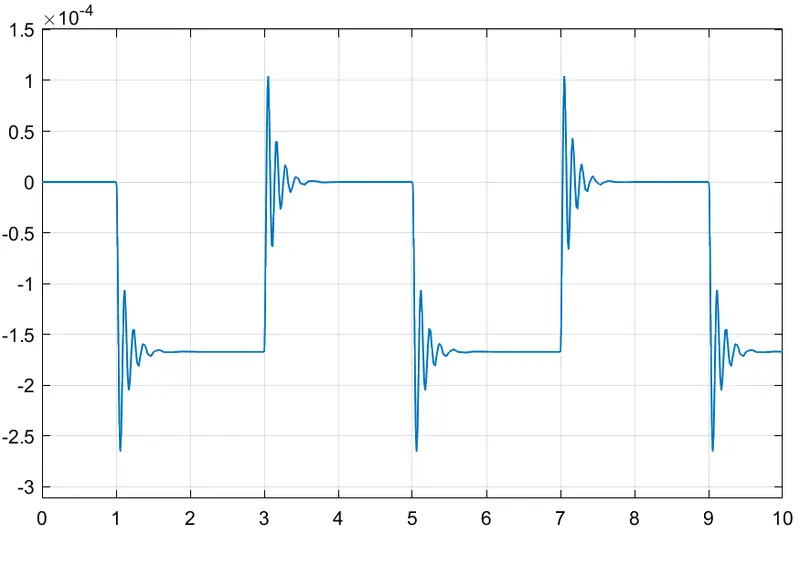
The Plunger moves when there is a current in the solenoid. The plunger movement causes the doorbell to ring, The plunger motion is measured by a translation motion sensor which is plotted by the scope block.
Results -
Conclusion –
When the Switch is closed the Solenoid block receive the power form the battery , Due to the magnetic force the plunger is moves from Port R to port C to hit the bell and produce sound.
Use a Thermistor to sense the temperature of a heater and turn on or turn off the fan
Given data–
Temperature source: 20 °C from 0 to 10 seconds, 27 °C from 10 to 30 seconds, 23 °C from 30 to 50 seconds
Fan conditions: ON if the temperature above 25 °C, OFF otherwise
Means The fan should be on if the temperature is more than 25 degrees, Below 25 degrees should be off.
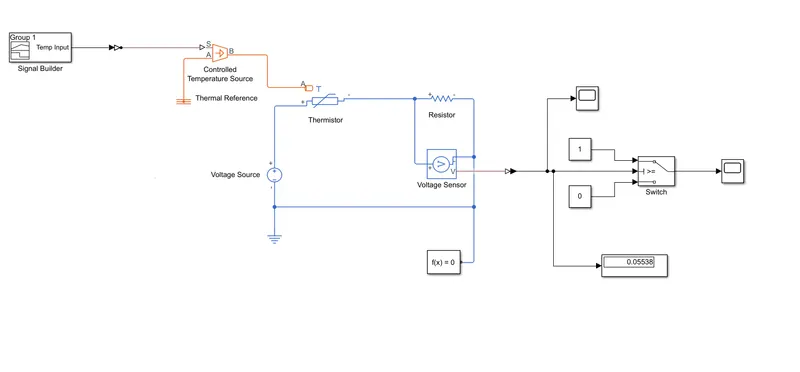
To generates the temperature by using Signal Builder Control temperature source.Signal Builder generates Simulink signal which varies with time as defined.
20 degree from 0 to 10 sec
27 degree from 10 to 30 sec
20 degree from 30 to 50 sec
Signal Builder we have created temperature profile signal according to time ,which is sent to signal to controlled temperature Source block,
This block is represents an ideal energy source in thermal network that can maintain a controlled temperature difference is set by the physical signal port S.
Now this generated temperature is sense by temperature Sensor block or either by thermistor which is senses equilent temperature as resistance changes..
For the temperature sensor block we have given condition by Switch block
Switch block will not generate signals until the temperature 25 degrees
hear temperature of input signal cross the 25 Degree ,switch passes the signal, hear our condition at 27 degrees the switch is ON condition signal passed and the fan is running,
Controlled temperature source
The Controlled Temperature Source block represents an ideal source of thermal energy that is powerful enough to maintain specified temperature difference across the source regardless of the heat flow consumed by the system.
Thermistor-
A thermistor is a resistance thermometer, or a resistor whose resistance is dependent on temperature. The term is a combination of “thermal” and “resistor”.
Resistor –
This is the linear resistor,
V = I*R
R- Resistance
V- Voltage
I – current
Voltage Sensor –
This Devise converts the voltage measured between two points of an electrical circuits into physical signa; proportional to the voltage.
Electrical Reference –
It represents electrical ground
Model -
Result -
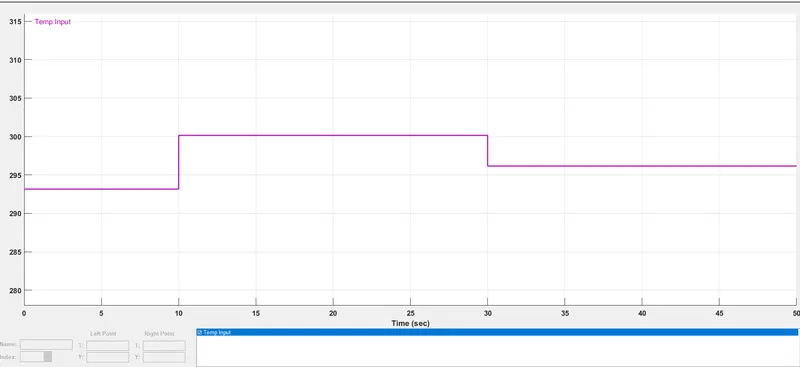
From 0-10 sec fan is off because the temperature is 293k which is below 298K,after 10 sec its goest to 300K,So fan will turn ON because temperature exceeds 298K.After 30 seconds fan will turn OFF because temperature goes 296k less than 298K.