Week -2
- Make a Simulink model of Doorbell using solenoid block with the following details:
In the above arrangement, when the switch is closed the electromagnet receives electrical power from the battery and pulls the metal arm to hit the bell producing sound.
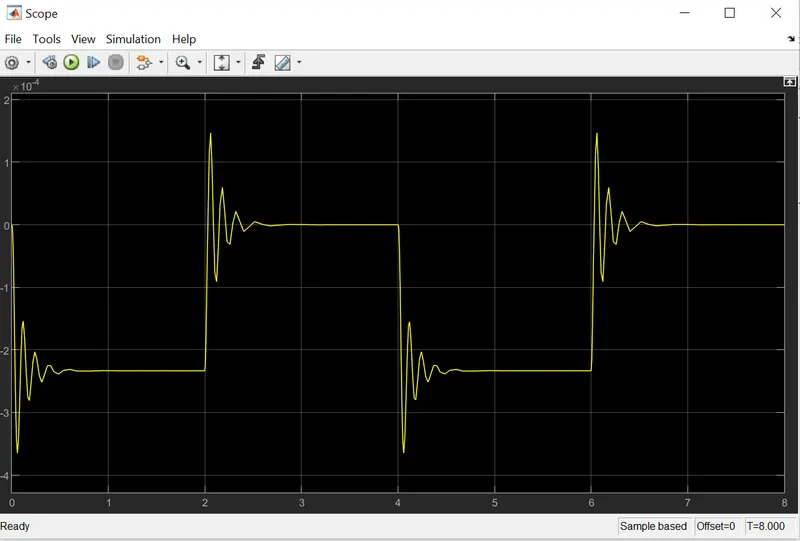
Create a situation where the switch is closed for 2 seconds and then released. Observe the physical movement of the plunger.
Assume remaining parameters.
Answer:- Given:- In the above arrangement, when the switch is closed the electromagnet receives electrical power from the battery and pulls the metal arm to hit the bell producing sound.
Blocks Which Have Used With Description:-
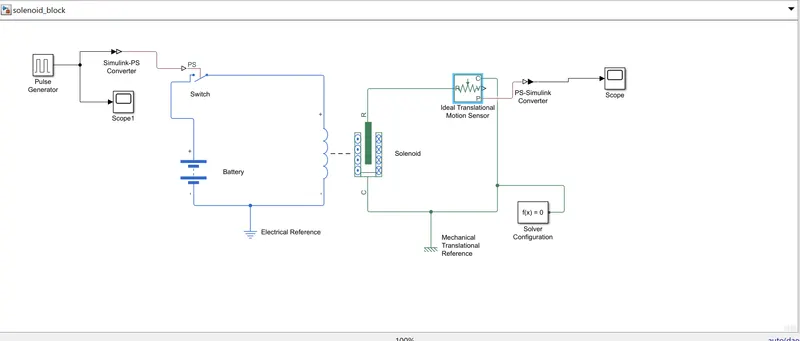
- Battery :- In the simulink firstly used Battery block for giving input power supply.
Note:-We can Also use dc power supply for giving 12v supply input.
- Switch :- Used Pulse generator switch in the foundation library/Electrical elements for gining Pulse as a input.
- Pulse Generator:-Used to give Pulse input to the Pulse switch.
Note:-To Connect Pulse Generator with switch requires Simulink To PS Convertor as Pulse generator is of Simulink Part.
- Solenoid:-This Block is used to implements the electrical and mechanical characteristics.
-
Ideal Translation Motion Sensor:-This block measures velocity or displacement in a mechanical translational network, Connection are made in such a way that Port R to R & C to C & then out put will be seeing in Port P.
- Scope:-Output can be seing by using scope Block.(Used Two Blocks to see Pulse Output from the input side & Outut side).
Note:- Again To connect Mechanical Output to the scope need PS To simulink Convertor.
- Electrical & Mechanical References:-It is mandatiory to connect refernces as used electrical & mechanical characteristics.
Note:-After completion need to connect Solver Configuration At one side To run the program.
Required:-Create a situation where the switch is closed for 2 seconds and then released. Observe the physical movement of the plunger.
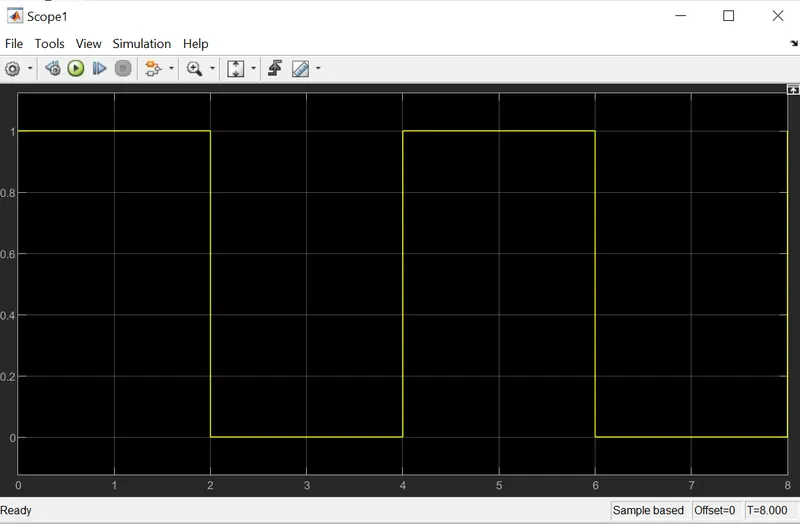
In the pulse generator giving 4 Period (Sec) & 50 Pulse Width (% Of Period).
So, 4 Of 50 % = 2sec, Now switch is closed for 2 sec & then released.
Refer Below Cofiguration setup:-
1.Model Representation.
2. Pulse Input
3.Output
2. Use a thermistor to sense the temperature of a heater & turn on or turn off the fan as per below conditions:
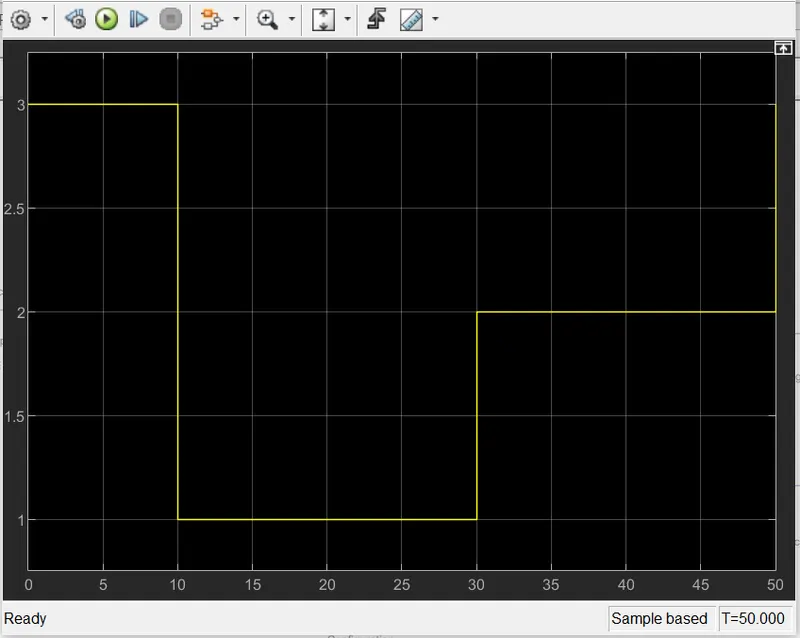
Temperature source: 20 °C from 0 to 10 seconds, 27 °C from 10 to 30 seconds, 23 °C from 30 to 50 seconds
Fan conditions: ON if the temperature above 25 °C, OFF otherwis
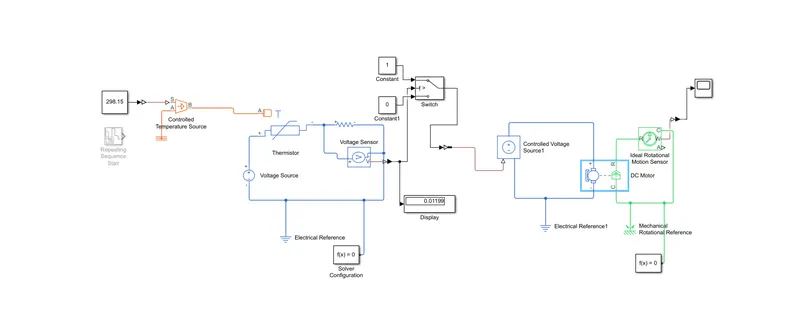
Answer:-Blocks which used to make conditions:-
- Thermister:-This block represents an NTC thermistor (Negative Temperature Coefficient) Means resistance decreases with increase in temperature.
- Controlled temperature Source:-used to give temperature input to the thermister.
- Voltage Source :-Used to give input supply to the thermistor.
Note:-Here we can use both voltage source & battery, as 12 v input supply.
Input
- Repeating Sequence Stair:-Block Used for Output and repeat discrete time sequence
Temperature source: 20 °C from 0 to 10 seconds, 27 °C from 10 to 30 seconds, 23 °C from 30 to 50 seconds
- resistor:-used to measure potential difference across it.
- Voltage Sensor:- Here Voltage Sensor used as a voltmeter To measure voltage across resistance.
- Switch :-Use for on & off the Fan.
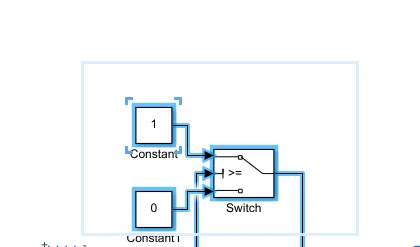
Note:-Here Two constact Act as a logic 1 stands for "On" 0 Stands For"Off" , & the middle one for the condition.
- Dc Motor:-Act as a fan.
- Controlled Voltage Source:-Used to give input poer supply to DC motor.
- Ideal Rotational motion sensor:-Used to convert electrical energy to mechenical energy.
- Scope:-Used to see output in terms of Speed or RPM.
Model Representation.