Use of Solenoid(Doorbell) & Thermistor block (heater and fan)
- Make a Simulink model of Doorbell using "Solenoid block" with the following details:
In the above arrangement, when the switch is closed the electromagnet receives electrical power from the battery and pulls the metal arm to hit the bell producing sound.
Create a situation where the switch is closed for 2 seconds and then released. Observe the physical movement of the plunger.
Assume remaining parameters.
Answer : Doorbell system :-
- Here, main components are Battery, solenoid and many more.but Switch play important role for engage or disengage (movement) of the plunger.
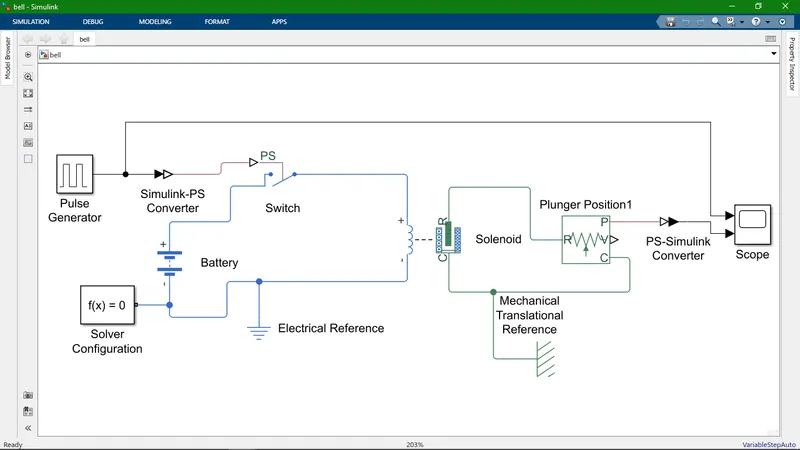
- This above picture shows connections of simulink model for Doorbell.
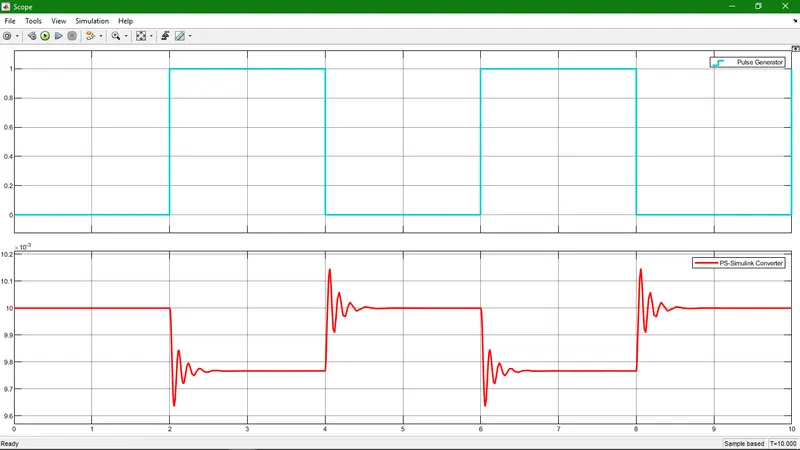
- Result :- A Second(below) picture give information about Doorbell every 2 seconds after we can see the plunger is engaged with bell and then immediately disengage with bell. and This above picture give information about Pulse which is generated by Pulse Generator.
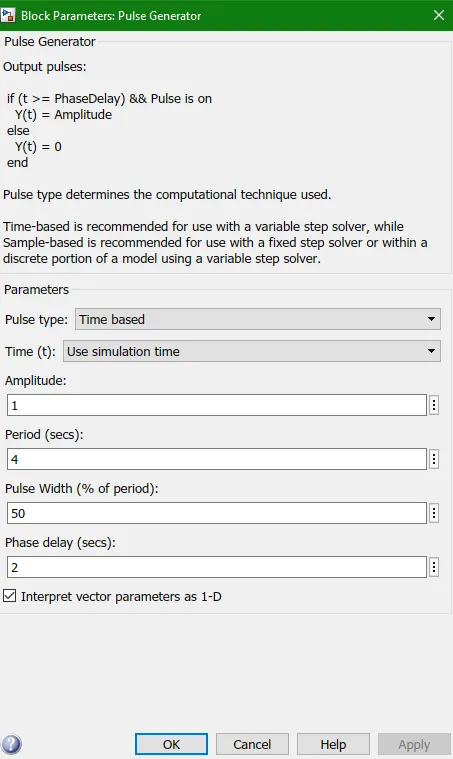
- Some more information about Input parameter of Pulse Generator.
2. Use a thermistor to sense the temperature of a heater & turn on or turn off the fan as per below conditions:
Temperature source: 20 °C from 0 to 10 seconds, 27 °C from 10 to 30 seconds, 23 °C from 30 to 50 seconds
Fan conditions: ON if the temperature above 25 °C, OFF otherwise
Answer : Fan operating system :-
Fan operating as per temperature of heater.
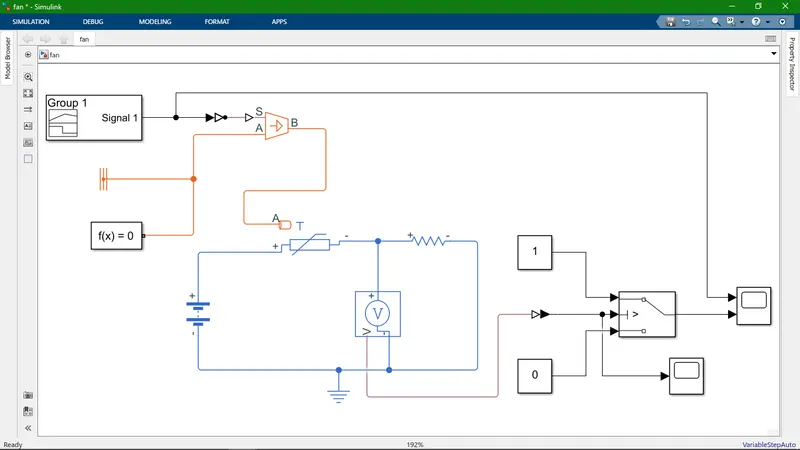
- The above picture shows connections of simulink model for thermistor (to sense the temperature of a heater & turn on or turn off the fan).
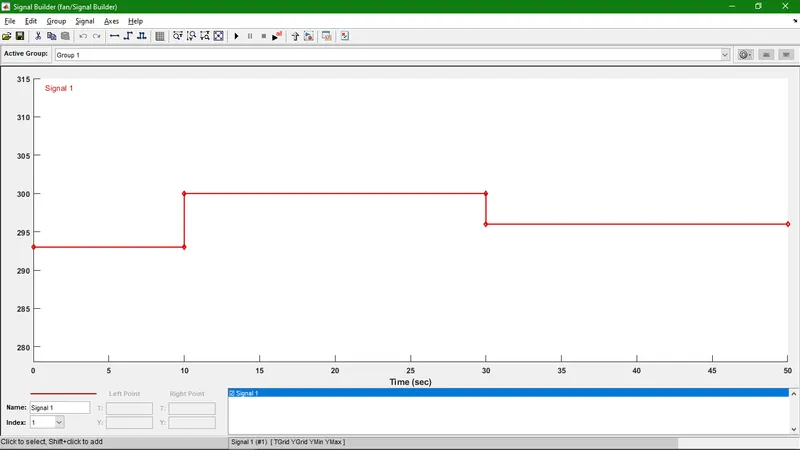
- This above picture give information about Input signal which is produced by Signal Builder.
- Temperature source: 20 °C from 0 to 10 seconds, 27 °C from 10 to 30 seconds, 23 °C from 30 to 50 seconds.
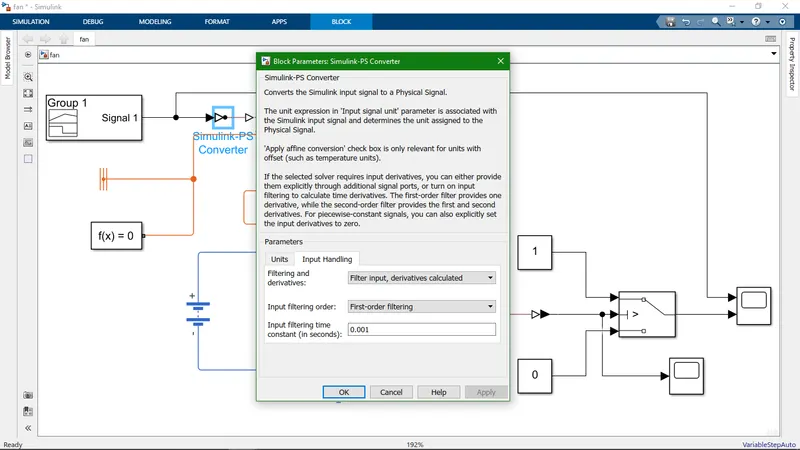
- Some more information about Input parameter of Simulink to PS converter.
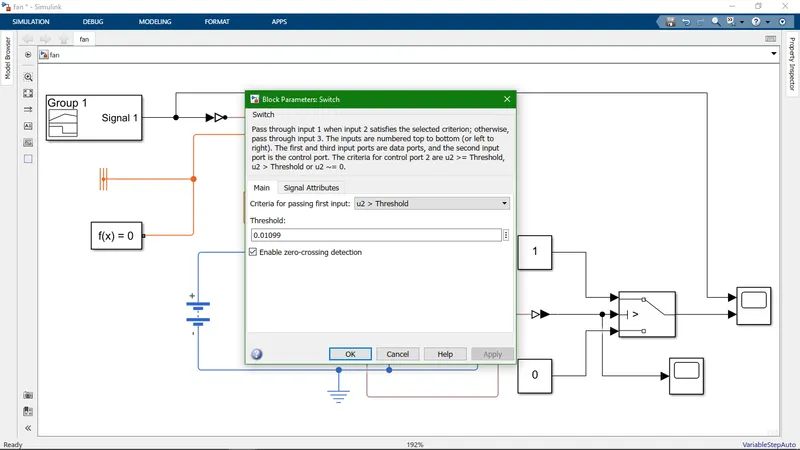
- This above picture shows information about Swich parameter (like input of Threshold value).
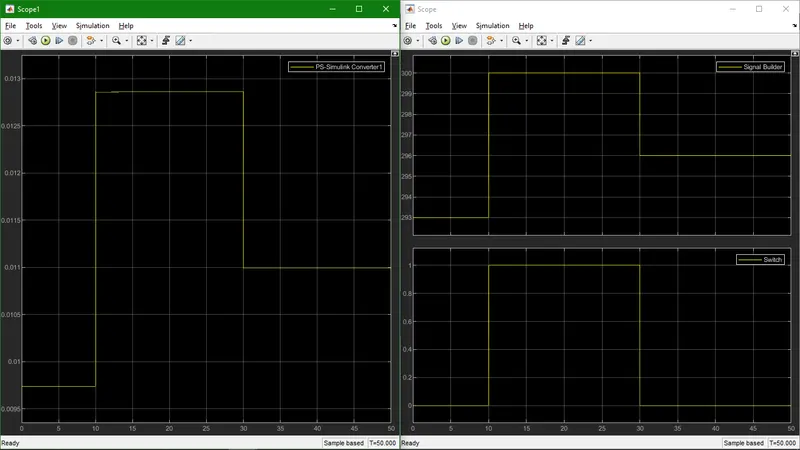
Result :- Here Left hand side picture give show input value of switch While Right hand side upper picture in give information of Signal Builder and below picture give information of Final result.
Result :- The final result shows Fan conditions (Fan is ON or OFF).
Note :- Here all value considered in Kelvin.