Week 12:Project 2-Meshing of Rear Wheel Holder challenge
AIM :
To mesh the Rear wheel holder of a vehicle according to the given quality criteria and assign thickness to the mesh.
Target Element Length = 5 Units
| S.N | Quality Criteria | Value |
| 1 | Aspect Ratio | 5 |
| 2 | Skewness | 45 |
| 3 | Warping | 15 |
| 4 | Taper | 0.5 |
| 5 | Min. Length | 2 Units |
| 6 | Max. Length | 8 Units |
| 7 | Min angle Quad | 45 |
| 8 | Max angle Quad | 135 |
| 9 | Min angle Tria | 20 |
| 10 | Max angle Tria | 120 |
| 10 | Tria % | 10 |
TOOLS REQUIRED :
- HyperMesh
PROCEDURE :
- Import the given model Floor_Panel.hm to HyperMesh using Import option.
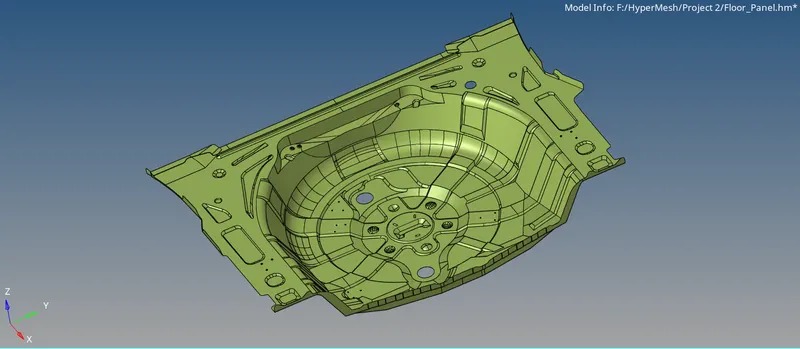
- Geometrical errors in the model need to be corrected before extracting midsurface to get a proper midsurface using Geom -> quick edit panel.
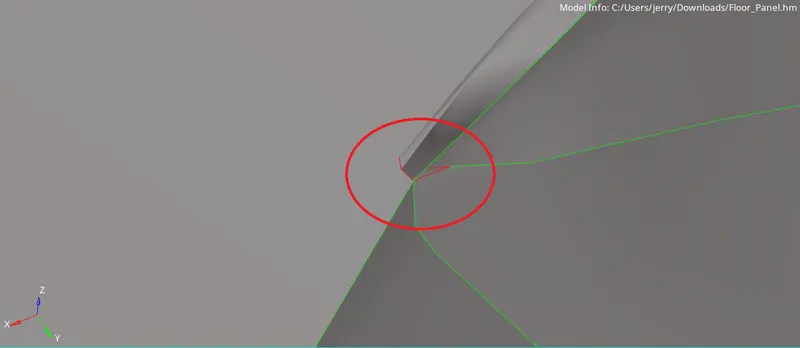
Geometrical error in the model
- As this is a sheet metal component, thickness will be uniform throughout. Extraction of midsurface is easy in this case.
- Midsurface is extracted by offsetting one of the faces (top or bottom) to the midway using Geom -> surface edit -> offset tool.
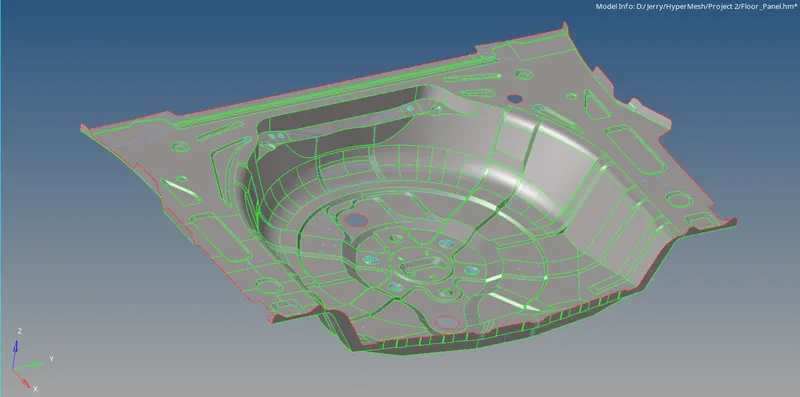
Midsurface
- After extracting the midsurface, the entire component is meshed surface by surface according to the given quality criteria using 2D -> automesh panel.
- After meshing is done complete, thickness has to be given to the mesh. This can be done by creating a new property and assigning the property to the mesh component.
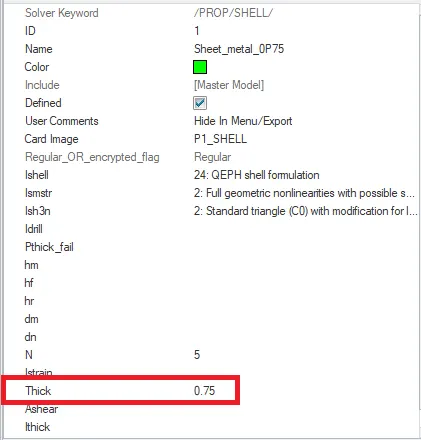
/PROP card
RESULTS :
- The Rear Wheel Holder is meshed according to the quality criteria and is shown below.
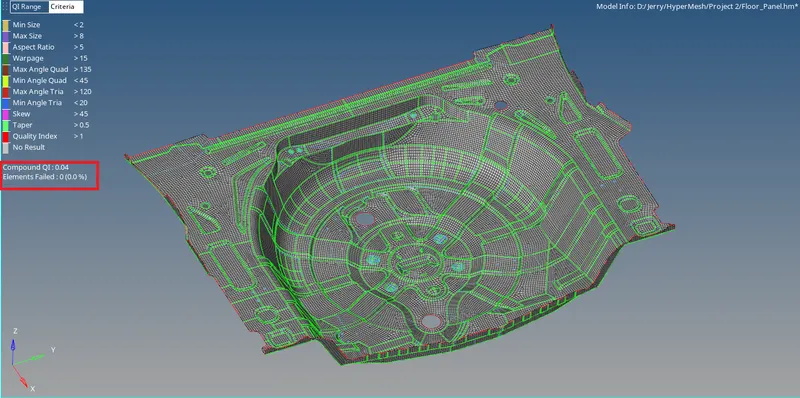
- As we can see from the above fig., all elements have passed the quality criteria.
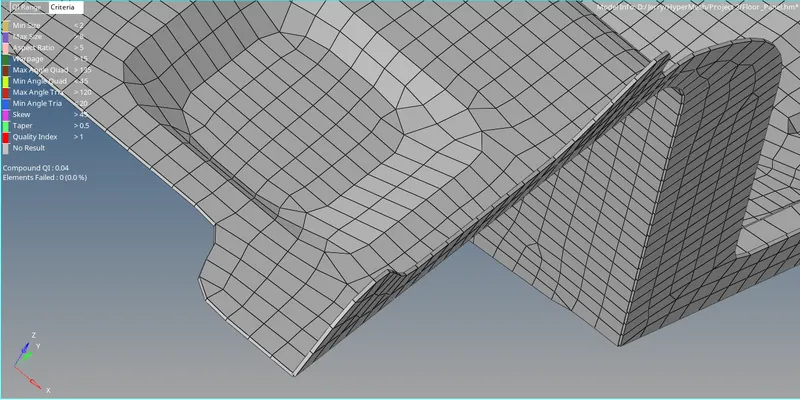
- Thickness is assigned to the whole model and its 2D Detailed Element Representation is shown below.
CONCLUSION :
The Rear Wheel Holder model is meshed according to the quality criteria as shown in the result above. The meshed model file is attached with this report.