Week 12:Project 2-Meshing of Rear Wheel Holder challenge
AIM: To mesh the Rear wheel holder.
OBJECTIVE: To mesh the given component with the given quality criteria.
Target Element Length = 5 Units
| S.N | Quality Criteria | Value |
| 1 | Aspect Ratio | 5 |
| 2 | Skewness | 45 |
| 3 | Warping | 15 |
| 4 | Taper | 0.5 |
| 5 | Min. Length | 2 Units |
| 6 | Max. Length | 8 Units |
| 7 | Min angle Quad | 45 |
| 8 | Max angle Quad | 135 |
| 9 | Min angle Tria | 20 |
| 10 | Max angle Tria | 120 |
| 10 | Tria % | 10 |
COMPONENT:
PROCEDURE:
- Import the geometry into hypermesh.
- Check the thickness and extract the midsurface by using suitable extraction option. To extract mid surface go to geom>midsurface>auto midsurface>extraction option (select offset+planes)>auto exctraction>select the surface >extract.
Extracted midsurface:
- Now, clean up the geometry and then proceed to mesh.
- Before proceeding to mesh, set the quality criteria file as given in the challenge. To set the quality criteria file, go to Preferences>Criteria file setting>set the file with given criteria.
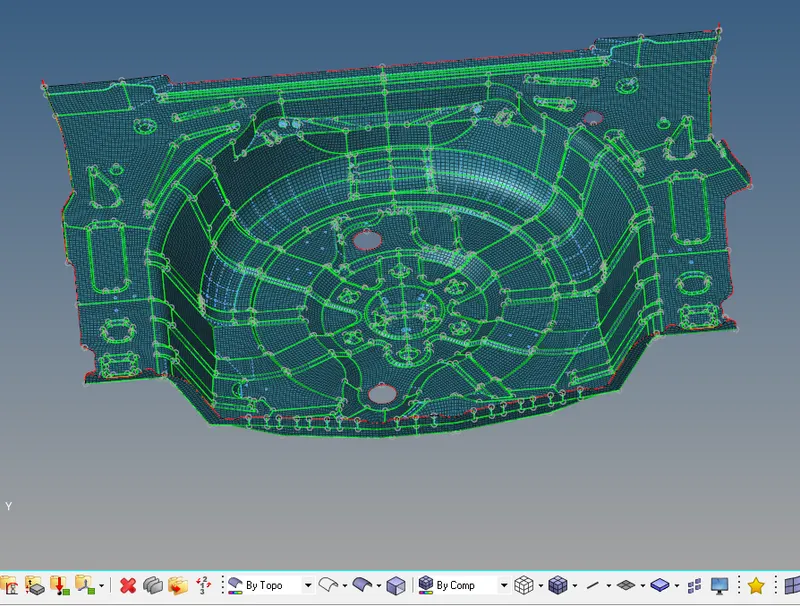
- Then, proceed to mesh the component.
Meshed component:
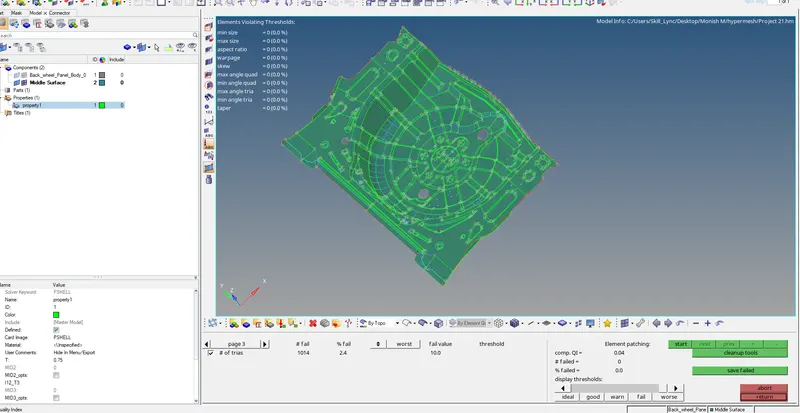
The overall tria percentage was checked, and the value was 2.4 % and no elements are failing for quality criteria
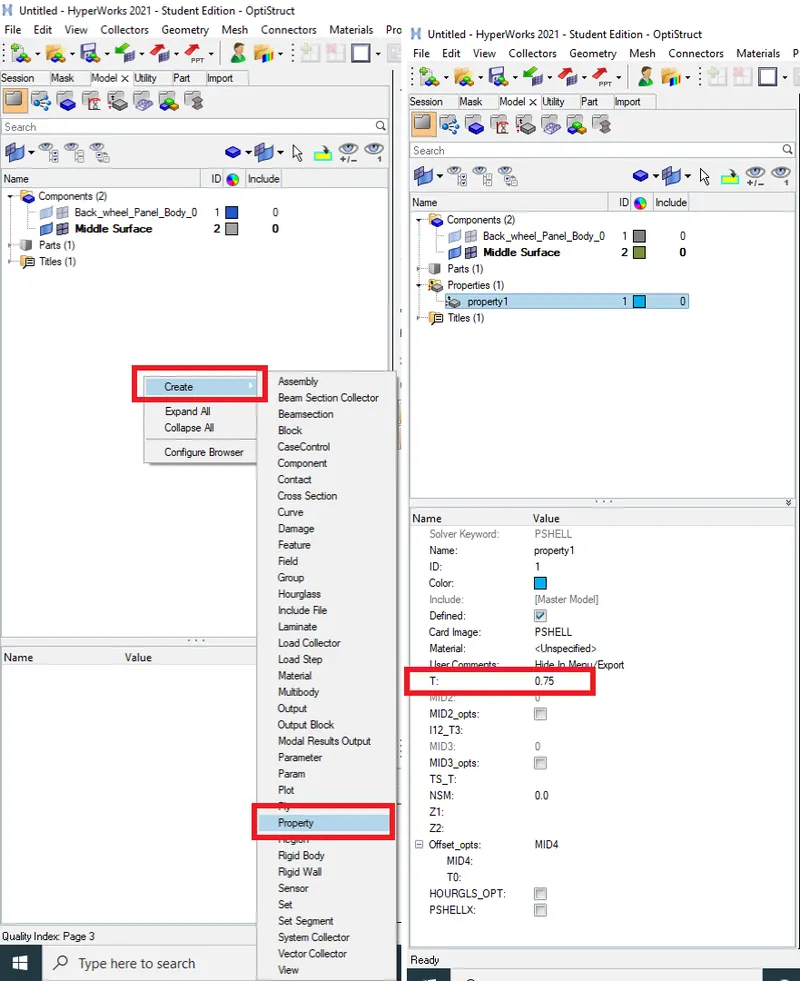
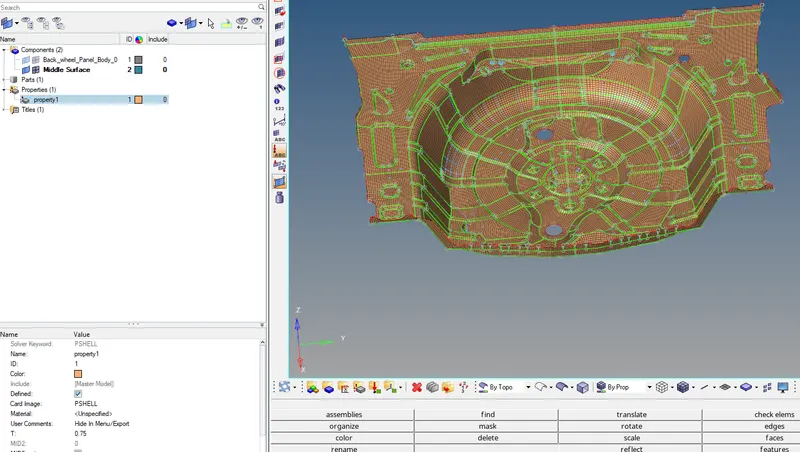
Creating the Property and in the property cards defining the thickness value of 0.75mm for the mesh as shown
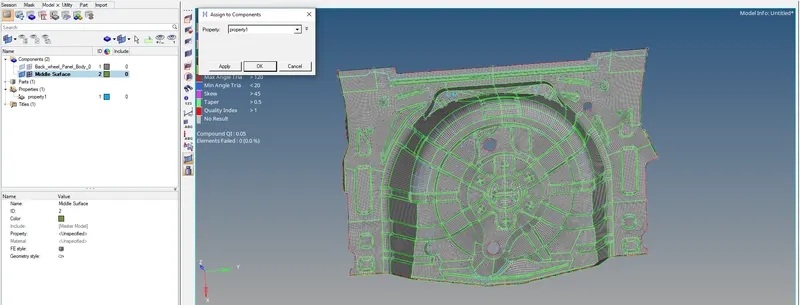
Selecting the Spare wheel Holder components and assigning the material and property details
Component By Property:-
Free Edges:-
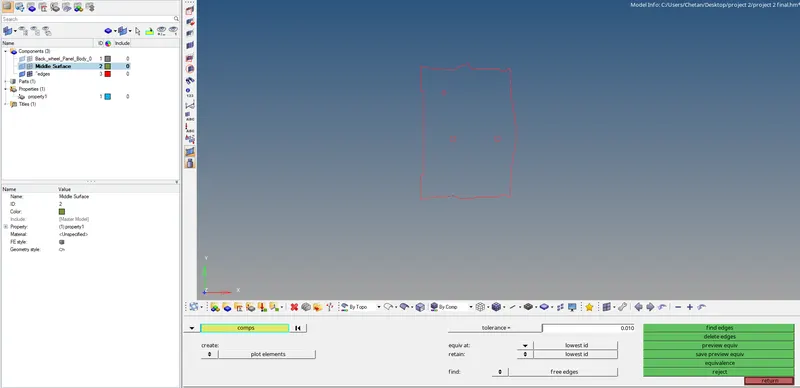
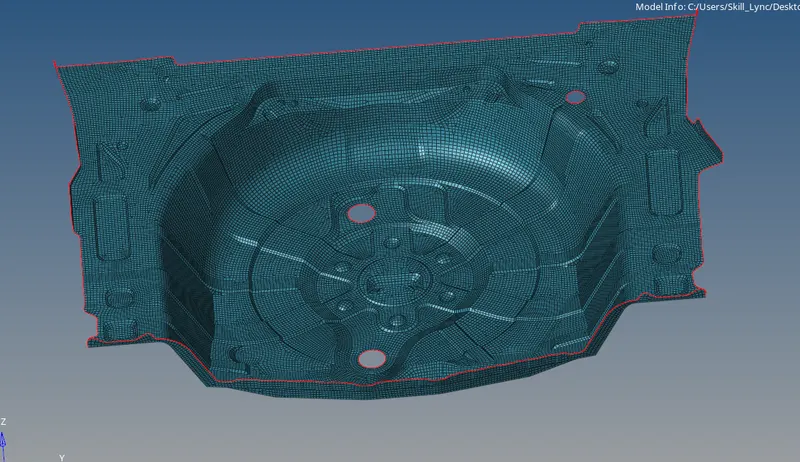
The free edges are checked if any openings or error in the surface by selecting the component, red lines indicate the free edges
CONCLUSION:
The given component has been meshed with the provided element quality criteria and the target element sizes.