Week 12:Project-1-Meshing of Door Inner Panel Challenge
Aim :-
To extract mid surface of the given side door model & to mesh the component to satisfy the quality criteria, at the end apply thickness for the component individually.
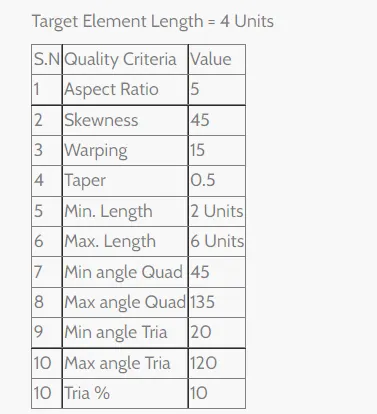
Quality Criteria :-
Procedure :-
1. Import the CAD model to hypermesh.
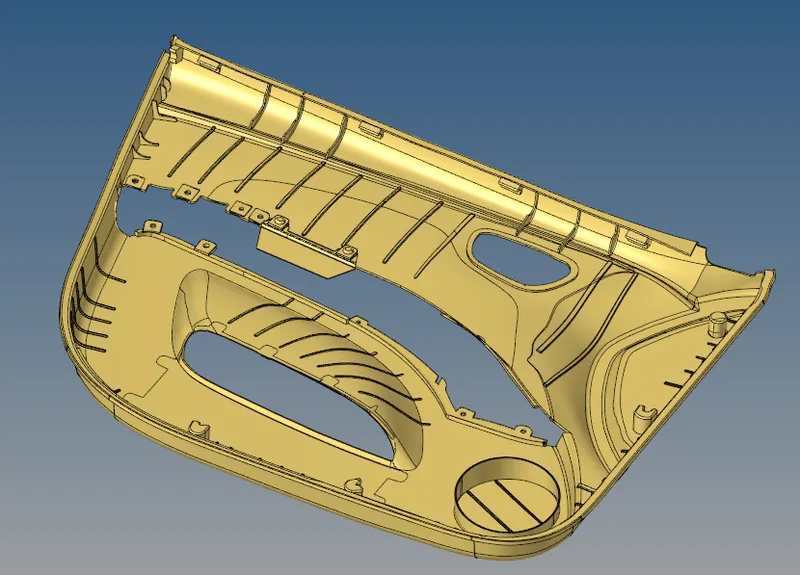
Fig 1 :- CAD Model Importing
2. Perform geometry clean up and remove unwanted features and put it in a separate collector.
Geometry->Quick Edits->Toggle/Filler/Split/Replace->ok
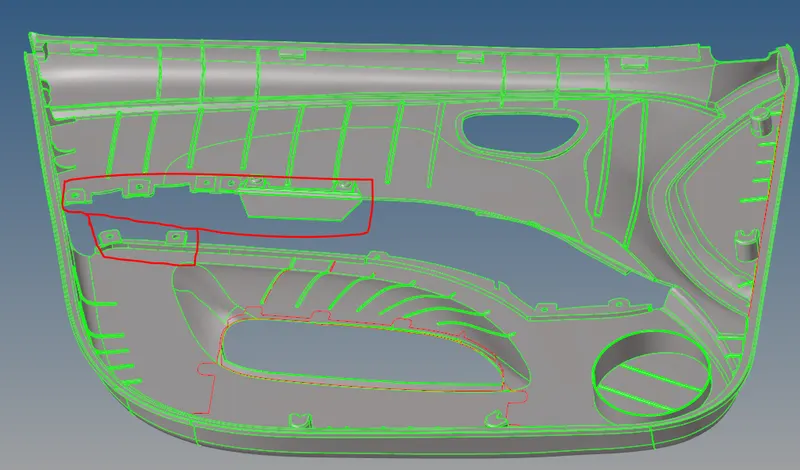
Fig 2.1 :- Unwanted features
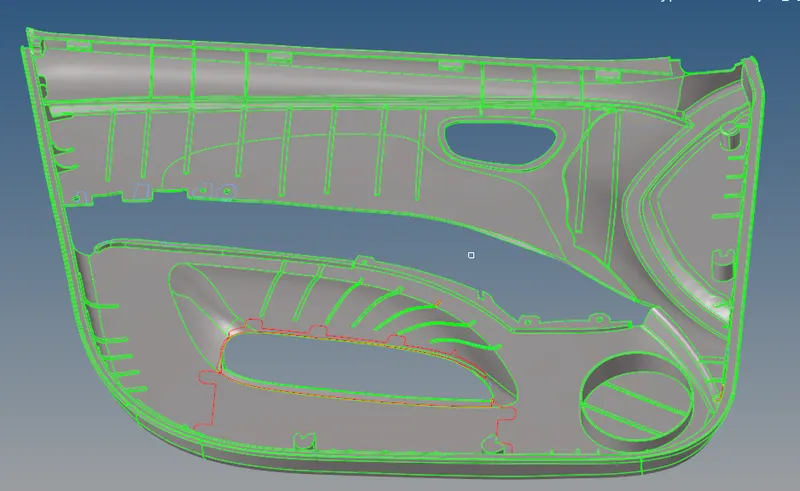
Fig 2.2 :- After geometry Clean-up
3. Defeature fillets which are very small or unwanted for meashing using Geometry->Defeature->Surface Fillets->Select surface->Enter min & max radius->find->remove.
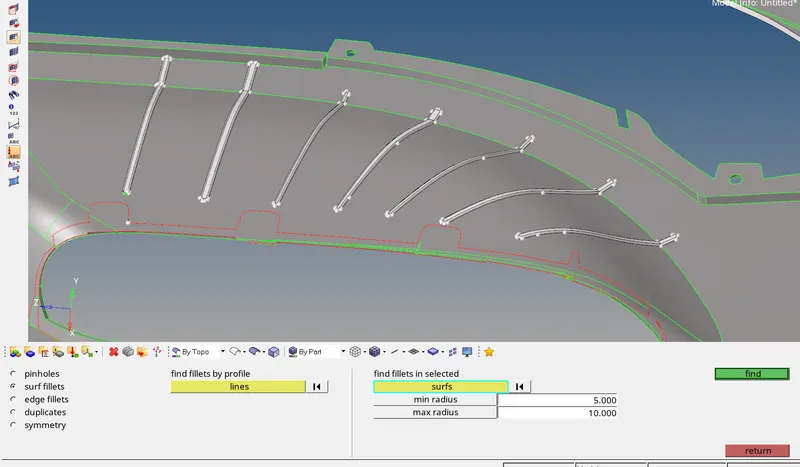
Fig 3 :- Defeaturing unwanted fillets
4. After defeaturing, extract mid surface by offset and automid methods appropriately.
Offset method, Geometry->Surface Edit->Offset->Surface Selection->Duplicate to current component->Offset distance->Offset
Automid method, Geometry->Midsurface->Automid->Select Surface->Extract
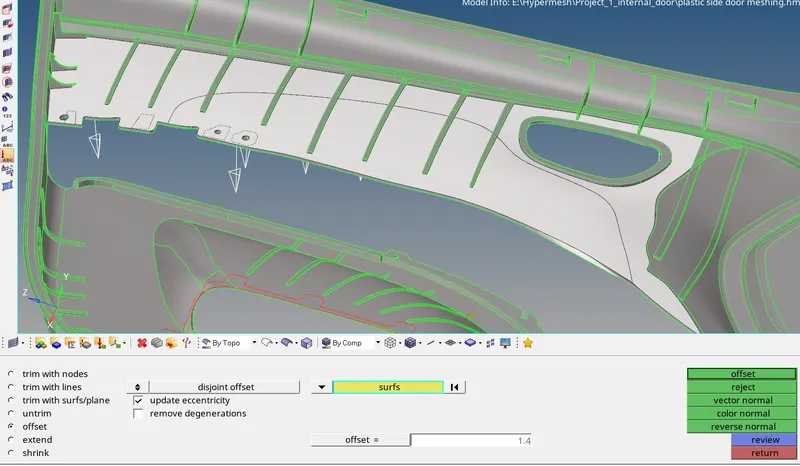
Fig 4.1 :- Mid Surfacing by Offset method
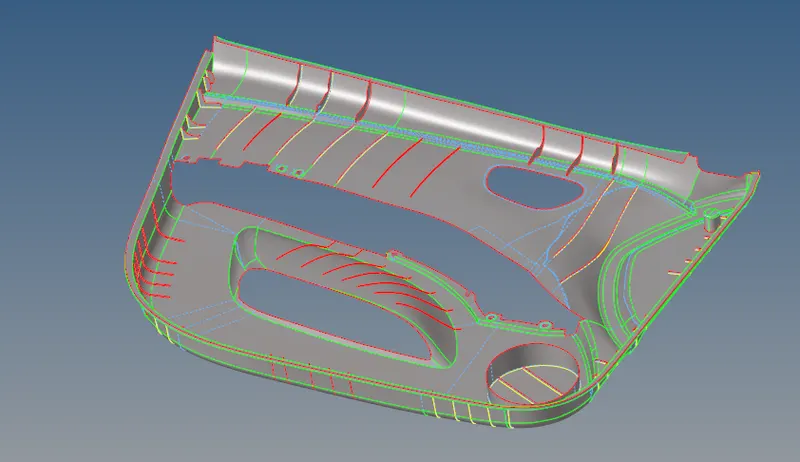
Fig 4.2 :- Mid Surface Extracted
5. Set up the parameter file & quality criteria file as per the requirement (As shown in Fig 5.1 & 5.2).
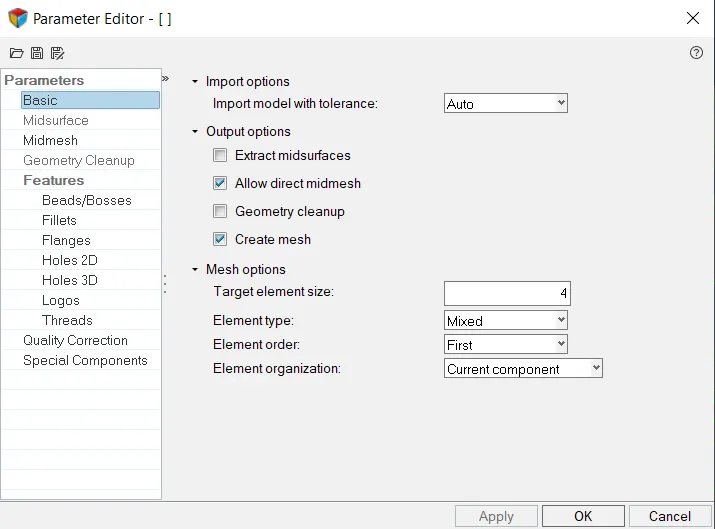
Fig 5.1 :- Parameter File
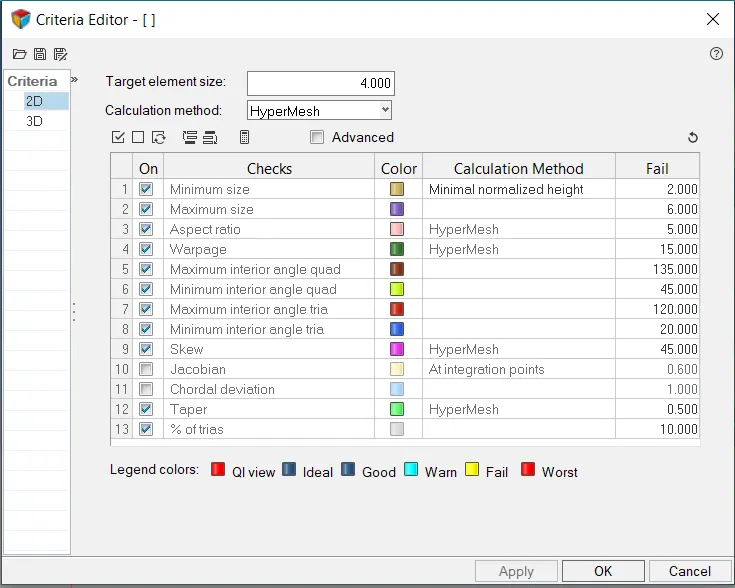
Fig 5.2 :- Quality Criteria File
6. Start meshing the door by 2D->Automesh->Batchmesh->Browse parameter & Quality file->Select Surface->Mesh
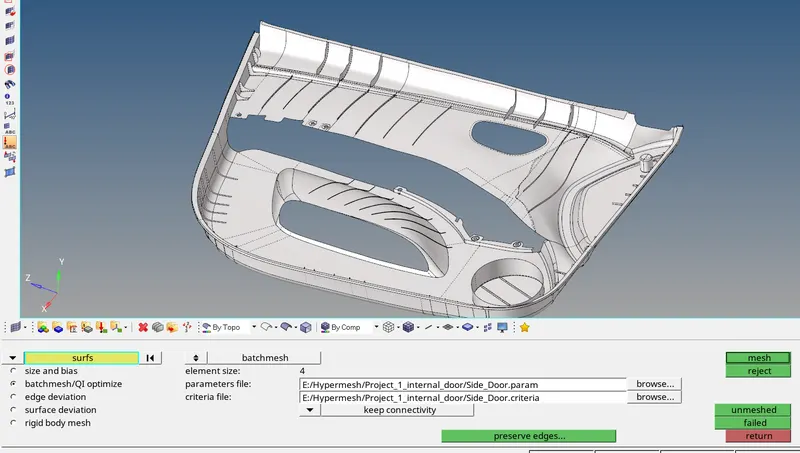
Fig 6.1 :- Batch Meshing
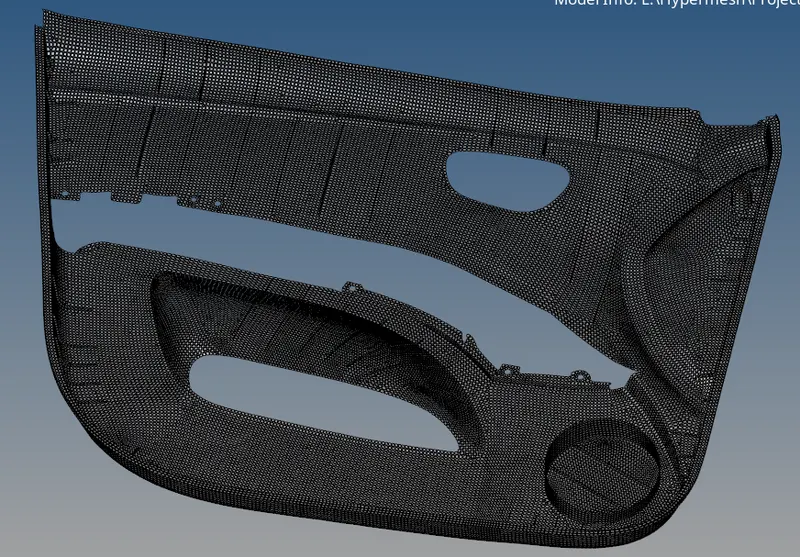
Fig 6.2 :- After performing Batch mesh
7. Create separate collectors based on thickness. Create equal number of property cards for different thickness and assign property for respective thickness elements.
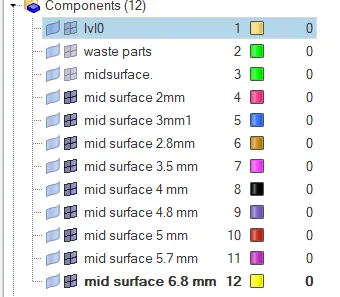
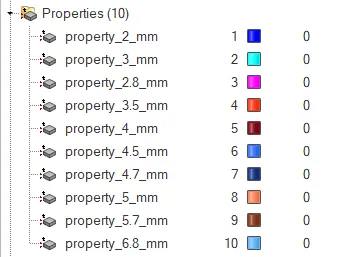
Final Model :-
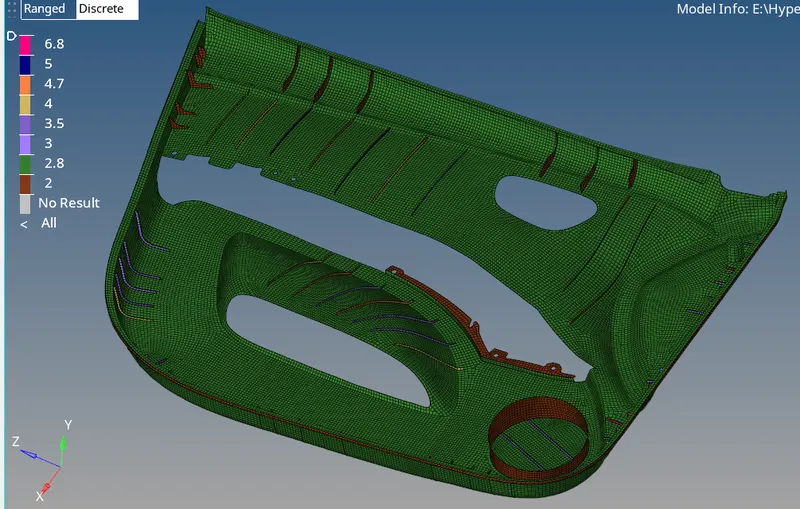
Side door panel with assigned thickness
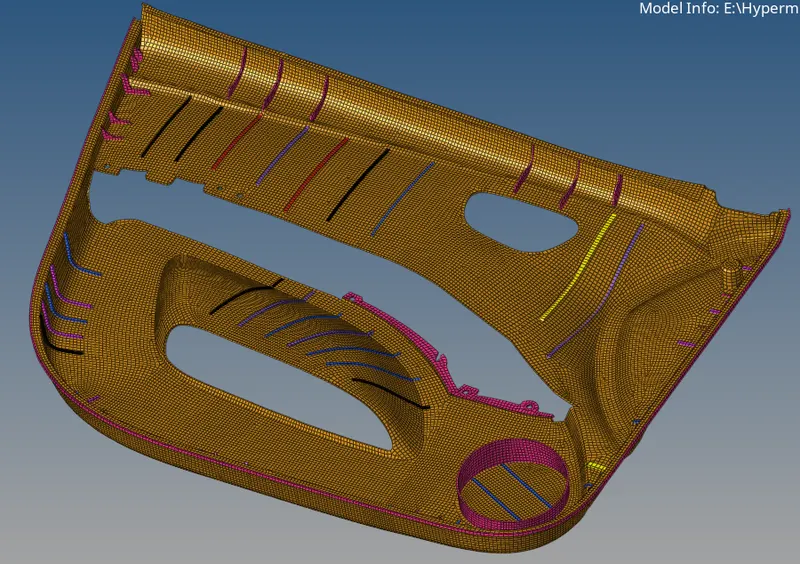
Side Door panel with detailed representation
Result :-
The given side door assembly is being meshed by using Batch Meshing tool and the quality criteria is passing with respect to the given criteria, Thickness is assigned and detail representation is made.