Meshing of Door Inner Panel | Hypermesh | Plastic component
- Objective: Meshing of door ineer panel using Hypermesh
- Introduction:
This project is aimed at learning midsurfacing and meshing of complex plastic interior components like door inner panel.
An image of the door panel which is to be meshed is attched below.
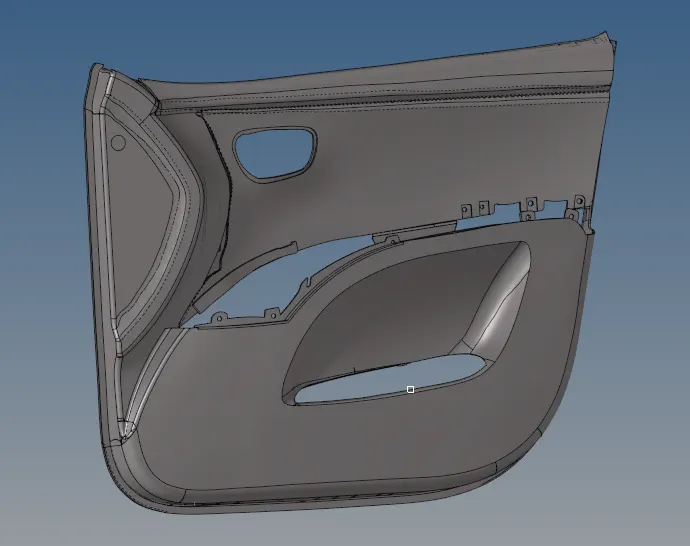
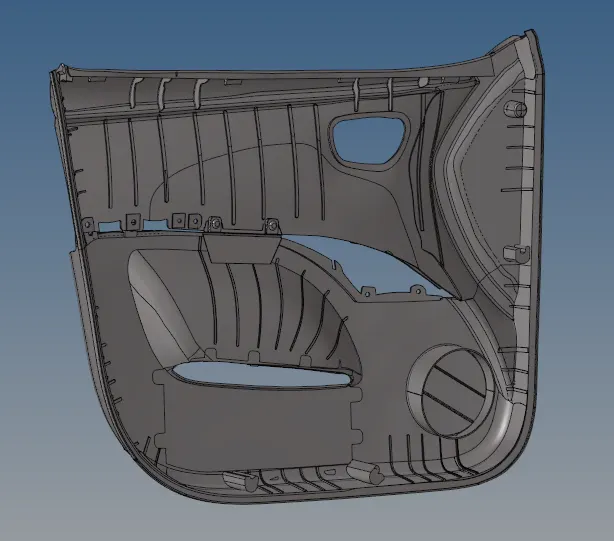
As it is seem the base is of constant thickness, which contains the exact shape of the door panel.
The thickness of the panel is 2.8mm and other features have different thickness. We can use midsurfacing and mesh this component using 2D elements.
There are ribs of different thickness which adds strength to the panel.
There are also some features which have some special use like mountings for speakers.
There are washers for connection with other parts.
These all things are to be taken care while midsurfacing the component.
After midsurfacing, meshing is done on the midsurface and the respective thickness is assigned to the components.
- Procedure:
1. Midsurfacing:
There are two options for midsurfacing, either automidsurfacing or manual midsurfacing.
As there are different thickness to components and the features are intricate, we cannot use automidsurface option.
Now for manual midsurfacing, every individual has different approach to proceed and obtain the midsurface.
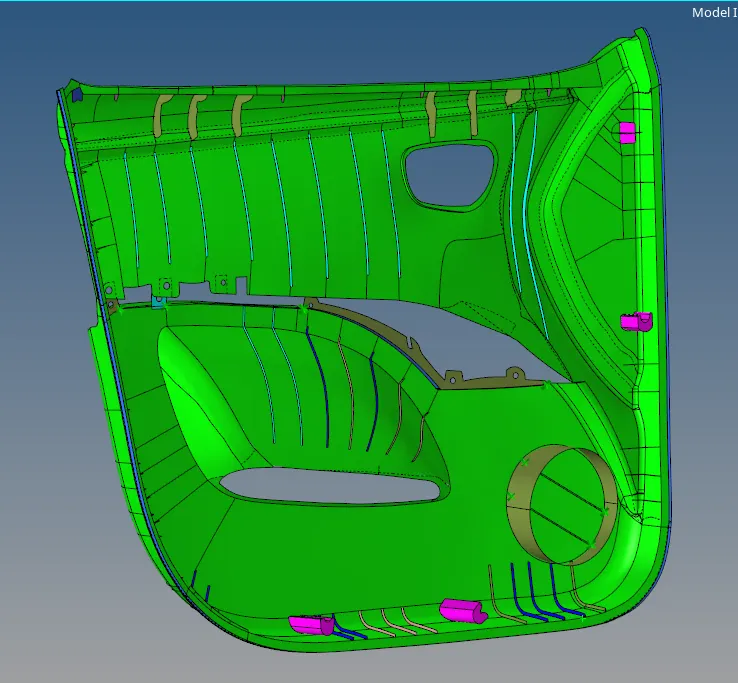
I have used offset option for 1.4mm on the base surface first.
After obtaining the complete base upon which all the features rest, take the midsurface for the ribs and other features.
An image of final midsurfaced component is attached below.
2. Meshing:
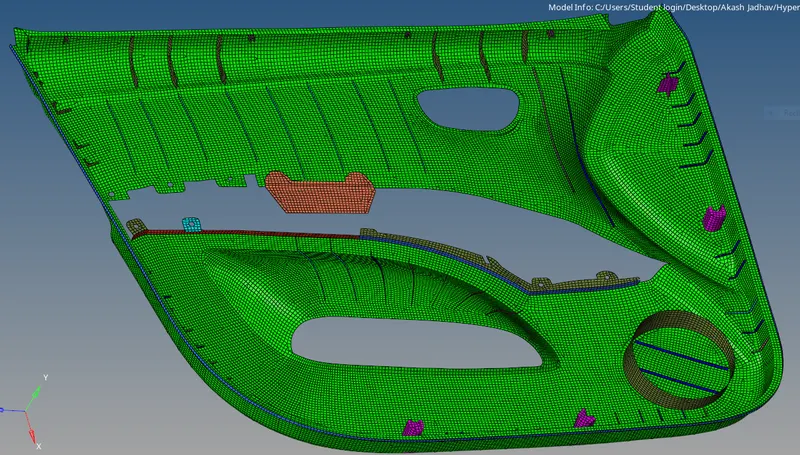
Similar to midsurfacing, the approach towards meshing a component is decided by the individual user. From meshing point of view, this model is not much complicated and can be meshed easily in one shot.
Same approach is used here, but the quality and the flow of mesh is not great.
The mesh flow and the quality of the mesh is to be taken care of.
The element criteria for the quads and trias is as follows.
Target Element Length = 4mm
| S.N | Quality Criteria | Value |
| 1 | Aspect Ratio | 5 |
| 2 | Skewness | 45 |
| 3 | Warping | 15 |
| 4 | Taper | 0.5 |
| 5 | Min. Length | 2mm |
| 6 | Max. Length | 6mm |
| 7 | Min angle Quad | 45 |
| 8 | Max angle Quad | 135 |
| 9 | Min angle Tria | 20 |
| 10 | Max angle Tria | 120 |
| 10 | Tria % | 10 |
Applying this criteria in the preferences, we can proceed to mesh and clear the quality of the mesh.
The mesh type used is mixed(having quads and trias both).
After complete meshing and quality clearing for the elements, the mesh looks as shown below.
3. Assigning thicness:
All components having same thickness can be assigned used a single property(contains card image and thicness value).
Hence every component(having mesh) specified has to have a property card assigned.
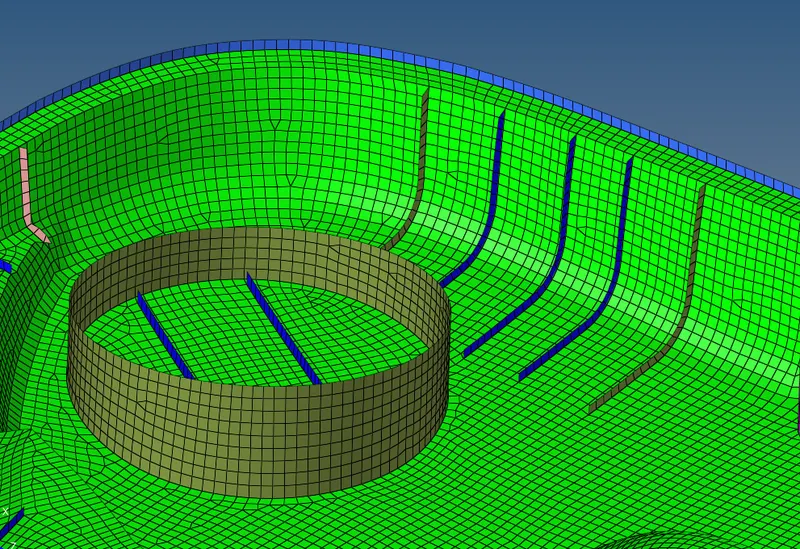
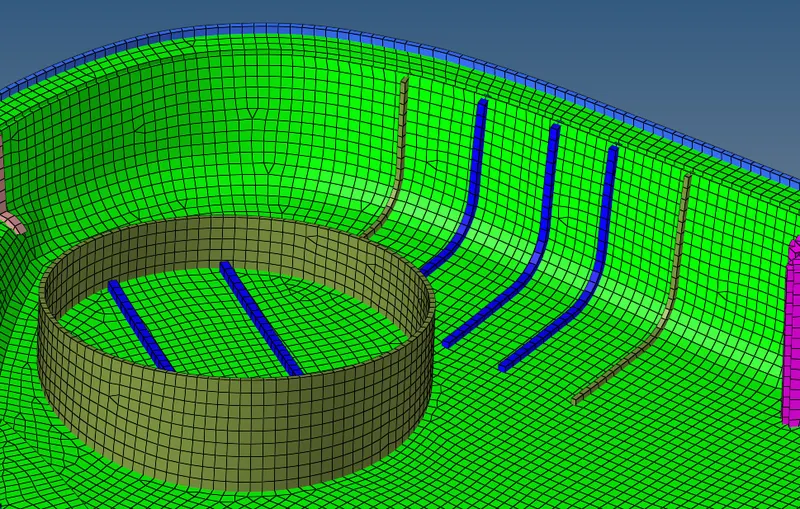
After assigning the thickness we can visualize it by selecting '2D Detailed Element Representation' option.
An image of the same is attached below.
- Conclusion:
The door inner panel plastic model is prepared for FEA analysis using Hypermesh as preprocessor. Manual midsurfacing, meshing and assigning thickness is performed on the given model.