Week 11 Car Crash simulation
Aim-
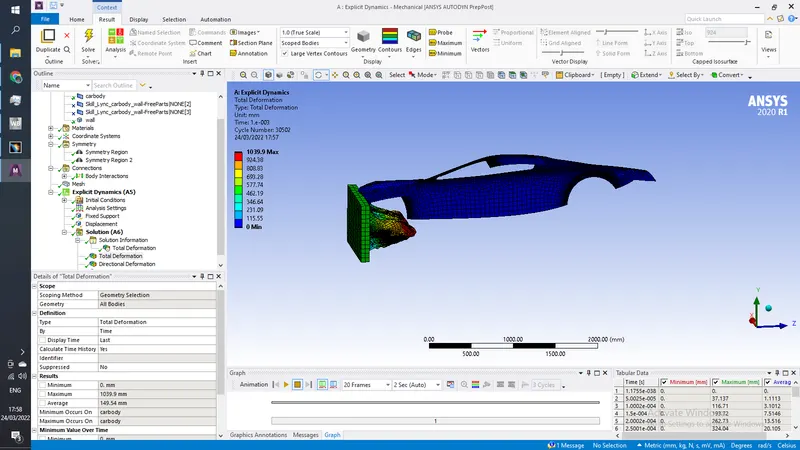
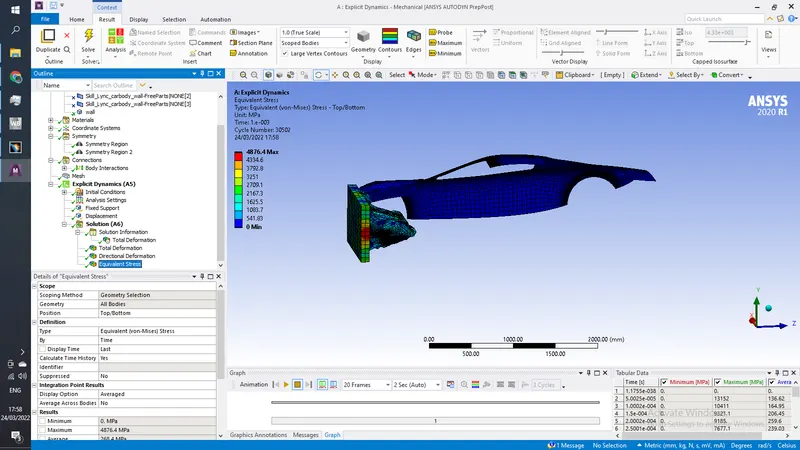
For this challenge, you will have to perform a parametric study using 3 different values of thickness for the car body. You need to apply the same conditions as mentioned in the video that corresponds to this challenge.Analyse the total deformation and Equivalent stresses acting on the model.
Procedure-
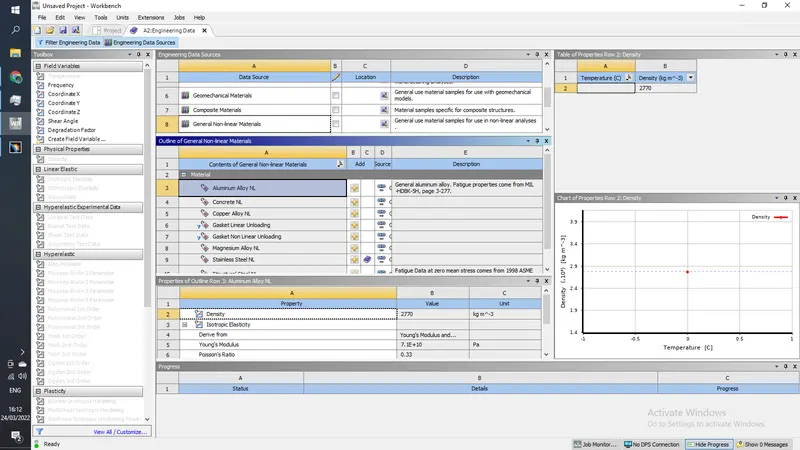
1) open ansys workbench and drag explicit dynamics into project shcematics , double click on engineering data to import, stainless steel NL for General NL Materials tab
2) Now import the model into geometry and open spaceclaim, look for any abnormality in the model, if everthing is correct exit the spaceclaim
3) open model and rename the parts as below, supress 2 parts which are not visible
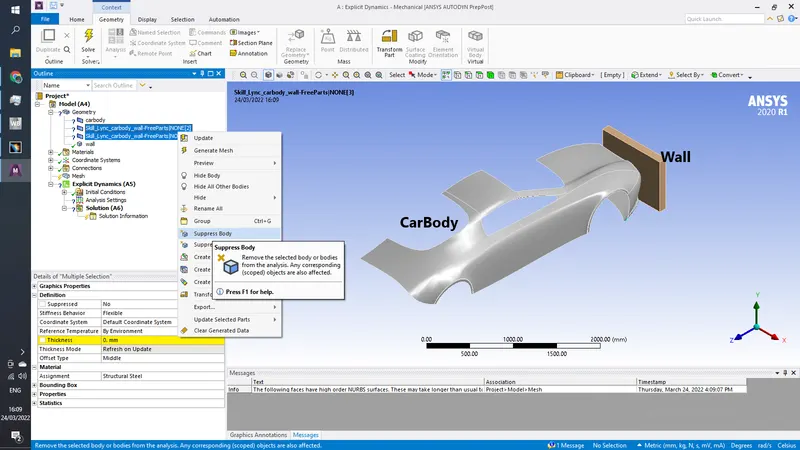
Now click on thickness box and parameterize the thickness of surface,
Now go to matreials and assign car body Stainless Steel NL as Material
In connections delete any pre exisitng connections
in mesh generate default mesh
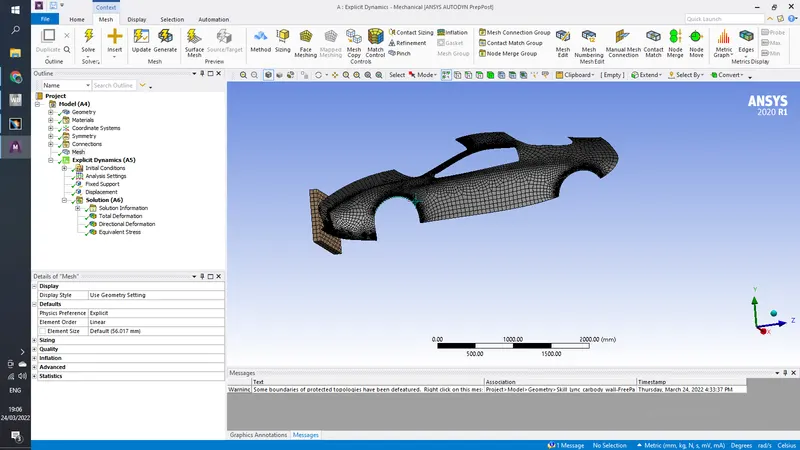
Now Go to analysis settings and add 0.001 as step end time
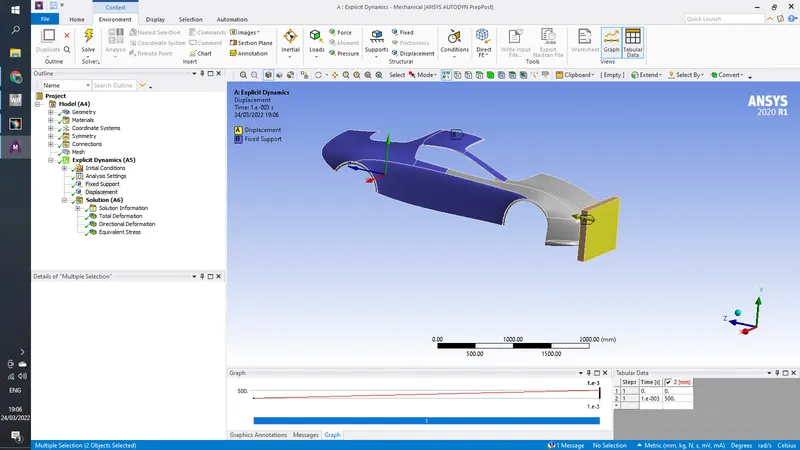
now fix the car body and give displacement to the wall of 500mm as follows
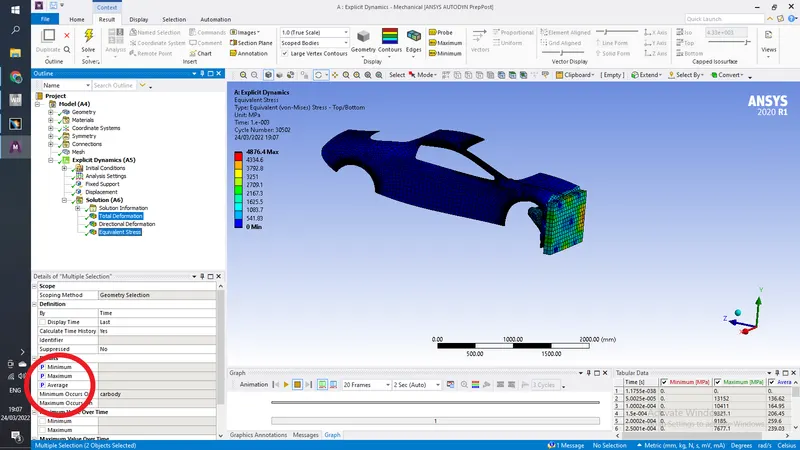
in solutions add total deformation and equivalent stress , parameterize maximum, minimum and average values of both
exit model and click on parameters here add diffrent thicnesses for the car body
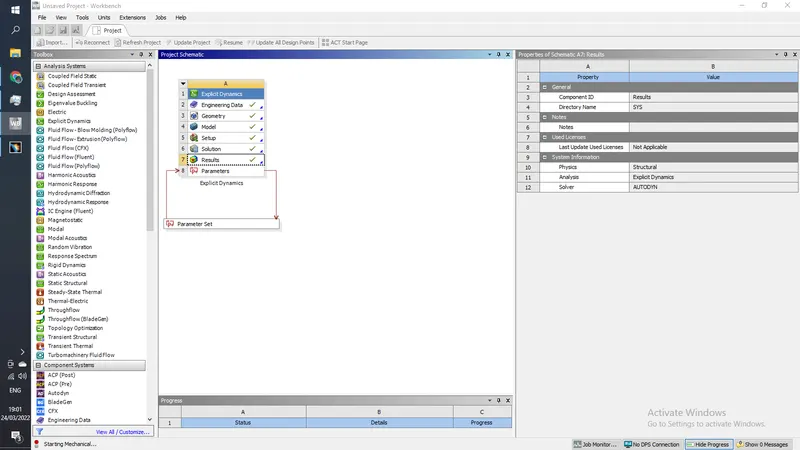
in our case we took 0.3, 0.5 and 1 mm thickness
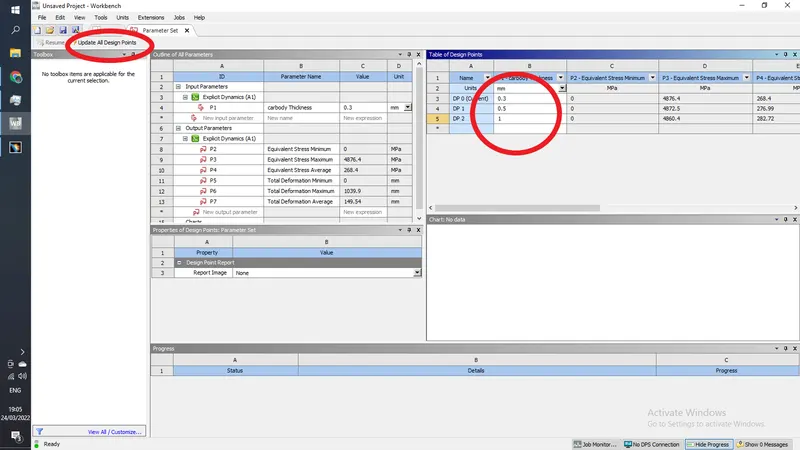
now click on Update all design points
Results
| Thickness | Equivalent Stress Minimum | Equivalent Stress Maximum | Equivalent Stress Average | Total Deformation minimum | Total Deformation maximum | Total Deformation Average |
| 0.3 mm | 0 | 4876.44 MPa | 268.39 | 0 | 1039.92mm | 149.54mm |
| 0.5 mm | 0 | 4872.52 MPa | 276.99MPa1 | 0 | 1039.92mm | 149.22mm |
| 1 mm | 0 | 4860.37 MPa | 282.72MPa | 0 | 1027.30mm | 148.28mm |