Week 10 Challenge
CREATING LIST
OBJECTIVE:
To create list for entities and process those entities in the selected order.
PROCEDURE:
In this segment, entities will be selected by the user and process those entities in a sequence which it gets selected. Two examples are
- CREATING MID-LINE FOR SELECTED LINES.
- CREATING SPOT WELD.
CREATING MID-LINE FOR SELECTED LINES:
For a surface like a hollow cylinder, the 1D element is created while FEA analysis. For those entities, it’s important to have a mid-line to create elements.
- GET LIST:
- Entities are selected by the user by the command “createlistbypathpanel”.
- This creates a list of selected entities (here lines) in the selected order.
- Firsts set of lines are saved as a source and the second set of lines stored as a target.
- START LOOP:
- “Foreach” loop has been initiated and lists are assigned to variables.
- CREATE MID-LINE:
- Midline is created for a pair of marked lines by using the command “*linescreatemidline”.
- Created lines ID save in a different variable.
- COMBINE:
- New lines ID is appending to a variable.
- By using combine “*linecombine” new line and previous line combined.
When loop gets completed new mid-line will bed created and each line connects to form a single line.
CREATING SPOT WELD:
Spot weld is a permanent joint between metals. In hypermesh, components can be connected by various connections methods. E.g., Weld, bold, etc, For weld it classified as spot, seam, quad.
For spot weld, connectors are created on nodes between components.
- GET NODE LIST:
- Node list for weld location is got by command “createlistbypathpanel”.
- Both component nodes are selected by the user.
- Distance between nodes is calculated and verified its value between 30 mm.
- GET COMPONENT:
- Components are to be welded are get by a user and marked.
- CREATE CONNECTORS:
- Connectors for spot weld has been created by command *CE_ConnectorCreateByListAndRealizeWithDetails.
- Inputs for this command are,
- Entity type: Entity which connectors created.
- Entity mark: Mark ID.
- Ce-Style: Connector type.
- Num_ents: No of layers to be connected.
- Links: Entity to be connected.
- Mark ID: Links mark ID.
- Solver name: current solver name.
- Config: Element configuration
- FE_ type: Additional info for custom configuration.
- Tolerance: Tolerance between entities.
- Option: Other parameters to connector inputted as a string.
By this command, spot weld connectors created between nodes for 2 layers.
TCL COMMAND:
*createstringarray : Creates string as an array and store with mark ID
*createlistbypathpanel : Create entity ID as list and store with mark ID.
*hm_getdistance : Get distance between entities.
*CE_ConnectorCreateByListAndRealizeWithDetails : Create connectors
*linescreatemidline : Create mid line between lines.
*linecombine : Combine selected lines.
SAMPLE IMAGES:
SPOT WELD: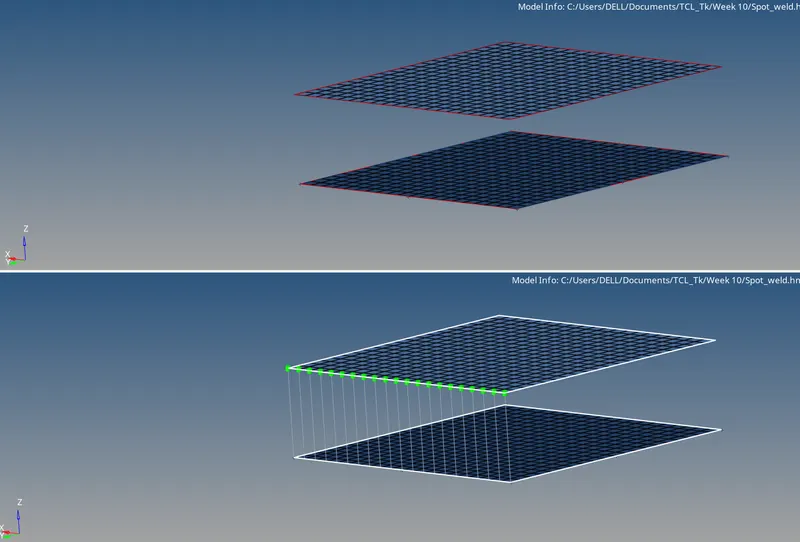
MIDLINE: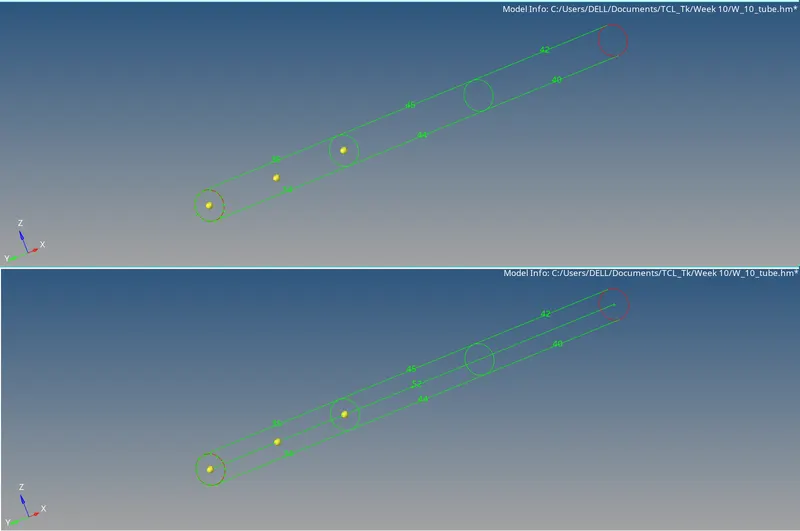
RESULT:
Here entities are selected as lists and did the various processes. Pair of a line is selected as a list and created mid-line for it. Nodes selected as list and created spot weld between nodes and create a connector between components.