Week 1 Spur Gear Challenge
Objective 1: Using the below-listed materials, carry out a static structural analysis to find out Equivalent stress, Total deformation, and Stress intensity(Learn about what stress intensity is). Find a location for a possible fracture.
- Cast Iron
- Cast Steel
- Cast Bronze
Objective 2: Write a detailed report comparing the results of the three cases and conclude which material would you recommend based on these results.
Answer:
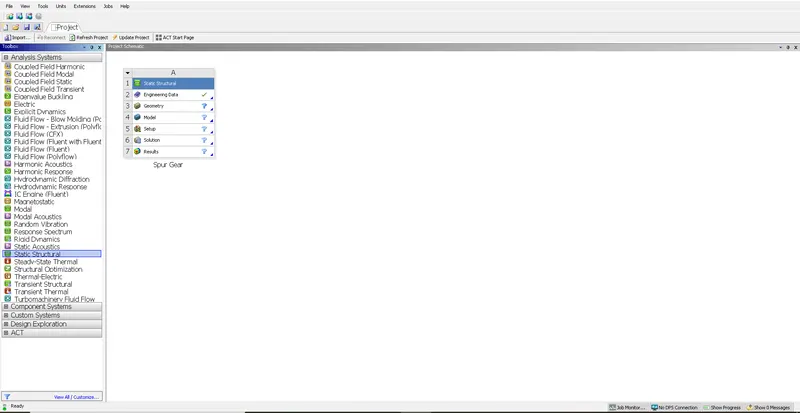
Procedure: To start with we will select the Static Structural Analysis on Ansys Workbench. We can rename the analysis as per requirement below image shows the same:
- Selecting Material: We can select the material as per analysis requirement if the required material is not included in the data we can create by entering the material properties. To enter any material we can either double-click Engineering Data or right-click and then select Edit.
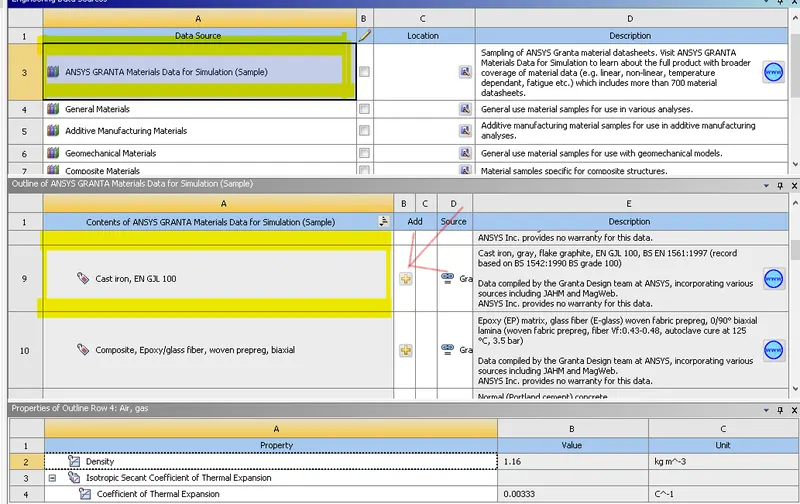
Cast Iron: As the material was available in engineering data we can add it by right click Engineering Data and then from the available library we can select ANSYS Granta Materials and then Cast Iron below image shows the same.
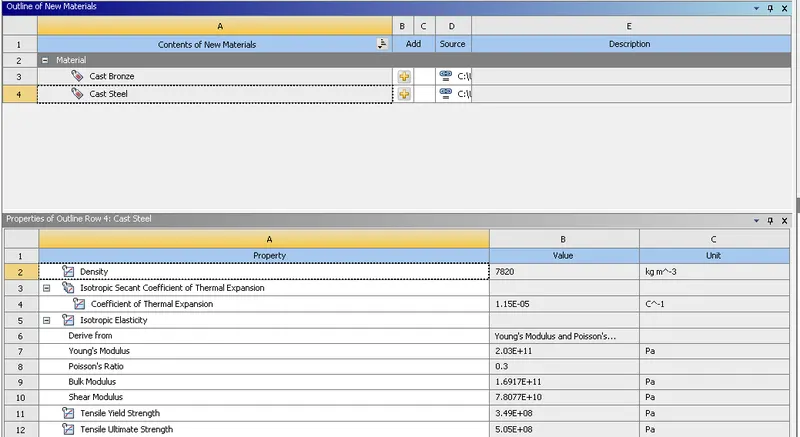
Cast Steel: Since this material is not included in the library we have to add it manually by creating a new library and entering the material property, below image shows the same.:
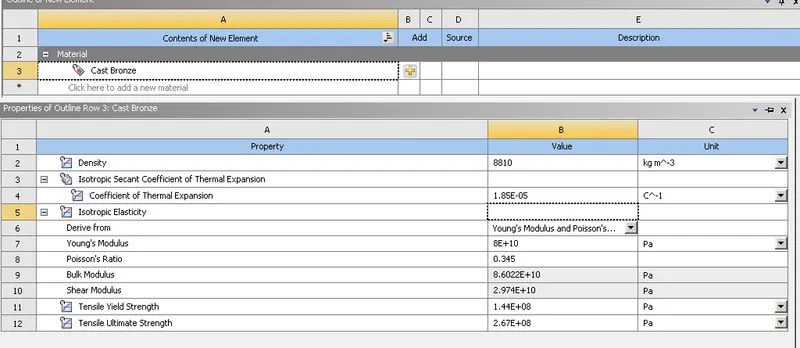
Cast Bronze: Similarly for Cast Bronze we have to enter material properties manually and create the material, once the material is created we can dd it in analysis by clicking Add to Engineering data.
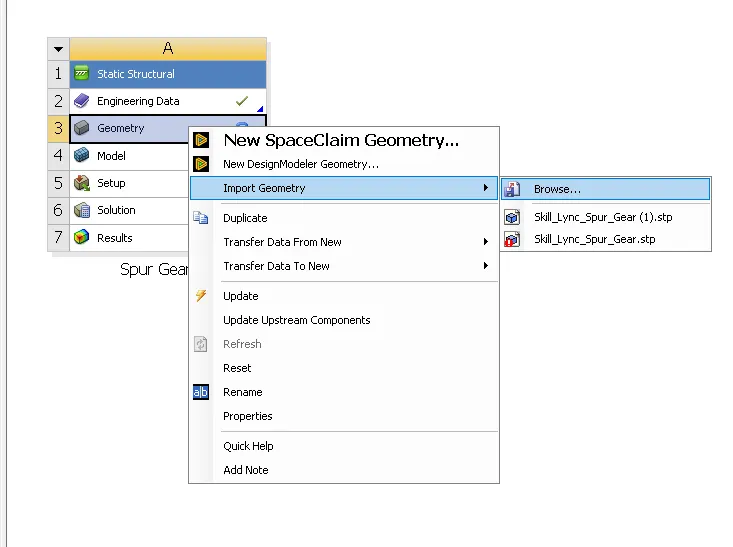
- Importing Geometry: Once the materials are added we can add the geometry, since the same geometry is to be used for all the three cases we can use the same procedure, we can right-click Geometery> Import> Select the model, below image shows the same:
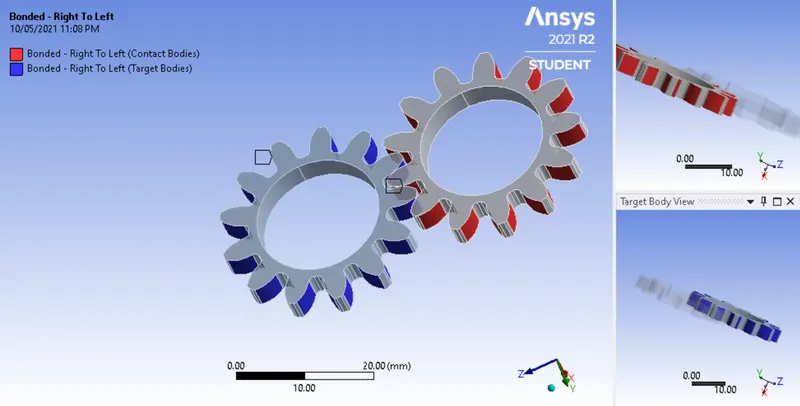
- Setting-up Analysis: Once the model is imported we can proceed to complete the setup for analysis. We will double-click Model or right-click and then Edit. We will click on Contacts to set up contacts. We will click Connections>Contacts>Contact Region. We will select both the faces of gear teeth. The below image shows the same:
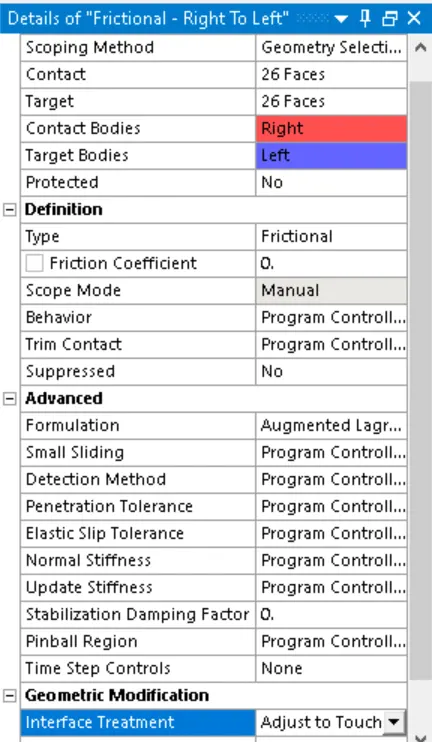
Once the contacts are selected we will change the Contact type to Frictional, and Formulation will be changed to Augmented Lagrange.
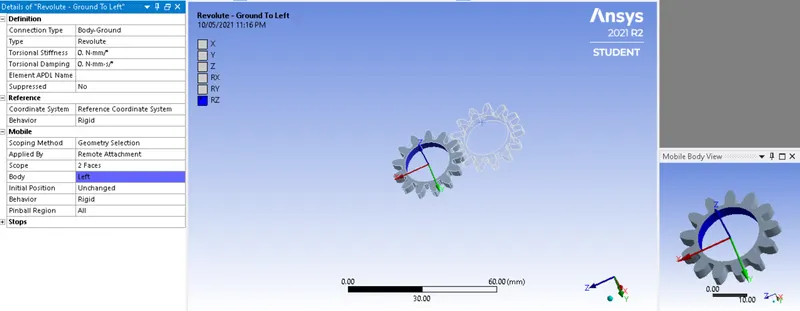
Creating Joints: Created joints to determine the position and type of bond between two gears. Here since both the gears will be rotating we have selected joint type as Revolute. We will repeat the same procedure for other gear as well.
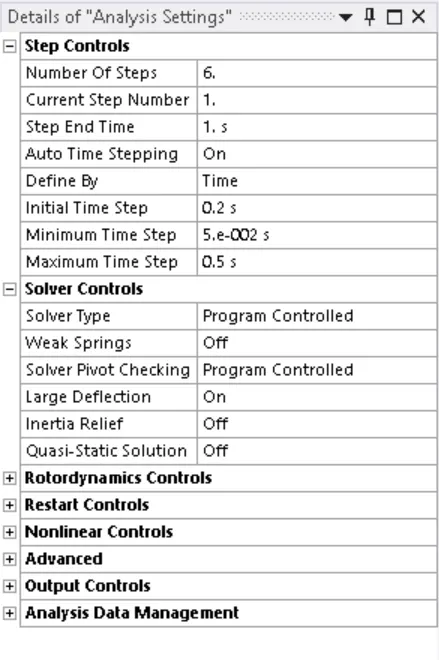
Analysis Setting: In order to run the analysis we have divided the process in 6 steps. We have selected defined by as Time, with Initial time of starting the analysis as 0.2s and min and max time as 0.05s and 0.5s respectively. We have turned Large deflection as ON, the inclusion of large deflection means that ANSYS accounts for changes in stiffness due to changes in shape of the parts you are simulating. Below image shows the same:
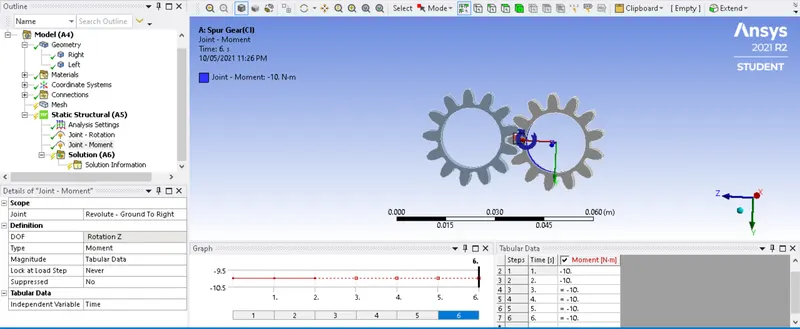
- Applying Boundary Condition: Here we have applied Moment on one gear and rotation on one gear. We have applied in such a way that each gear rotates in opposite direction. We have applied moment of 10 N.m
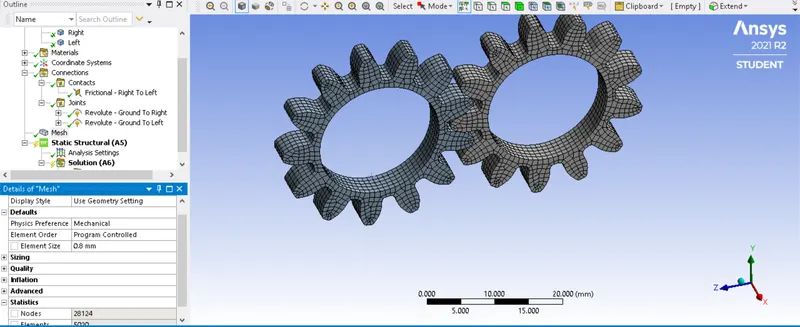
- Refining Mesh: Once we go for solution the mesh is generated how that is of default size in order to get a more refined option we have to manually check for optimum element size. The below image shows the same:
- Solution: Once all the requested conditions are inserted for solutions we can run the solution, here we have checked for Equivalent Stress, Equivalent Strain, Stress Intensity and Total Deformation.
After running the solution below are the results obtained:
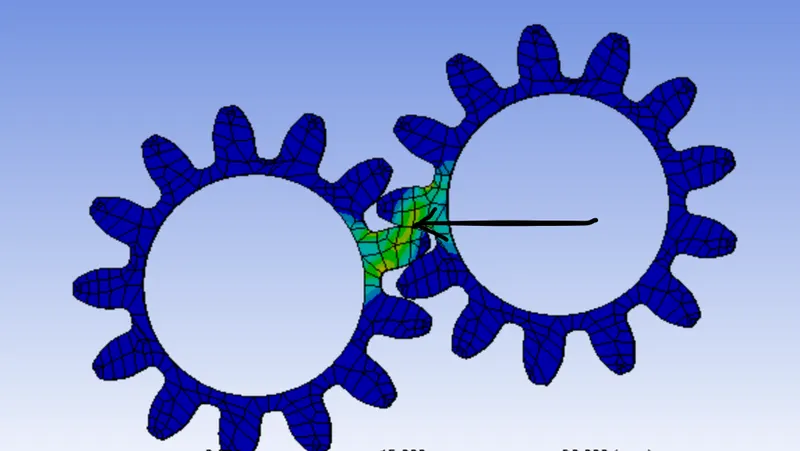
Failure Location:
- Cast Iron:
- Cast Bronze:
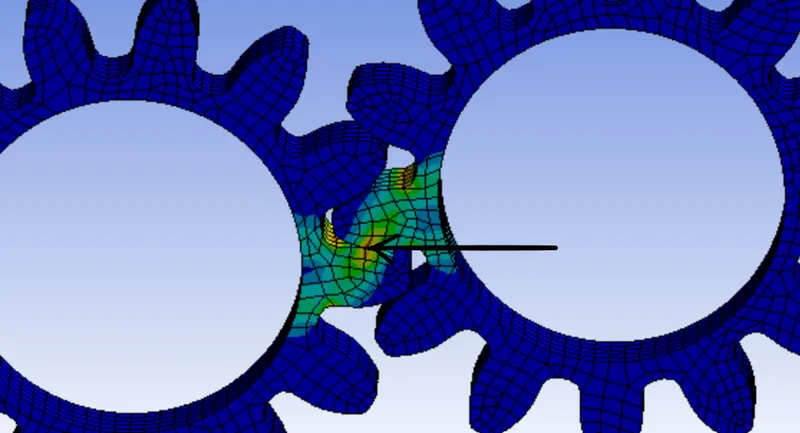
- Cast Steel:
Results:
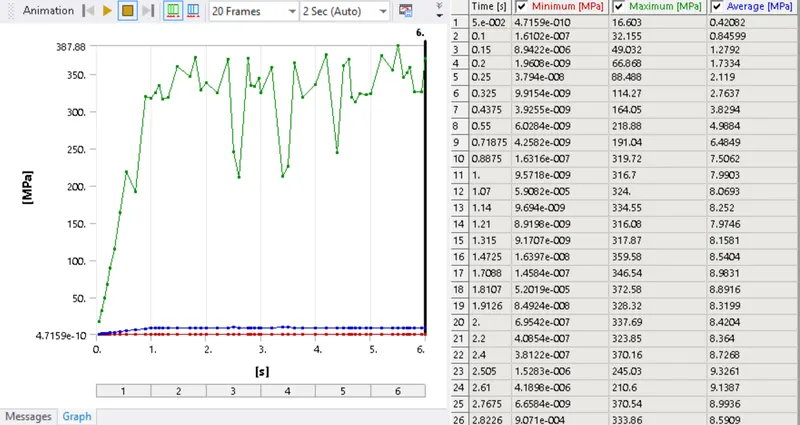
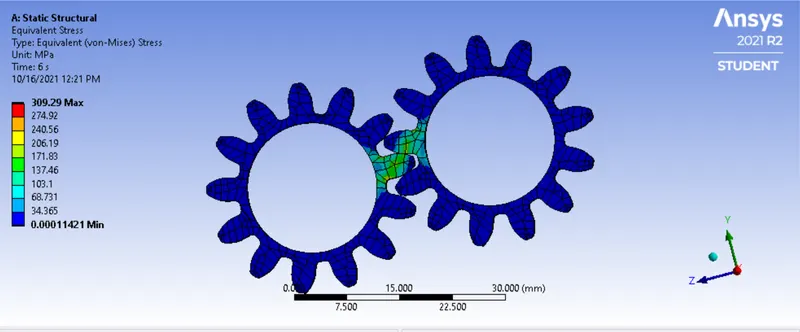
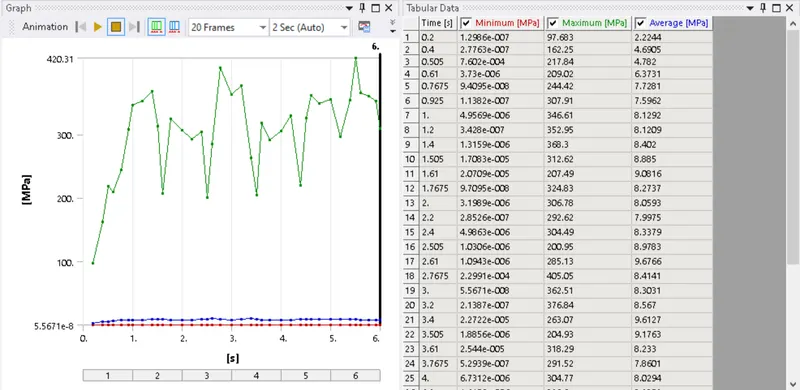
- Equivalent Stress: Below are results, graphs and charts for equivalent stress for each case:
Cast Iron:
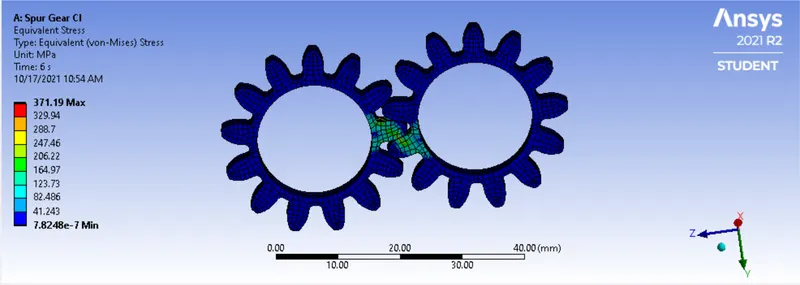
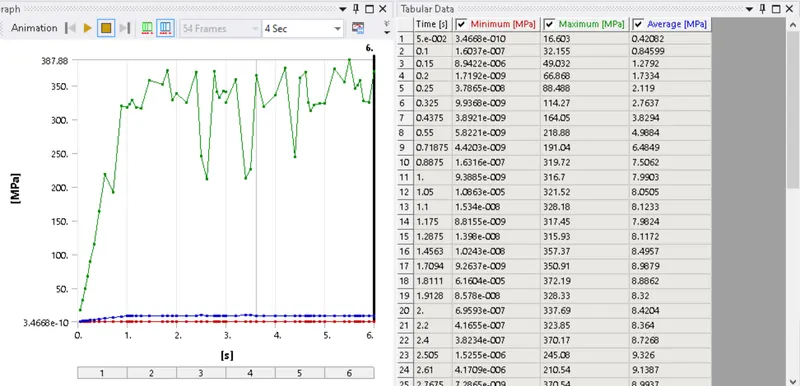
Cast Bronze:
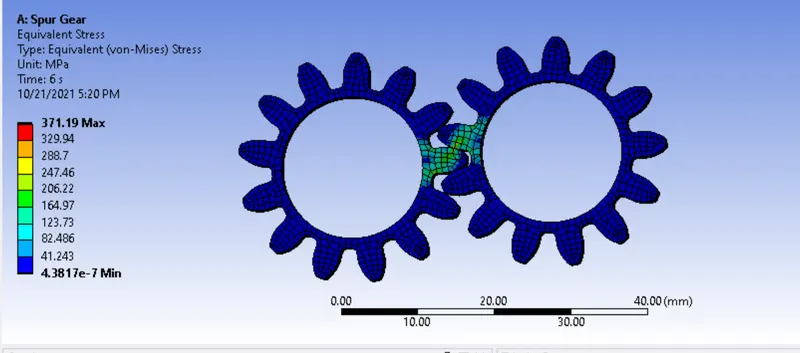
Cast Steel:
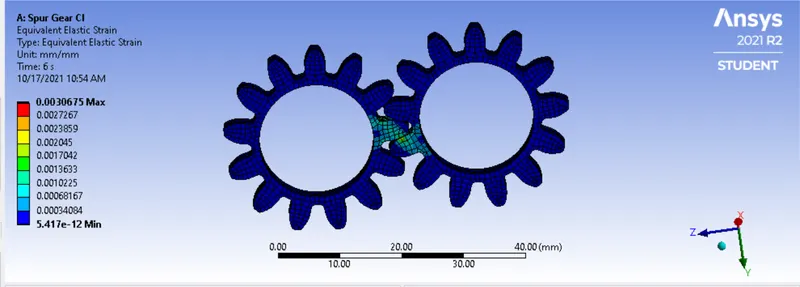
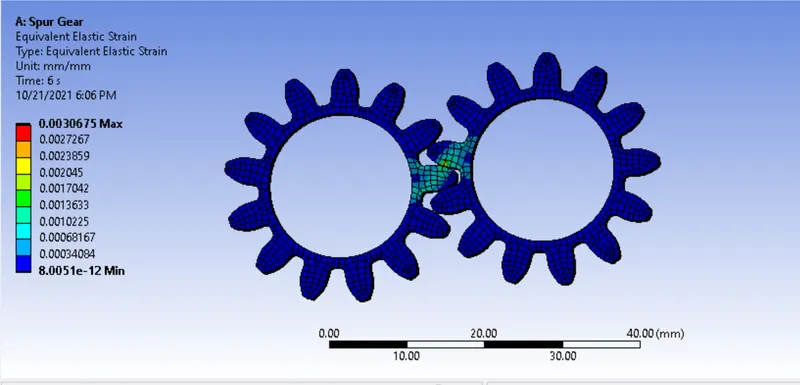
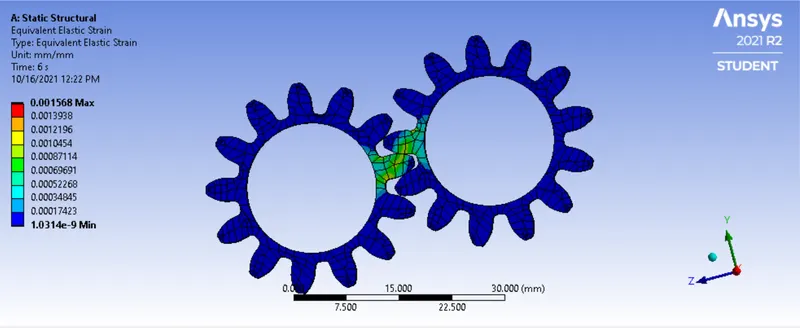
- Equivalent Strain: Below are results, graphs and charts for equivalent strain for each case:
Cast Iron:
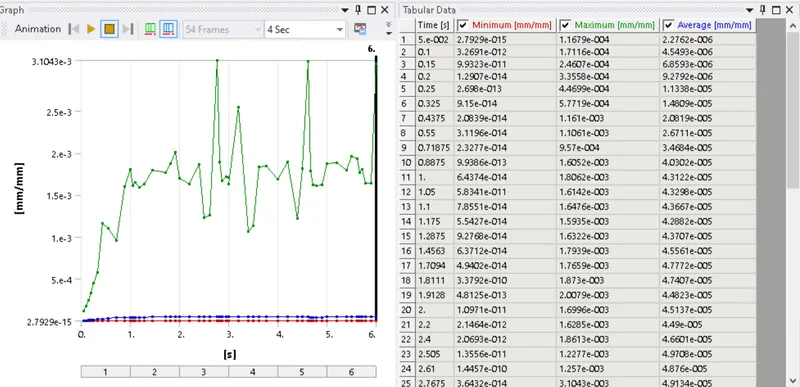
Cast Bronze:
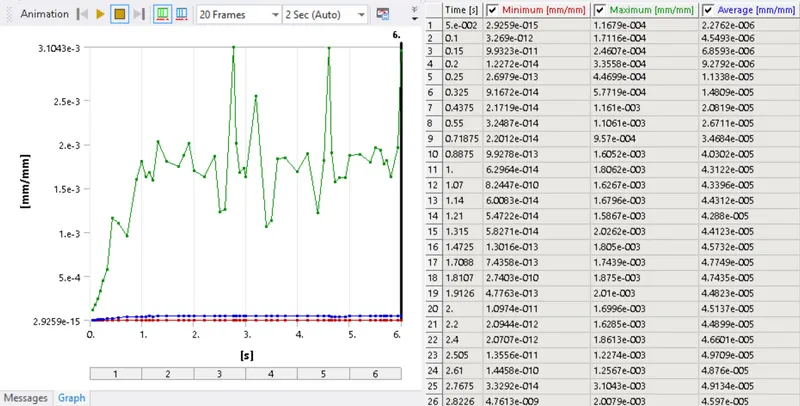
Cast Steel:
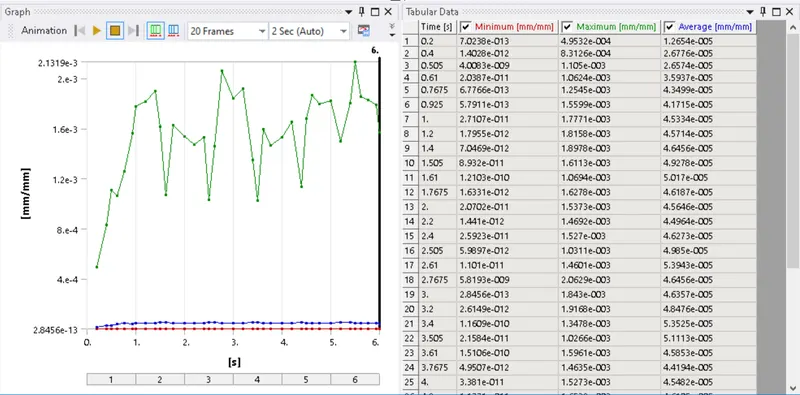
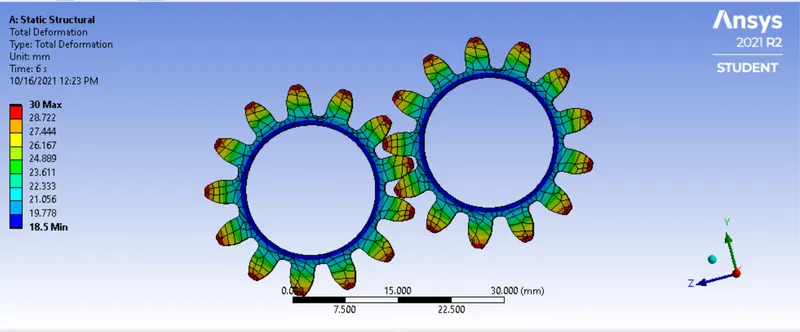
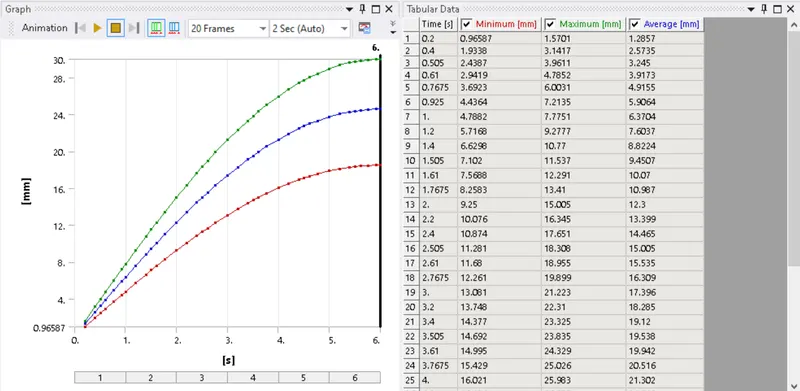
- Total Deformation: Below are results, graphs and charts for total deformation for each case:
Cast Iron:
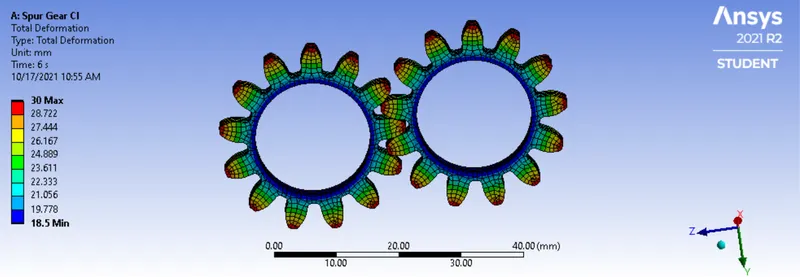
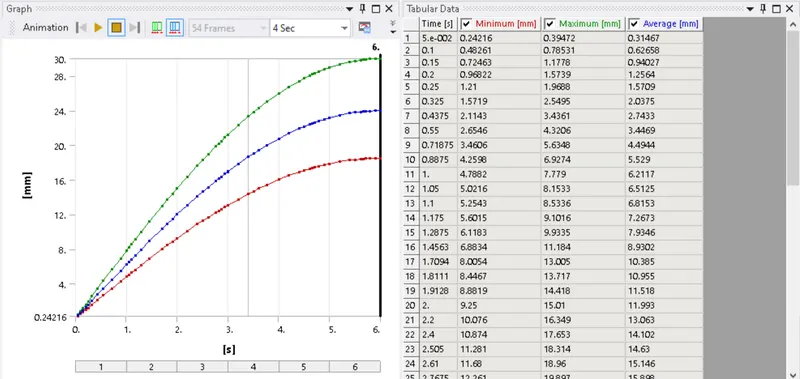
Cast Bronze:
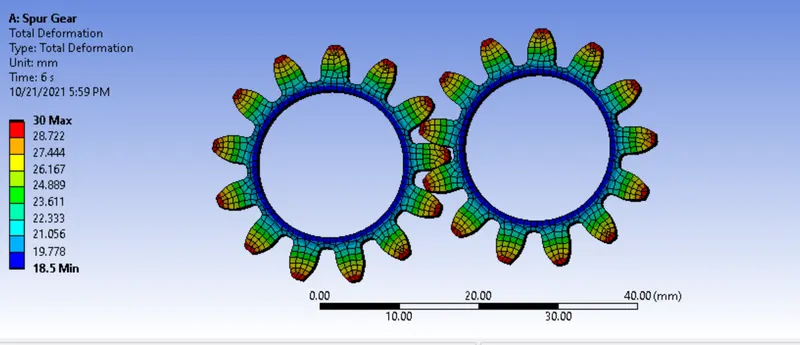
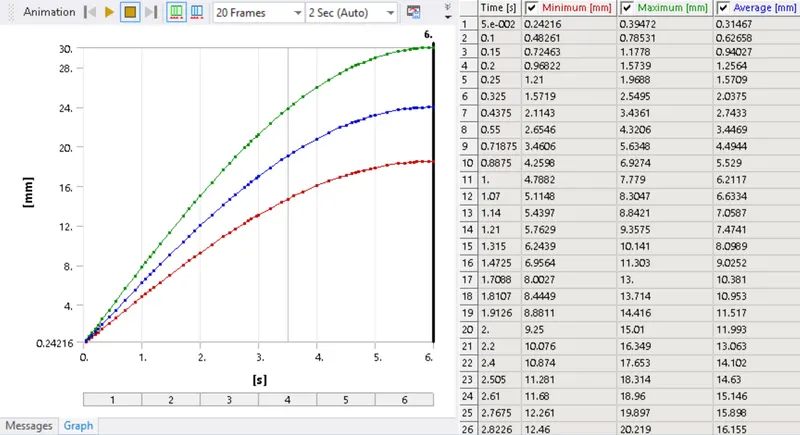
Cast Steel:
- Stress Intensity: Below are results, graphs and charts for stress intensity for each case:
Cast Iron:
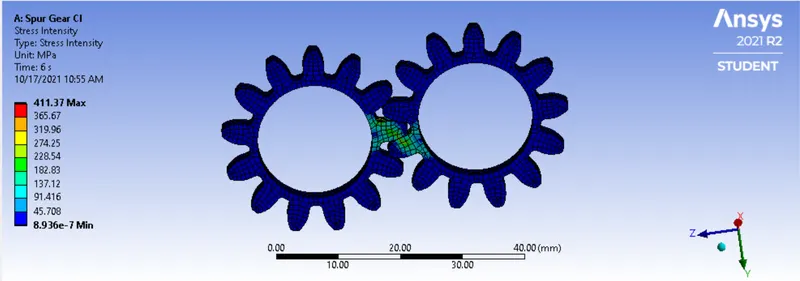
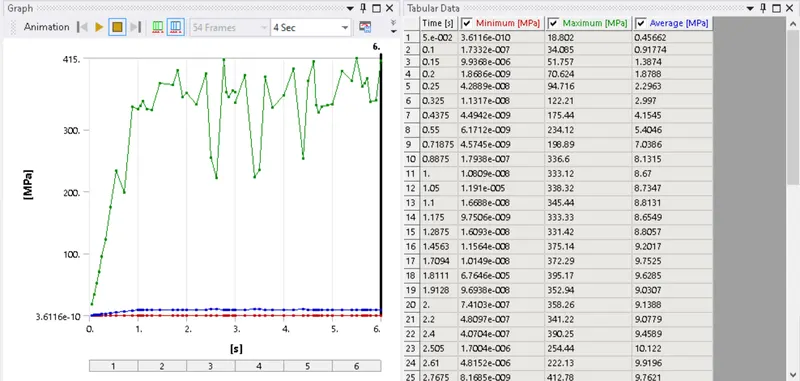
Cast Bronze:
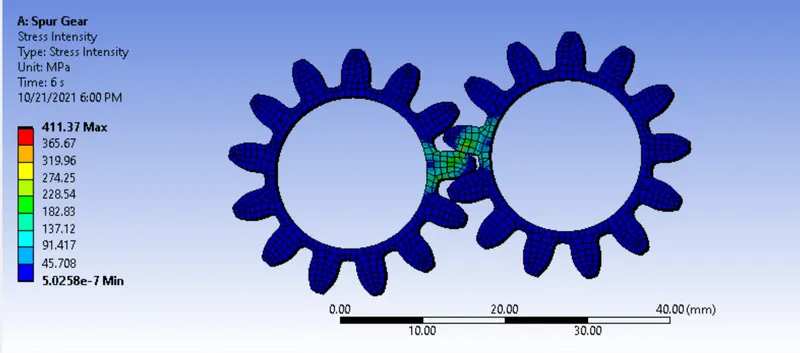
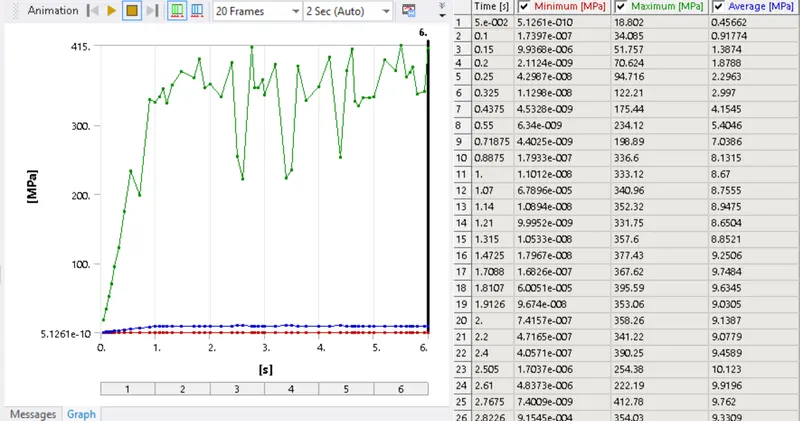
Cast Steel:
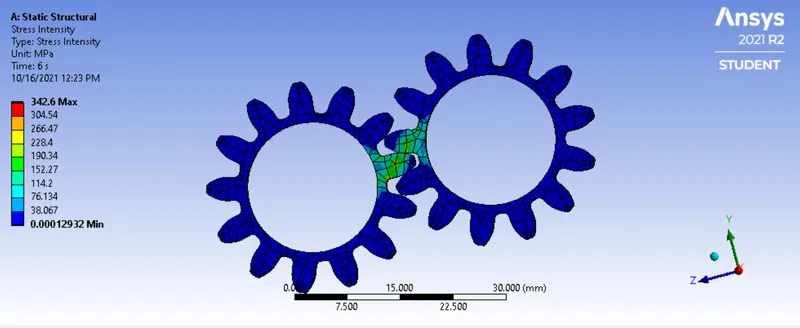
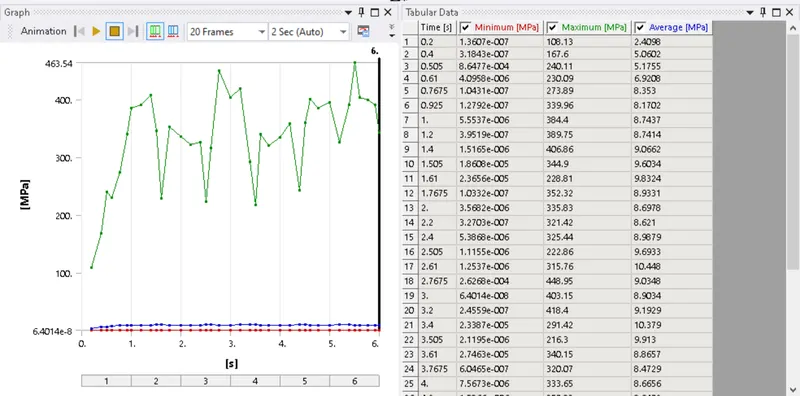
- Animations: Below is animation for each case is attached below, here we have taken Equivalent Stress animation for consideration:
Cast Iron:
Cast Bronze:
Cast Steel:
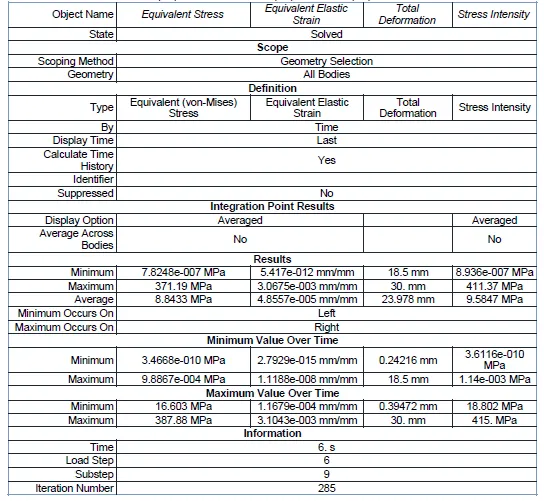
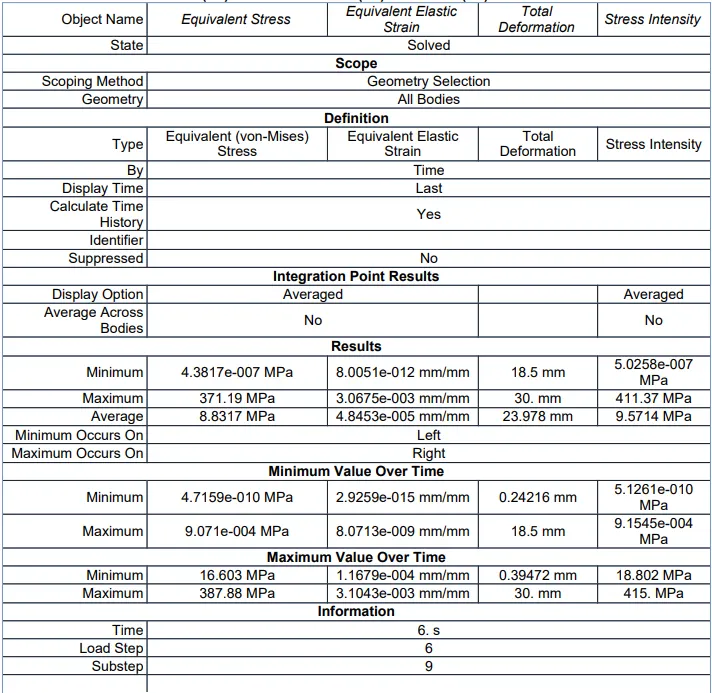
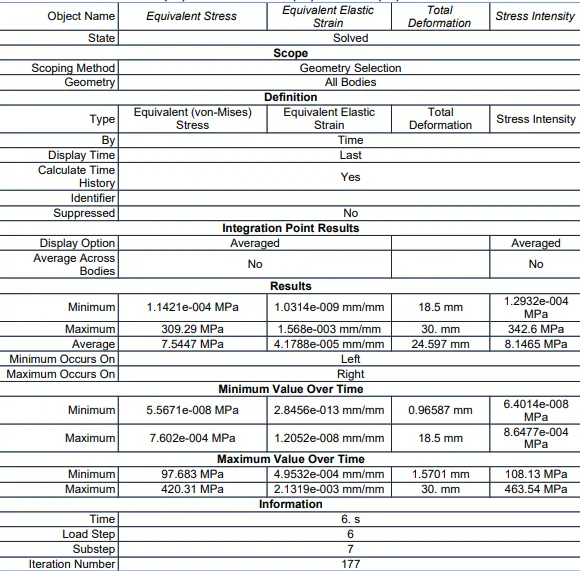
- Result: From the results of three cases we can conclude how the materials performed on the analysis.
For Cast Iron:
For Cast Bronze:
For Cast Steel:
- Conclusion: From the results, we can find out the material selection plays an important role on component performance and life.
Failure in gear was at teeth due to repetitive stress, we know that major load was at the root of the teeth, the below image shows the same: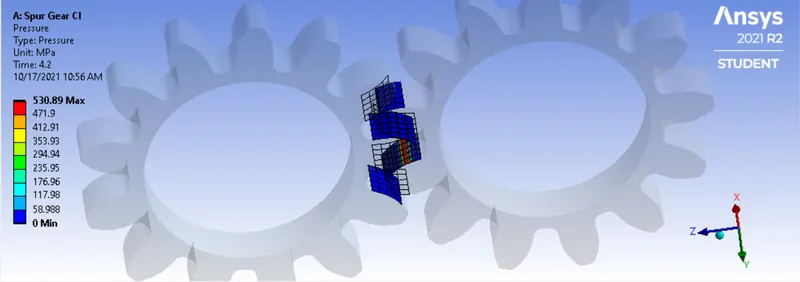
With results, it is conclusive that deformation was the same for all three cases. However, for equivalent stress and intensity, cast steel had a better result than the other two cases. The crack may form quicker in Cast Bronze since it has higher Stress Intensity, hence it is the least considerable of the three materials.
Between Cast Iron and cast Steel, the values of stress intensity and equivalent stress are higher in Cast iron. However, if we check the result of overtime stress we can find out that the value of Cast Steel is higher, which may result in the formation of crack, and the gear made of cast steel might fail. The stress intensity over time is also higher in Cast Steel, hence we should consider going with Cast Iron gears.
Also, the machinability of Cast Iron is better than that of Cast Steel. It also has better castability and is an overall cost-effective choice. Hence, we will consider Cast Iron as our preferred material although it has higher Equivalent Stress and intensity initially.