Week 1- Mixing Tee
Aim: To find the effectiveness of two Mixing Tees one short and other long for different momentum ratios.
Introduction: Mixing Tees are a simple, cost effective method of providing chemical diffusion to a system. Mixing tees typically have been offered in both a wafer style.
A mixing tee is a device used in many chemical diffusion/mixing processes and in applications such as air conditioners for mixing of fresh air and cool air.
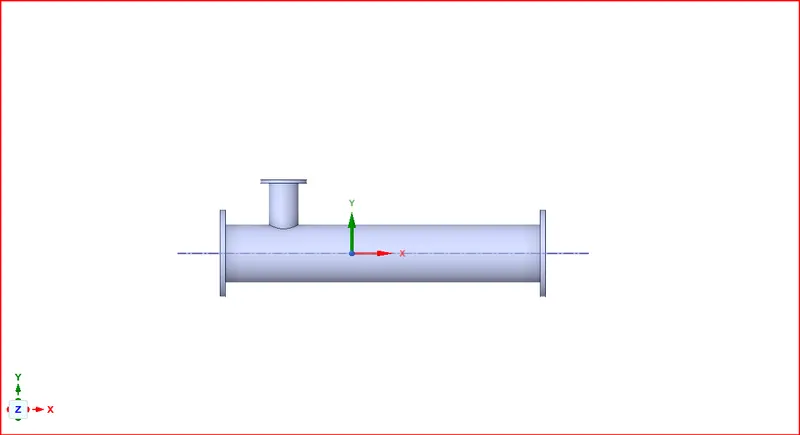
Mixing Tee short:
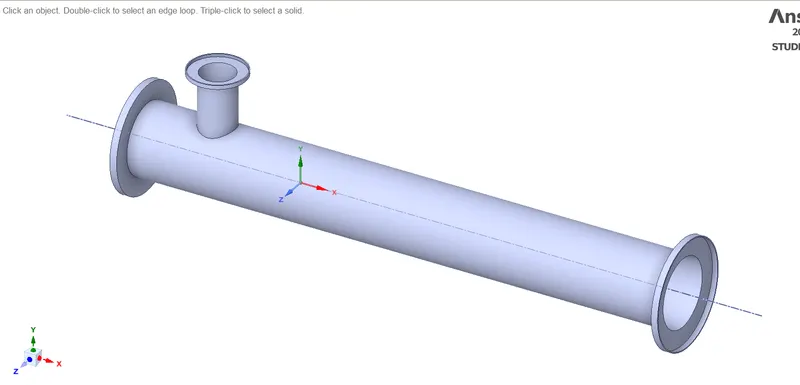
Mixing Tee long:
Theory: here two streams of air is passed into the T-Joint one is cold and the other stream of air is hotter, as they two mix with each other there temperature profile is studied throughout the length of the Tee joint and the factors affecting the outlet temperature will also be studied.
Here we will be using steady state solver using k-epsilon model and using standard wall functions.
The k-epsilon (k-epsilon) model for turbulence is the most common to simulate the mean flow characteristics for turbulent flow conditions. It belongs to the Reynolds-averaged Navier Stokes (RANS) family of turbulence models where all the effects of turbulence are modeled. It is a two-equation model.
K epsilon is best suited for flow away from the wall, say free surface flow region, whereas k-omega model is best suited for near the wall flow region, where adverse pressure gradient is developed.
Case-1:
Solving & Modelling approach:
- Short mixing tee with a hot inlet velocity of 3m/s.
- Momentum ratio of 2, 4.
- Momentum ratio = velocity at cold inlet / velocity at hot inlet
Pre-processing and solver setting:
Geometry settings:
Load the geometry in ansys space claim then go to prepare->volume extract->select edges option then select the three edges as shown in yellow color in the inlet and outlet areas.
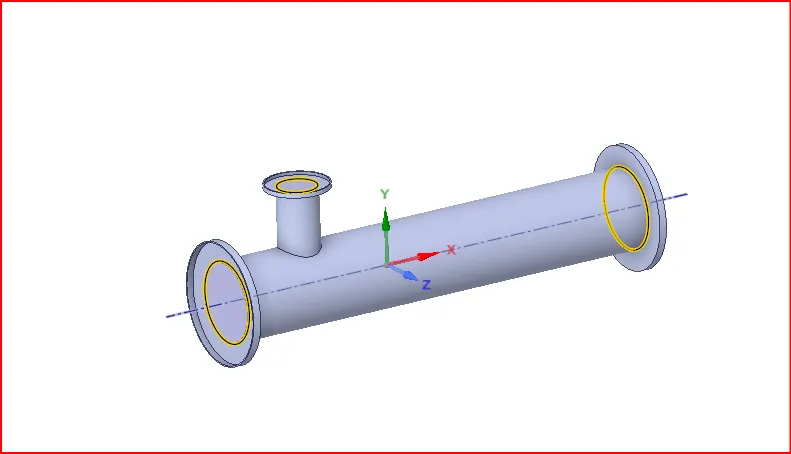
Then click on green arrow after selecting the three edges to get the following geometry.
Uncheck solid1 icon then right click on solid icon and select suppress for physics option. this step helps in loading only the desired object for simulation.
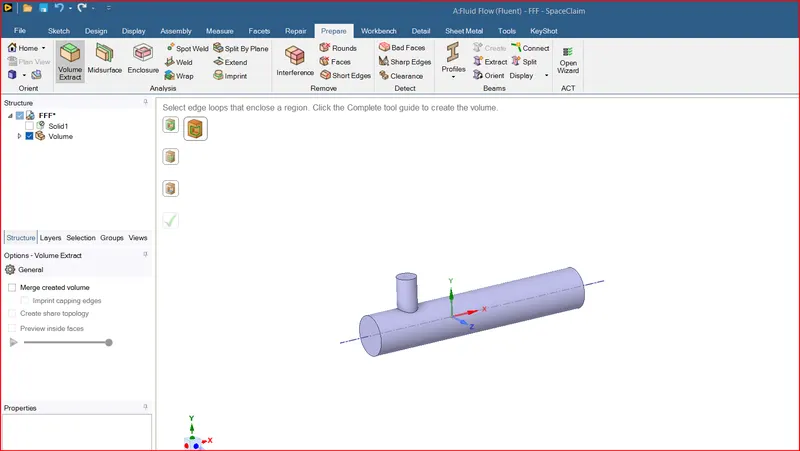
Now we can close the space claim.
Go to Ansys workbench and double click on mesh:
Meshing:
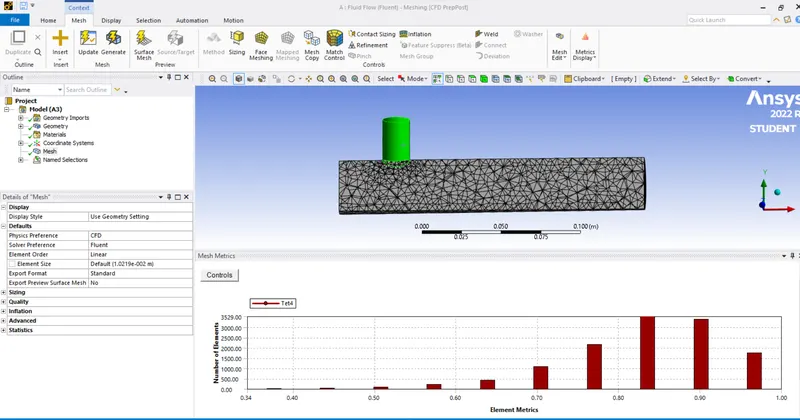
Create name selection:
Click on a face, right click on it and click on create name selection option shortcut(N) and name it as inlet/ outlet.
Now close the meshing window.
select setup in ansys workbench nad select options double precision and display mesh after reading and press start, this will load ansys fluent.
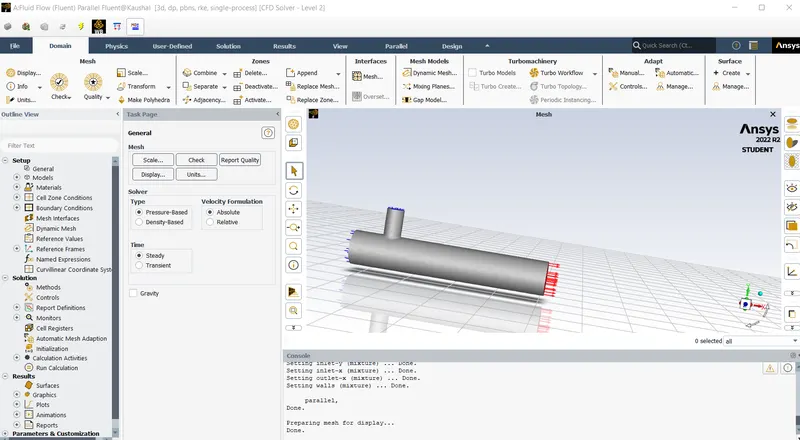
on the menu bar click on check and select perform mesh check.
click on quality and select evaluate mesh quality.
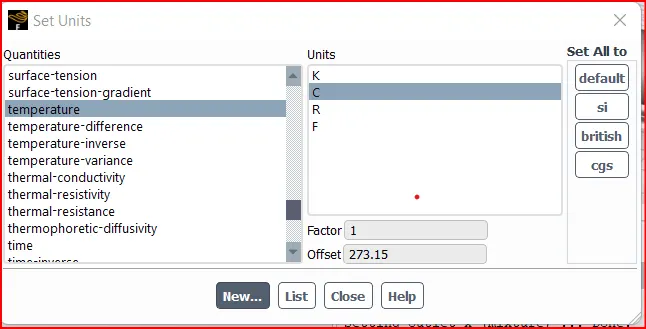
click on settings and units and set temperature to celsius as below.
In solver type select pressure based, velocity formulation>Absolute, Time>Steady.
Go to physics , select on energy box
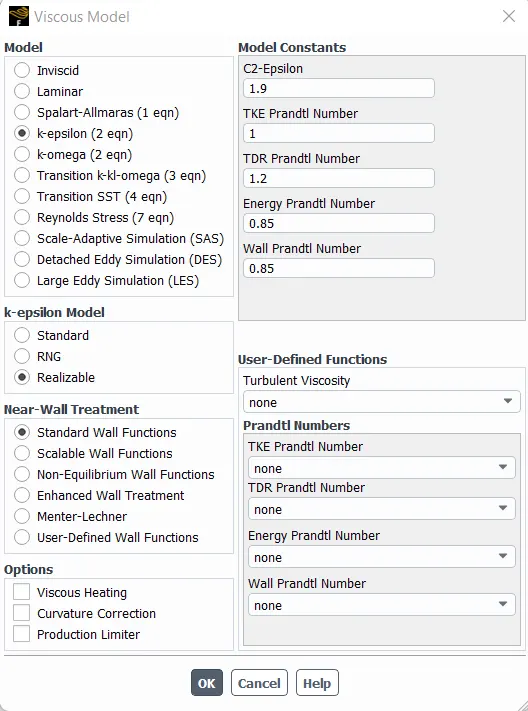
Click on viscous, select k-epsilon model, realizable model, standard wall function as shown below
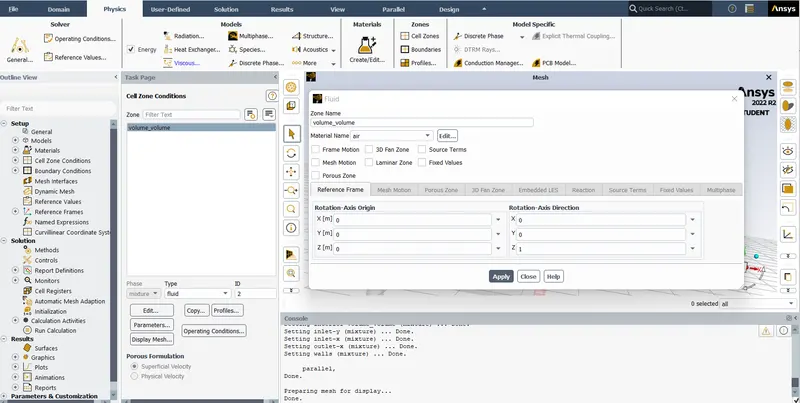
Click on cell zones and volume volume and select edit and following settings are to be made.
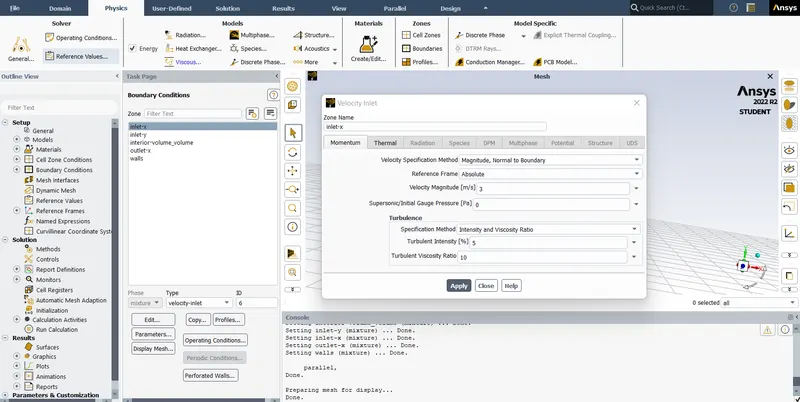
Now click on boundaries select the face and make the following settings as desired.
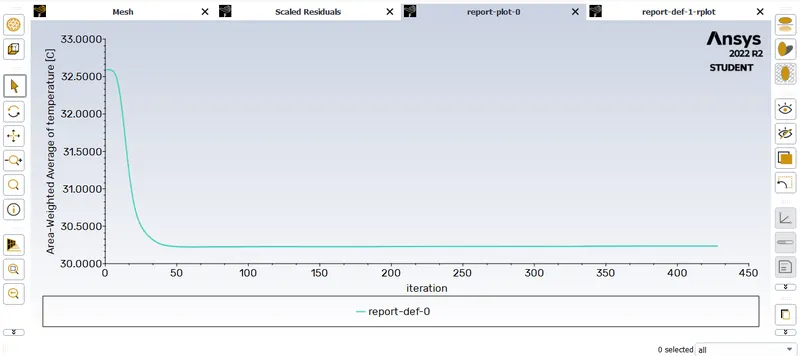
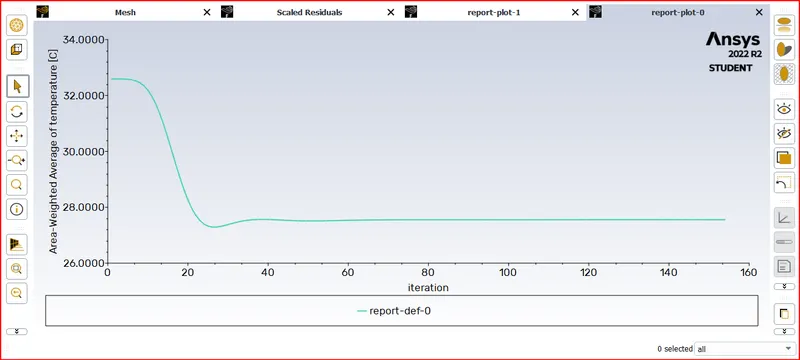
Now click on solutions > definitions > New>surface report>area weighted average> select field variable as temperature as shown below.
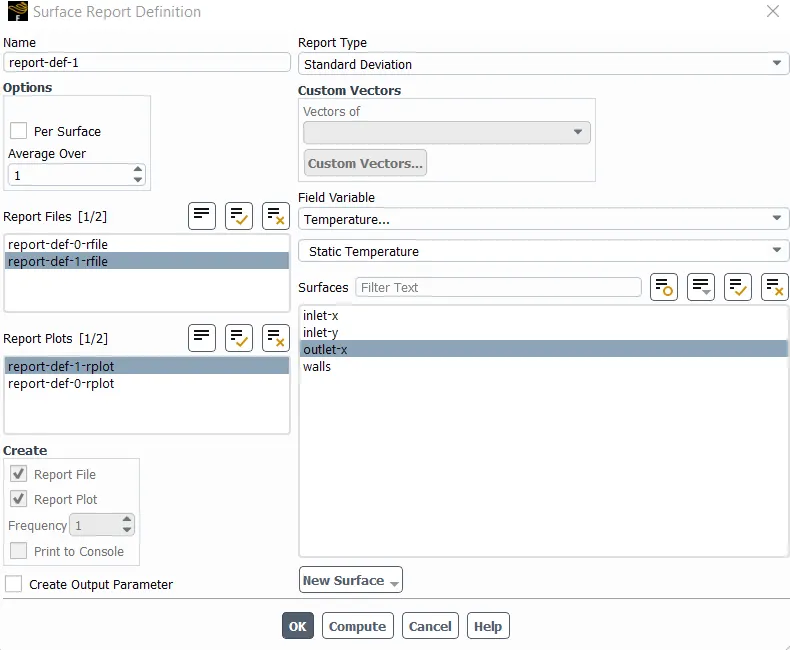
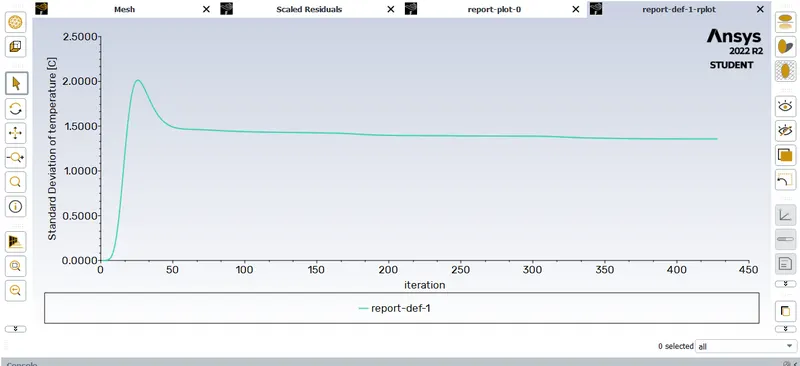
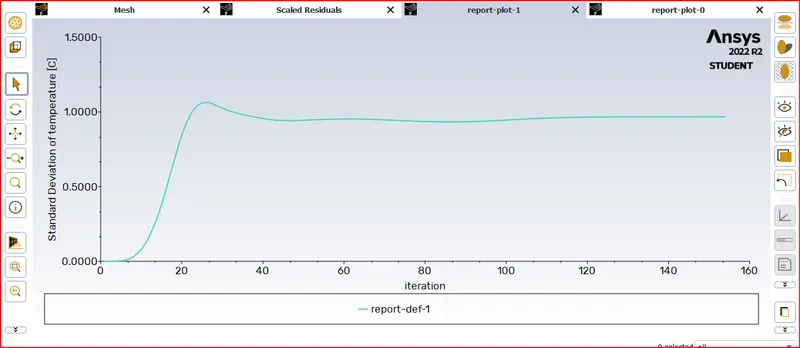
Now click on solutions > definitions > New>surface report>standard deviation> select field variable as temperature as shown below.
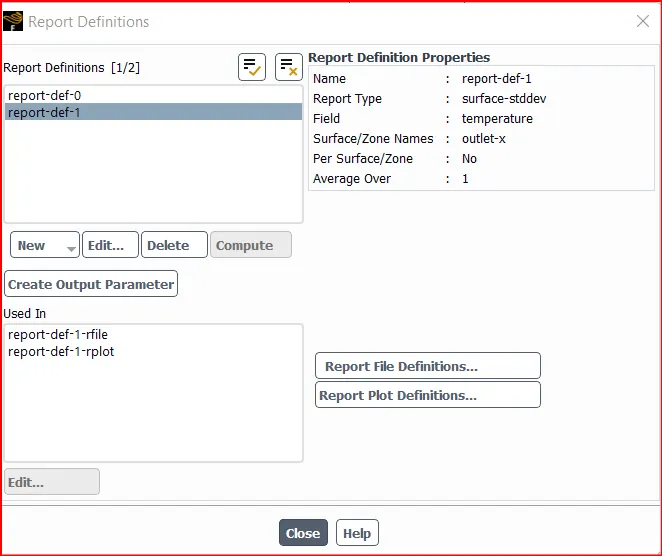
Now the model is ready to carry out the simulation.
Click on solution>initialize
after hybrid initialization is done click on no of iterations as 150 and click calculate now th simulation starts.
MATERIAL: Air
Density: 1.225 Kg/m3, specific heat: 1.006 KJ/Kg-K, k: 0.0242 W/m-K
Results:
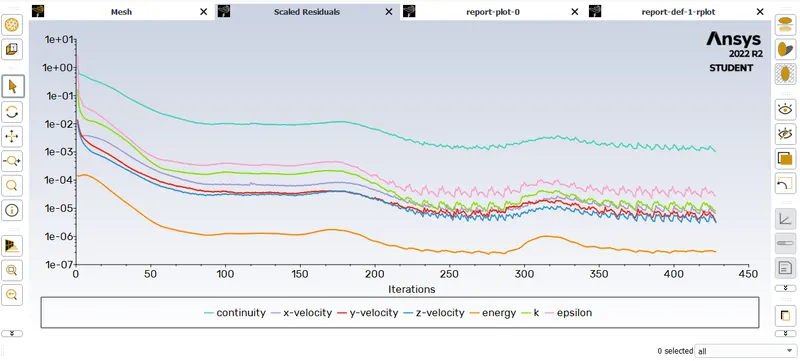
For momentum ratio-2:
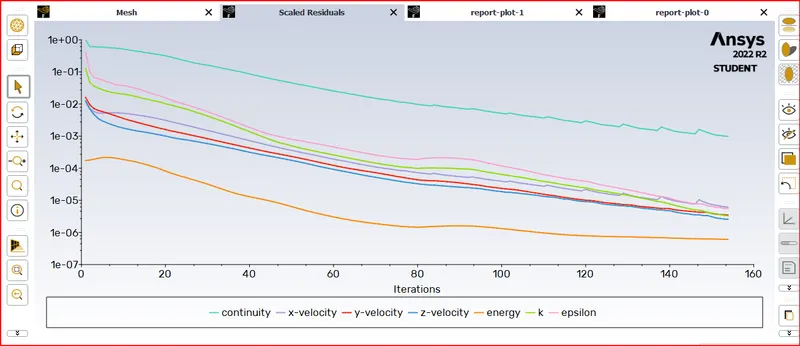
Residuals:
Standard deviation of temperature at outlet:
Area weighted average of temperature at outlet:
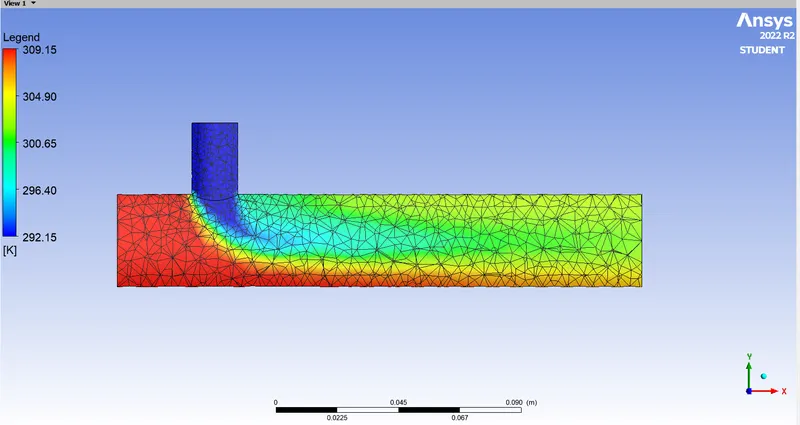
Temperature contour plots.
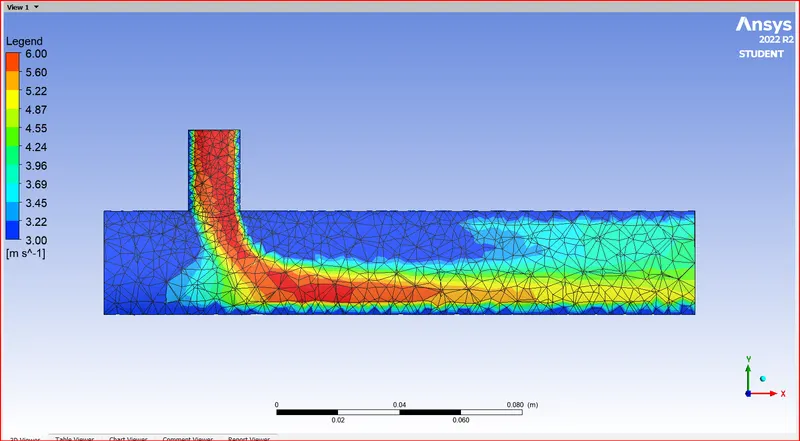
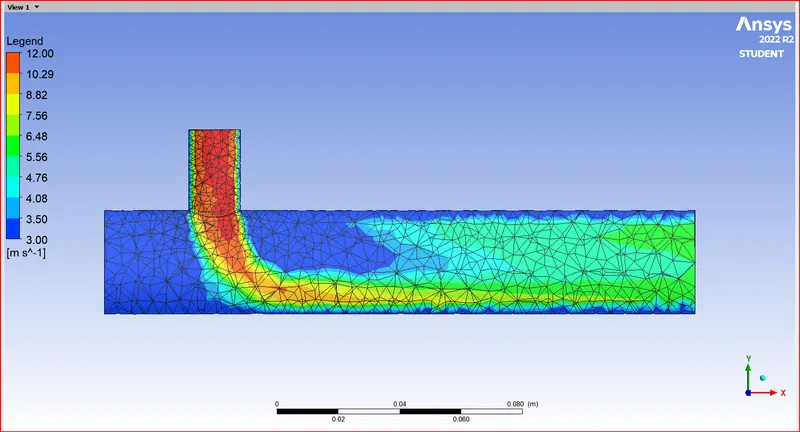
Velocity contour.
 Perform Mesh
For momentum ratio 4:
Area weighted average of temperature:
Standard deviation of temp:
Residuals
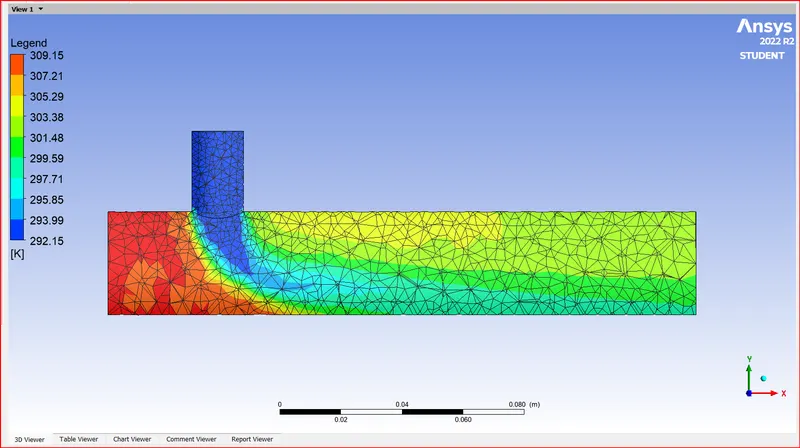
Temperature contour plots.
Velocity contour plots.
Case-2:
Solving & Modelling approach:
- Long mixing tee with a hot inlet velocity of 3m/s.
- Momentum ratio of 2, 4.
- Momentum ratio = velocity at cold inlet / velocity at hot inlet
Pre-processing and solver setting:All the settings in preprocessing remains the same as that in the previous case.
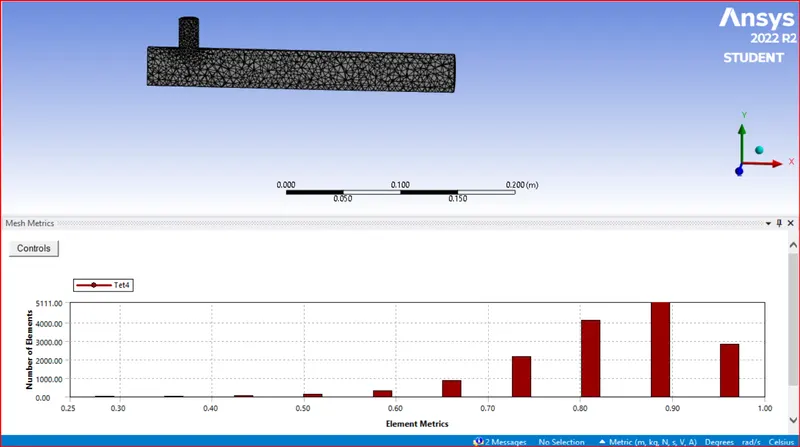
Mesh metric:
Results:
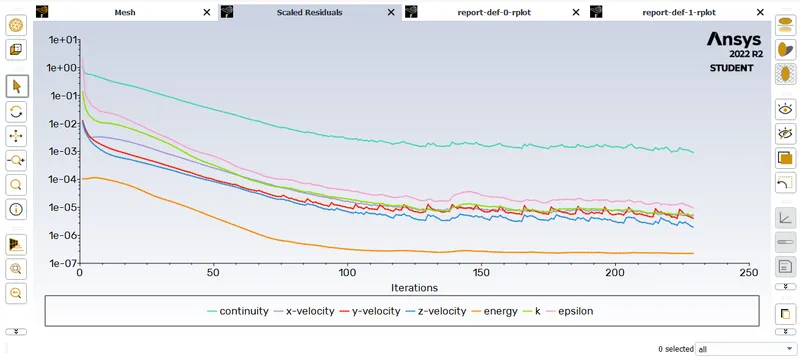
Residuals
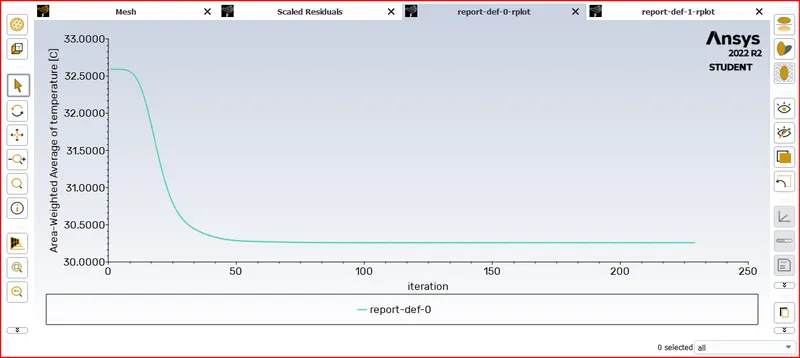
Area weighted average of temperature
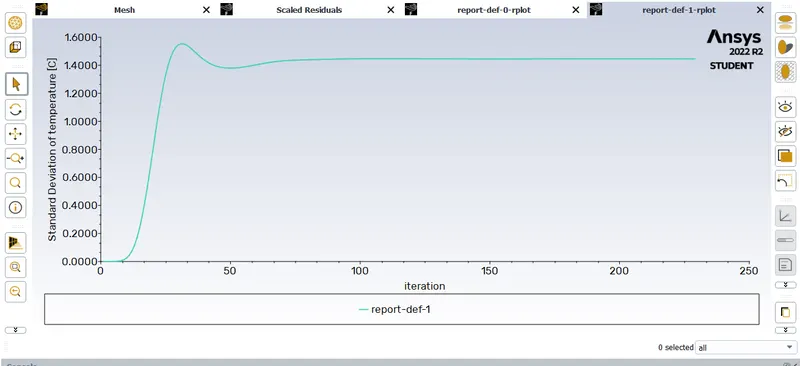
Standard deviation of temperature
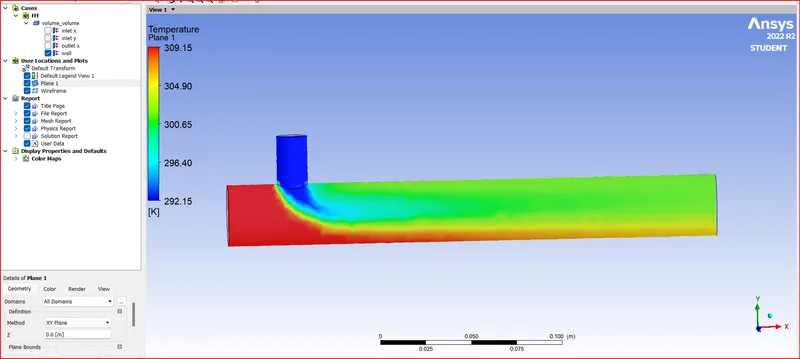
Temperature contour plots.
| case | Momentum ratio | cells | Avg outlet temperature | Number of iterations for convergence |
|
1
|
2 | 12613 | 30.23 | 428 |
| 4 | 12613 | 27.55 | 154 | |
| 2 | 2 | 15530 | 30.26 | 221 |
Conclusion:
From the above simulations carried out we can conclude that the mixing effectiveness depends upon the entry velocity or the momentum ratio of the air.
The length of the mixing tee has least effect on the mixing effectiveness.