Week 1 - Free Falling
Aim :-
To Create and plot a free falling body having mass of 1 Kg and gravity in Y axis.
- Simulation set-up :-
Step 1 :- Start the Hyperworks and change the list to motion View
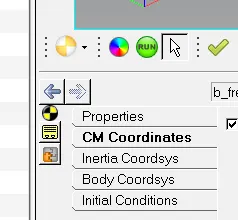
Step 2 :- Create a Free body by selecting the option shown in image below.
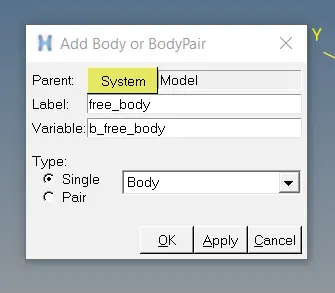
Step 3:- Change the properties for Free body for inertia and mass as shown in image below
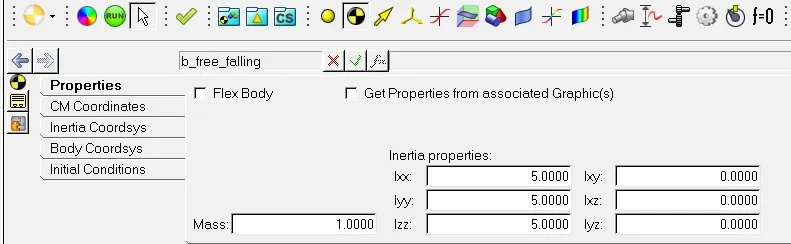
Step 4:- Change the CM properties for Free body click the option use center of mass co-ordinate system and the change the point to Global body as shown in image below

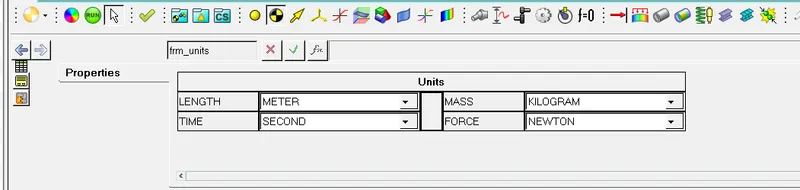
Step 5 :- Change the units as shown in image below
Step 6 :- Change the gravity value for Y-direction as shown in image below
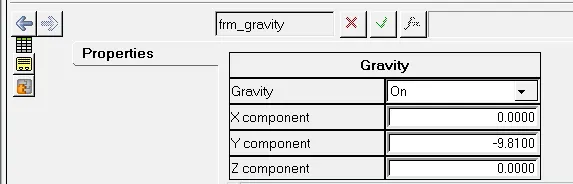
Step 7 :- Select the Run panel and change the simulation time to 2sec as shown in picture below and click the option Run

Step 8 :- Select the option Plot (just below the Run option) and select the file Free body.abf and select the options
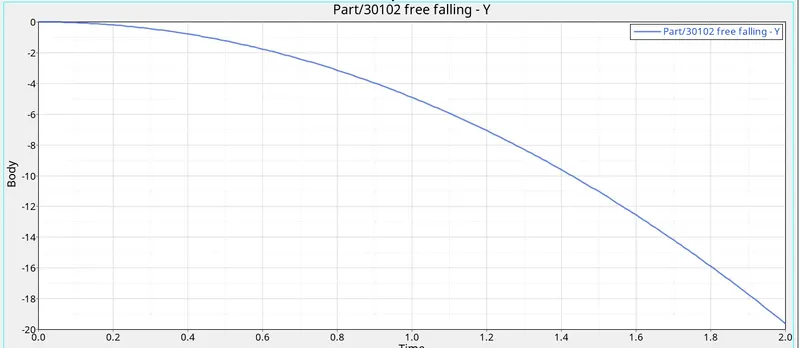
Body -> Free Body -> Y direction and click aplly as shown in picture below
Step 9 :- The plot result graph and the Values is shown in picture below
Question 2.)
Free fall formula
h = (1/2) gt2
v2 = 2gh
v = gt
Whereas h = Displacement in meters(m)
g = Gravity of the body (m/s^2)
t = Time for simulation (sec)
In formula also there is no term for mass, so its proved that free falling of body not depends on weight of body.
- To see the effect of weight of free falling body we can change the weight of body and look on graph what change in curve :-
Changed mass to 10 kg as shown in snap
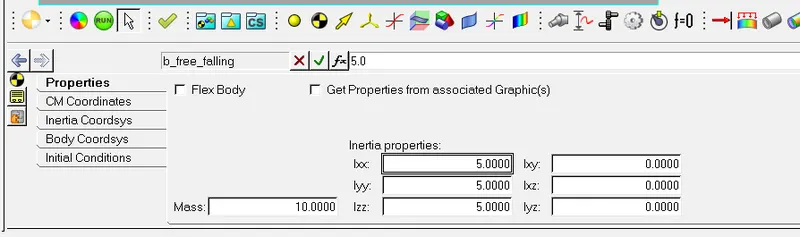
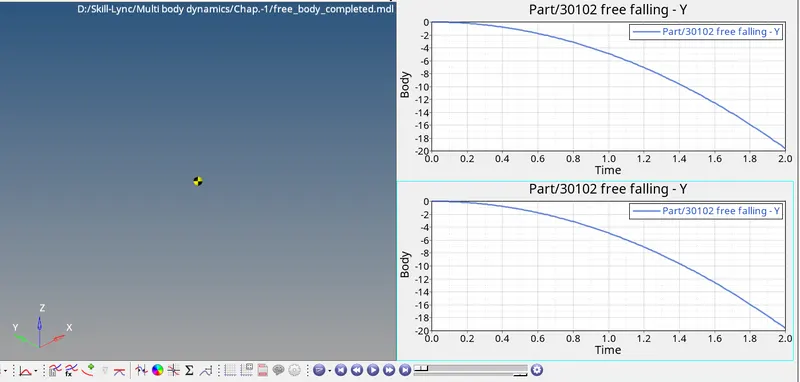
- According to both graphs it is observed that free falling of body not depending on weight of body
Question 3 :-
Since we are having free fall cases as above without considering the air resistance.
When a body falling freely there will be drag when we consider the air resistance, hence there will opposite reaction force.
other Factors may be
1) Time
2) Surface area of the body.