Usage of Surface wrap in Thermal Analysis in ANSA
Usage of Surface wrap in Thermal Analysis
Aim : 1. Detailing the procedure for approaching the model for thermal analysis
2. Using surface wrap on an engine model and to mesh it for thermal analysis .
Geometry :
https://drive.google.com/file/d/1lo38t4dhNYZ8Iz3XB--ReLq3ZisyeaJF/view?usp=share_link
Way to approach the model for thermal analysis :
Approaching a thermal analysis model involves several key steps to ensure accurate and meaningful results. Here's a general approach to consider when setting up a thermal analysis model:
-
Define the objectives: Clearly define the objectives of your thermal analysis. Are you trying to determine temperature distributions, heat transfer rates, thermal stresses, or other specific parameters? Understanding your objectives will guide the modeling and analysis process.
-
Gather data and specifications: Collect all the necessary data and specifications for your analysis. This includes information about the materials involved, geometric dimensions, boundary conditions, heat sources, and any other relevant parameters. Make sure you have accurate and complete data to avoid inaccuracies in the analysis.
-
Simplify the model: Depending on the complexity of your system, you may need to simplify the model to reduce computational requirements and improve the analysis efficiency. Simplifications can include removing nonessential components, assuming symmetry, or using simplified boundary conditions. However, ensure that the simplifications do not significantly affect the accuracy of the results.
-
Create or import the geometry: Construct or import the geometry of your model into the thermal analysis software. Ensure that the geometry is properly defined and accurately represents the actual system you are analyzing. Pay attention to details such as surface connections, material interfaces, and fluid-solid domains if applicable.
-
Assign materials and properties: Assign appropriate material properties to the components of your model. Consider thermal conductivity, specific heat capacity, density, and any other thermal properties that are relevant to your analysis. Use accurate and representative values for each material to obtain reliable results.
-
Define boundary conditions: Specify the boundary conditions for your thermal analysis. These conditions include temperature values, heat transfer coefficients, convection, radiation, and any other thermal interactions with the surroundings. Set up the boundary conditions based on the physical behavior of the system and the environment it operates in.
-
Apply heat sources: Identify and apply any internal or external heat sources within the model. These sources could include electrical components, combustion processes, or any other heat-producing elements. Define the magnitude and distribution of the heat sources accurately, considering their spatial and temporal variations.
-
Mesh the model: Generate an appropriate mesh for the geometry. Refer to the earlier response on how to perform meshing for thermal analysis. Ensure that the mesh is refined adequately in areas of interest, such as regions with high temperature gradients or complex geometries.
-
Set up solver parameters: Configure the solver parameters specific to your thermal analysis. This includes selecting the appropriate numerical method, specifying convergence criteria, time steps (if transient analysis), and other solver-specific settings. Pay attention to solver settings that influence the accuracy and efficiency of the simulation.
-
Solve the thermal analysis: Run the thermal analysis using the defined model, boundary conditions, and solver settings. Monitor the convergence of the solution and assess the stability and accuracy of the results. Make sure the analysis is progressing as expected and adjust parameters if necessary.
-
Post-processing: Analyze and interpret the results obtained from the thermal analysis. Use visualization tools provided by the software to examine temperature distributions, heat fluxes, thermal gradients, or any other parameters of interest. Compare the results against your objectives and expected behavior to validate the model and draw meaningful conclusions.
Using surface wrap on an engine model and to mesh it for thermal analysis:
1. According to the type of analysis we are going to perform on the model that specific meshing must have been done on that.
Surface wrap is a powerful feature in ANSA, a leading pre-processing software used in the engineering and manufacturing fields. It allows users to create accurate and high-quality surface models from different types of input data, such as point clouds or meshes. The surface wrap functionality in ANSA offers advanced tools and algorithms to capture complex geometries and generate smooth and continuous surfaces. Here is a detailed overview of the surface wrap capabilities in ANSA:
-
Data Preparation: Before performing surface wrap in ANSA, it is essential to prepare the input data. This may involve importing point cloud data obtained from 3D scanning devices or converting mesh data from other sources. ANSA provides comprehensive import options and tools to align, scale, and preprocess the input data for accurate surface generation.
-
Surface Creation: ANSA offers various surface creation methods to generate an initial surface representation of the object. These methods include:
a. Delaunay Triangulation: ANSA utilizes the Delaunay triangulation algorithm to create a surface mesh from point cloud data. The algorithm automatically connects the points to form triangles, which are then used to generate the surface.
b. Patch-Based Surface Generation: ANSA can create surfaces by fitting patches to the input data. The software analyzes the input data and generates patches that approximate the geometry. These patches are then stitched together to create a complete surface representation.
c. Grid-Based Surface Generation: ANSA can also create surfaces by generating a grid of points on the input data and interpolating the surface between these points. This method is useful for creating smooth surfaces from scattered or irregularly distributed data.
-
Surface Refinement: Once the initial surface is created, ANSA provides a wide range of interactive editing tools for refining and improving the surface model. These tools allow users to perform operations such as:
a. Smoothing: ANSA offers various smoothing algorithms to eliminate noise and improve the surface quality. Users can control the smoothing parameters to achieve the desired level of surface smoothness.
b. Patch Editing: ANSA allows users to interactively edit individual patches of the surface model. This includes adjusting control points, modifying patch boundaries, and refining surface details to ensure accurate representation.
c. Hole Filling: ANSA provides tools to automatically or manually fill holes in the surface model. These tools help create watertight and complete surface representations.
-
Validation and Quality Control: ANSA offers tools for validating and assessing the quality of the generated surface models. These tools include visual inspection, geometric deviation analysis, and comparison with reference data. Users can analyze and evaluate the surface models to ensure they meet the required accuracy and quality standards.
-
CAD Integration: ANSA seamlessly integrates with CAD systems, allowing users to export the surface models in standard CAD formats, such as STEP or IGES. This enables easy transfer of the surface models to downstream applications, such as computer-aided design, analysis, or manufacturing processes.
-
Automation and Customization: ANSA provides a scripting interface that allows users to automate repetitive tasks and customize the surface wrap process according to their specific needs. This feature enhances productivity and enables efficient handling of large datasets or complex surface generation requirements.
-
Applications: The surface wrap functionality in ANSA finds applications in a wide range of industries, including automotive, aerospace, consumer goods, and medical devices. It is used for tasks such as reverse engineering, product design, quality control, and simulation preparation.
In conclusion, ANSA's surface wrap feature offers a comprehensive set of tools and algorithms for generating accurate and high-quality surface models from various input data types. With its advanced editing capabilities, quality control tools, and integration with CAD systems, ANSA provides a robust solution for surface modeling in diverse engineering and manufacturing applications.
Procedure :
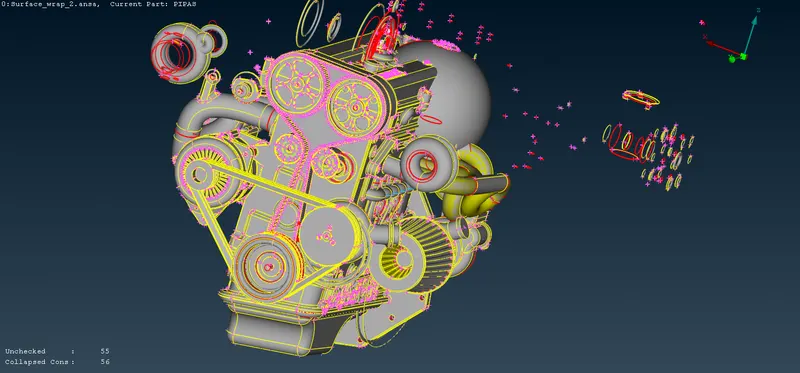
1. Engine model is imported in to the ANSA
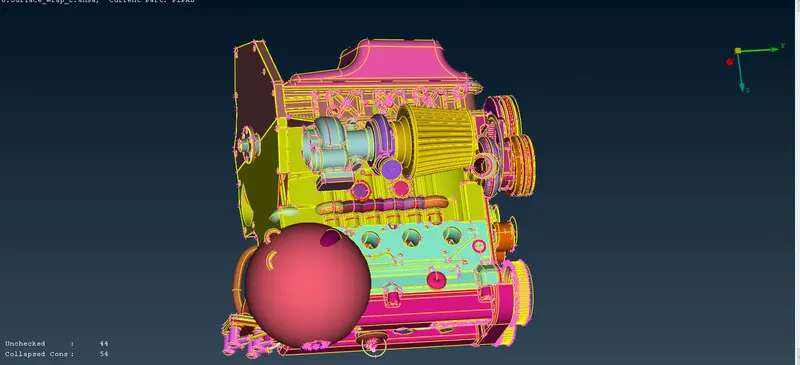
2.External faces are removed :
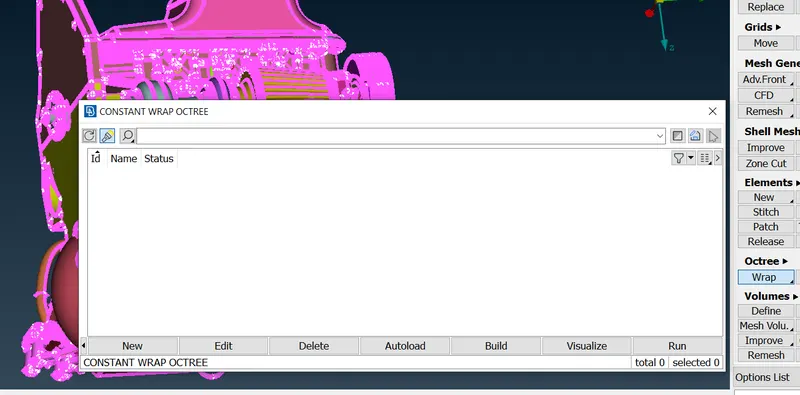
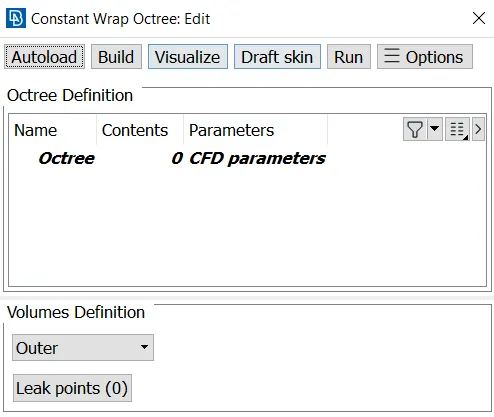
3.Creating scenario :
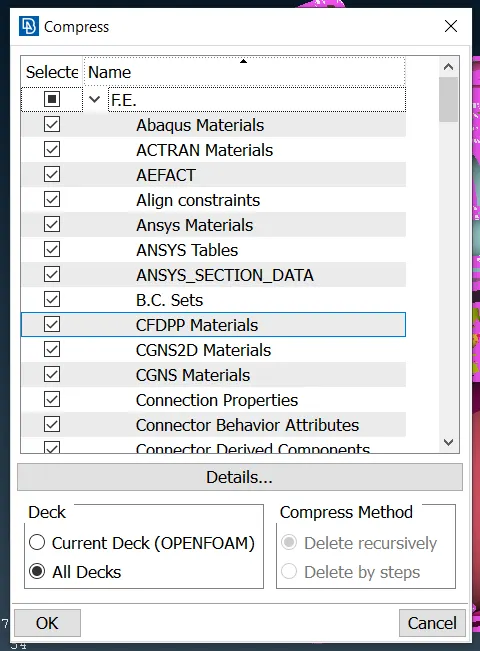
4. Compressing the PIDs :
We need to compress the PIDs and remove the unnecessary PIDs :
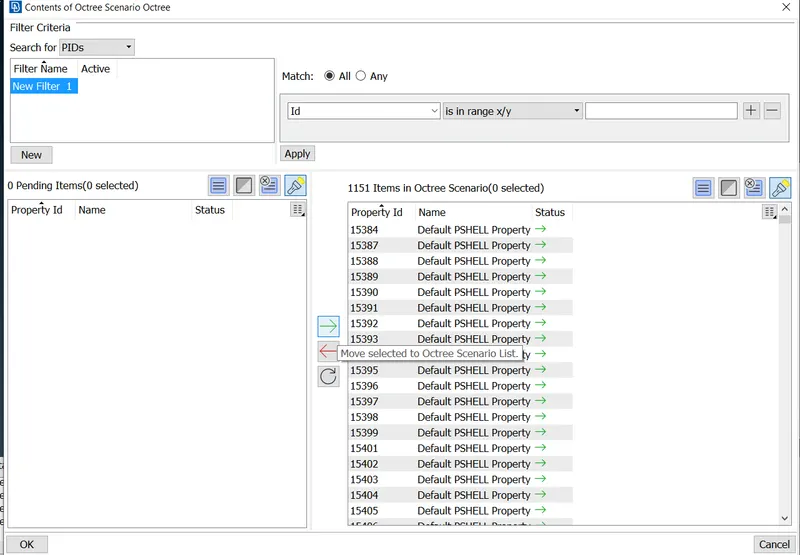
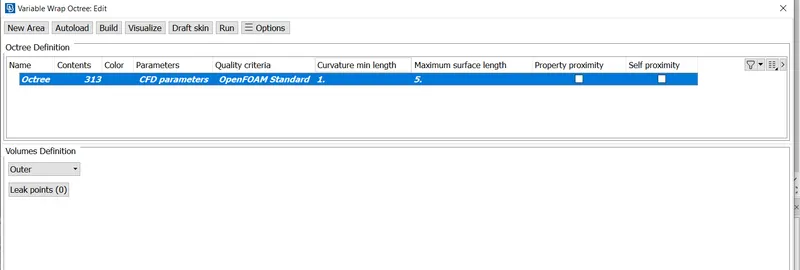
5. Assigning the contents that has to be wrapped :
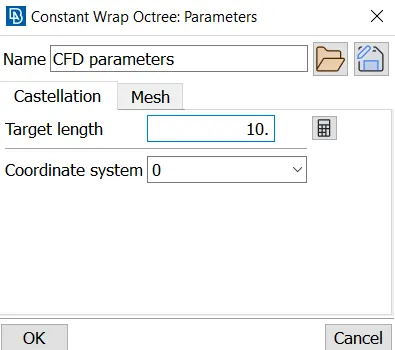
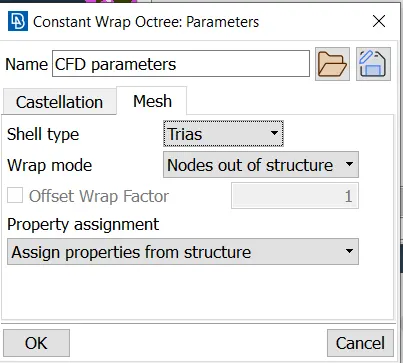
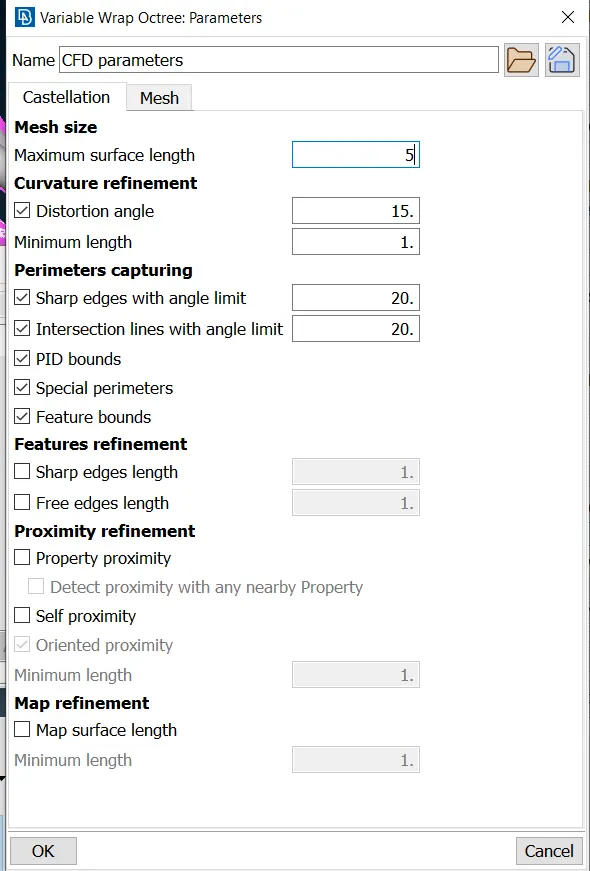
6.Assigning the mesh parameters :
Target length we are giving is 10mm
and traiangular mesh elements are put here.
7. Running the surface wrap :
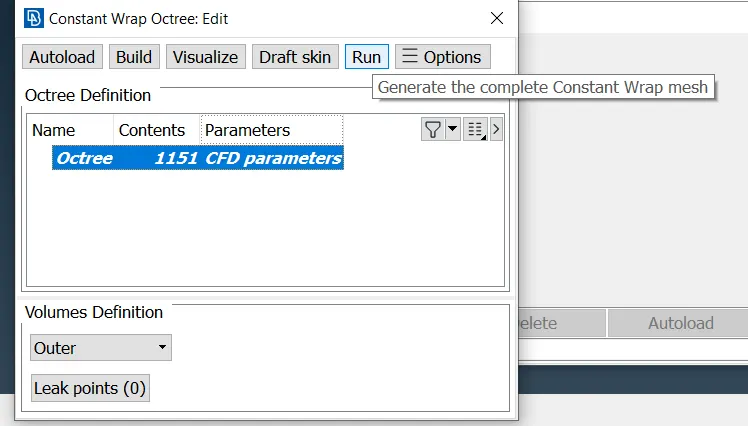
8. Wrap once created can not be erased
9.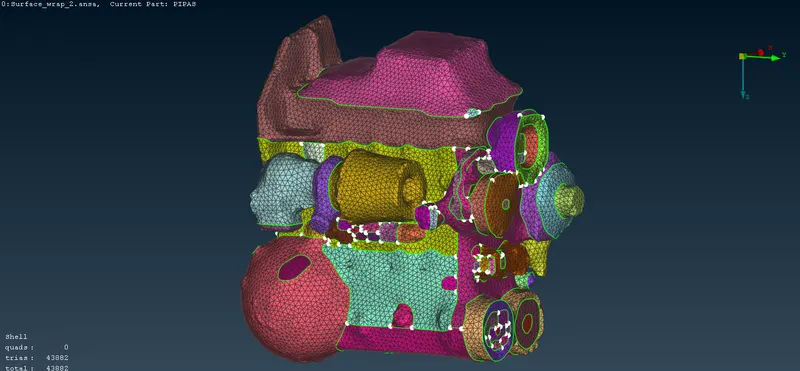
as we can see above the geometry is not good
once the surface wrap has been created, it can not be undo
we need to do from the begining
10. This time all the important engine parts are isolated and rest of other items were about to be deleted at this moment .
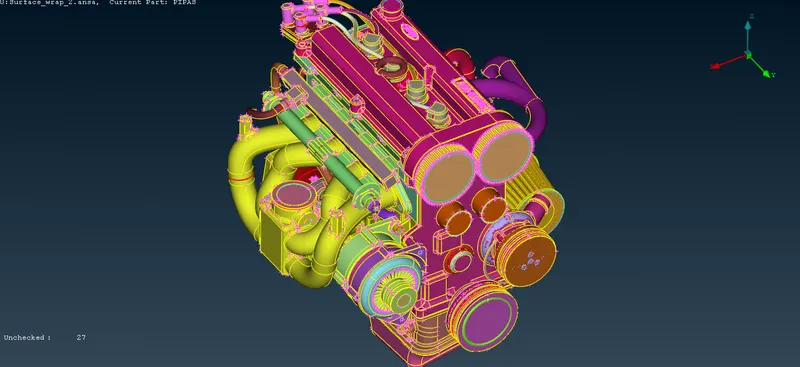
as we can see from the above picture holes have been filled to caprure the mesh properly
11. Now we have to compresss the PID and remove the unwanted PIDs:
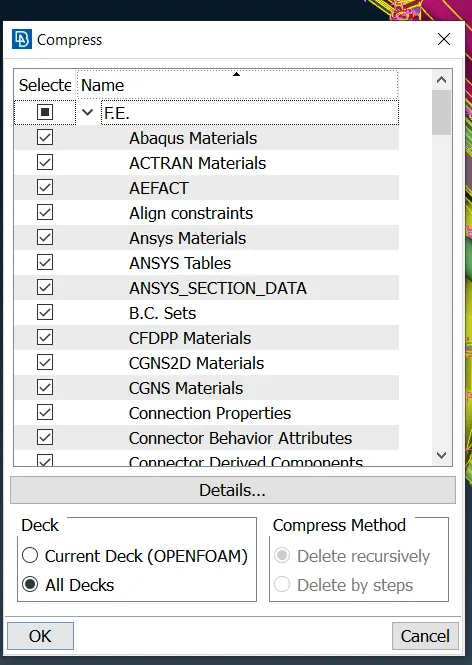
12.Surface wrap has been created in previous manner:
Content creation :
13. Preview of surface wrap :
This preview enables us to check how the surface wrap is and how our target length is behaving with respect to capturing of geometry 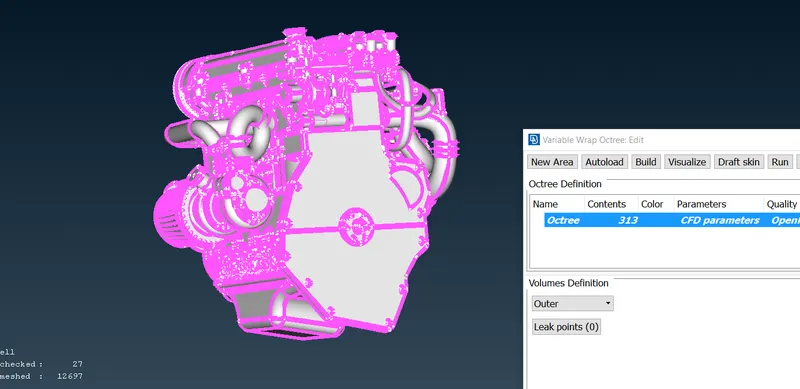
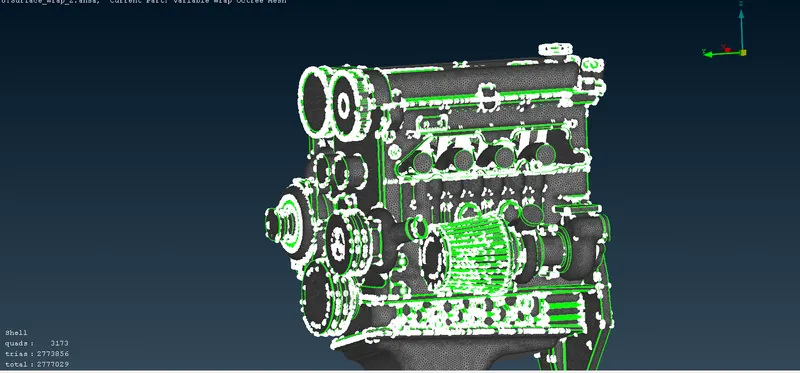
14. Running of the surface wrap :
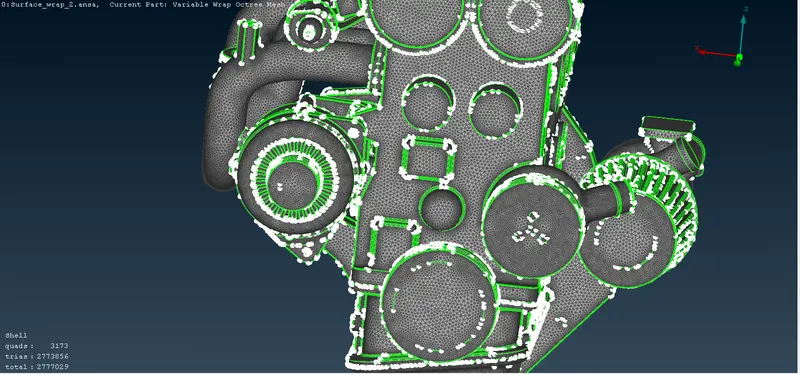
Conclusion :
Surface wrap has been done on the engine model this can be used for simple external analysis.