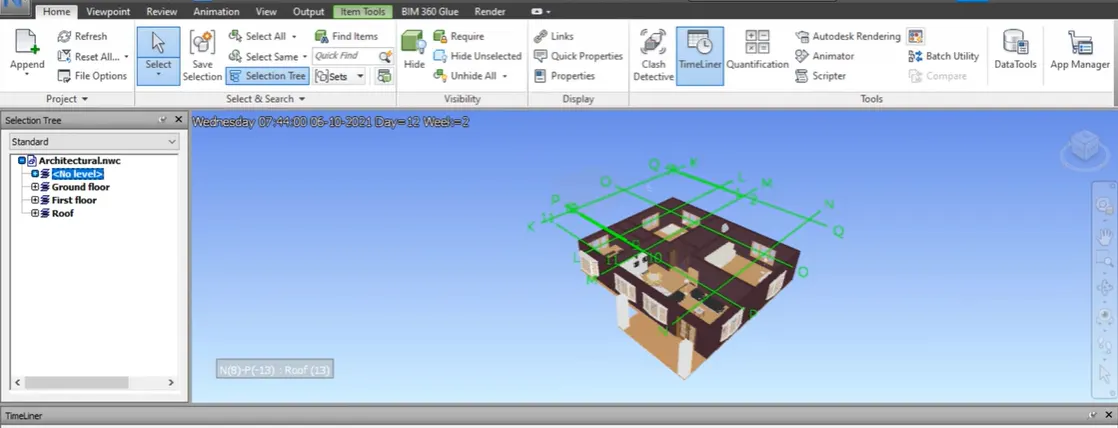
Usage of Navigation tool , Timeliner and Clash Detection test using Naviswork
1. AIM :
To Use the Architecture / structure project file developed by me in week 6 to 8. Export the Revit architecture and structure model to navisworks cache file following the export settings discussed in the class
PROCEDURE :
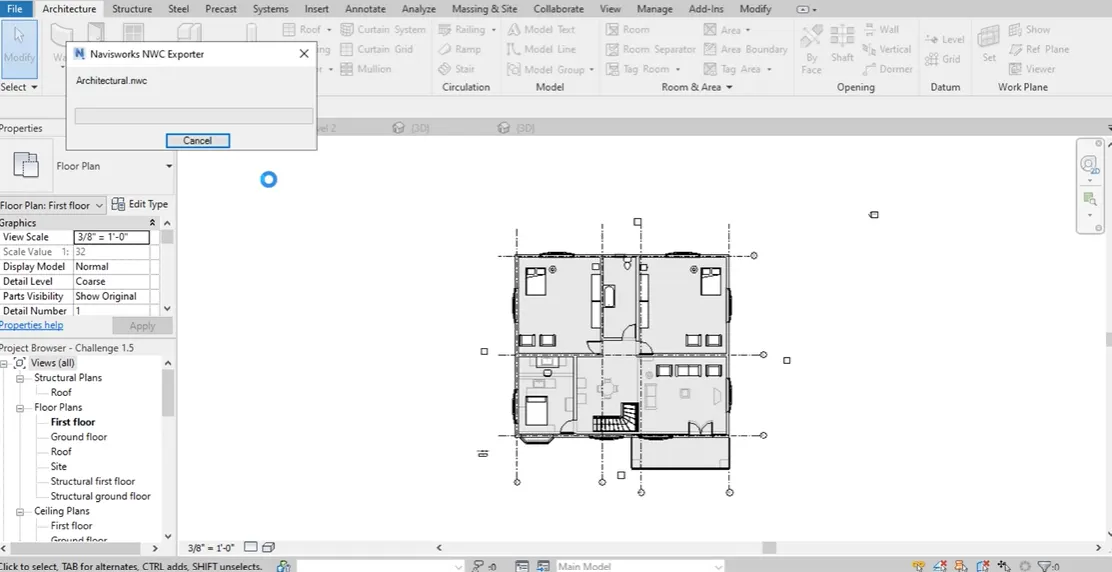
Open the week 6 floor plan , click file - Export - NWC and save it as a new file name
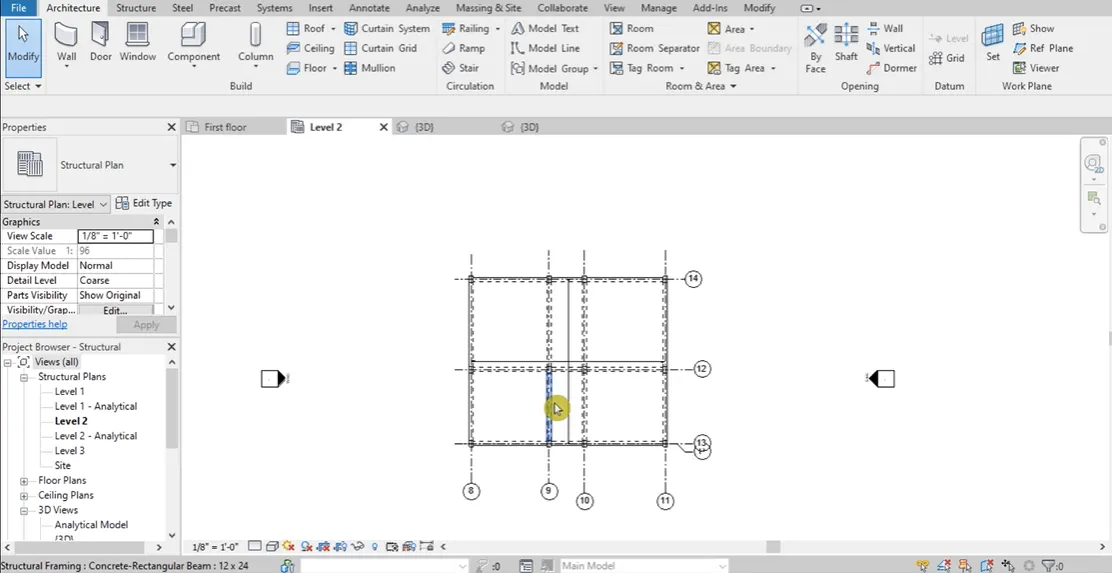
Open a new structural plan in week 6 and follow the above and save it as a structural file
ARCHITECTUAL PLAN
STRUCTURAL PLAN
2. AIM :
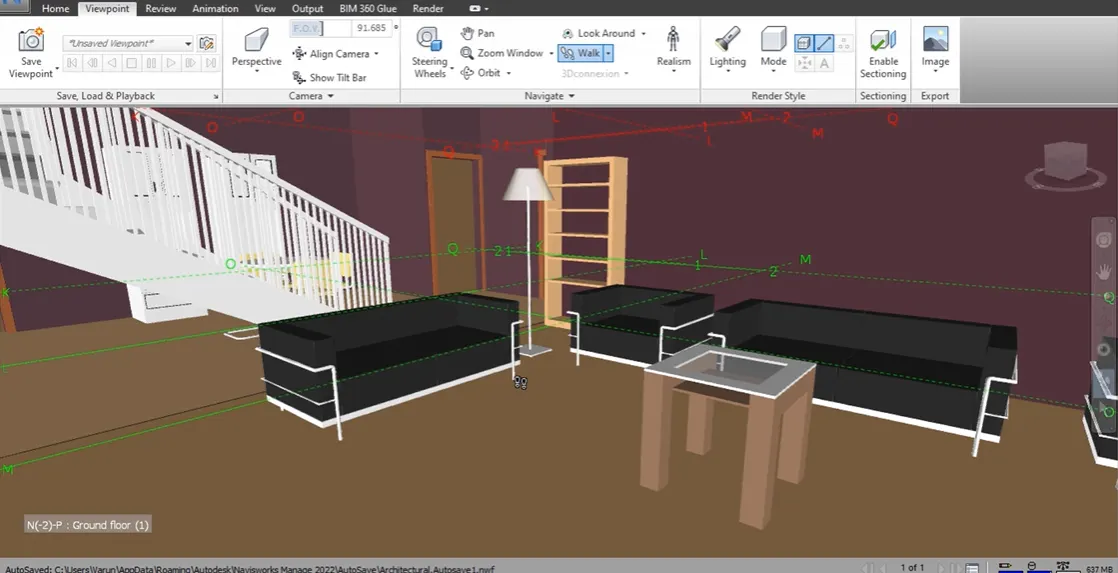
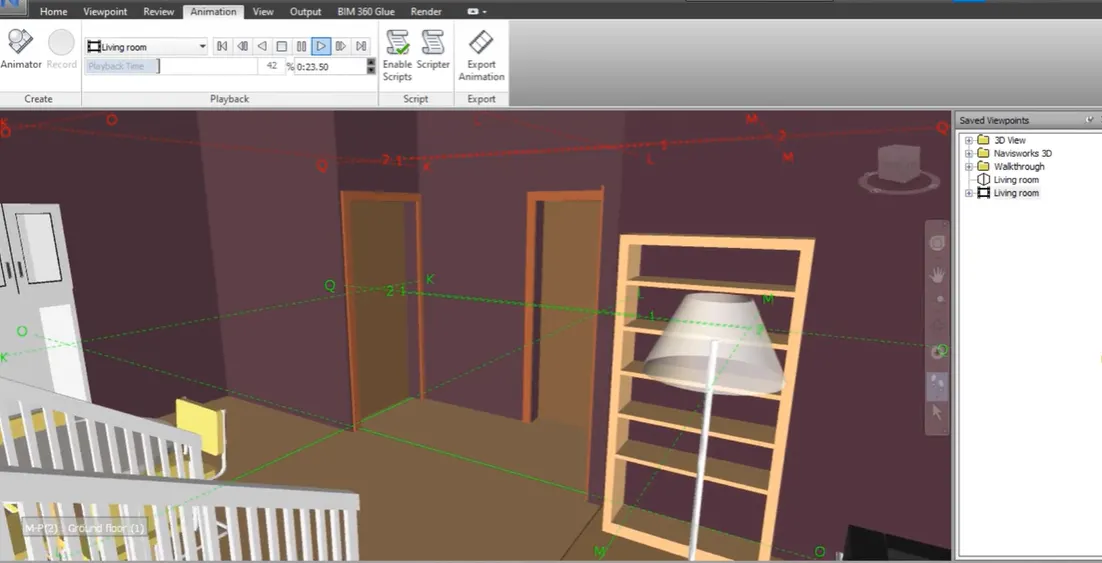
To use the navigate tool to walk around the model and walk through the rooms created and record your moving as animation in your naviswork file
PROCEDURE :
In the same file click home - Navis work icon - open the saved architectural and click open
Click view point - walk - click save view point - Rename as hall and click enter
Then in save view point icon - click record
Using the cursor walk inside the room, then click stop option which is in right side and save as living room fo the file name
3. AIM :
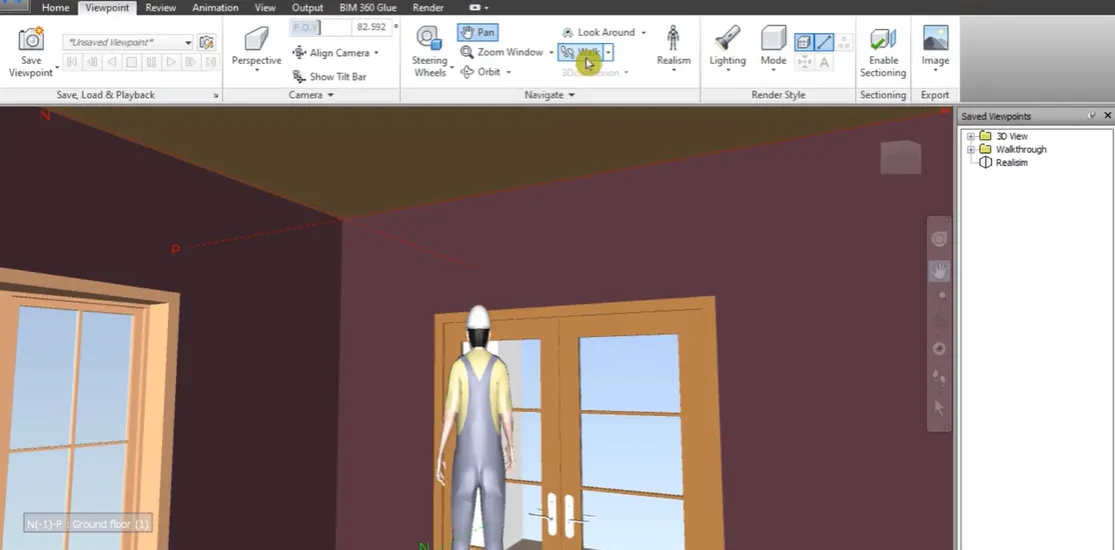
To use the navigate tool to use realism to walk around the model and walk through the rooms created and record your moving as animation in your naviswork file
PROCEDURE :
In the same file , click view point - Realism
Click save view point as realism
Adjust inner focusing area using pan - click walk - In save view point button - click record - click walk and save view point
In Animation tab - click human - Export Animation
4. AIM :
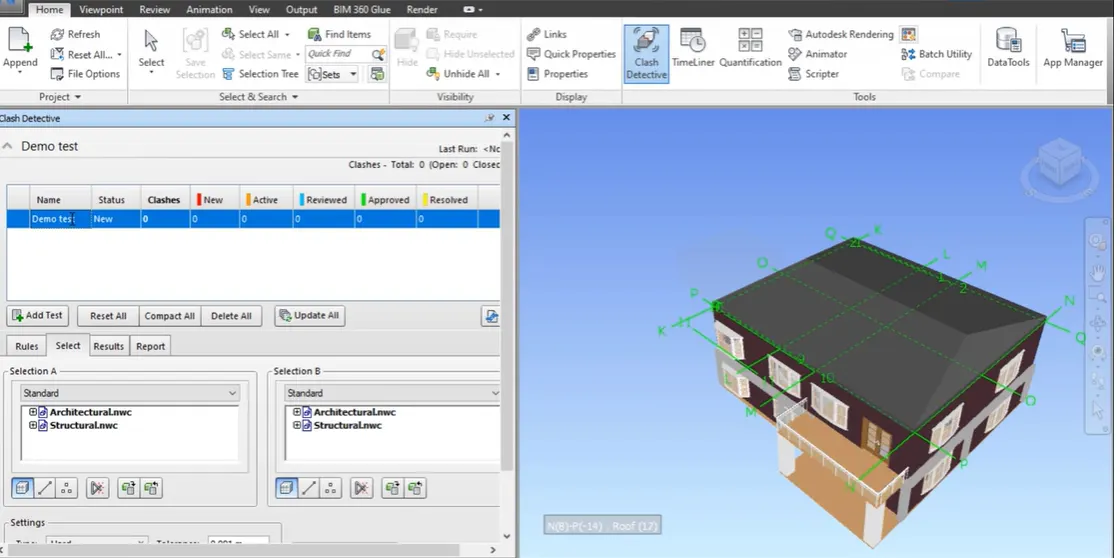
To embed both the architectural and structural .nwc files to your Navisworks file. Create a clash detection test between the two models
PROCEDURE :
In Navis works architectural file is opened nd structural file is opened
Then click append tool - structural file - open
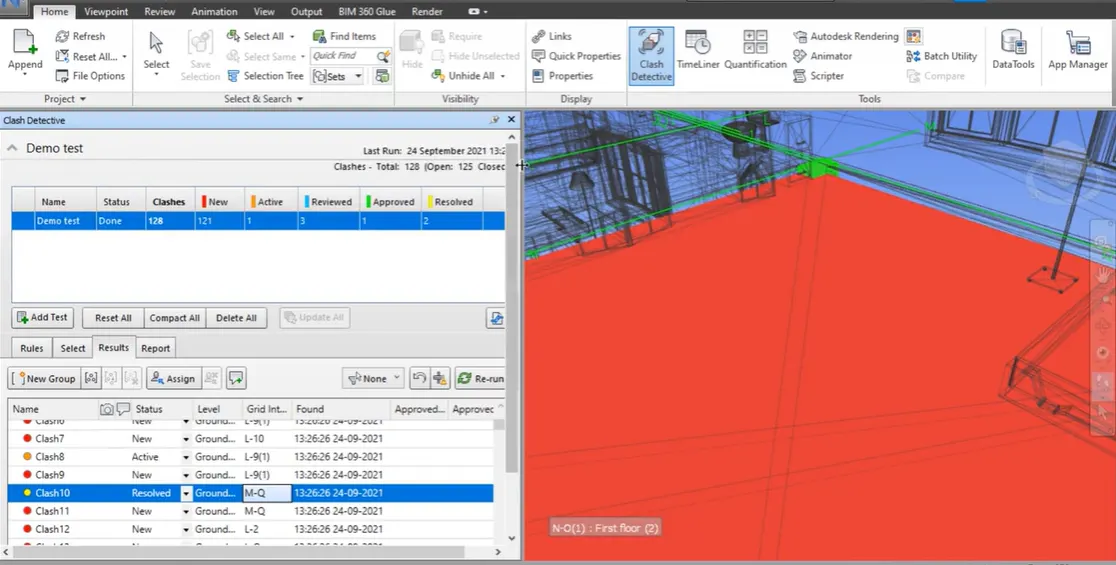
Click home - class detection icon - click architectural from A and structural from section B
Save demo test as name and total it is 128 clashes
 +
+
5. AIM :
To use the time liner feature in navisworks prepare schedule for the project developed in week 6 by adding reasonable assumptions
for task start date and end date