Tool Test-2
AIM: VOLUME MESH GENERATION FOR INTAKE MANIFOLD USING ANSA (UNSTRUCTURED MESH)
OBJECTIVE:
- Import the CAD geometry of Intake Manifold
- Clean up the geometry until no topological error is found
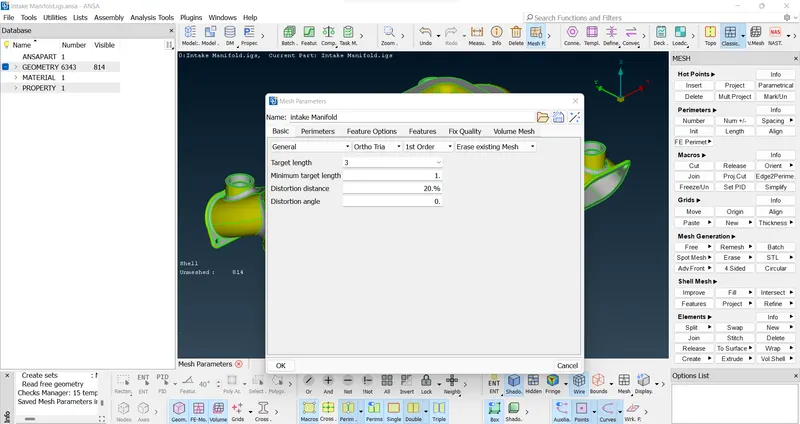
- Mesh geometry with target/average length of 3mm with no errors.
- Assign closed volume and generate unstructured volumetric mesh using the given quality criteria.
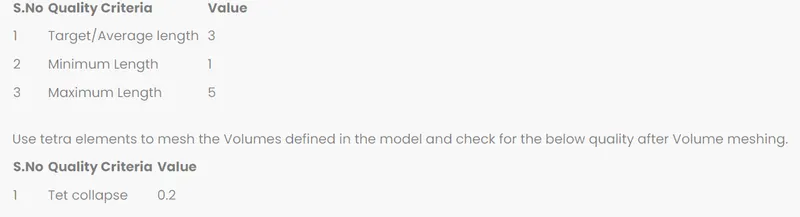
INTRODUCTION:
Intake Manifold is the part of an engine that supplies the fuel/air mixture to the cylinders. This manifold can be designed in various ways but the function of this for all models is same. Historically it has been manufactured from aluminium or cast iron, but use of composite plastic materials is gaining popularity these days. The main function of this intake manifold is that it distributes air evenly for each cylinder. Even distribution is important to optimize the efficiency and performance of the engine. It may also serve as a mount for the carburettor, throttle body, fuel injectors and other components of the engine.
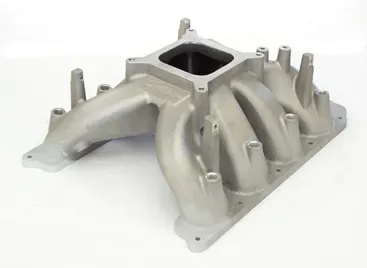
PROCEDURE:
- Import the model into the ANSA and check the property, thickness etc.
- Then give the topo > faces > orient to orient the all surface.
- Then go to utilities > checks > geometry check to do geometry check whether any free edges, cracks on the surface of the components.
- To do solid mesh we have to do shell mesh.
- Before meshing the components give perimeter length and macros length, by mesh > perimeter > length.
- Then give the mesh parameters in utilities > mesh parameters.
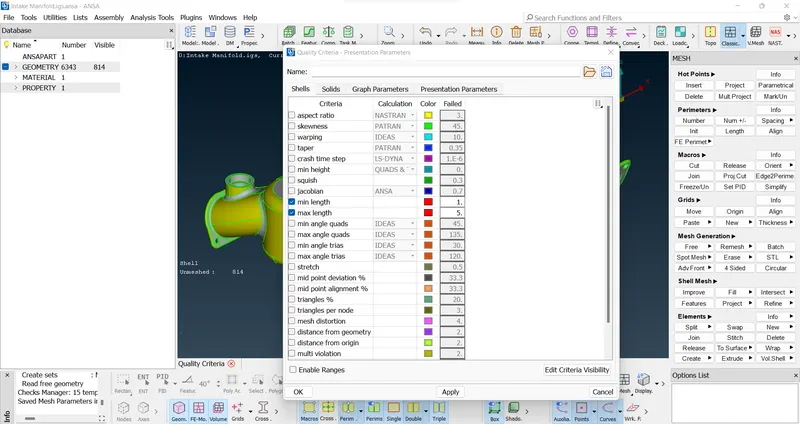
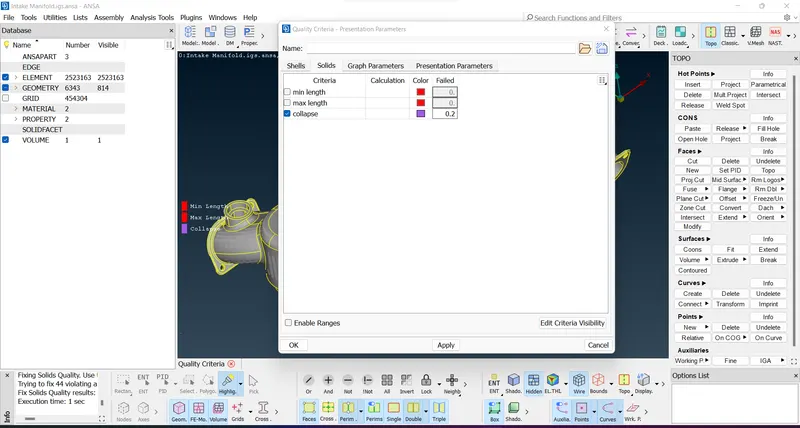
- Then give quality criteria by clicking F11.
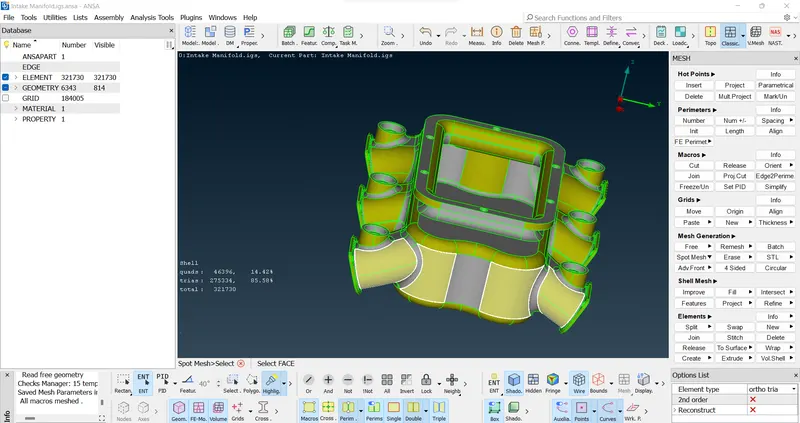
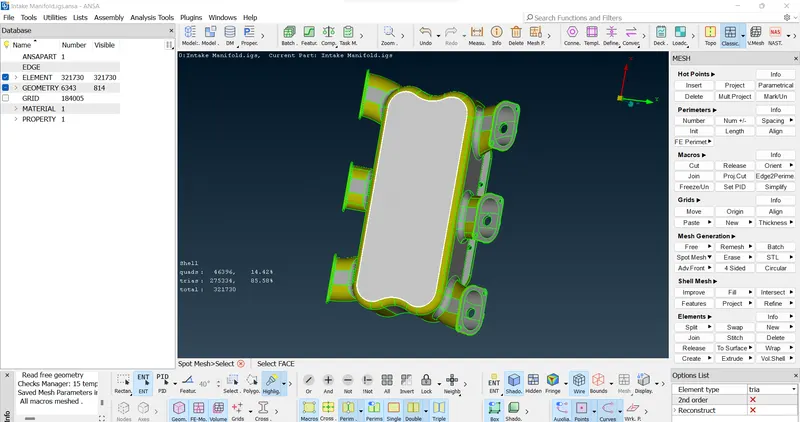
- Then to achieve the quality use mesh > mesh generation > spot mesh, for fillet region we will use ortho tria rest plain region as tria.
- Then release the FE from geometry by v.mesh . volume mesh > release.
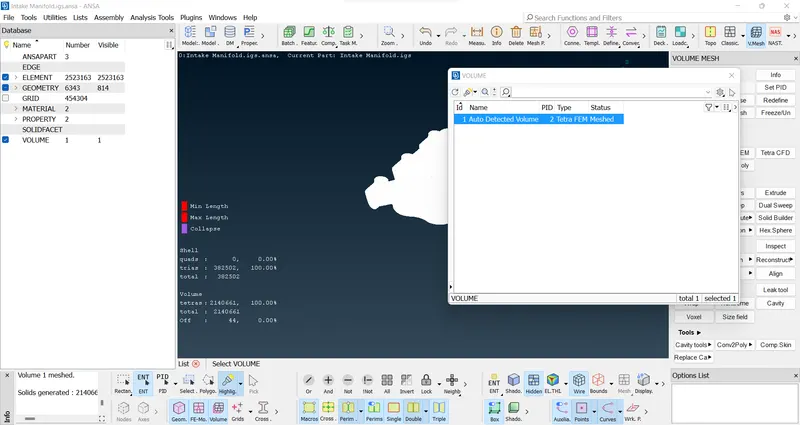
- The define the volume list by v.mesh > volume mesh > define > manual.
- Then generate tetra mesh by v.mesh > unstructured mesh > tetra rapid/tetra FEM.
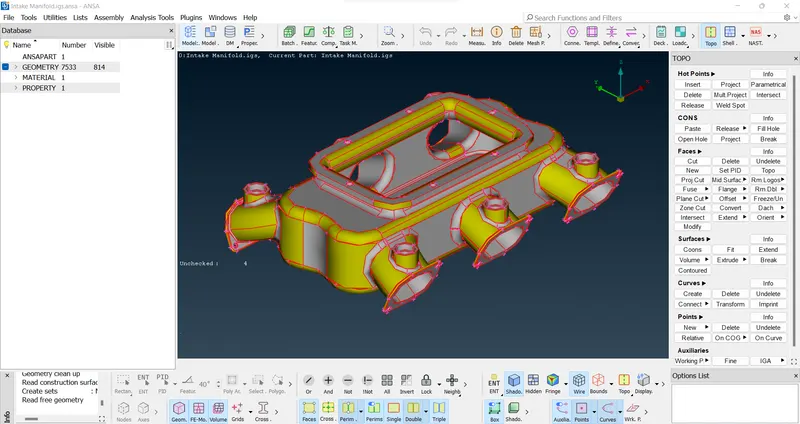
1/Perform Topo>
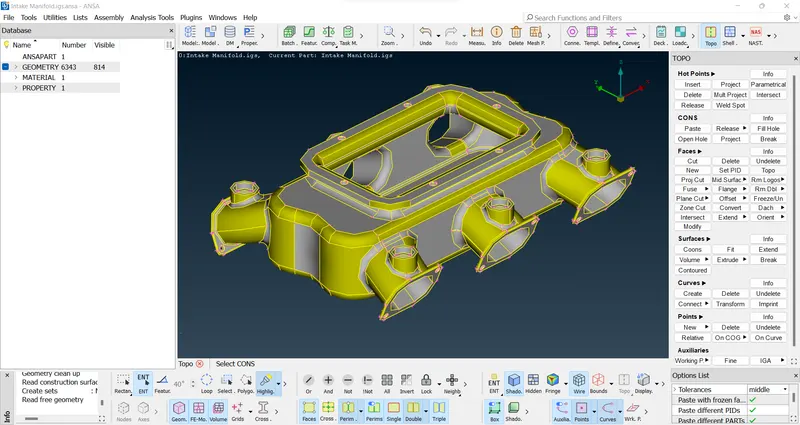
2/perform geometry clean-up>
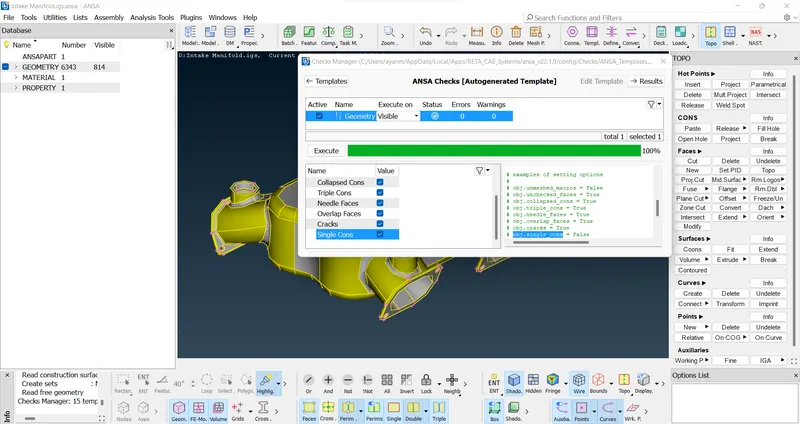
3/ put mesh parameters>
4/ put given quality criteria for classic mesh (shell)..>
5/ perform spot mesh > ortho tria (curved faces)/ tria (plane faces) [shown in option list] >
6/ put given collapse value on quality criteria (solid)..>
7/ In Volume Mesh > first define the property then goto list and remeshed with Tetra FEM>
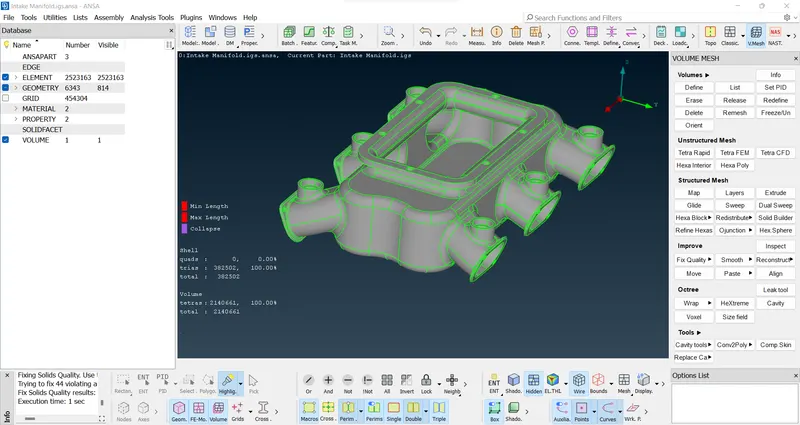
>After V-Mesh > fix the off elements for collapse using auto fix >>
>Before the V-Mesh>>
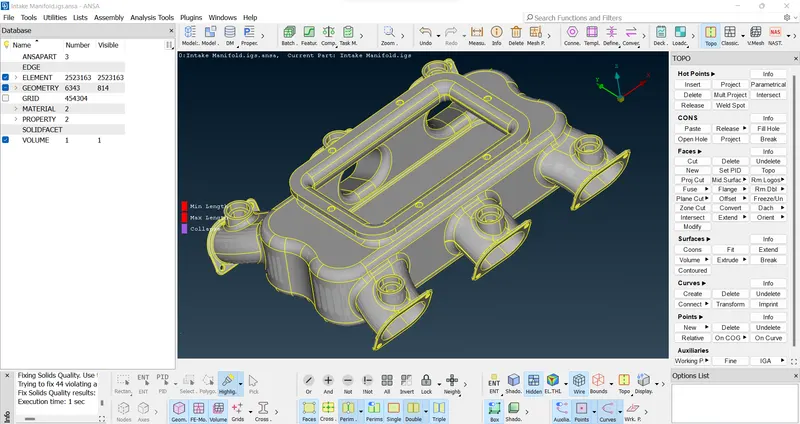
CONCLUSION :
Finally, 3D solid tetra mesh for the given CAD model is generated with given quality criteria, geometry clean up and without any kinks and dips.
And also fix the all off elements for collapse.
LEARNING OUTCOMES :
In this challenge we learnt how to do solid meshing for different components using ANSA pre-processor.
FINAL MODEL LINK:
https://drive.google.com/file/d/17nNU0NOZOIRbj_avfS9Bx41zbfSNNl_m/view?usp=share_link