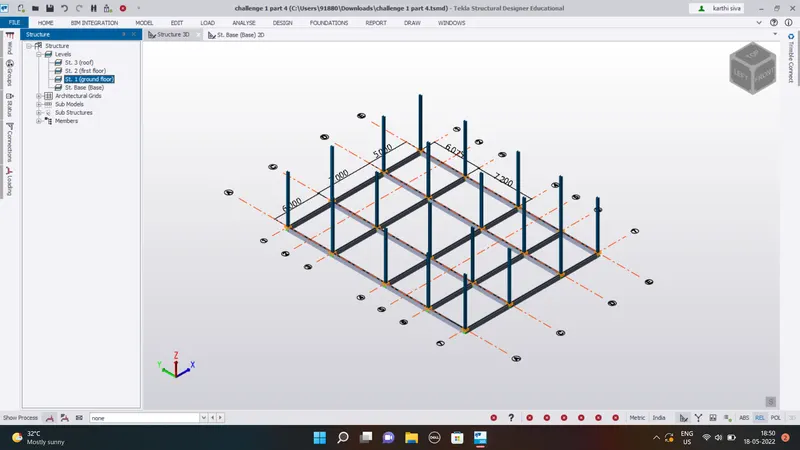
To model columns for industrial steel structure using TSD
1. AIM:
Create column properties for different types of pedestal members and model in the grids created as per the assignment]
SOLUTION
• Open the Tekla Structural designer >project workspace will open
• Create new file->Go to Model tab >Construction Level.
• A new tab will open->create the levels you want according to the file given
• Now to to Home tab->Manage property set property sets tab opens->create new property->concrete columns set the properties of 400x600,M30>Click OK
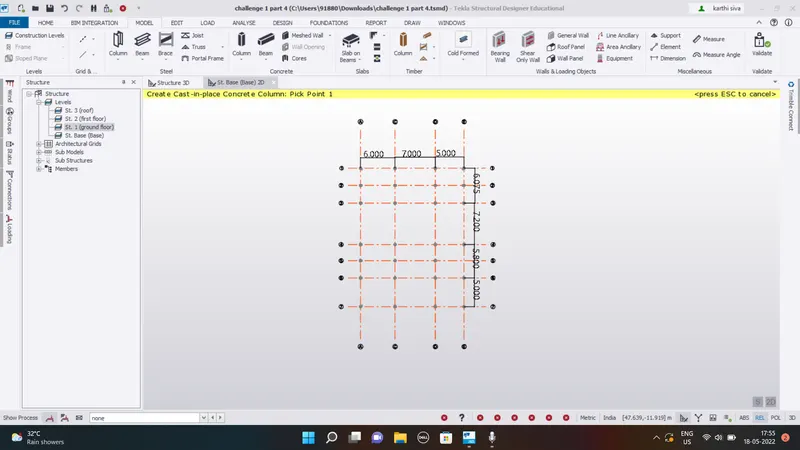
• Now place the columns on the grids
• Go to Base floor from the levels->Go to model tab->Click on concrete column
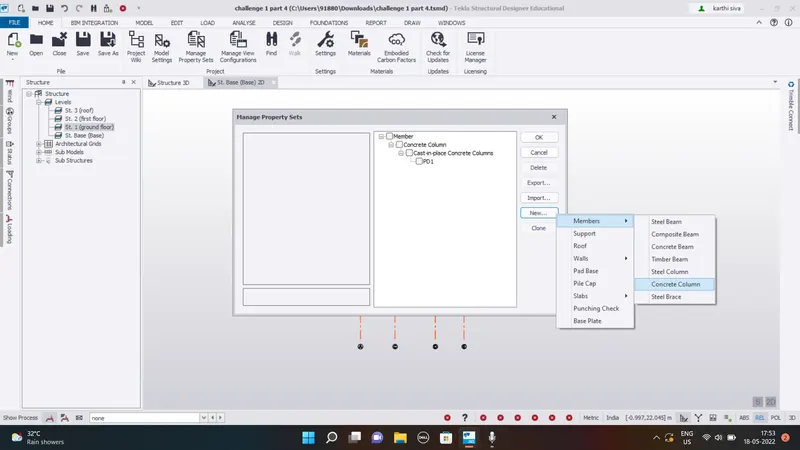
• Go to properties panel->select the Cl property from drop down list
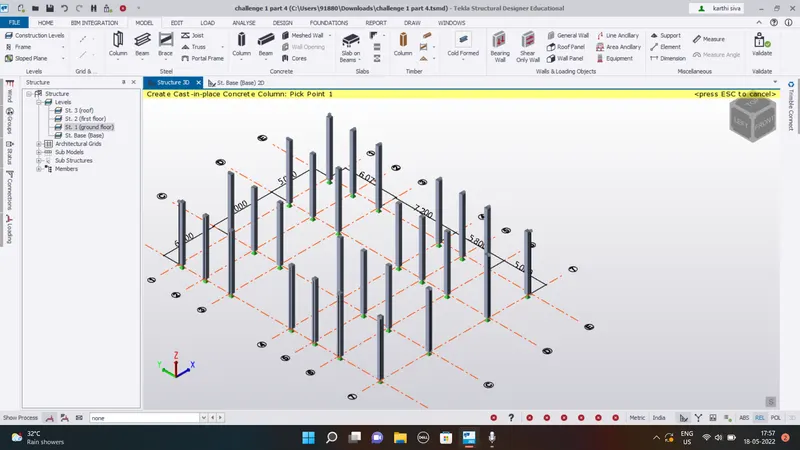
• apply on the grids where you want the columns.
• The show below is the top view of the columns
2.AIM:
Create column properties for steel columns and model columns in the grid created as per assignment 1
SOLUTION:
To model the columns on the grids, we have to create the property sets of
the following
• Go to Home ribbon tab->Manage property sets
• Create New property->Members>Steel columns
• Click OK
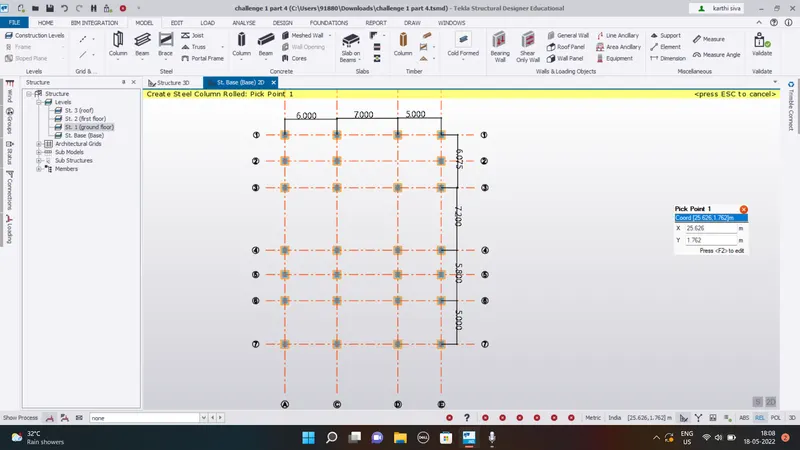
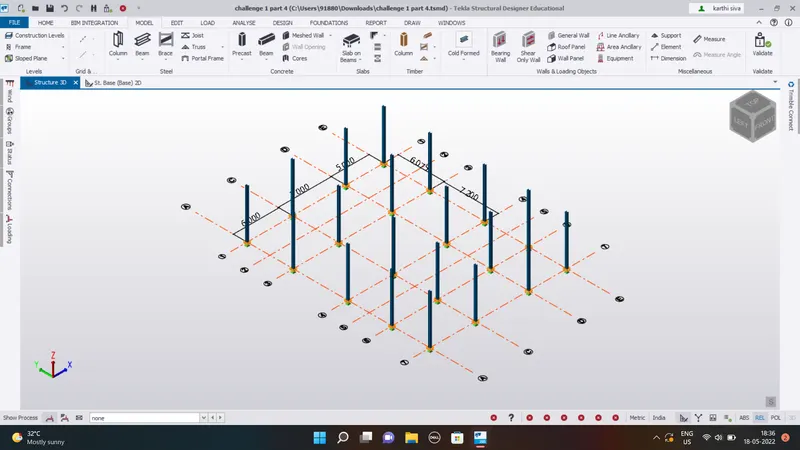
Now open the groudn floor plan->set the top restrants as top roof
• Go to model tab->select steel column >set the property set as SCI
• apply the columns to the grids
3. AIM:
Create beam properties and modelprimary and secondary beams on the ground floor
SOLUTION:
To create the beam we have to create the property sets first for both primary and secondary beams.
Go to home tab->Manage property sets
• Create New set->Members->Steel beams
• Create different sets of Beams .Now go to the Ground floor plan->Go to madel tab->Steel beams
• Select the beams as per the requirements
• Draw the beams from grids to grids
• For the secondary beams we divide the distance in not more than 4m
• Using the construction lines we draw the line for secondary beams
• Now go to model->steel beams>select the SBI from the property panel
• draw the secondary beams