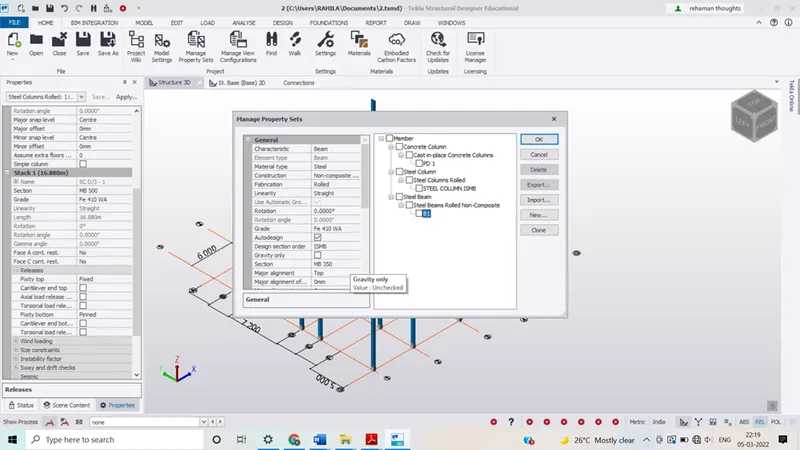
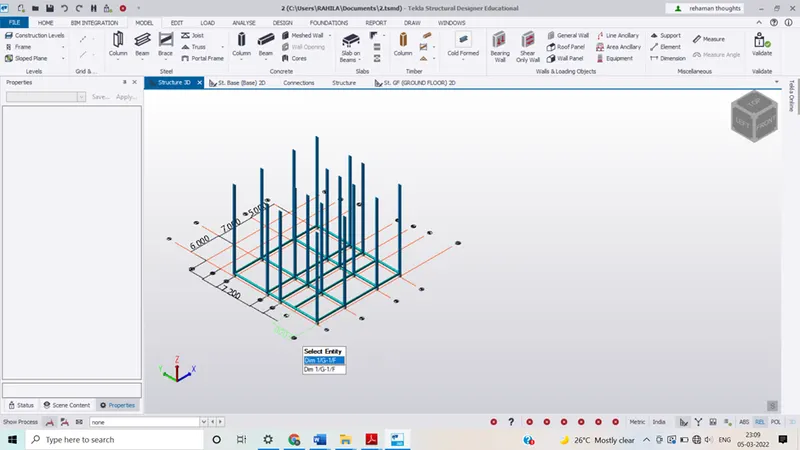
To model columns for industrial steel structure using TSD
Ans :
To model columns for industrial steel structures using TSD
Introduction
Tekla structural designer is an integrated model based 3D tool for analysis and design (of both Concrete and steel members)in multi- material structures. Features include modelling, automated structural analysis and design, drawing and report creation.
Ans 1:-
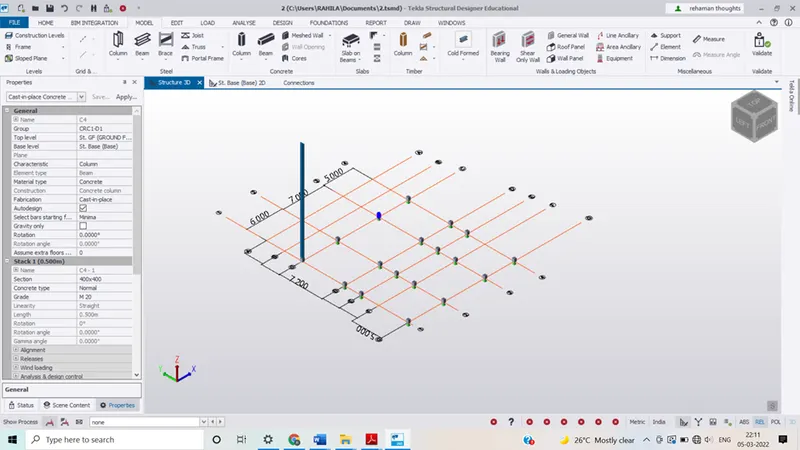
Aim:- to create column properties for different types of pedestal and model in the grids created as per assignment no. 1
PROCEDURE
- Initially opened thetekla file which was created last week
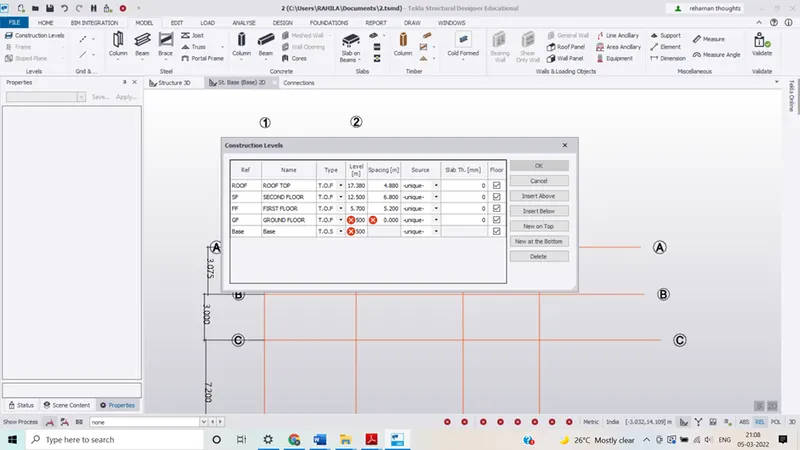
- Check for the level by clicking in to the construction levels
- To add the pedestal properties click on the manage property in the home menu the manage property dialog box will appear
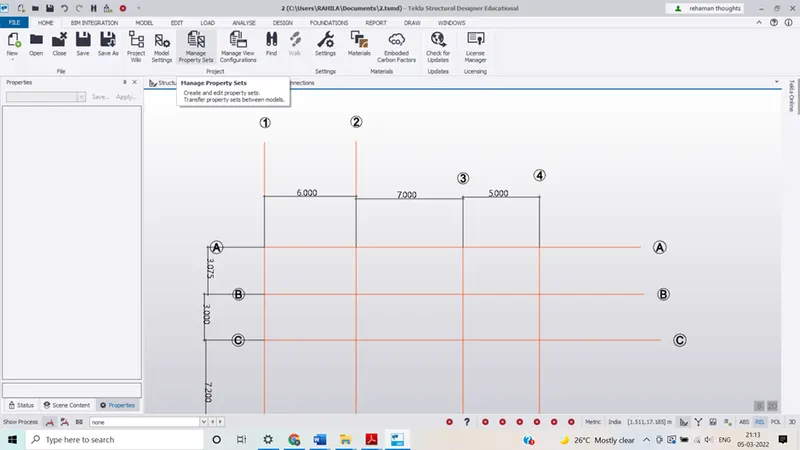
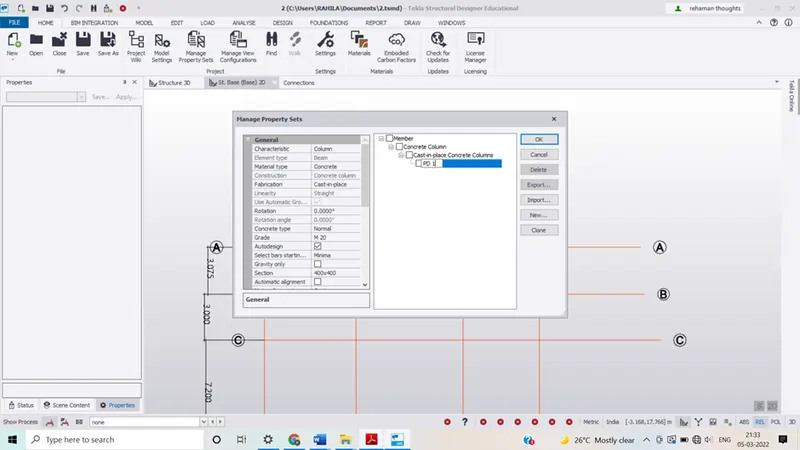
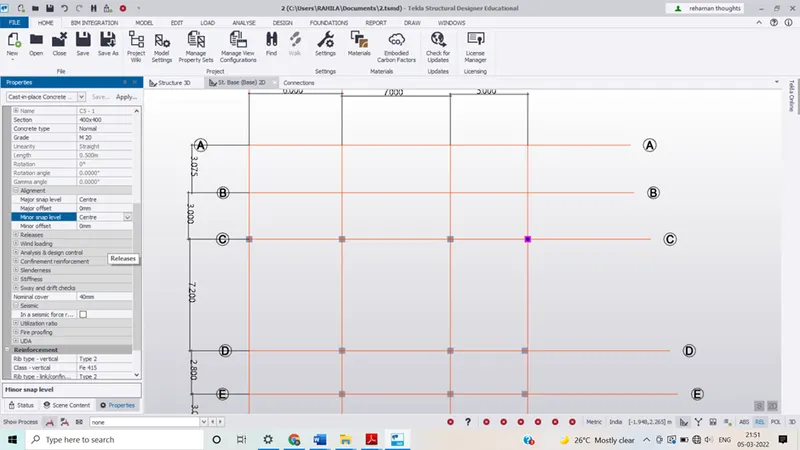
- Select the new and add the concrete column then click the intersection point and the column make sure that the alignment is at centre and voth ends should be of fixed end.
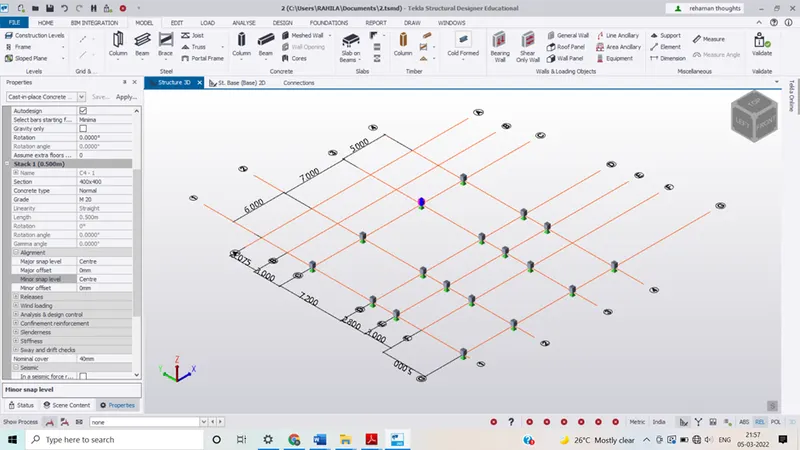
PART II
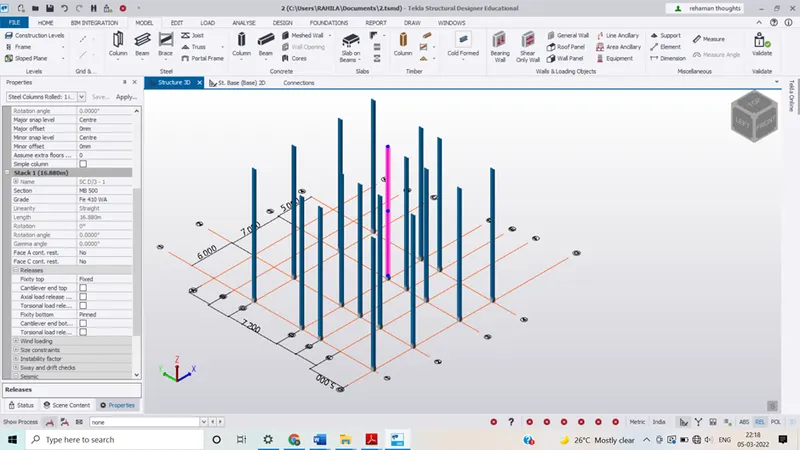
Aim:- to create column properties for steel columns and model columns in the grid created as per assignment 1
Procedure
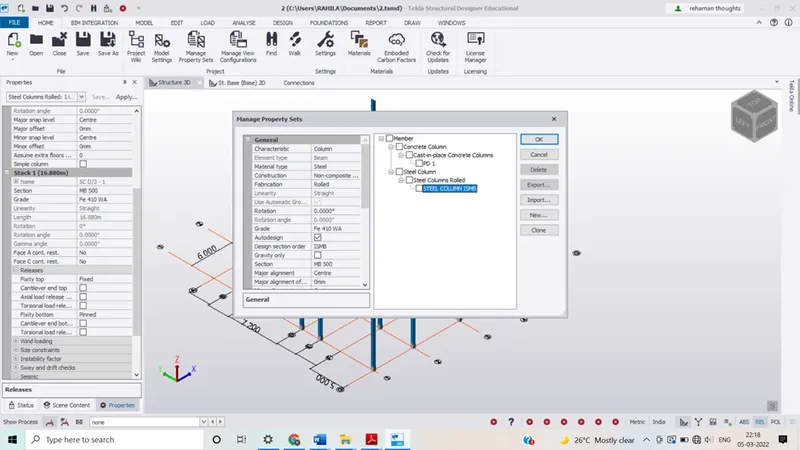
- In the similar way as that of concrete column create the steel column and add the required sections.
- Select the ground floor level and add the steel columns make sure that one end of the column is fixed and another is pinned
Part III
Aim: To create beam properties and model primary and secondary beams on the ground floor
- Now using the beam option in the ribbon tab under the model menu beams was placed at locations as required
- In the same way add the steel beams of required specification add the beams from end to end