To calculate wind load for industrial steel structures and to apply it by using TSD
1. Aim - Generate manual wind loading in the design report based IS code as per the following input
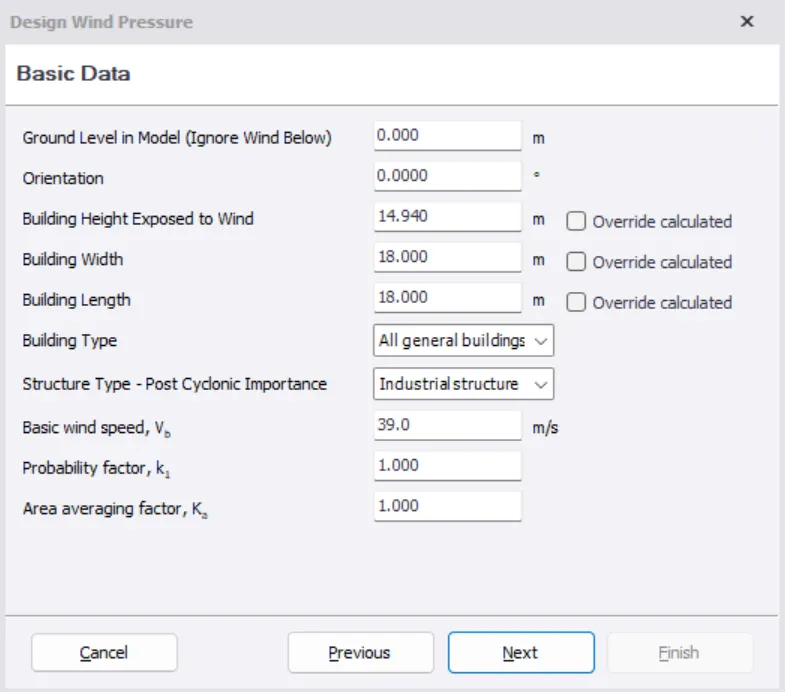
Basic wind speed = 39 m/s
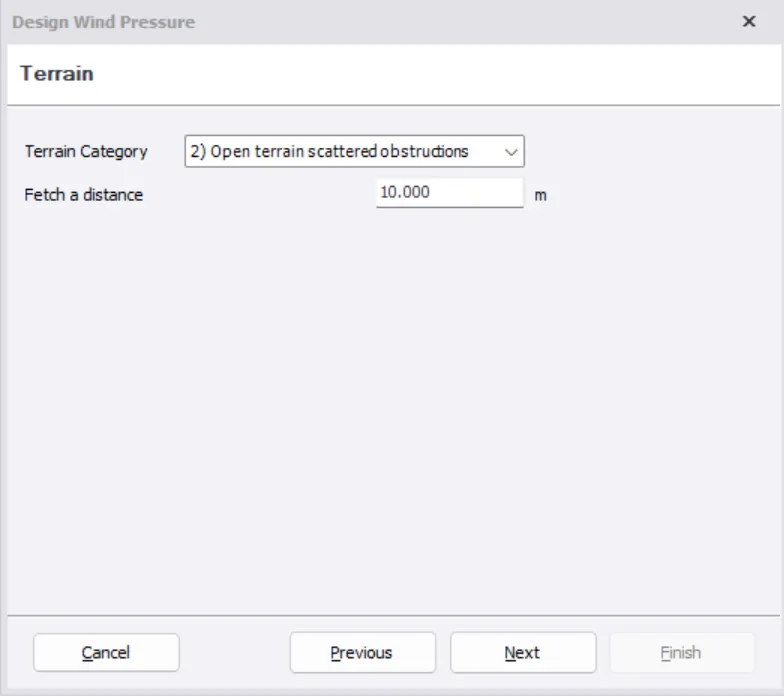
Terrain category = 2
Procedure -
We need to first calculate load combination. 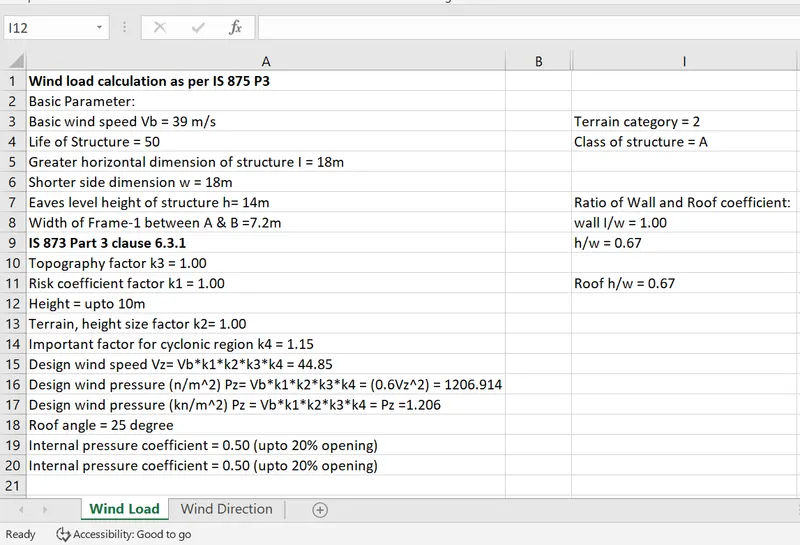
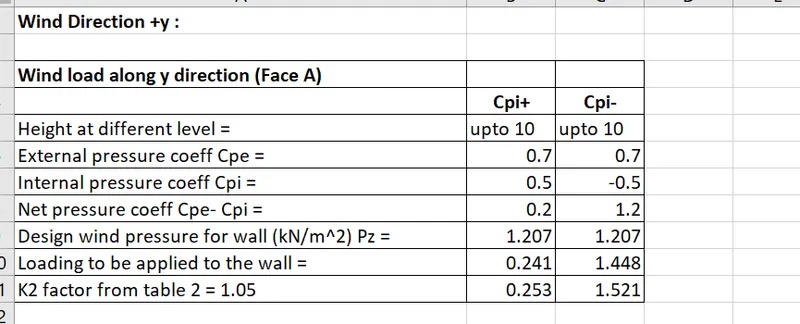
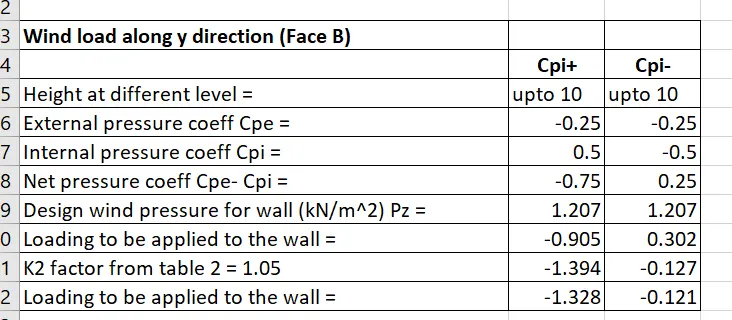
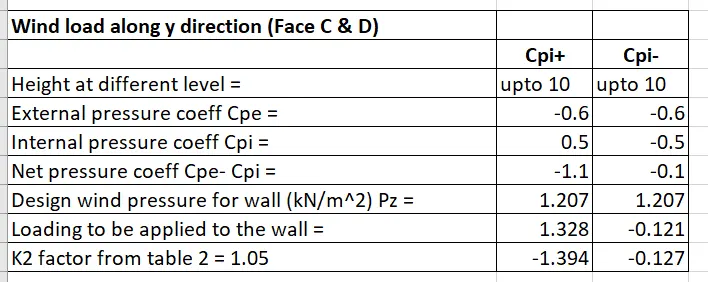
Result- Calculations are done for the wall panel.
2. Aim - Based on the above calculation apply the loading on the model
Procedure -
- Open tekla structural software and open week 4 file
- Select load tab, in that select loadcases and add new load cases
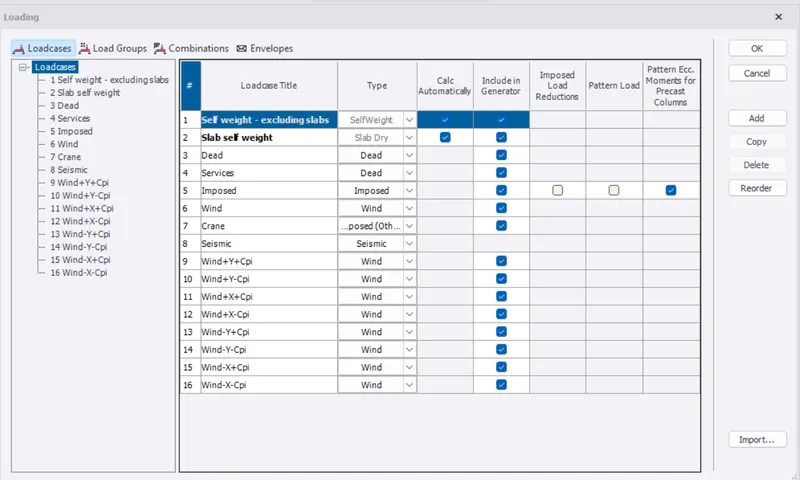
- Now as per value apply the load
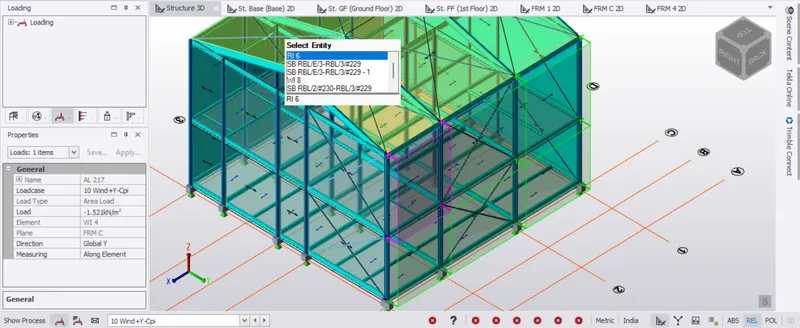
- Apply area load on Frame C, wind+y-Cpi = -1.521kN/m2
- Negative value means wind acting away from the wind panel
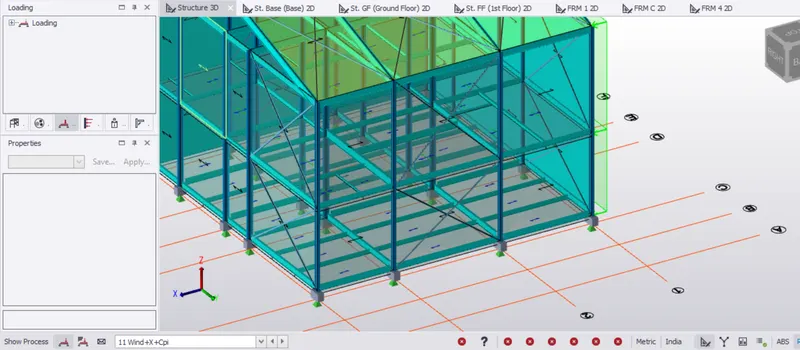
- Apply area load on Frame 1, wind +x+Cpi = 1.394kN/m2
- Apply area load on Frame G, wind -Y+Cpi = 1.394kN/m2.
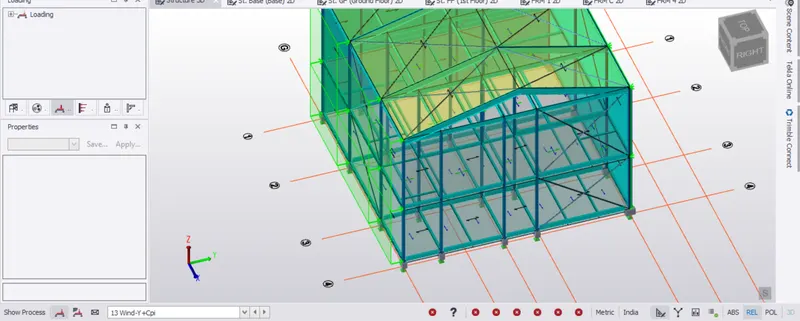
- Apply area load on Frame G, wind -Y-Cpi = 1.521kN/m2.
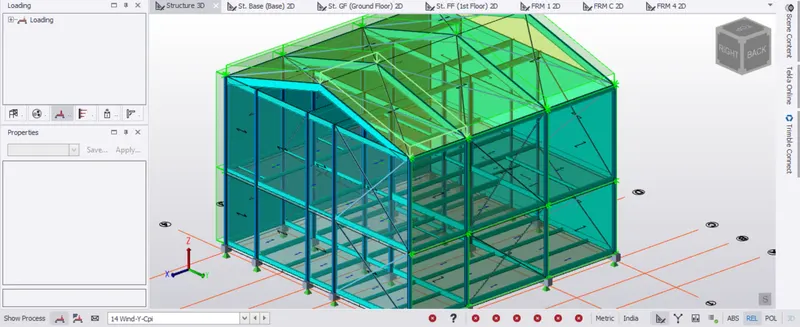
- Apply area load on Frame G, wind +Y+Cpi = 0.253kN/m2.
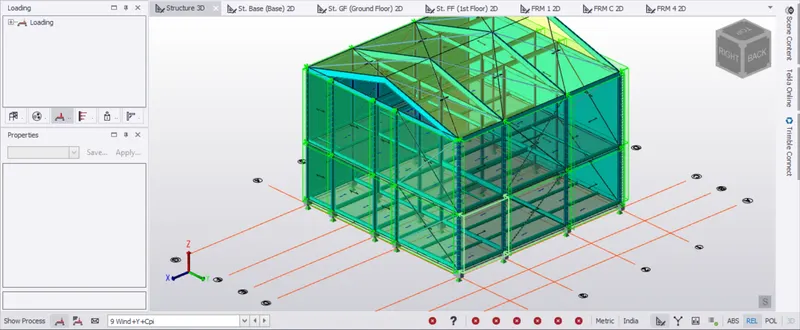
Member loads are also applied to all outer columns as a trial, throughout the structure.
- Apply area load on Frame G, wind +X-Cpi = 0.951kN/m2.
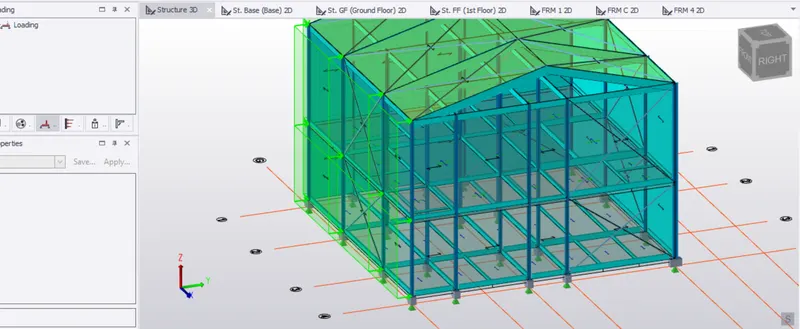
- Apply area load on roof of the structure -X+Cpi = 0.060kN/m2.
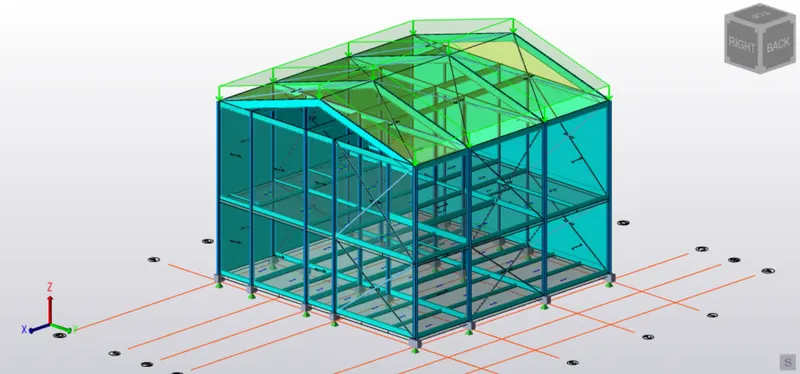
- Apply area load on roof of the structure -X-Cpi = 1.267kN/m2.
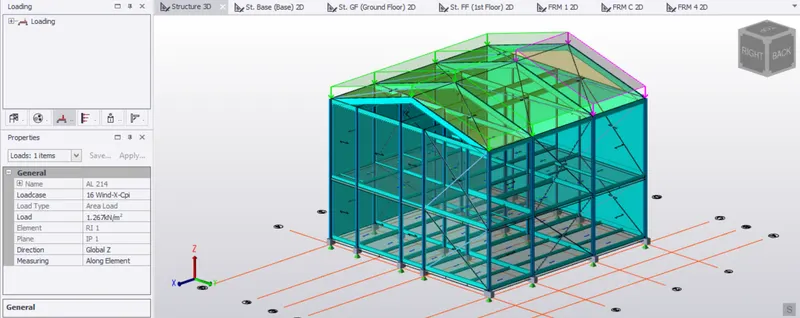
- Apply area load on roof of the structure +Y-Cpi = 0.1kN/m2.
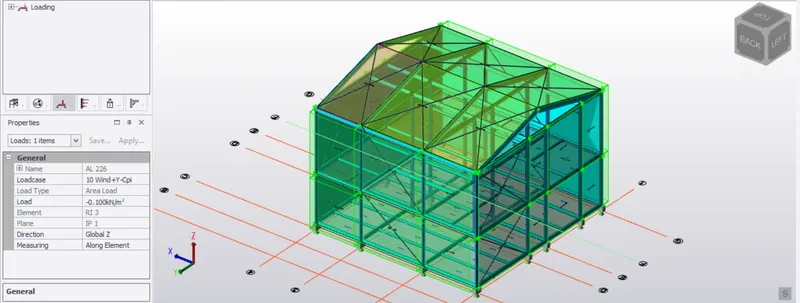
- Apply area load on roof of the structure +Y+Cpi = 1.204 kN/m2.
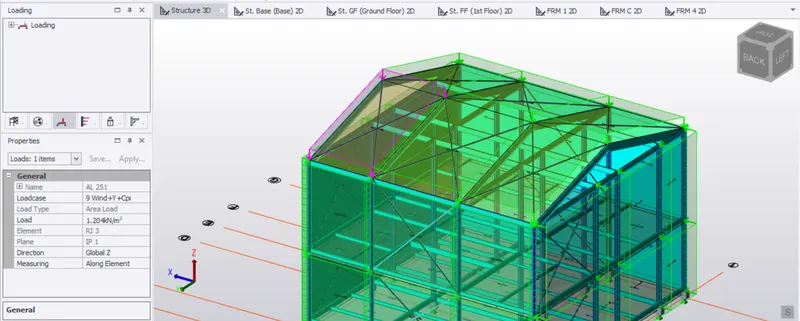
- Apply area load on roof of the structure +X+Cpi = 1.267 kN/m2.
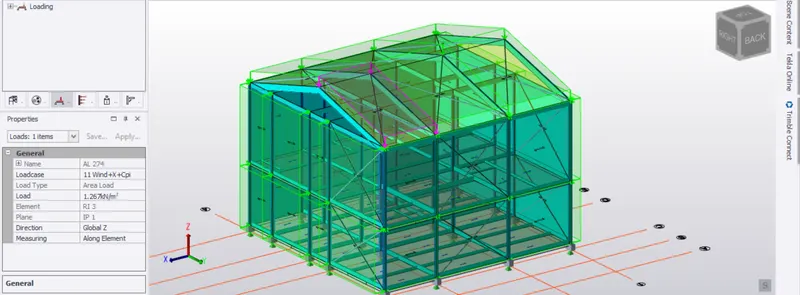
- Apply area load on roof of the structure +X-Cpi = 0.2 kN/m2.
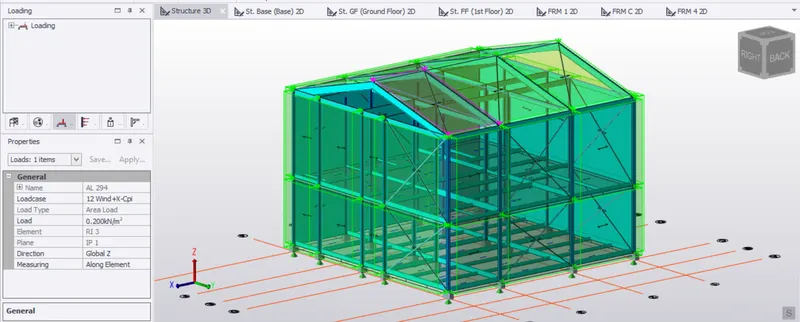
- Apply area load on roof of the structure -Y+Cpi = 1.267 kN/m2.
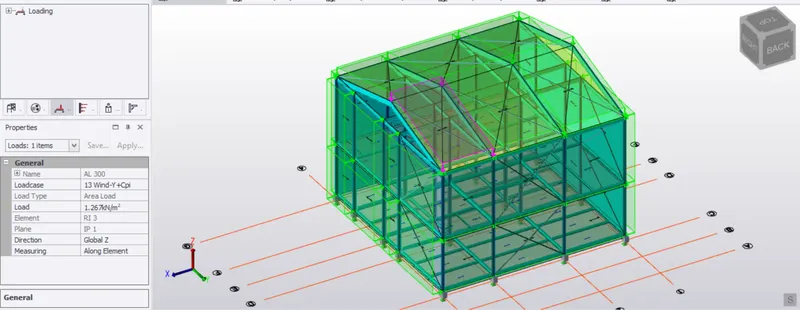
- Apply area load on roof of the structure -Y-Cpi = 1.204 kN/m2.
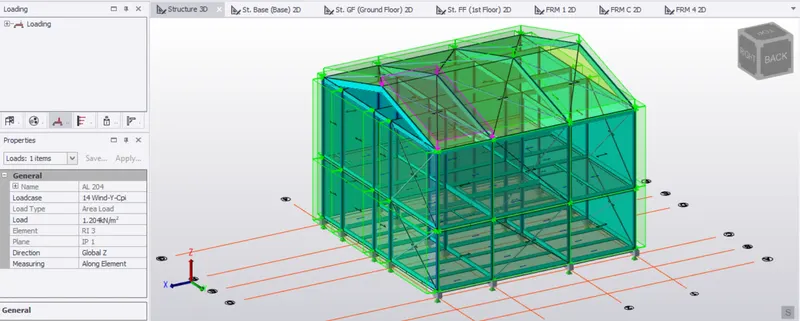
Result -
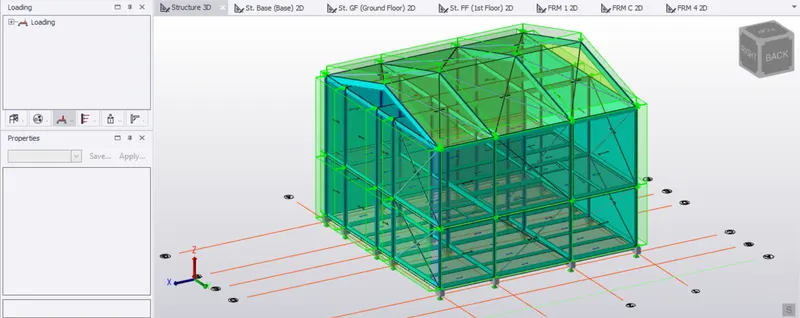
3. Aim - On a separate model generate wind loading using wind wizard
Procedure -
- Open the file
- Open load cases in load tab
- Delete all load cases and set only default load cases
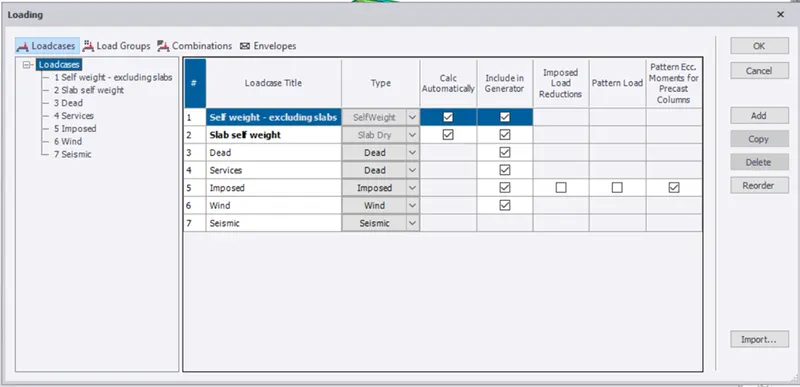
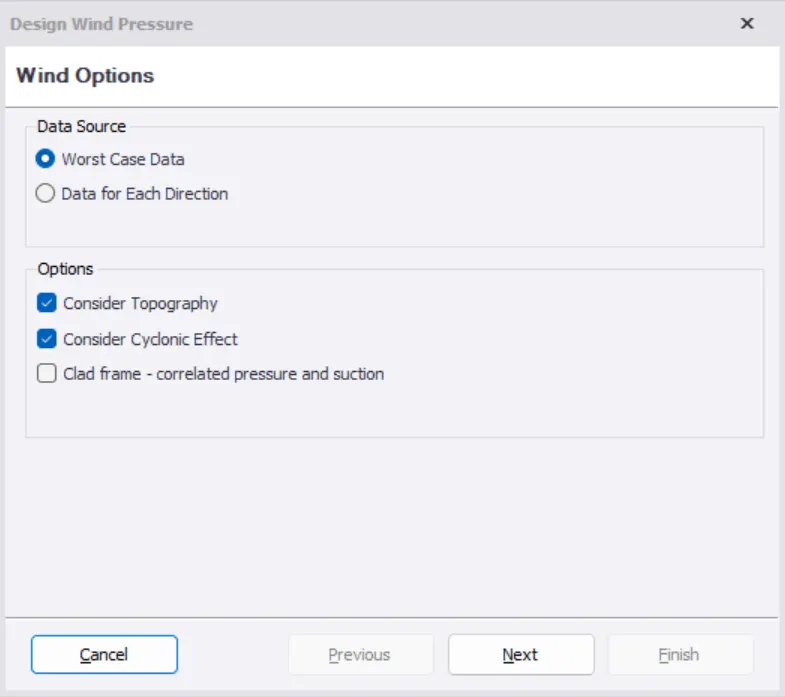
- On load panel select wind wizard and select the cyclonic effect
- Check all the details of the building like wind speed,height of building affected by wind and also k1 and k2 factor
- Select terrain category as open terrain scattered obstructions
- Fetch distance is 10
- Click next then select topography and then next
- After that,it shows resultant wind pressure
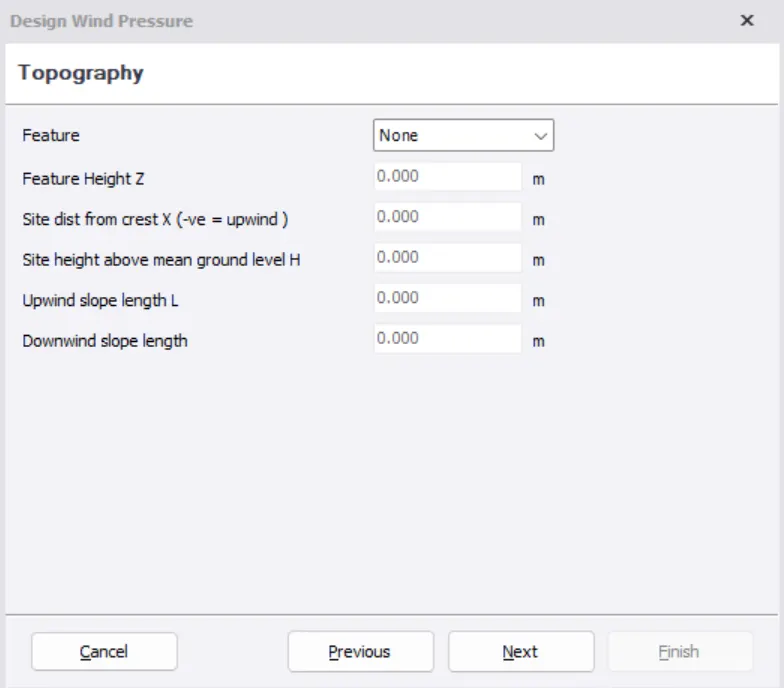
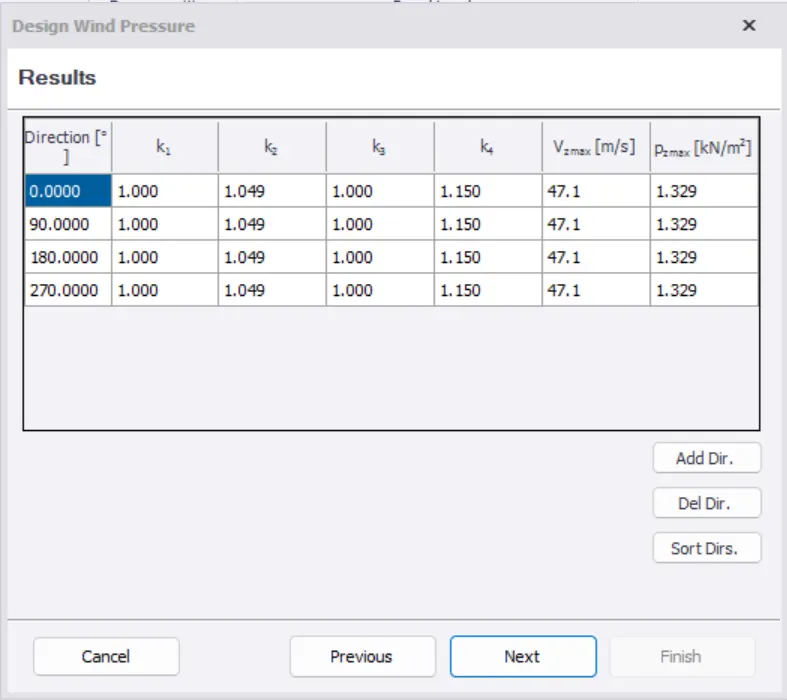
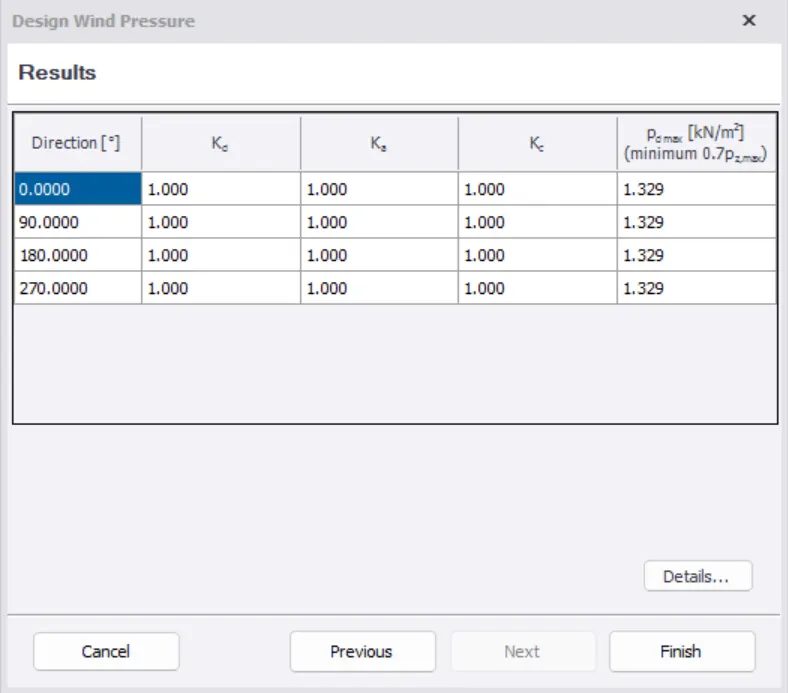
- Click on Finish
- Now click on wind load cases
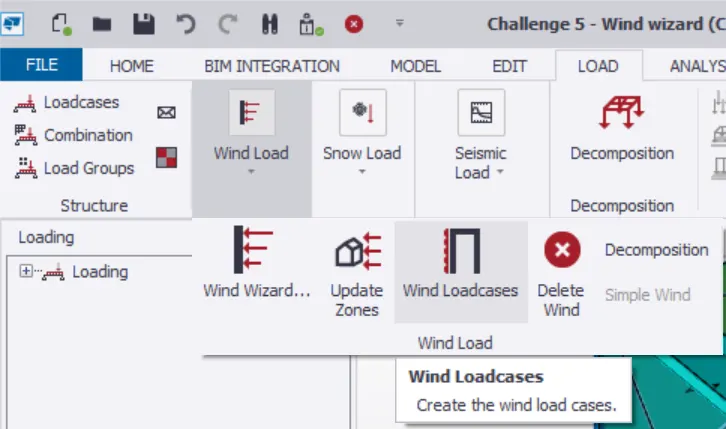
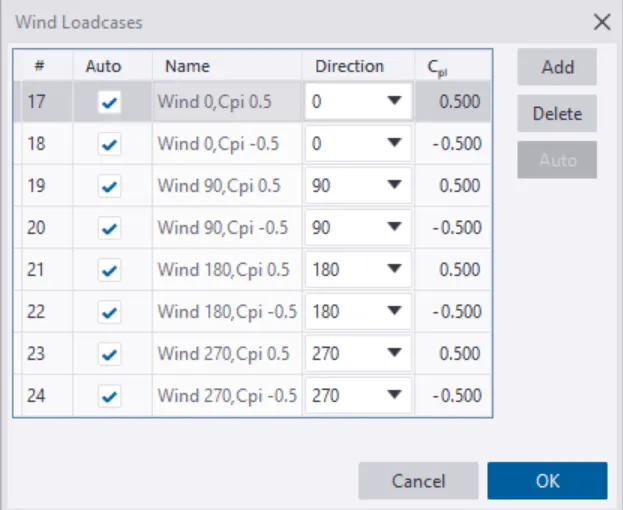
- Now all the loads are applied and click on validation to check for errors.
- After no errors the result is formed as:
Result -