Switch Bezel Design Week 8 Challenge
Switch Bezel Design :
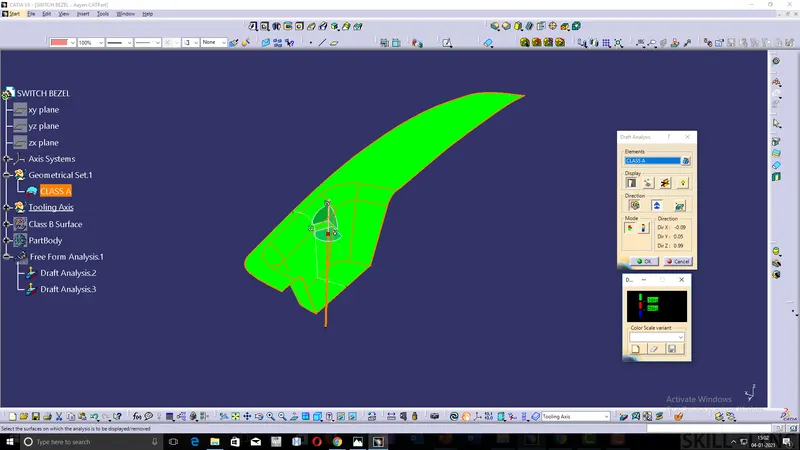
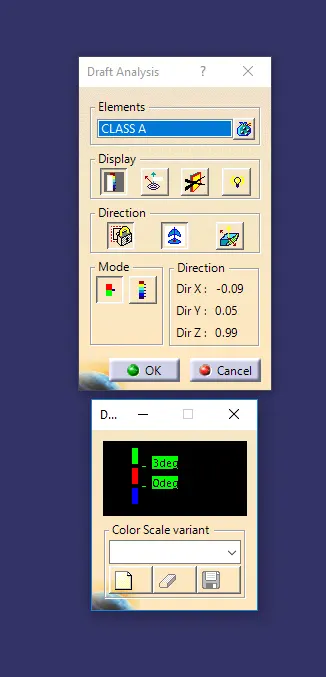
Class A Surface Analysis :
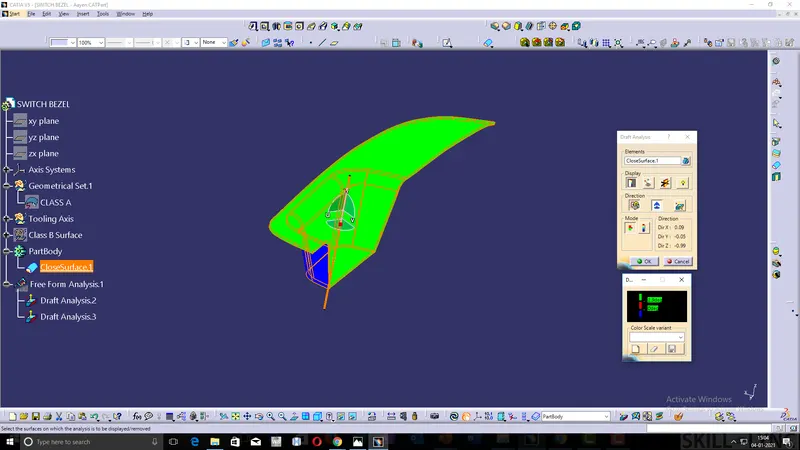
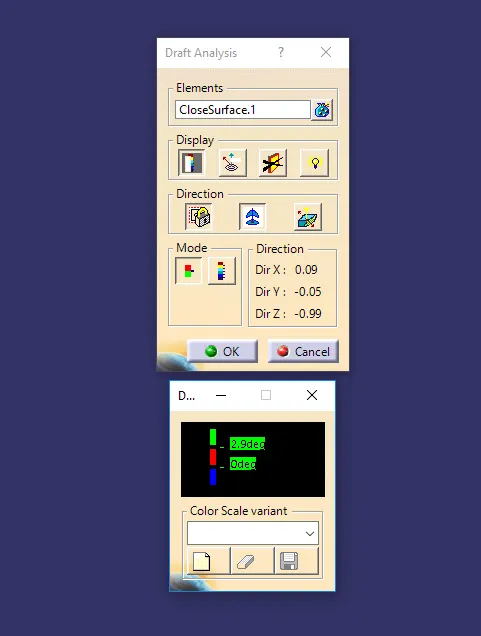
Solid Surface Of Switch Bezel Draft Analysis :
Feature Tree :
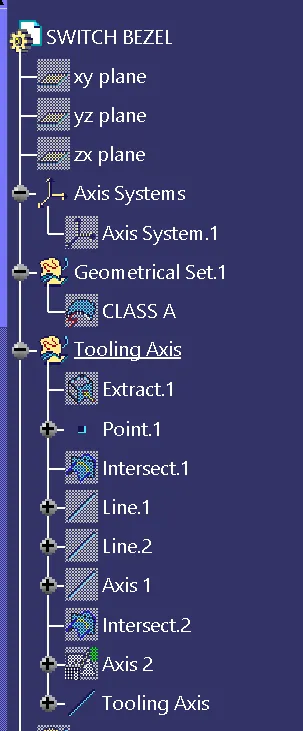
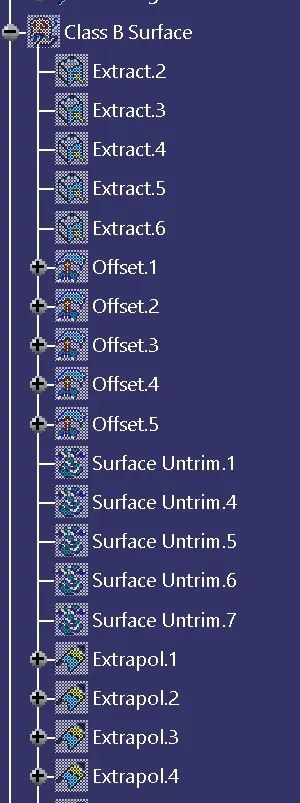
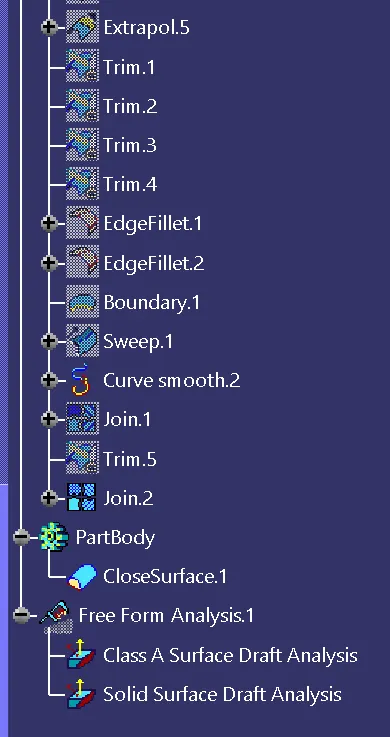
Explanation :
- Firstly, we have to create a Tooling axis for the draft analysis.
- We have to extract the base surface of the switch Bezel and we have to create a point on the surface.
- Axis is created at the point where we have created.
- Then we have to create the intersection line with the YZ plane with class A surface as a reference, then we have created the point to point lines at the two sides of the Switch Bezel.
- The bisecting line is created by clicking line 1 and line 2 with the Point as a reference and marked as Axis - 1.
- Then we have to create the intersection line with the XZ plane with class A surface as a reference, then we have drawn a line from the point and dimension the line length and the angle of the line from the intersection line and marked as Axis -2.
- Tooling Axis is created by the bisecting of Axis 1 and Axis 2 with the point Reference.
- Extracting all the surface of the Class A Surface and they were untrimmed and Extrapolate the edge along with the surface of the Extraction.
- Then we have offset all the Extraction Surface for 2.5 mm in the inward direction and marked as the Class B surface.
- Trim the extra surface of the Class B surface and do fillet for the required edge with the proper Dimensions.
- Extract the Boundary from the Class A Surface and then smooth curve the Boundary.
- Then Sweep the Smooth curve For 3 deg, this sweep surface is considered as the Class C Surface.
- Join the Class A & Class C Surface and they Trimmed with Class B Surface to get the Required Surface Model.
- After that, we have to check whether they were fully closed or not.
- The Surface is not fully close, Because as we have created the Smooth Curve, So in that time we have to Extrapolate the Class A Surface and trim with the Class C Surface and then Join Class A & Class C Surface, then trim with the Class B Surface.
- The surface is fully closed and we have to change the surface to the solid Part.
- We have to check the Draft analysis for the Class A Surface and the Solid Surface of the Switch Bezel.
- Before the draft analysis, we have to check wheater the customize view parameters are in the material.
- In the Class A surface, the Draft analysis is in between 0 to 3 deg.Green - above 3deg, Red - 0 to 3 deg, Blue - below 0 deg.
- Class A surface is fully green in color as they were above 3deg.
- On the Solid surface, the Draft analysis is in between 0 to 2.9 deg.Green - above 2.9 deg, Red - 0 to 2.9 deg, Blue - below 0 deg.
- Solid Surface Class A & Class C surfaces are green in color as they were above 2.9deg and Class B surfaces area in Blue color below 0deg.