Structural Modelling using Etabs 2018
ANS)
AIM:-To Create and Analyse the given building in ETABS 2018, the structural model has to be prepared in accordance with IS 1893 and as per IS 13920. And to run a model response spectrum analysis and check the Analysis of inter storey drift requirements, vertical and planar irregularities, minimum shear wall requirements, maximum axial load ratio for column and shear walls, effective moment of inertia for beams and columns.
INTRODUCTIONS:-
- Etabs is the software which is being used to create a structural model of given building.
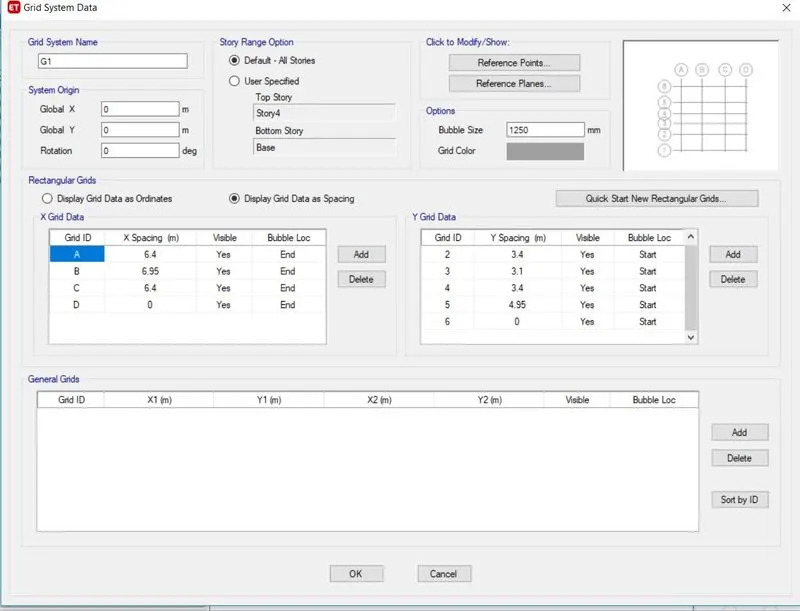
- In the first step note down the values of grid spacing from the given structural plans.
- Next Create the Structural model and run the Model
- Analyse the result and note down the result values from ETABS.
PROCEDURE:-
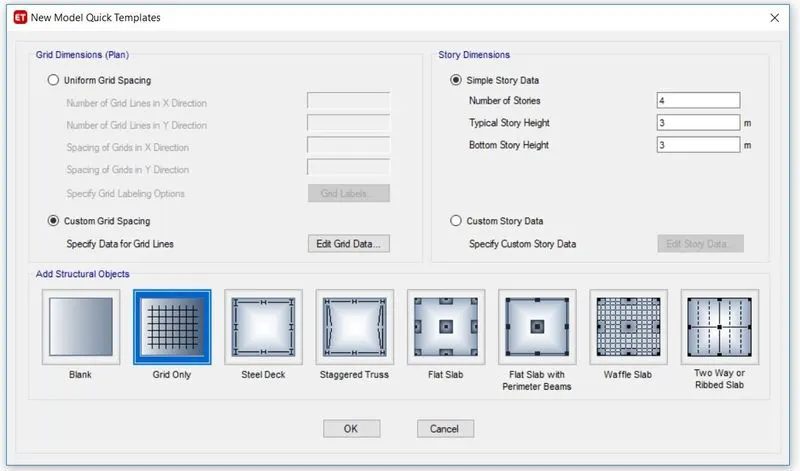
- in the first step open the etabs software go to file and click on new model.
- Model initialisation window will be appeared.
- Click on the use built in setting and select the indain codes and click ok.
- Click on the custom grid data and click ok.
- Now the values as per the given plans are inserted and our model will be ready.
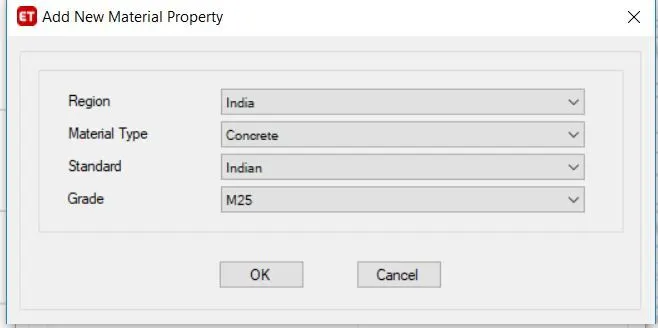
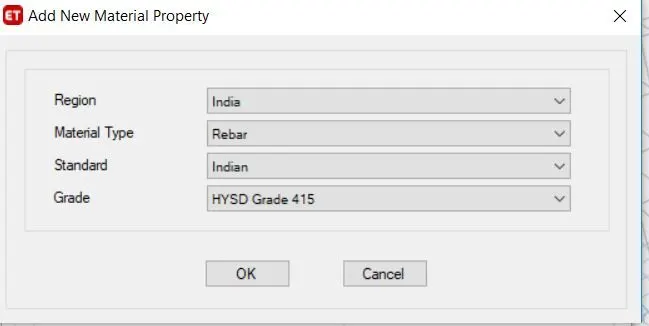
- In the next step material has to be defined. Go to define and click on material properties and add the concrete and rebar material specification.
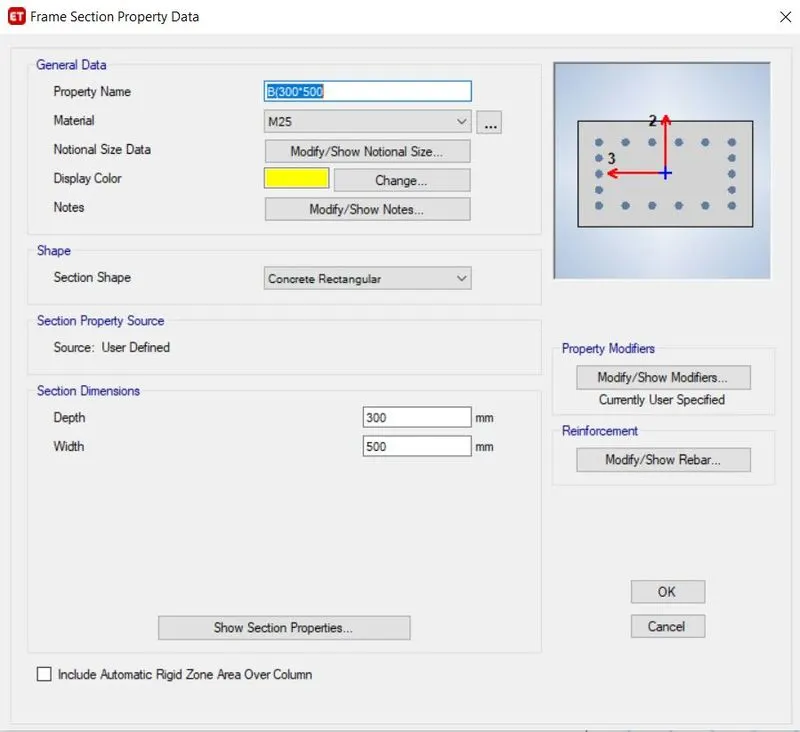
- In the next step section properties has to be defined. Go to define and click on section properties and add the beam and column specification.
- 230 mm x 450 mm beam size is provided for the internal beams.
- 300*500 mm beams are provided for the beams at periphery so as to increase the torsional resistance of the building
- Moment of inertia for beams and columns should be reduced by 0.35% and 0.4% respectively.
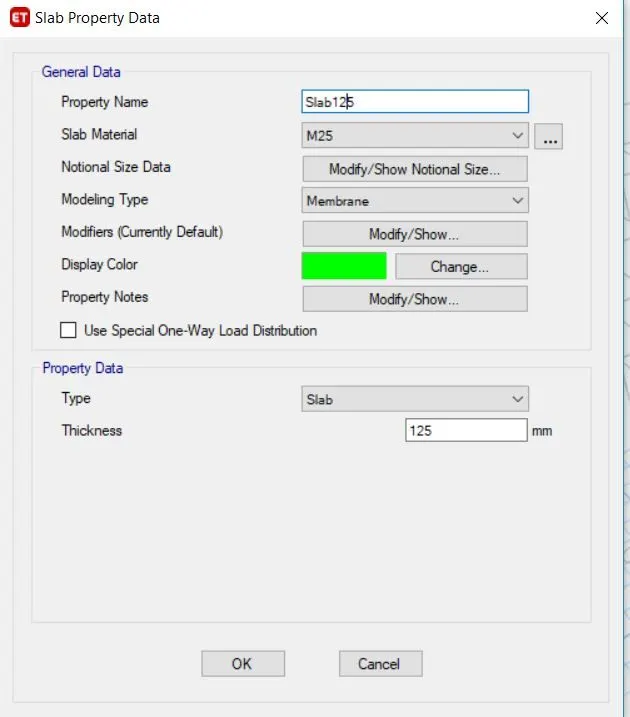
- In the next stap define the slab properties by going in to define and slab sections.
- Define the stair case slab and provide its thickness as 175 mm( varies from 175-225mm)
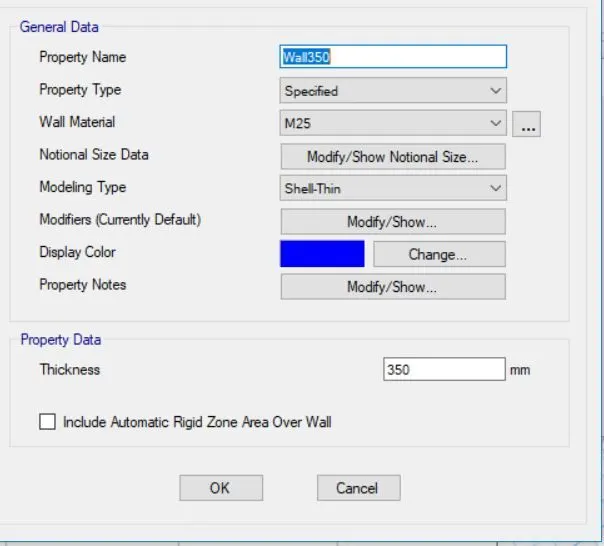
- In the next step shear wall are to be defined and that are done by going to define and then
- wall sections should be defined and added.
- Draw all the beams using beam command.
- Draw all the columns using column command
- In the next step slabs are drawn using slabs command
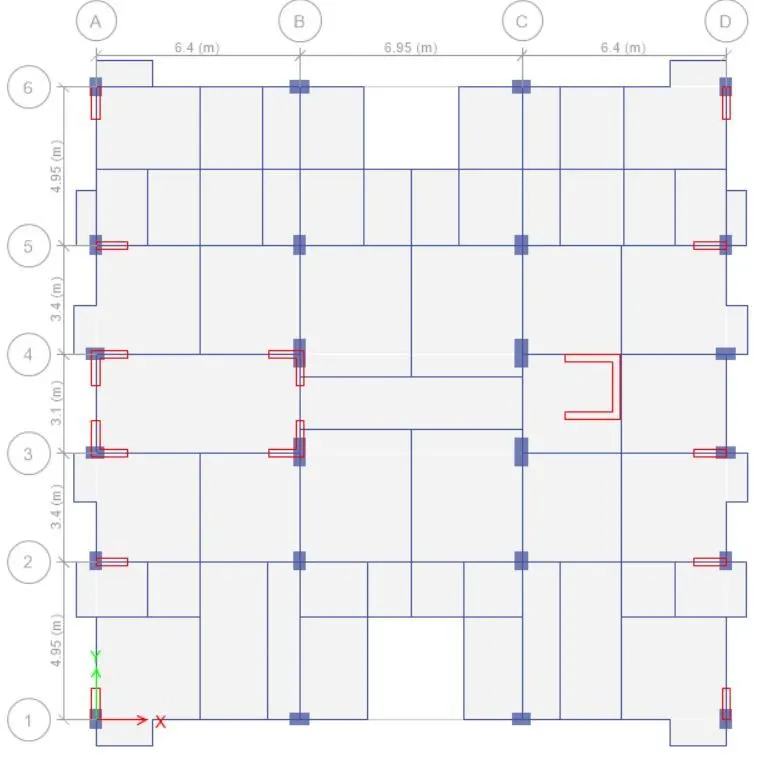
- Now we have to decide the location of shear walls and how much should be the length of the shear wall.
- As per Indian standards the length of the wall should be 5-2% in each direction.
- The thickness of shear wall is assumed to be 250 mm.
- Now go to define and define the loads.
- Next select the beams and floors and add the loads.
- In the question it bgiven that a 20000L tanks is being kept above the stair for that
We know that 1 liter= 1kg=9.8N
There fore 20000L=20000kg=9.81*20000=196kN load is added as imposed load
- Brick wall load of 3.5 kN/m since the aac blocks are used.
- The live loads values are got from Is 1875 part 2 for residential buildings.
- As per table 1 of IS 875 part 2
- As per clause number is 875 part2 reduction factor should be applied on the imposed loads.
- Live load at the roof floor needs to be reduced hence 1.5 kN/m is applied.
- Floor finish on all the floors 1.5 kN/m is applied.
- Seismic loads should be define so as per IS 1893 Table no. 8 importance factor should be 1.2 or 1.
- Time period is calculated as per clause number 7.6.2 of IS 1893
T=0.09h/sqrtd
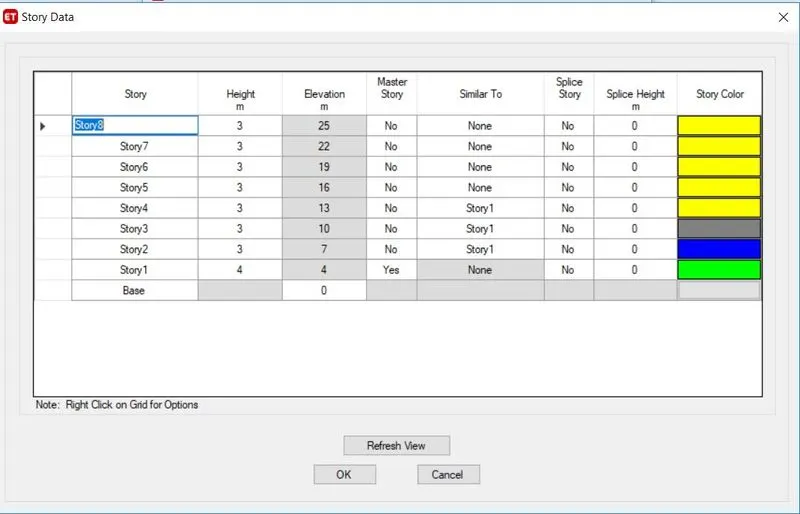
T=(0.09*25)/(20)^0.5=0.5 Seconds.
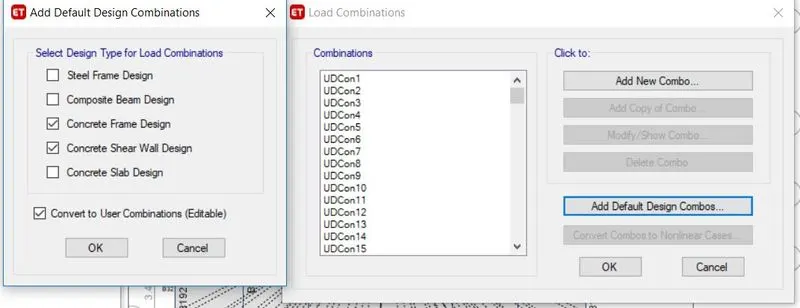
- Now define the load combinations
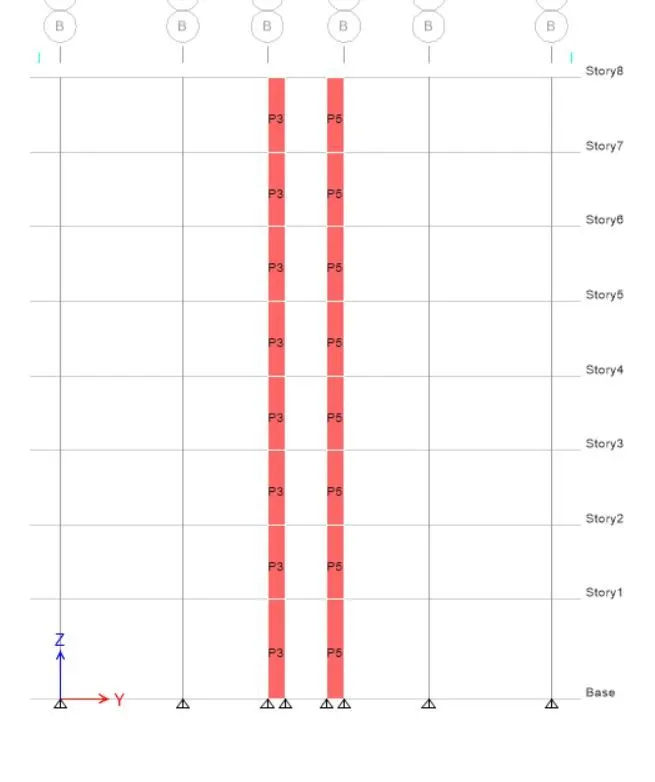
- SELECT ALL THE SHEAR WALLS AND ASSIGN PIER LABELS
- And select all the floors and apply diaphragm
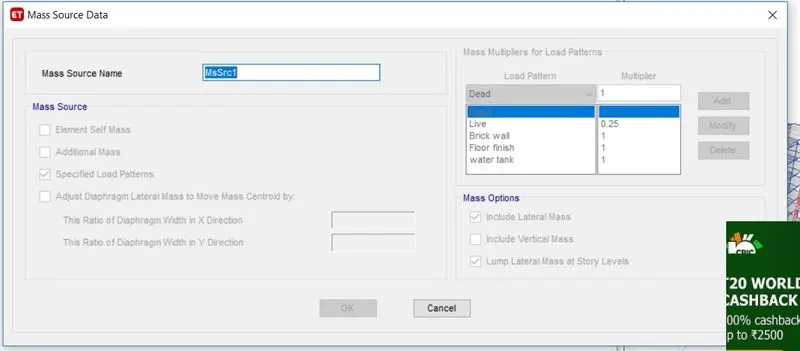
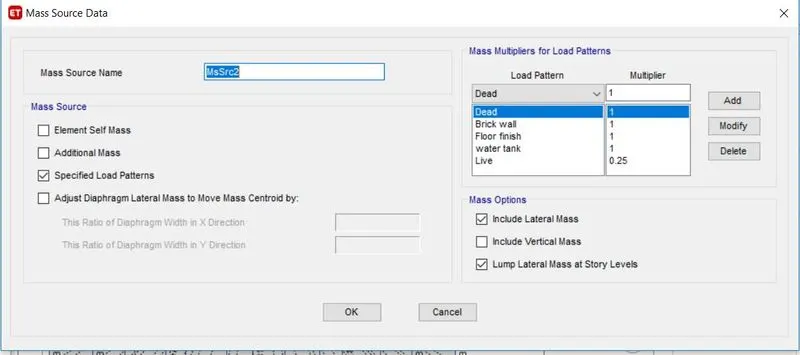
- Mass source needs to be define for that go to define and select mass source and check on specified data.
- Put multiplier 1 for all the super dead and dead loads and 0.25 multiplier for the live loads.
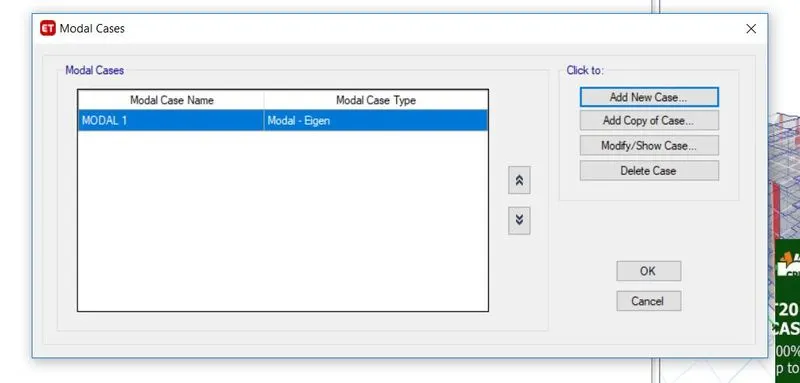
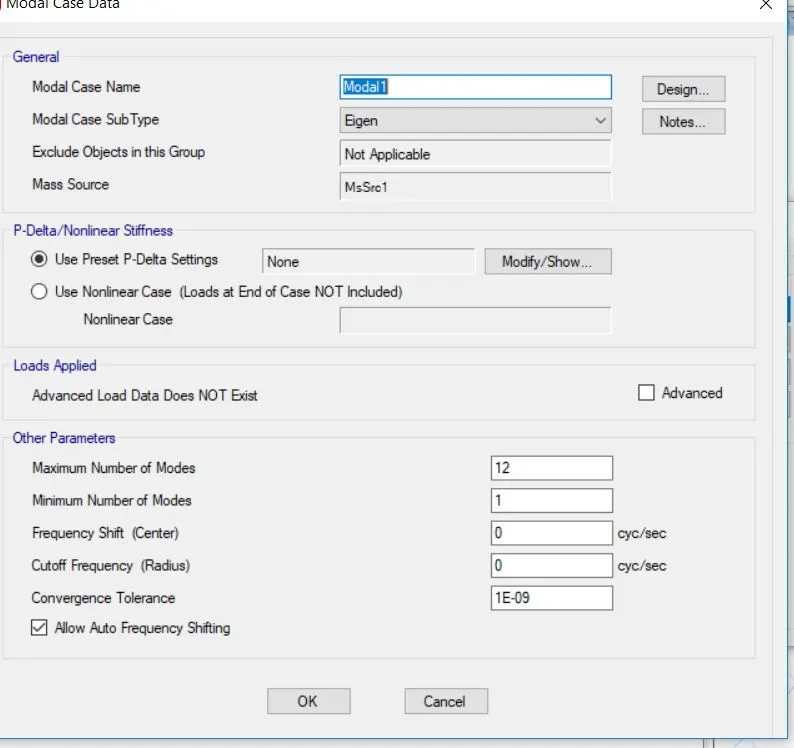
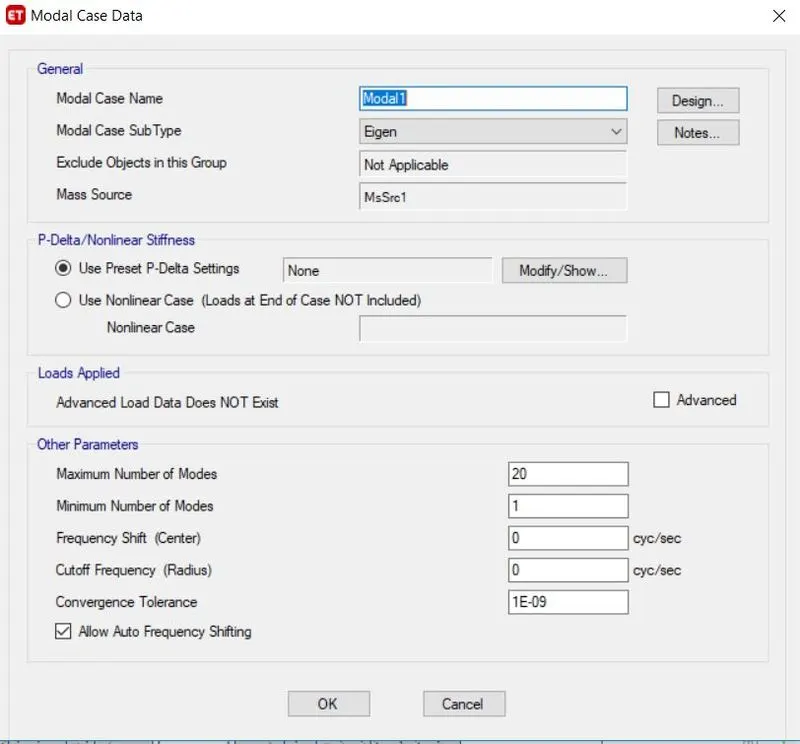
- In the next step we have to define for the modal cases for that go to define and click on modal cases click add new model cases select eigen and put the number of modes shape required.
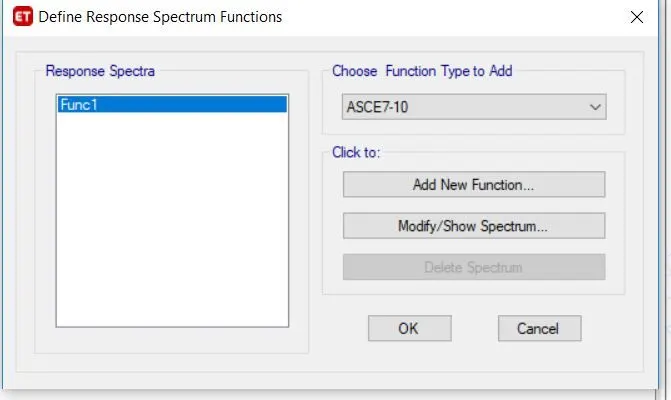
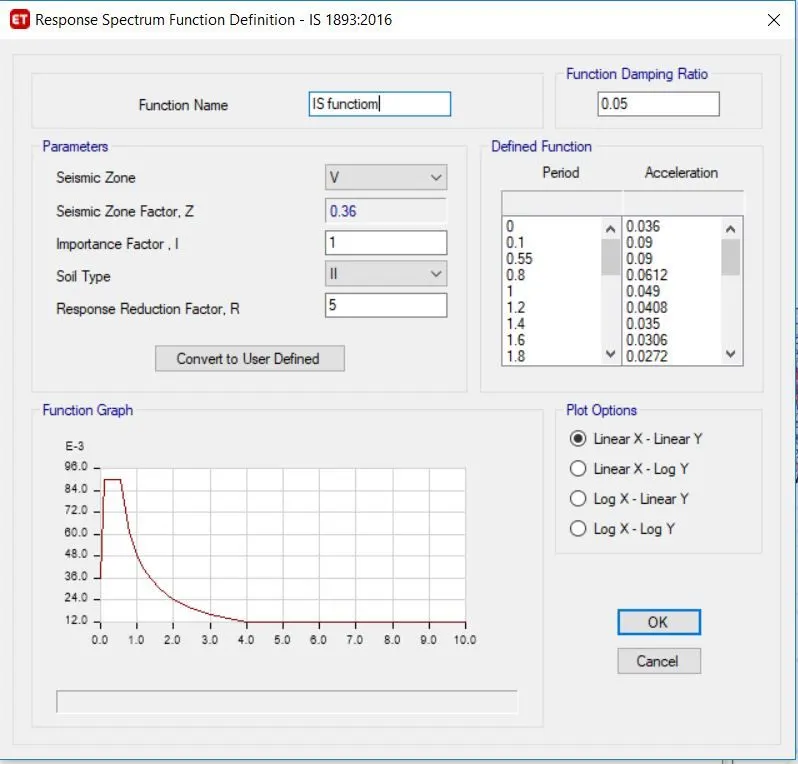
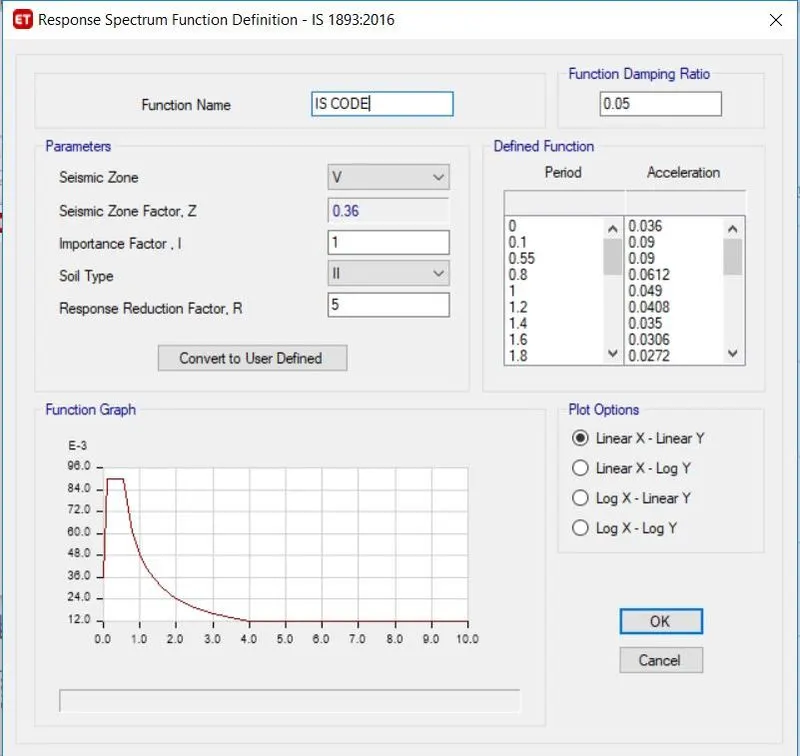
- now go to define function and click on response spectrum and add anew function in accordance with IS 1893-2016 check all the values click ok
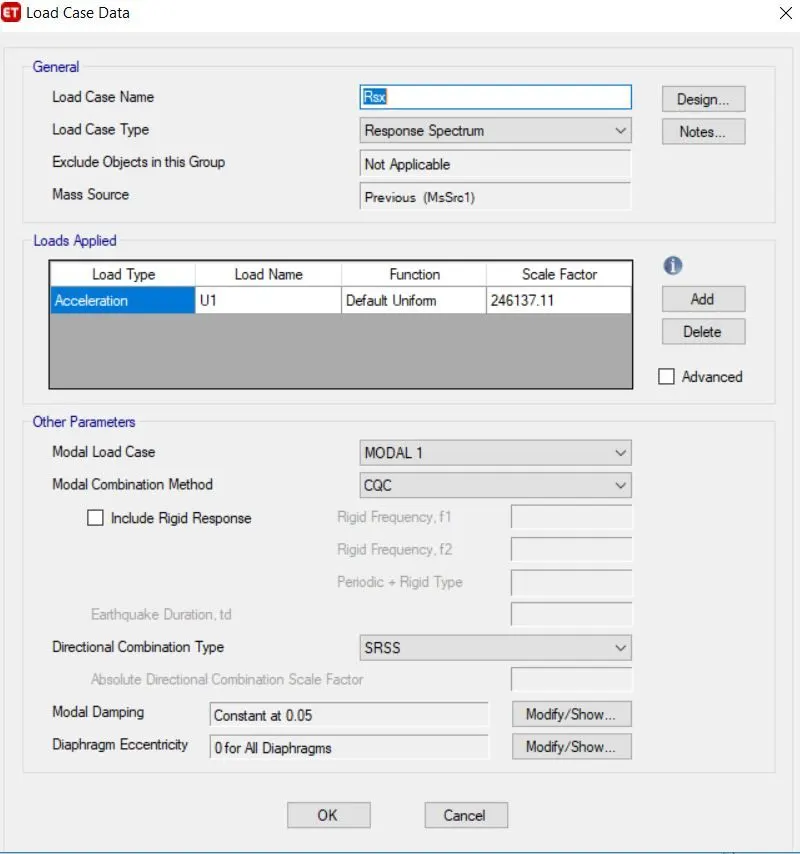
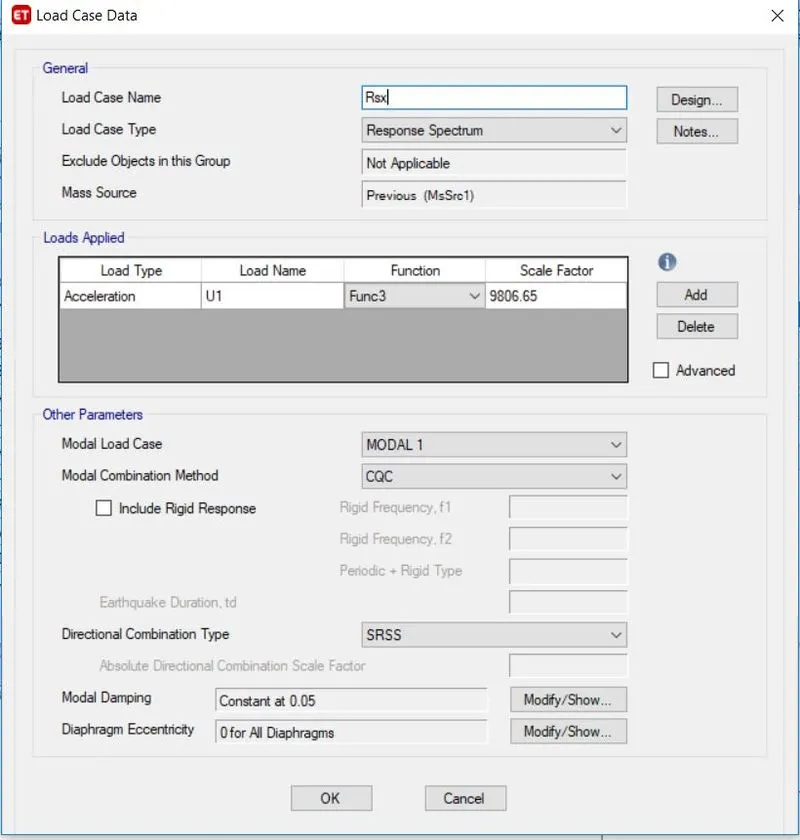
- now go to define Load cases and add the Rsx and click on add.
- Similarly define RSy load case as response spectrum cases
- Now check the model if there are any warning correct it and run the model.
Results and discussion
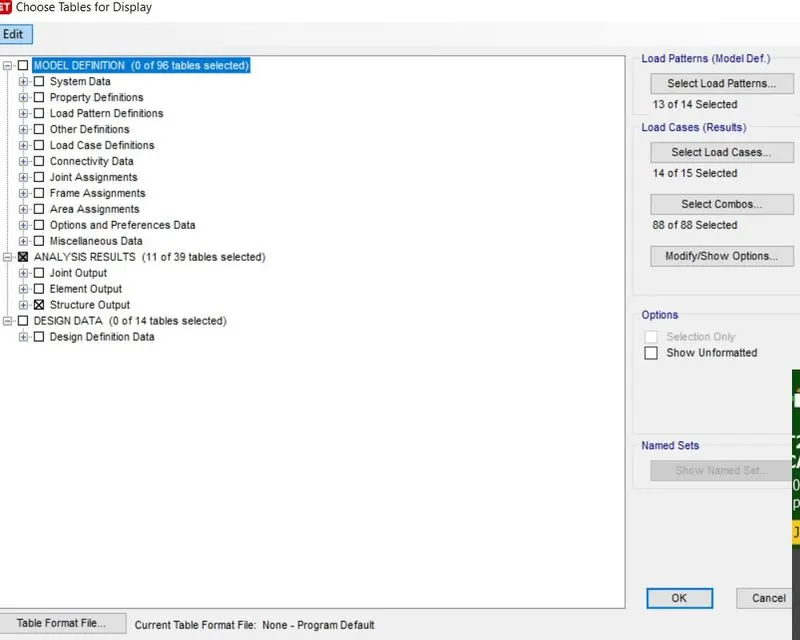
- Go to display then click show tables and then structural data click ok.
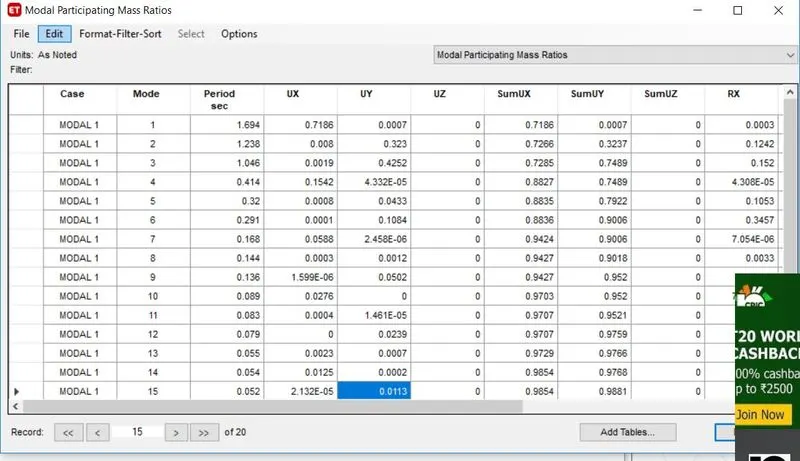
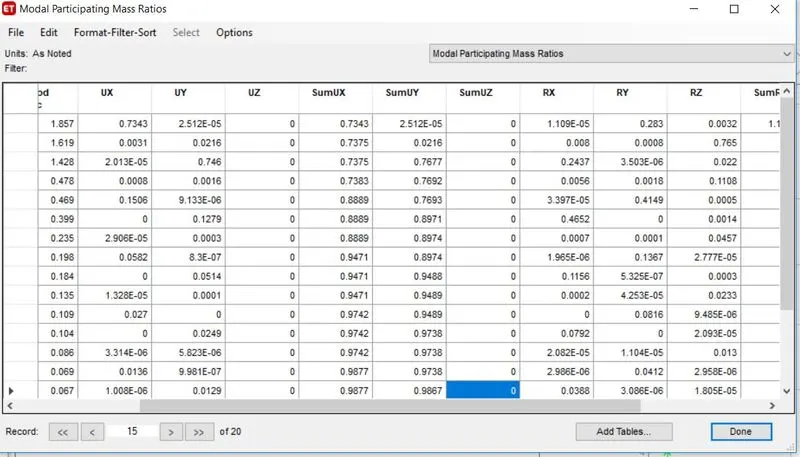
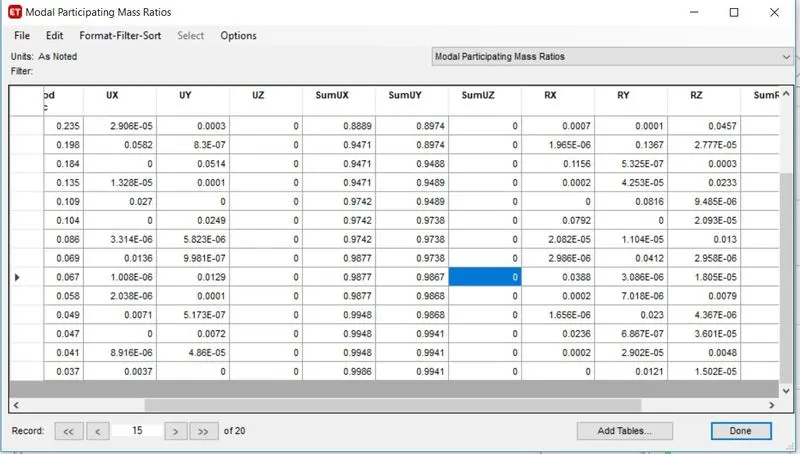
2.select modal participating ratios we have got that at mode 7 we have got above 90% so its ok.
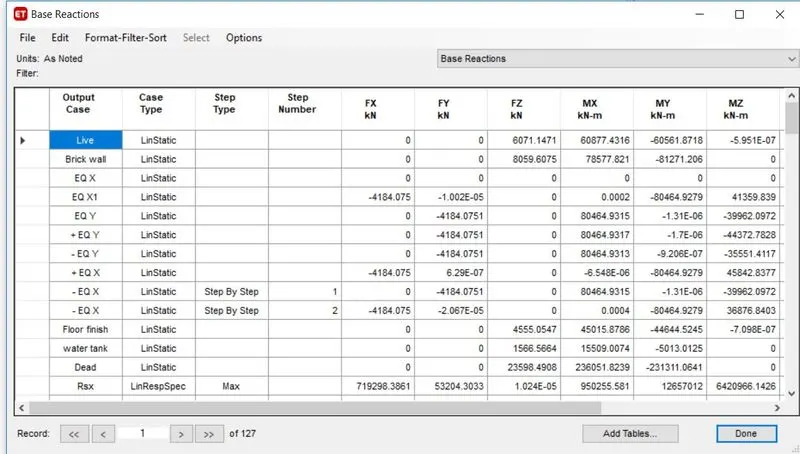
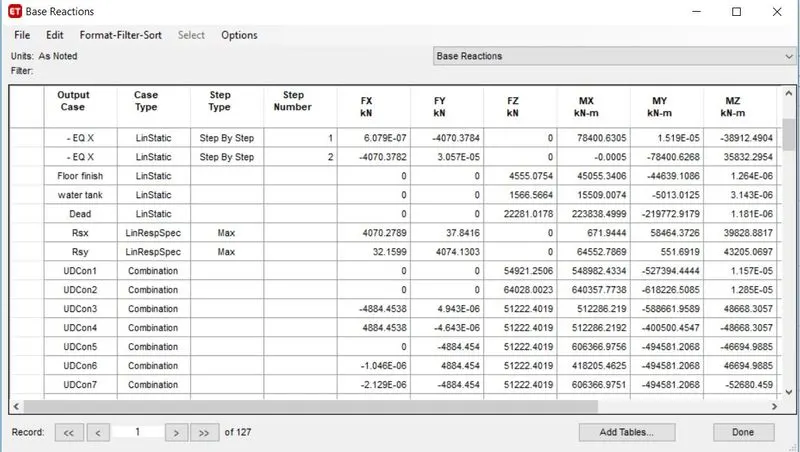
3.now select the base reactions check that Eqx Eqy values should be same and Rsx and Rsy values also should be atleast equal to Eqx and Eqy respectively. if not then just take the rsx values and divide it by Eq values whatever the values will get that values needs to be multiplied in the load cases rsx tab.
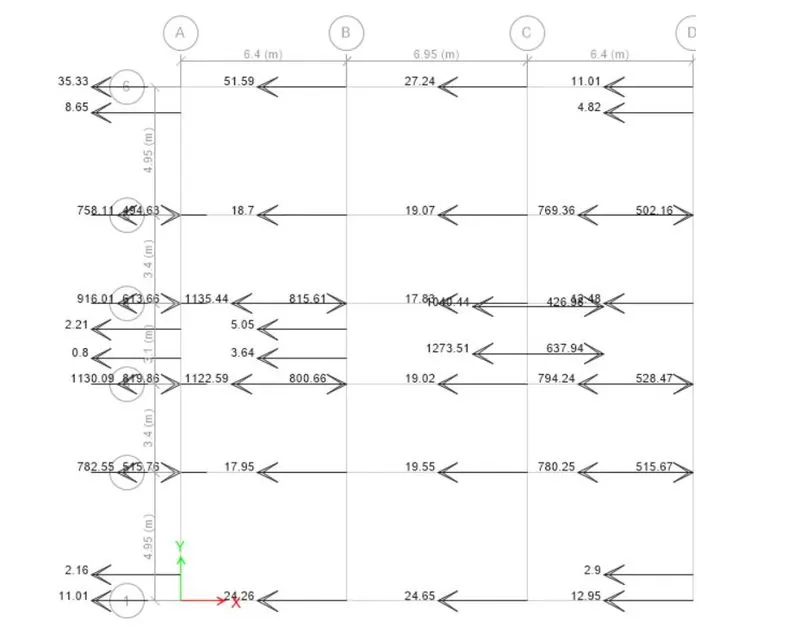
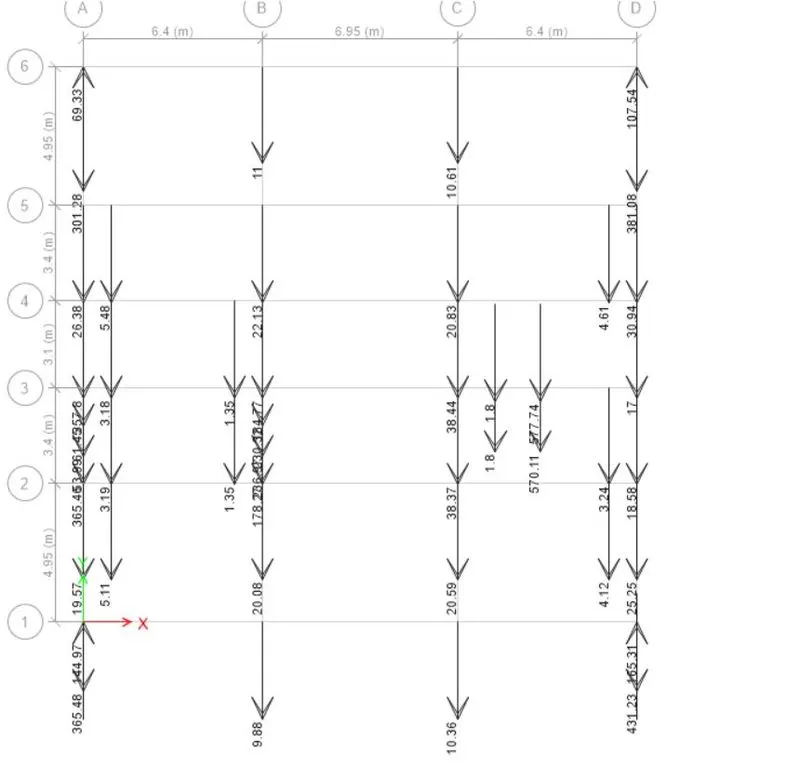
- check for the share of shear walls go to base level and click on reaction Ex and ey values will be available take these values and divide it be Total base shear which should be greater than 90%. If now add the shear walls in appropriate directions
|
|
Eqx Reaction |
|
Eqy Reaction |
|
|
8.65 |
301.28 |
|||
|
4.82 |
5.48 |
|||
|
769.36 |
381.08 |
|||
|
258 |
5.48 |
|||
|
916.01 |
4.61 |
|||
|
2.21 |
5.48 |
|||
|
350 |
431.23 |
|||
|
5.88 |
1.35 |
|||
|
5.05 |
365.48 |
|||
|
3.64 |
236.97 |
|||
|
1.22 |
178.27 |
|||
|
343 |
3.19 |
|||
|
203.1 |
61.45 |
|||
|
1273.51 |
53.99 |
|||
|
-426.98 |
365.48 |
|||
|
-637.94 |
431.23 |
|||
|
782.55 |
4.12 |
|||
|
2.16 |
5.11 |
|||
|
8 |
178.27 |
|||
|
2.8 |
798 |
|||
|
3875.04 |
3817.55 |
|||
|
maximum base reaction |
4184.01 |
4184.01 |
||
|
0.926155 |
0.912414 |
|||
|
Percantage |
92.61546 |
91.24142 |
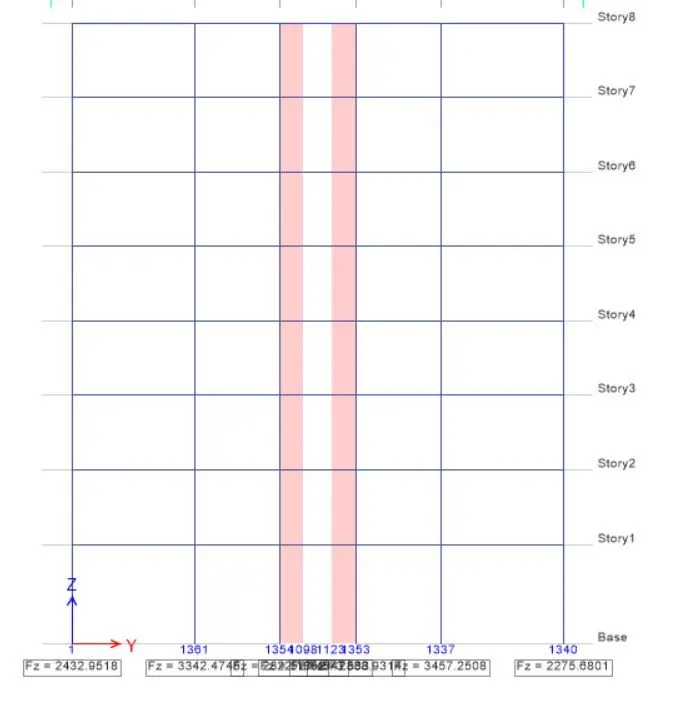
- also check for the columns if there are any tensile reactions if so then sufficient anchorage length should be provided in the foundation
6.check for the Axial ratio. go to the loads 1.5DL+1.5LL combo and then see the reaction the maximum reaction was found to be 1338kN
=Reaction st the end of the column/(c/s of column*grade of conc)
=3343*1000/(400*600*25)
=0.557>0.4% hence ok.
7.check for the Axial ratio.go to the loads combo and then see the reaction the maximum reaction was found to be 1338kN
=Reaction st the end of the shear wall/(c/s of shear wall*grade of conc)
=1850*1000/(1000*200*25)
=0.29>0.28% hence ok.
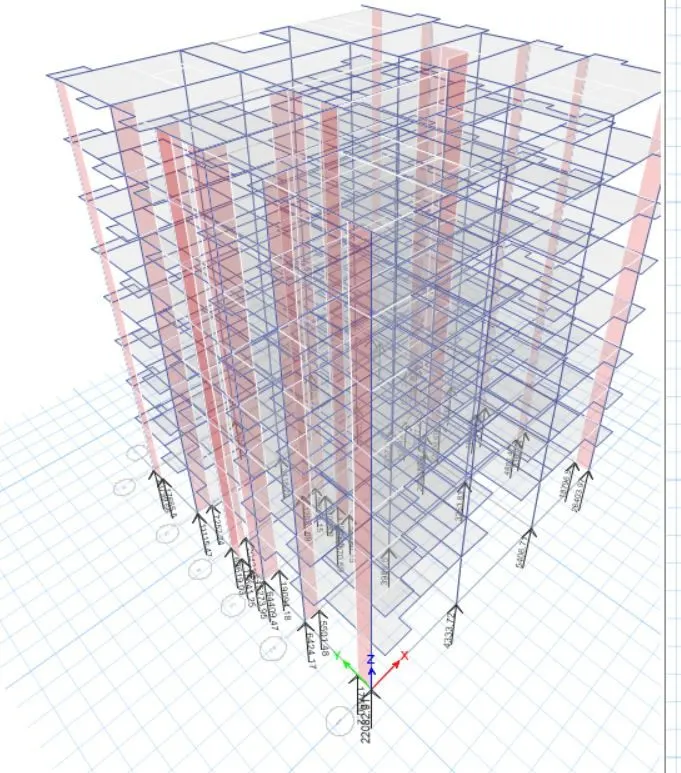
- Now go to response spectrum
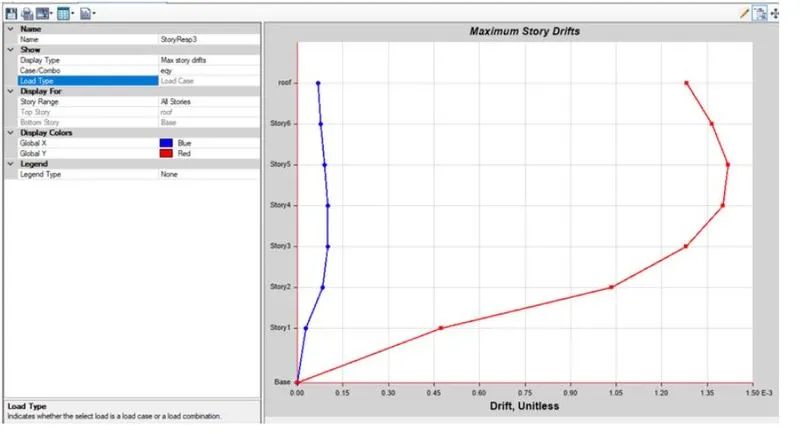
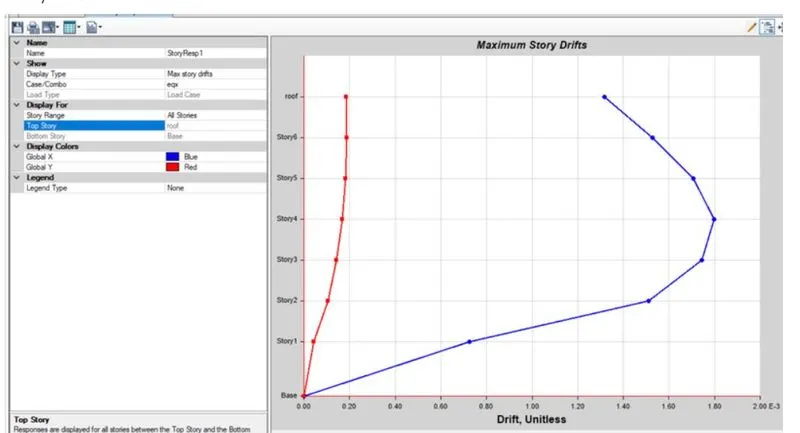
- m and check fir the maximum drift for eqx and eqy and it should be within 4%.