Menu

Executive Programs

Workshops

Projects

Blogs

Careers

Student Reviews


More

Academic Training

Informative Articles

Find Jobs

We are Hiring!


All Courses

Choose a category

Loading...

All Courses

All Courses

logo

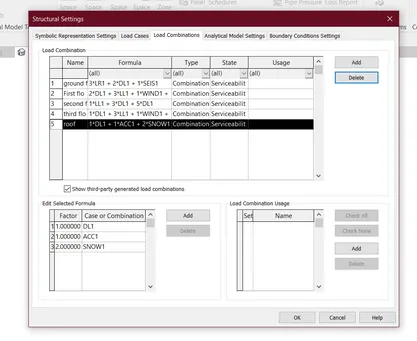
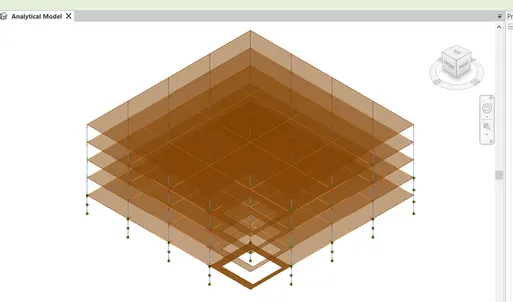
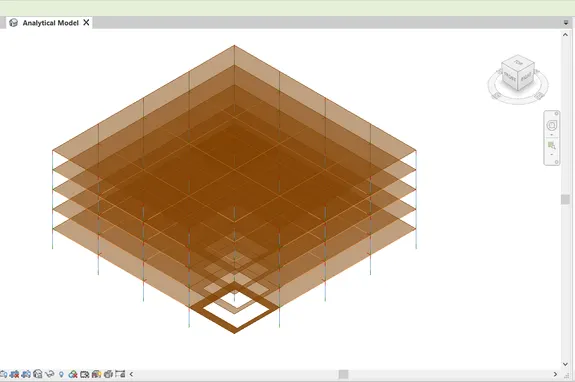
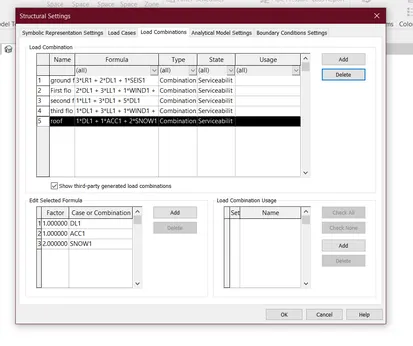
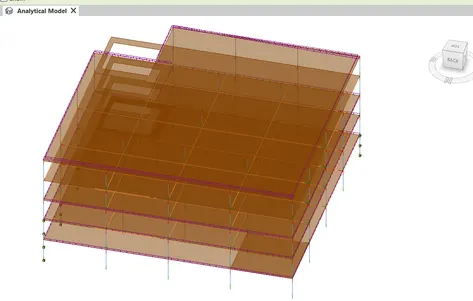
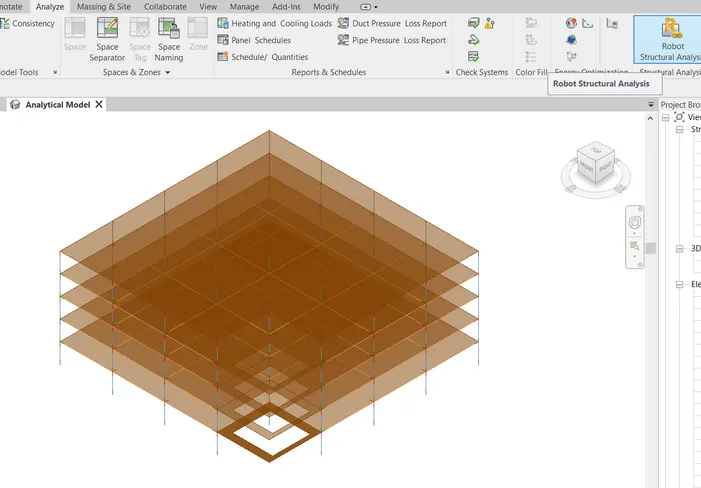
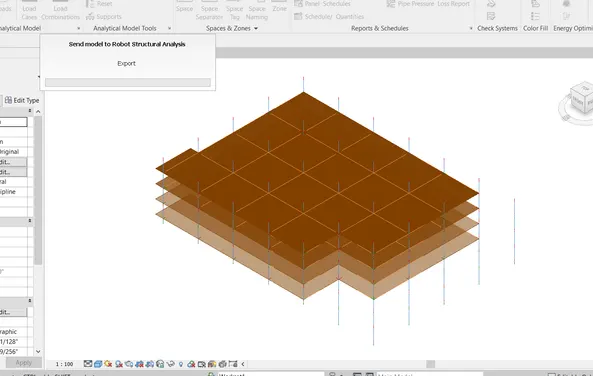
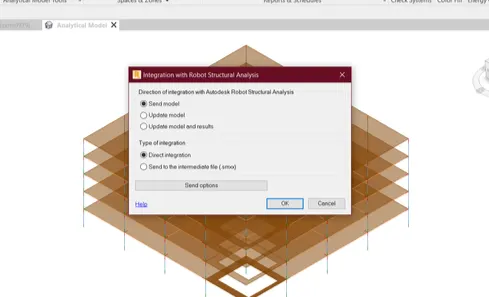
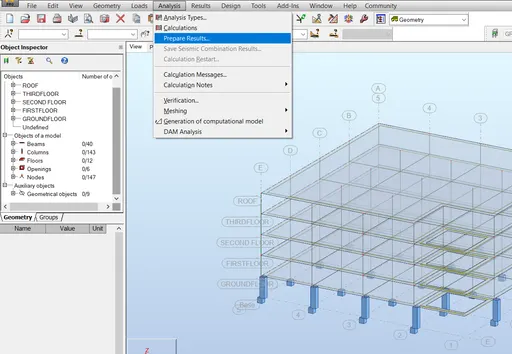
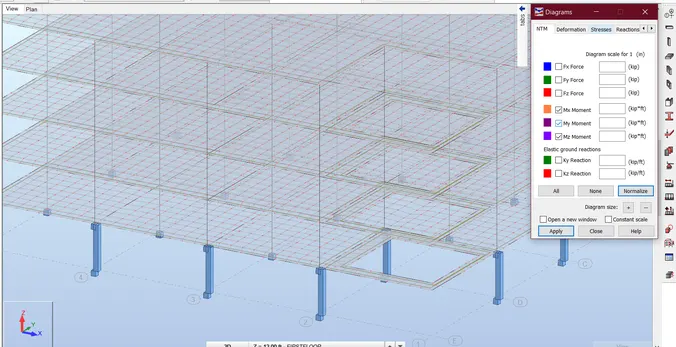
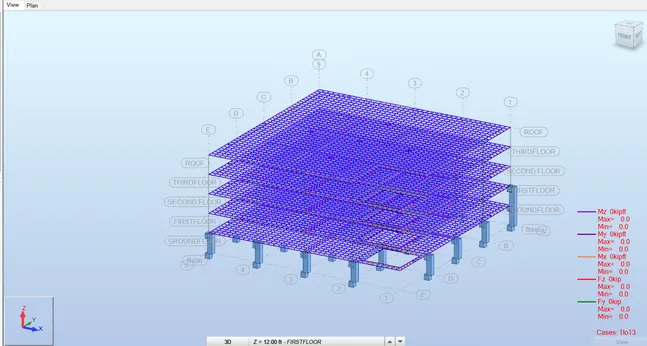
Structural analysis of a buidling using Robot Structural Analysis

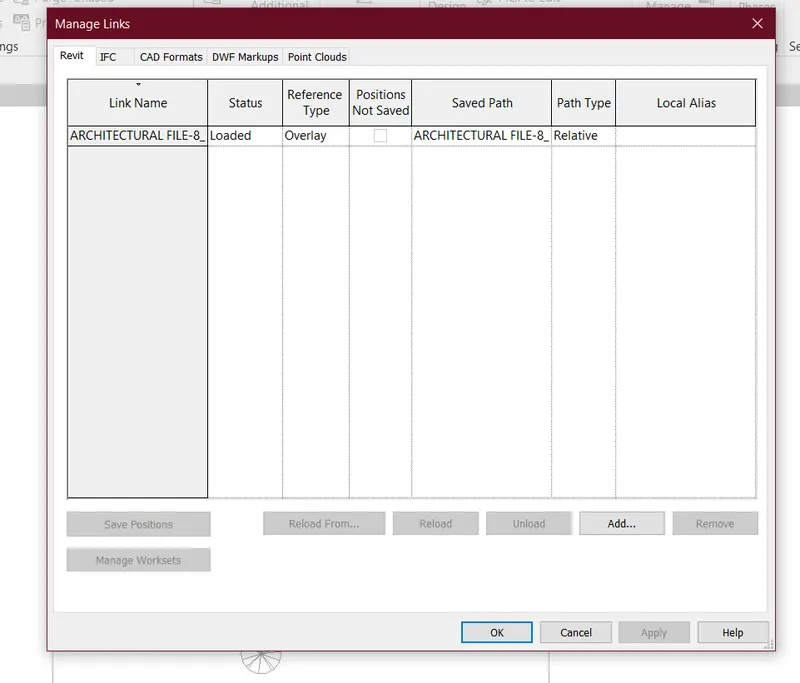
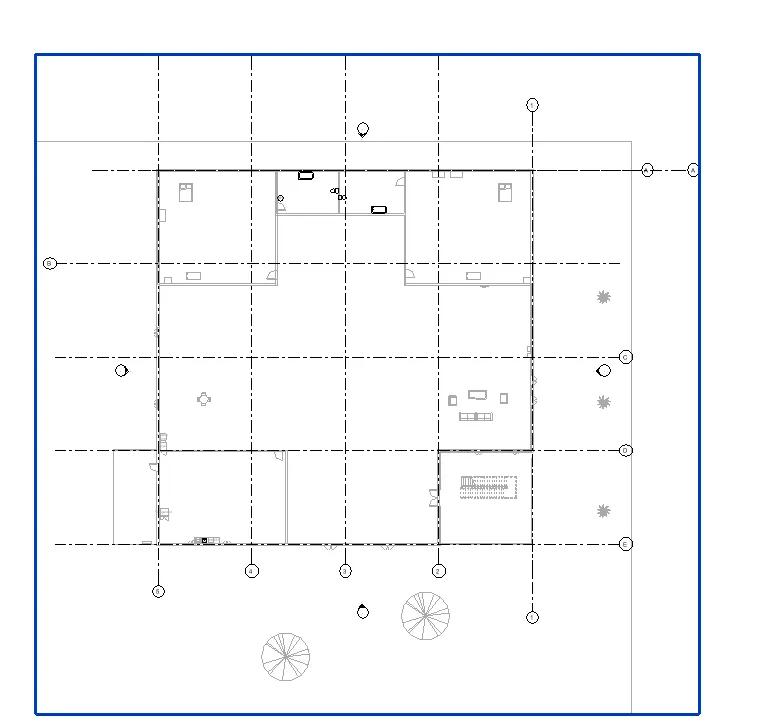
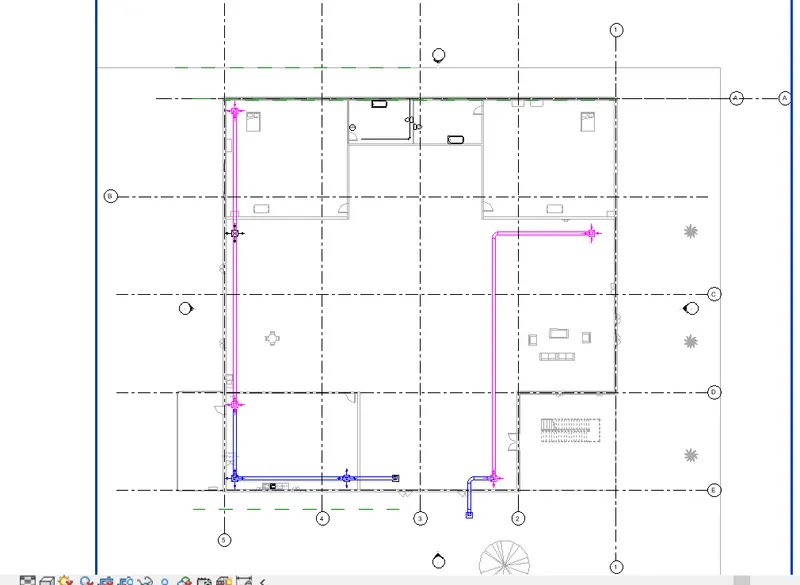
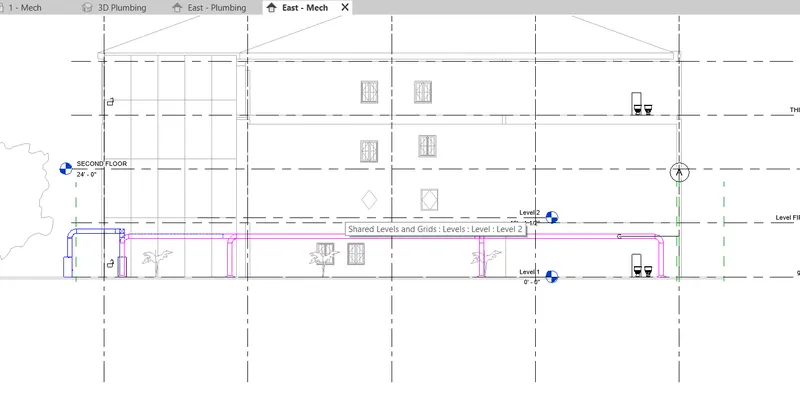
1) What are HVAC systems ? Why are they essential in modeling of buildings ANSWER: HVAC STANDS FOR H-HEATING V-VENTILATION AC-AIR CONDITIONING HVAC  is a system which is used to maintain the temperature ,circulate enough air and lighting to the building with the help of some units HVAC is the important part of the building…

Project Details

Loading...

Leave a comment

Thanks for choosing to leave a comment. Please keep in mind that all the comments are moderated as per our comment policy, and your email will not be published for privacy reasons. Please leave a personal & meaningful conversation.

Please  login to add a comment

Other comments...

No comments yet!
Be the first to add a comment

Read more Projects by Bhavik Zope (60)

Project 2

Objective:

1. Design a Warehouse Building located in Chennai using STAAD Pro Connect Edition. The specification must be as follows: Width  30m Length 50m Eave Height 9m Bay spacing 6m Soil type Medium Safe Bearing Capacity 200 kN/m2 Roof slope 1 in 12 Assume suitable sections for structural elements. Follow IS800:2007, IS1893…

calendar

10 Oct 2022 08:48 AM IST

    Read more

    Project 1

    Objective:

    1. Design a multi-storey Residential Building located in Bangalore using STAAD Pro Connect Edition. The specification must be as follows: Building floors G + 6 + R Plan dimension B = 25m ,  L = 16m Storey Height h = 3.5m Soil  Hard soil Use Residential Purpose Safe Bearing Capacity 180 kN/m2 Maximum slab thickness…

    calendar

    10 Oct 2022 08:06 AM IST

    • HTML
    Read more

    Project 2_Analyze and Design the RC office building as per IS standard code in TEKLA STRUCTURAL DESIGNER

    Objective:

    Aim - To analyse and design the building as per IS standard code in TEKLA structural designer Procedure - Open TEKLA software and select new file Create construction levels for the structure according to the plan Under model tab draw grid lines Go to manage property sets,and select a new member and define the column…

    calendar

    09 Oct 2022 10:13 PM IST

      Read more

      To Generate report for Steel Industrial and RC structures using TSD

      Objective:

      1) Aim - To generate report for steel building design with loading summary Procedure - Open the file and click on model report in Report menu and the report content dialogue box open Click on structure and add the loadcase summanry and also drag it into the content and click ok Click on show report in report tab to…

      calendar

      09 Oct 2022 10:12 PM IST

        Read more

        To Design slab and foundation for an RC residential building using TSD

        Objective:

        Aim - To design the slab and foundation of the model Procedure - Design of slab -  Open the previously saved file and open 3d view Click on 1st order analysis and run the analysis Also click on status view Select the slab and right click on it and click on check panel and it shows result If the error is occured,change…

        calendar

        09 Oct 2022 10:11 PM IST

          Read more

          To Design RC column and beam for RC residential structure using TSD

          Objective:

          Aim - To  design RC column and beam for RC residential structure using TSD  Procedure - Open the previous tekla file Right click the member to designed and select Interactive design and static Design of Beam - Select the beam,right click on one beam,select interactive design and select static If any beam…

          calendar

          09 Oct 2022 10:10 PM IST

            Read more

            To Generate seismic loading based on IS code and to run the analysis using TSD

            Objective:

            1)  Aim - To generate seismic loading based on IS codal provisions and zone 2 Procedure -  Open previously saved tekla challenge 9 file In load cases,add the seismic load case and click ok Select seismic wizard and select code spectra and click next In base information,select zone,site class,Importance factor…

            calendar

            09 Oct 2022 10:06 PM IST

              Read more

              To calculate the dead , live and wind load for RC residential structure and to apply them using TSD

              Objective:

              1) Aim -  To calculate the Dead load as per IS code specifications  Assume - External wall thickness = 230mm Internal wall thickness = 150mm Finishes = 50mm Calculations -  Dead load due to floor finishes - Unit weight of material= 24 kn/m^3 Dead load = 0.05*24 = 1.2 Kn/m^2 Unit weight of Brick = 20…

              calendar

              09 Oct 2022 10:02 PM IST

                Read more

                To Model a RC residential structure using TSD

                Objective:

                1) Aim - Setup model for RC building design and based on following parameters for cover  Procedure - Open tekla structural designer software Go to setting -> Structural Default Select SSL for the cover in contact with the ground and enter the values as given in the above table For the cover above the…

                calendar

                09 Oct 2022 09:59 PM IST

                  Read more

                  Project 1_Analyze and design a steel building to 10T CRANE as per IS standard code using TEKLA STRUCTURAL DESIGNER.

                  Objective:

                  Aim - To analyze and design a steel building to 10T crane as per IS standard codeusing Tekla structural Designer Procedure - Initially open the Tekla Structural Designer Software  Click on New option  to create new model Using Grid lines and Quick parallel grid line option horizontal grids and vertical grids…

                  calendar

                  09 Oct 2022 09:56 PM IST

                  Read more

                  To Analysis and Design of Steel Structures using TSD

                  Objective:

                  1) Aim - Summarize your study for the bending moment,shear force and deflection diagrams for the elements of the model Procedure - Open the week 5 tekla file In load panel under seismic load select seismic wizard Check structure details and seismic zone and site class Also check structure irregularities Now check…

                  calendar

                  09 Oct 2022 09:53 PM IST

                    Read more

                    To calculate wind load for industrial steel structures and to apply it by using TSD

                    Objective:

                    1) Aim - Generate manual wind loading in the design report based IS code as per the following input Basic wind speed = 39 m/s Terrain category = 2 Procedure - First calculate load combination  Result - Calculations are done for the wall panel   2) Aim - Based on the above calculation apply the…

                    calendar

                    09 Oct 2022 09:36 PM IST

                      Read more

                      To calculate dead and live load for industrial steel structures and to apply them using TSD

                      Objective:

                      1)  Aim - To calculate dead load in design report based on IS code and apply dead load on the model Procedure - Dead load = 1.2 kn/m^2 Finishes = 0.05*24 = 1.2 kn/m^2 Ceiling load = 0.3 kn/m^2 Roof load = 1.5 kn/m^2 Brick wall load - 1) Ground to Intermediate floor = 0.15*20*5.2 = 15.6 kn/m^2 2) Intermediate…

                      calendar

                      22 Sep 2022 10:10 AM IST

                        Read more

                        To model beams and bracings for industrial steel structures using TSD

                        Objective:

                        Q.1) Aim - To create beam properties for first floor and model the beams Procedure - Open the Tekla structure challenge 2 file Check the levels  Select manage property set from home tab In that,select new-member-steel beam and rename it and edit the property Select intermediate level window and draw the…

                        calendar

                        22 Sep 2022 10:09 AM IST

                          Read more

                          To model columns for industrial steel structure using TSD

                          Objective:

                          1) Aim - To create column properties for different types of pedestal members and model in the grids created as per the assignment 1 Procedure - Open Tekla structural designer software and new project workspace is open First set all initial setting then creates a levels  in construction level  Select model…

                          calendar

                          20 Sep 2022 07:22 AM IST

                            Read more

                            To plan a structural layout and to create grids using TSD

                            Objective:

                              1)  Aim - To summarize the user interface in TSD for the following items  Project Workspace - Open the Tekla structural designer software and click on New option and the new model workspace will appear Now all the ribbons and menu bars are visible Scene Content - Select window tab and then click on…

                            calendar

                            19 Sep 2022 02:16 PM IST

                              Read more

                              Week 3 Challenge

                              Objective:

                              1. 1. State the primary load cases to be considered for design. Ans: Dead Load ,Live Load ,Snow Load, Seismic Load, Wind Load   2. What is One – Way slab? Ans: The one-way slab is a slab, which is supported by parallel walls or beams, and whose length to breadth ratio is equal to or greater than two…

                              calendar

                              06 Aug 2022 07:00 AM IST

                              Read more

                              Week 2 Challenge

                              Objective:

                              1. 1. How will you assign Circular section to column? Ans :  Go to properties tab Click on define Select circle Give dia of column and choose material    2. How will you assign Unit system to a .std model file? Ans: First while opening the model enter Metric unit Select to view tab Select display model Check units   3.…

                              calendar

                              04 Aug 2022 05:57 AM IST

                                Read more

                                Week 1 Challenge

                                Objective:

                                1. 1. Write the steps involved to upload a .std file through web mail? Ans:  Go to mail. Compose your mail. Click on attach and upload your file there. Ensure that you are log in to mail  2. Name the different materials that can be designed using STAAD Pro. Ans:  The material that can be designed using STAAD Pro are Concrete…

                                calendar

                                04 Aug 2022 05:57 AM IST

                                  Read more

                                  Project 2_Design & Analysis of a Hostel building at Guwahati, Assam

                                  Objective:

                                  AIM :  To Create and Analyse the given building in ETABS 2018, the structural model has to be prepared with IS 1893 and as per IS 13920. To design the pile cap and pile R/F details , Tie  beam  connecting the pile caps, to sketch the column R/F, to produce the framing plan and beam detailing for ground floor.…

                                  calendar

                                  08 Jul 2022 09:55 AM IST

                                  Read more

                                  Foundation Design using SAFE

                                  Objective:

                                  Q.1)  Aim - To analyze and design the isolated footing from week 11 challenge on SAFE. PROCEDURE: STEP: 1 Open the SAFE Application  select New Model followed by Input Settings, Units was selected as Metric and Code IS 456-2000.       STEP: 2  Define materials add M25 Concrete Add rebar Fe500   Material Property data:…

                                  calendar

                                  08 Jul 2022 09:34 AM IST

                                  Read more

                                  Design of Shallow Foundation (Isolated Footings)

                                  Objective:

                                  Aim - Design a square footing of column size 400x400mm Procedure -

                                  calendar

                                  06 Jul 2022 03:26 PM IST

                                    Read more

                                    Structural Modelling using Etabs 2018

                                    Objective:

                                    Aim - To model and analyze the residential building using Etab Procedure - Step 1 - First open Etab software Select new model from file menu After selecting new model,new tab open and select Use Built in setting  Then select grid,and do the setting in grid system data After grid setting,Add the 7 story in the story data…

                                    calendar

                                    06 Jul 2022 02:19 PM IST

                                      Read more

                                      Analysis & Design of RCC shear walls in the model using ETABS

                                      Objective:

                                      Aim -  To run the analysis and design of rcc shear walls in Etab Procedure - Step 1 - Open the challenge in Etab software Select 3-d view Run the analysis Step 2- Select Display and then show table  In that,select Analysis result-structure output-modal information-modal participating ratio  Then select display tab and…

                                      calendar

                                      04 Jul 2022 06:32 AM IST

                                        Read more

                                        Reinforcement detailing of Columns from ETABS output

                                        Objective:

                                        Aim – To provide reinforcement detailing of columns in Etab. Procedure – Step 1 – Open the G+4 Etab file in software After that check the model and Run the analysis Step 2- Click on concrete frame design tool and click design info option Select longitudinal reinforcement as design output After selecting the longitudinal…

                                        calendar

                                        30 Jun 2022 02:39 PM IST

                                          Read more

                                          Reinforcement Detailing of Beams from ETABS output

                                          Objective:

                                          Aim - Detail design of beam in Etab Procedure - Step 1- First open the challenge page and download the challenge and open the file in Etab Then,Run the model   Step 2- Once the analysis is done,Go to concrete frame design and select view/review preferances Next check the load combinations from concrete frame…

                                          calendar

                                          28 Jun 2022 01:41 PM IST

                                            Read more

                                            Project 1_Comparative study of different storey buildings for Seismic forces

                                            Objective:

                                            Aim - Comparative study of different storey buildings for seismic forces Building A - Procedure - Step 1 - Open Etab software and select new model A new model dialogue box will open as model initialization Select Use in built in setting with option Select display unit as Metric,Steel design code,concrete design code,etc…

                                            calendar

                                            16 Jun 2022 08:51 AM IST

                                              Read more

                                              Modelling of 25 storey building with the specified properties using ETABS

                                              Objective:

                                              Aim - ETABS modelling of a 25 storey building Procedure - Step 1 - Open Etab software and select new model A new model dialogue box will open as model initialization Select Use in built in setting with option Select display unit as Metric,Steel design code,concrete design code,etc A new dialogue box will appear Select…

                                              calendar

                                              15 Jun 2022 01:14 PM IST

                                              Read more

                                              Conceptual design of a building with columns and shear walls

                                              Objective:

                                              1.The building shown, 20 × 35 m in plan, has columns on a 5 × 5 m grid and shear walls (with dimensions shown in m, 250 mm in thickness) in three alternative arrangements, (a), (b), (c), all with the same total cross-sectional area of the shear walls. Compare the three alternatives, taking into account the…

                                              calendar

                                              09 Jun 2022 01:40 PM IST

                                                Read more

                                                Concept on positioning of Columns

                                                Objective:

                                                Answer 1: The given layout of framing plan is symmetric. Generally, a well distributed symmetrical plan layout of the structural elements like beams, columns is appropriate to achieve uniformity. The symmetric nature also makes the structure more reliable to resist the earthquake forces. Having same or equivalent resistance…

                                                calendar

                                                31 May 2022 04:37 PM IST

                                                  Read more

                                                  Understanding the concepts on Degrees of Freedom

                                                  Objective:

                                                  Aim: To compute Ln, Mn and Tn for each of the five modes from the given equations To calculate the effective modal mass Mn* and the modal mass participating ratio for the modes To obtain the Base shear for each of the modes of vibration and combined base shear as per SRSS rule Procedure: Step 1:  Mn = ønTmøn Mode 1: Mode…

                                                  calendar

                                                  31 May 2022 05:58 AM IST

                                                    Read more

                                                    Calculation of Stiffness in Structural elements

                                                    Objective:

                                                    AIM: Compute lateral stiffness of the one-story frame with an intermediate realistic stiffness of the beam. The system has 3 DOFs as shown. Assume L = 2h and Elb= Elc if U{1} = 1 U{1} = 24 * (E*Ic)/(h^3) U{2} = 6 * (E*Ic)/(h^2) U{3} = 6 * (E*Ic)/(h^2) 1 st equation : 24 * (E*Ic)/(h^3) + 6 * (E*Ic)/(h^2) + 6 *…

                                                    calendar

                                                    29 May 2022 09:56 AM IST

                                                      Read more

                                                      Identification of Cracks

                                                      Objective:

                                                      1a)  Answer: Beam column Connection faliure: Formation of Plastic hinge at undersirable locations The joint is not supposed to beam the weak link between 4 components (2 beams and 2 columns). These elements are subjected to very high shear force durig seismic activity. If these cracks are left unattended will lead…

                                                      calendar

                                                      29 May 2022 08:44 AM IST

                                                        Read more

                                                        Usage of Navigation tool , Timeliner and Clash Detection test using Naviswork

                                                        Objective:

                                                        1) Use the Architecture/ Structure Project file developed by you in Week 6 to 8. Export the Revit architecture and structure model to Navisworks Cache file following the export settings discussed in class AIM:To use the structural project file developed by us in the weeek 6 to week 8  to export the Revit Archietecture…

                                                        calendar

                                                        29 May 2022 07:49 AM IST

                                                          Read more

                                                          Creating Conceptual mass in REVIT and Creation of Sinusoidal curve and a Parametric stadium using Dynamo

                                                          Objective:

                                                          1) Using Dynamo create a set of sinusoidal points and create a curve and create a surface out of the curve. AIM: To create a set of sinusoidal points and create a curve and create a surface out of the curve by using Dynamo. TOOLSUSED: Manage Dynamo Code block math.sin Inteder slides Add pointsby coordinates surface by…

                                                          calendar

                                                          25 May 2022 06:43 AM IST

                                                            Read more

                                                            Preparing Schedule & Cost Estimation for a building using REVIT

                                                            Objective:

                                                            1) Use the shortcut keys in Revit discussed in class to complete the following tasks and list them below           a. Using 3D model create a section box           b. To create similar doors and windows in a floor plan layout         …

                                                            calendar

                                                            24 May 2022 06:58 AM IST

                                                              Read more

                                                              Structural analysis of a buidling using Robot Structural Analysis

                                                              Objective:

                                                              1) What are HVAC systems ? Why are they essential in modeling of buildings ANSWER: HVAC STANDS FOR H-HEATING V-VENTILATION AC-AIR CONDITIONING HVAC  is a system which is used to maintain the temperature ,circulate enough air and lighting to the building with the help of some units HVAC is the important part of the building…

                                                              calendar

                                                              22 May 2022 09:36 AM IST

                                                              Read more

                                                              Creating Architectural and Structural model with 3D rendering using REVIT

                                                              Objective:

                                                              1) Select the type of structure you want to build from one of the three below        a. Multi Unit Residential Apartment        b. Office Buildings        c. School ANSWER: The structure i want to build from the above three is Multi unit Residential apartment.…

                                                              calendar

                                                              19 May 2022 07:31 AM IST

                                                              Read more

                                                              Usage of Collaborate tool in REVIT

                                                              Objective:

                                                              1. Open an architectural template. Using the Manage tab set project base point and project shared coordinates for the project Aim:    To opening a architectural tempelate and setup a basepoint and project shared coordinates for the project Tools Used:      Tempelate      Manage  …

                                                              calendar

                                                              11 May 2022 02:28 PM IST

                                                                Read more

                                                                Project 2_Creating a 3D rendered model for a Residential Building in AutoCad

                                                                Objective:

                                                                3D Model of the Residential Building Aim: To create a 3Dimensional model of the Residential Building and create a Render View General Information: To Create a 3Dimensional model of the Residential Building i have drawn a random plan of size 10000X8000 Sq mm which have a required rooms the plan and Elevation details are…

                                                                calendar

                                                                10 May 2022 09:14 AM IST

                                                                  Read more

                                                                  Creating 3D Isometric view of various structural elements in AutoCAD

                                                                  Objective:

                                                                  1. Aim: To draw the Plan and creating it as a 3D Elevation using AutoCAD Procedure: Open AutoCad Selecting Imperial system Command UN(units) and selecting Engineering with precision of O'-0.0" Command LIMITS and having limit of (0,0') in lower left corner and (100,100') in upper right corner Command ZOOM and selecting…

                                                                  calendar

                                                                  10 May 2022 08:00 AM IST

                                                                    Read more

                                                                    Creating various 3D Models like Furniture, Footing, Girder, Column drop with panel and Gable Wall in AutoCad

                                                                    Objective:

                                                                    1.   Aim: To create the 3D model using AutoCAD   Procedure: Open AutoCad Selecting Imperial system Command UN(units) and selecting Engineering with precision of O'-0.0" Command LIMITS and having limit of (0,0') in lower left corner and (100,100') in upper right corner Command ZOOM and selecting All Changing the…

                                                                    calendar

                                                                    09 May 2022 07:54 PM IST

                                                                      Read more

                                                                      Creation of Multiple viewports, Scaling the drawing and setting in Template in AutoCad

                                                                      Objective:

                                                                      1.   AIM: To draft the floor plan of the house and creating viewports and plot using   AutoCAD   PROCEDURE: Open AutoCad Selecting metric system Command UN(units) and selecting decimals with precision of O Command LIMITS and having limit of (0,0) in lower left corner and (10000,10000) in upper right corner…

                                                                      calendar

                                                                      09 May 2022 06:19 PM IST

                                                                        Read more

                                                                        Creating Kitchen layout, Hatching of Architectural elements and sectional view of an Industrial Building in AutoCad

                                                                        Objective:

                                                                        1.   KITCHEN PLAN   Aim: To draft the floor plan of the Kitchen and hatching it using AutoCAD   Procedure:   Open AutoCad Selecting metric system Command UN(units) and selecting decimals with precision of O Command LIMITS and having limit of (0,0) in lower left corner and (10000,10000) in upper right corner Command ZOOM…

                                                                        calendar

                                                                        09 May 2022 06:07 PM IST

                                                                          Read more

                                                                          Introduction to National Building Code and Steps in a Construction project

                                                                          Objective:

                                                                          1) Why are building codes or standards essential for the modeling/ efficiency of drawings in Revit ? ANS:   A Building code is a set of rules that specify the standards for constructed objects such as buildings and non building structures.     Standards that are coined to design and the design that…

                                                                          calendar

                                                                          09 May 2022 04:42 PM IST

                                                                          Read more

                                                                          3D Creation of Celing, Roof, Architectural plan, Structural plan, Sectional view, Elevation view and Camera specific view for a house plan using REVIT

                                                                          Objective:

                                                                          1) Based on the project saved from Week 3, proceed from First Floor Level .Model a Ceiling from architecture tab above the walls at first floor level AIM:To Model a Ceiling From the  architecture tab  above the walls at first floor level. TOOLSUSED: Open  Architectural tab Ceiling  Projectbrowser PROCEDURE:…

                                                                          calendar

                                                                          09 May 2022 08:02 AM IST

                                                                            Read more

                                                                            Creating Bar Bending schedule, Different Door types, and Creation of standard drawing templates using AutoCad

                                                                            Objective:

                                                                            Aim: To draft the Template and creating it as a block using AutoCAD   Procedure:   -Open AutoCad -Selecting Imperial system -Command UN(units) and selecting -Engineering with precision of O'-O.0" -Command LIMITS and having limit of (0;0') in lower left corner and (100,100') in upper right corner -Command ZOOM and selecting…

                                                                            calendar

                                                                            06 May 2022 11:37 AM IST

                                                                              Read more

                                                                              Creating Walls, Partition walls and Floors for a residential layout using REVIT

                                                                              Objective:

                                                                              1)+ Use the project file created from Week 2. Use it for this assignment. Based on your layout from week 2, using floor tool under architecture tab and select the floor with appropriate material and thickness using the property browser create a layout in the Ground floor Level. Align the floor plan with grids created…

                                                                              calendar

                                                                              06 May 2022 08:19 AM IST

                                                                                Read more

                                                                                Creating Levels, Grids, Layout and model elements for a residential unit using REVIT

                                                                                Objective:

                                                                                1) What is BIM? Summarize the features of BIM and benefits of using BIM over 2D CAD tools. BIM refers to Building Information Modelling .BIM is a concept that was invoked by the Autodesk . It mostly about the information .which helps us in making efficient planning,design,construct and manage building  and infrastructure.BIM…

                                                                                calendar

                                                                                04 May 2022 02:21 PM IST

                                                                                Read more

                                                                                Project 1 _Creating an Architectural plan for the provided plot size and develop relevant basic structural drawings

                                                                                Objective:

                                                                                Aim: To draft the floor plan of the house in a 60'x20' East facing and draft its Elevation, Section and layout of Column, Beam and Footing using AutoCAD Procedure: -Open AutoCad -Selecting Imperial system -Command UN(units) and selecting Engineering with precision of O'-0.0" -Command LIMITS and having limit of (0,0') in…

                                                                                calendar

                                                                                04 May 2022 01:36 PM IST

                                                                                  Read more

                                                                                  Introduction to REVIT concepts

                                                                                  Objective:

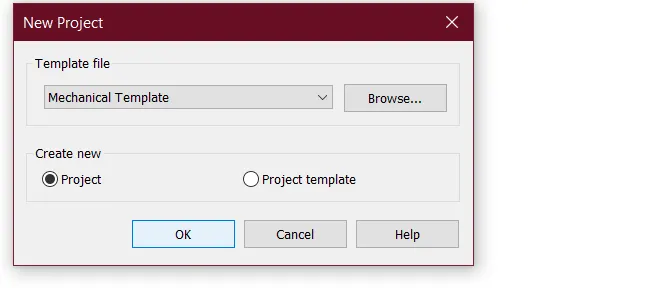
                                                                                  1) AIM: To create a new project by using the file menu and naming the project . TOOLS USED: FILE NEW PROCEDURE: 1.Firstly ,open the Revit software. 2.click on the File menu which appears on the top left corner. 3.click on the New icon. 4.Newproject dialogue box will appear,click on the template file.you will be seeing…

                                                                                  calendar

                                                                                  03 May 2022 04:56 PM IST

                                                                                    Read more

                                                                                    Creating a Layout, Section and Elevation with dimensions using AutoCad

                                                                                    Objective:

                                                                                    Aim : To create plan and section of the given figures Procedure :  Step 1. :  set limits using limits command draw  line of length 16388mm vertically and at the end of this line, draw 12150mm horizontally  complete the outline of the plan. give offset distance of 230mm for the outer line draw inner walls usiing polyline…

                                                                                    calendar

                                                                                    03 May 2022 03:26 PM IST

                                                                                      Read more

                                                                                      Creating a Wardrobe detailed drawing, Floor Plan, Kitchen Layout and Column Detail using AutoCad

                                                                                      Objective:

                                                                                      Aim: To draft the Cabinet using AutoCAD   Commands used:   • LINE   • OFFSET   • TRIM   • ERASE   • MLEADER   • DIMLINEAR   • TEXT   • CIRCLE   • ERASE   Procedure:   1.Open AutoCad   2. Selecting metric system…

                                                                                      calendar

                                                                                      01 May 2022 04:26 PM IST

                                                                                        Read more

                                                                                        Creation of Column Schedule and Drawing Template using AutoCad

                                                                                        Objective:

                                                                                        Aim : To create a column schedule as given Procedure:  1. draw the outline of the schedule using polyline 2. create the column c1, c1a, c2, c2a, c3, outside the column using polylines by giving the correct dimensions of the columns respectively . 3. move the drawn column into the schedule out line 4. using multiline…

                                                                                        calendar

                                                                                        30 Apr 2022 11:50 AM IST

                                                                                          Read more

                                                                                          Creating a Residence Layout, Seating plan, Toilet and Utility room plan using AutoCad

                                                                                          Objective:

                                                                                          Aim: To Sketch a house plan   Command used:   • UN   • LIMITS   • Z   • XLINE   • OFFSET   • TRIM   • CIRCLE   • ERASE   Procedure:   1. open the Autocad   2. Go to Autocad option press new and select imperial   3.…

                                                                                          calendar

                                                                                          29 Apr 2022 10:47 AM IST

                                                                                            Read more

                                                                                            Drafting of various geometries using Chamfer, Fillet tool in AutoCad

                                                                                            Objective:

                                                                                            Aim: Drafting of various given geometries using Chamfer, Fillet tool in AutoCad Introduction: AutoCad offers various functions and tools to improve the designing thus enhancing the easiness, some of them are fillet, chamfer, rotate, mirror, etc. Initial procedure: Start by typing QNEW in the command box Advanced…

                                                                                            calendar

                                                                                            26 Apr 2022 09:49 AM IST

                                                                                              Read more

                                                                                              Creating a Floor plan, Footing detail and Isometric view using AutoCad

                                                                                              Objective:

                                                                                              Aim: To create floor plan, footing detail and isometric view using autocad  The objective is to use autocad tools such as offset, chamfer, dimension, fillets, ortho mode etc, and get well versed with it so that it would be easy to use autocad. 1. Aim : Cross-section of load-bearing wall over spread footing Step 1: using…

                                                                                              calendar

                                                                                              23 Apr 2022 09:16 AM IST

                                                                                                Read more

                                                                                                Creation of geometries by Coordinate system methods using AutoCad

                                                                                                Objective:

                                                                                                Aim   : To draw the given geometries using different coordinate methods in Auto Cad  Procedure:    In the given geometries,line command is only used .To activate line :     a. Ribbon -Home >draw >line     b. Toolbar : Draw>Line     c. Menu bar : Draw>Line…

                                                                                                calendar

                                                                                                21 Apr 2022 11:01 AM IST

                                                                                                  Read more

                                                                                                  Sketch a G+1 residential plan according to Vaastu Shastra and Calculation of Loads as per IS code

                                                                                                  Objective:

                                                                                                  AIM : Sketch a G+1 floor residential plan, according to Vaastu Shastra, and list down the names of the structural drawings required to be provided to the site for construction. Also, assume the sizes of the structural elements (Column, Beam, Slab, etc.,) and accordingly calculate the individual corresponding loads from…

                                                                                                  calendar

                                                                                                  15 Apr 2022 09:20 AM IST

                                                                                                    Read more

                                                                                                    Project on Concrete Mix Design for various grades of Concrete

                                                                                                    Objective:

                                                                                                    Aim: To determine the mix designfor M35 concrete with flyash consisting of the following properties: Grade designation : M35 Type of cement : OPC 43 grade confirming IS 12269 Type of mineral admixture : Fly ash Maximum nominal size of aggregate : 20 Minimum water-cement ratio : 0.45 (Table 5 of IS 456:2000) Workability…

                                                                                                    calendar

                                                                                                    11 Apr 2022 10:12 AM IST

                                                                                                      Read more
                                                                                                      Showing 1 of 60 projects