Design of Yacht Sunseeker
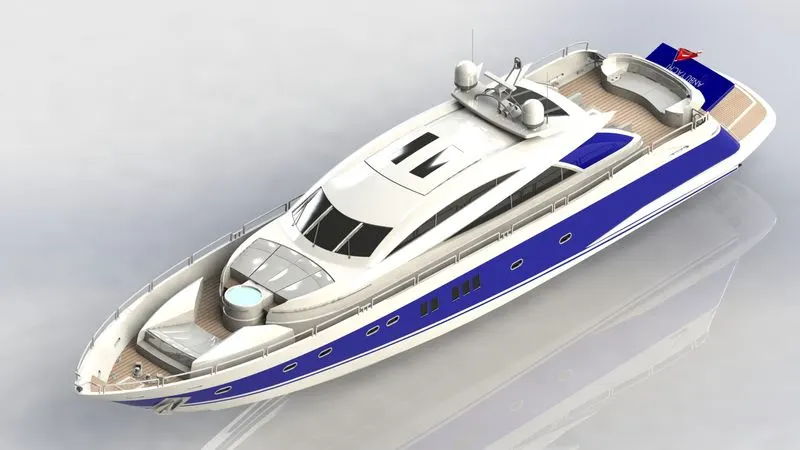
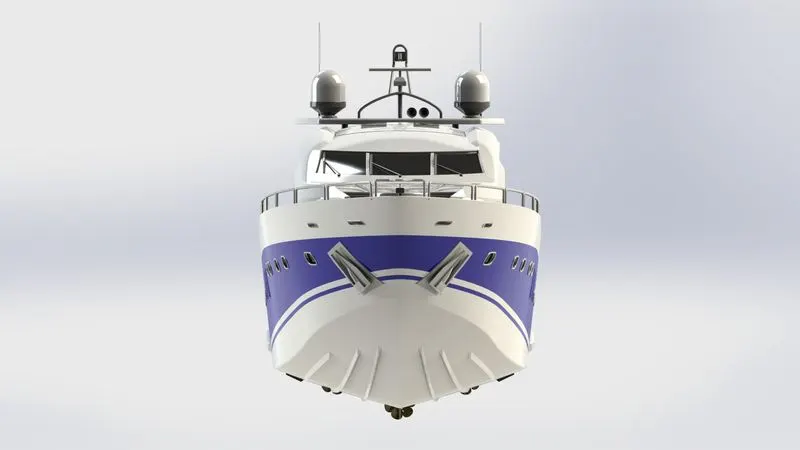
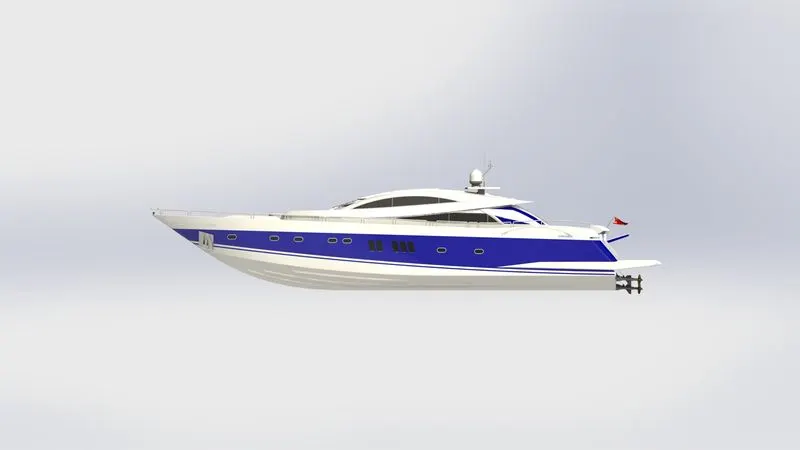
MODELLING AND RENDERING OF SUNSEEKER PREDATOR YACHT
OBJECTIVE:
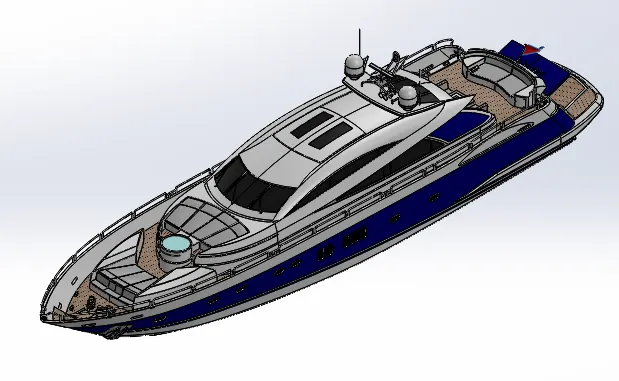
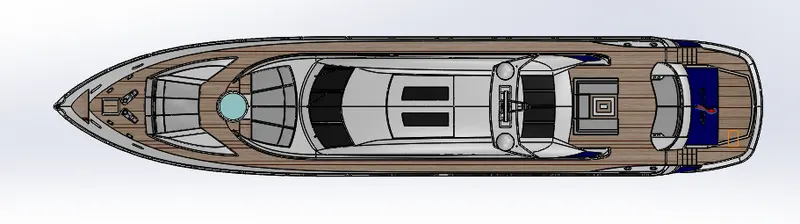
The objective of the project is used to create the modelling, assembling and rendering of Sunseeker predator yacht using SOLIDWORKS Software.
INTRODUCTION:
In this project we will learn about the Modelling and rendering of Sunseeker predator yacht. Using Surface modelling in this project because of so much of curve surface using in this project. Sunseeker predator yacht is a watercraft used for sports and enjoyment.
DESIGN METHODOLOGY:
I have created the model of sunseeker predator yacht with “BOTTOM UP” approach. There are following steps are used to create the yacht model.
1.Designing of American chopper Parts.
2.Assembling the American chopper Parts.
3.Applying the Decals, Appearance, Scene, Camera setup Environment.
4.Finally Rendering the Sunseeker predator yacht.
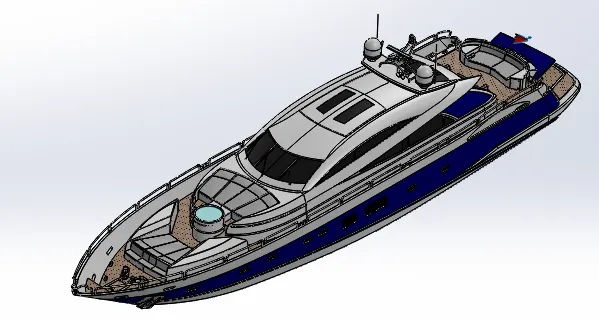
Design of Sunseeker predator yacht consists of following individual parts,
1.Propeller.
2.Radar
3.Hull
4.Front Seat
5.Middle Seat
6.Rear Seat
7.Garage Door
8.Super Structure
9.Radar Mast
- PROPELLER:
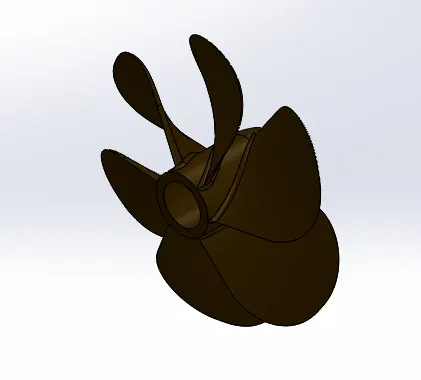
A propeller is a device with a rotating hub and radiating blades, The blades are specially shaped so that their rotational motion through the fluid causes a pressure difference between the two surfaces of the blade by Bernoulli’s principle which exerts force on the fluid.
DESCRIPTION OF PROPELLER:
SKETCH - Create a new sketch or edit the existing sketch, also includes the com mand of line, circle, arc, slot, spline, etc.
REVOLVE - To create a revolve feature: Create a sketch that contains one or more profiles and a centerline, line, or edge to use as the axis around which the feature revolves.
LOFT - Add material between 2 or more profile to create a solid feature.
CUT EXTRUDE - Cut a solid model by extruding a sketched profile in one or two directions.
FILLET - Create a rounded internal or external face along edges on a solid or surface feature.
CIRCULAR PATTERN – Pattern features, faces & bodies round the selected axis.
APPEARANCE – PROPELLER - (R-71), (G-45), (B-0).
- RADAR:
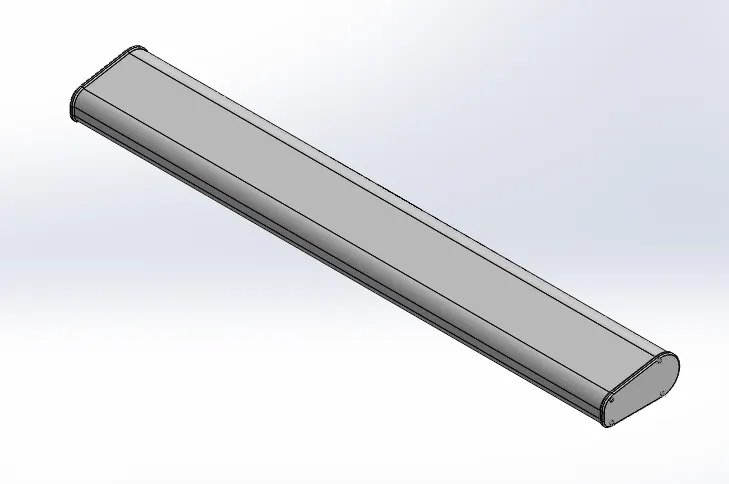
Radar (RADIO DETECTION AND RANGING) is a device used for detect objects and their position relative to your current location. A Marine radar device acts as a major navigation aid for boater. It helps in detecting boats, birds, landmasses, and weather systems-even if the visibility is less than usual.
DESCRIPTION OF RADAR:
SKETCH - Create a new sketch or edit the existing sketch, also includes command of line, circle and etc.
BOSS EXTRUDE - Extrude a sketch or selected sketch contours into create the solid feature.
CUT EXTRUDE - Cut a solid model by extruding a sketched profile in one or two directions.
SPLIT LINE - Split line used for projects an entity (sketch, solid, surface, face, plane, or surface spline) to surfaces, or curved or planar faces. It divides a selected face into multiple separate faces.
SKETCH PATTERN – Using sketch points within a sketch, you can specify a feature pattern. The seed feature propagates throughout the pattern to each point in the sketch.
MIRROR – Mirror features, faces & bodies about a plane.
FILLET - Create a rounded internal or external face along edges on a solid or surface feature.
APPEARANCE - Radar-(R-255), (G-255), (B-255).
Text - (R-70), (G-70), (B-70).
3.HULL:
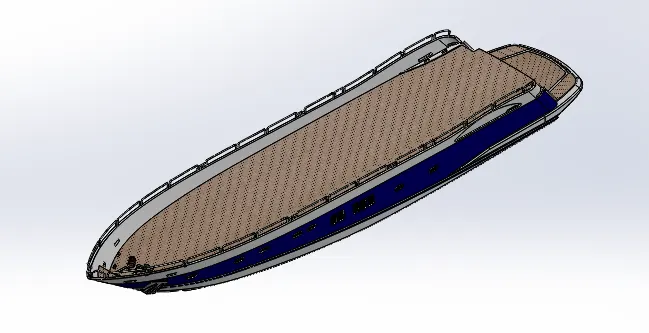
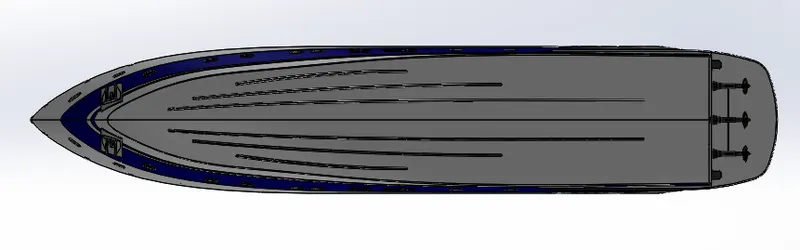
A hull is the watertight body of the ship, boat, or flying boat. The hull may open at the top, or it may be fully or partially covered with a deck. Atop the deck may be a deckhouse and other superstructures.
DESCRIPTION OF HULL:
BLUEPRINT - A blueprint is a guide for making something-it’s a design or pattern that can be followed.
PROJECT CURVE – It is a tool you are going to use to form 3D curves from two 2D curves from different planes (TOP plane, FRONT plane).
SKETCH - Create a new sketch or edit the existing sketch, also includes command of line, circle, spline, slot, etc.
SURFACE LOFT - Loft surfaces are surfaces generated by multiple 3D curves or existing edges creating a smooth tangency between the selected curves.
SURFACE TRIM - Create two or more surfaces that intersect at one or more points, or create a surface that intersects with a plane or has sketch on its face.
SURFACE EXTRUDE – Using the Surface extrude option. We can extrude the boundary edges of a face of a solid body or edges of a surface body in a customized direction.
SURFACE FILL – The filled surface feature constructs a surface patch with any number of sides, within a boundary defined by existing model edges, sketches, or curves, including composite curves.
SURFACE KNIT – Use the knit surface tool to combine two or more faces and surfaces into one.
SHELL - Hollow a selected body, creating the thin-walled features.
SWEEP - A sweep is a tool that creates a solid, a cut or a surface feature by moving a profile along a path.
REVOLVE - To create a revolve feature: Create a sketch that contains one or more profiles and a centerline, line, or edge to use as the axis around which the feature revolves.
LINEAR PATTERN - Use linear pattern to create multiple instances of one or more feature that you can space uniformly along one or two linear paths.
RAILING REFERENCE - Railing reference is used to create the model in continuous sketch.
DELETE FACE – Click the face and then, go to delete face option in toolbar area.
SPLIT – To split the bodies in SOLIDWORKS, use the split option to create the multiple bodies.
SPLIT LINE - Split line used for projects an entity (sketch, solid, surface, face, plane, or surface spline) to surfaces, or curved or planar faces. It divides a selected face into multiple separate faces.
HELIX/SPIRAL – You can create a helix or spiral curve in a part. The curve can be used as a path or guide curve for a swept feature, or a guide curve for a lofted feature.
DECK SURFACE – Deck surface is reference of creating the new model.
MIRROR – Mirror features, faces & bodies about a plane.
CHAMFER – Creates a sloping surfaces at the edge, chain of tangent edges or the vertex.
FILLET - Create a rounded internal or external face along edges on a solid or surface feature.
APPEARANCE - Hull - (R-255), (G-255), (B-255),
Windows - (R-0), (G-0), (B-0),
Outer Body - (R-0), (G-0), (B-128),
DECALS - Hull – (Main floor, Hatch front, Stair)
- FRONT SEAT:
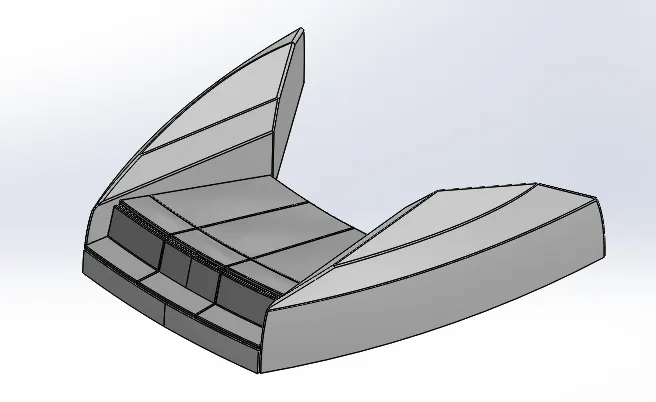
Front seat is used to sit the passengers from the Sunseeker predator yacht.
DESCRIPTION OF FRONT SEAT:
BLUEPRINT - A blueprint is a guide for making something-it’s a design or pattern that can be followed.
SKETCH - Create a new sketch or edit the existing sketch, also includes command of line, circle, spline, slot, etc.
SURFACE SWEEP – Sweep surfaces are surfaces that are generated from a section curve positioned along a path.
SURFACE EXTRUDE – Using the Surface extrude option. We can extrude the boundary edges of a face of a solid body or edges of a surface body in a customized direction.
SURFACE TRIM - Create two or more surfaces that intersect at one or more points, or create a surface that intersects with a plane or has sketch on its face.
SURFACE FILL – The filled surface feature constructs a surface patch with any number of sides, within a boundary defined by existing model edges, sketches, or curves, including composite curves.
SURFACE LOFT - Loft surfaces are surfaces generated by multiple 3D curves or existing edges creating a smooth tangency between the selected curves.
SURFACE KNIT – Use the knit surface tool to combine two or more faces and surfaces into one.
REVOLVE - To create a revolve feature: Create a sketch that contains one or more profiles and a centerline, line, or edge to use as the axis around which the feature revolves.
CUT EXTRUDE - Cut a solid model by extruding a sketched profile in one or two directions.
CUT EXTRUDE THIN – The thin feature allows you to cut in one direction, from the midplane, or in two separate direction.
DOME – A dome is a hollow half of a sphere. A dome is a curved formation or structure.
MIRROR - Mirror features, faces & bodies about a plane.
CHAMFER – Creates a sloping surfaces at the edge, chain of tangent edges or the vertex.
FILLET - Create a rounded internal or external face along edges on a solid or surface feature.
APPEARANCE - Seat structure - (R-255), (G-255), (B-255),
Seat – (R-192), (G-192), (B-192)
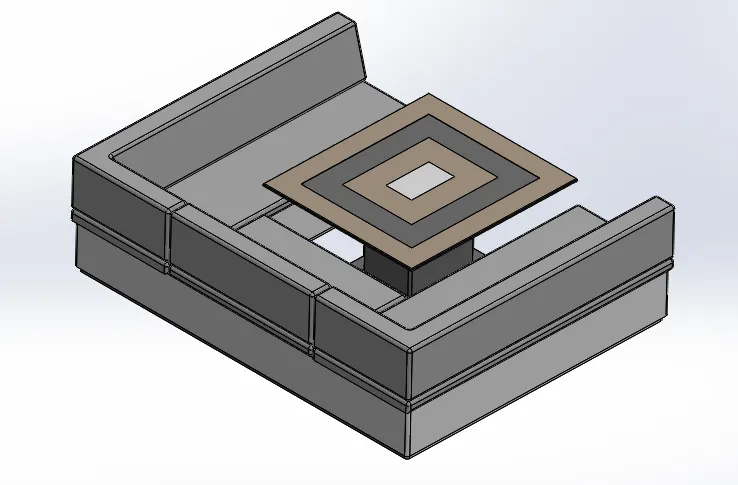
- MIDDLE SEAT:
Middle seat is used to sit the passengers from the Sunseeker predator yacht.
DESCRIPTION OF MIDDLE SEAT:
BLUEPRINT - A blueprint is a guide for making something-it’s a design or pattern that can be followed.
SKETCH - Create a new sketch or edit the existing sketch, also includes command of line, circle, spline, slot, etc.
BOSS EXTRUDE - Extrude a sketch or selected sketch contours into create the solid feature.
CUT EXTRUDE - Cut a solid model by extruding a sketched profile in one or two directions.
MIRROR - Mirror features, faces & bodies about a plane.
CHAMFER – Creates a sloping surfaces at the edge, chain of tangent edges or the vertex.
FILLET - Create a rounded internal or external face along edges on a solid or surface feature.
APPEREANCE – Upper Seat – (R-192), (G-192), (B-192),
Middle Table, Bottom Seat – (R-255), (G-255), (B-255),
Upper side of table – (R-190), (G-169), (B-142).
- REAR SEAT:
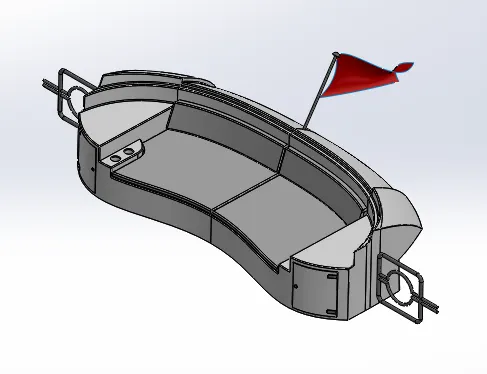
Rear seat is used to sit the passengers from the Sunseeker predator yacht.
DESCRIPTION OF REAR SEAT:
BLUEPRINT - A blueprint is a guide for making something-it’s a design or pattern that can be followed.
SKETCH - Create a new sketch or edit the existing sketch, also includes command of line, circle, spline, slot, etc.
SURFACE SWEEP – Sweep surfaces are surfaces that are generated from a section curve positioned along a path.
SURFACE OFFSET – The offset surface tool creates a new surface body from an existing set of faces. The faces may be solid or surface faces.
SURFACE TRIM - Create two or more surfaces that intersect at one or more points, or create a surface that intersects with a plane or has sketch on its face.
RULED SURFACE – The ruled surface command creates surfaces that extend out in a specified direction from selected edges.
SURFACE KNIT – Use the knit surface tool to combine two or more faces and surfaces into one.
SURFACE EXTEND – Select one or more edges or faces in the graphics area for selected faces/edges. For edges, the surface extends along the plane of the edge.
SURFACE EXTRUDE – Using the Surface extrude option. We can extrude the boundary edges of a face of a solid body or edges of a surface body in a customized direction.
SURFACE LOFT - Loft surfaces are surfaces generated by multiple 3D curves or existing edges creating a smooth tangency between the selected curves.
BOSS EXTRUDE - Extrude a sketch or selected sketch contours into create the solid feature.
CUT EXTRUDE - Cut a solid model by extruding a sketched profile in one or two directions.
MIRROR - Mirror features, faces & bodies about a plane.
CHAMFER – Creates a sloping surfaces at the edge, chain of tangent edges or the vertex.
FILLET - Create a rounded internal or external face along edges on a solid or surface feature.
APPEREANCE - Bottom Seat – (R-255), (G-255), (B-255),
Upper Seat – (R-192), (G-192), (B-192),
Side pin, Flag rod – (R-128), (G-128), (B-128).
Back side – (R-255), (G-255), (B-227)
Flag – (R-192), (G-0), (B-0).
- GARAGE DOOR:
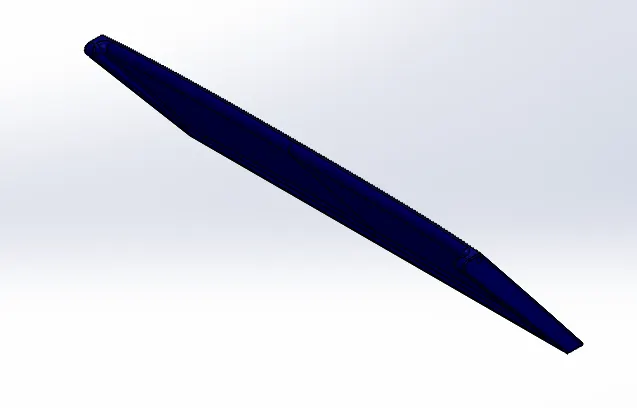
It provides protection against wind, rain, fire, and theft. It is used to parking the bike or car in garage room.
DESCRIPTION OF GARAGE DOOR:
STOCK – Use the stock par property manager to edit a derived part that you created using the split tool. You can reattach the derived part to specific stock part or to specific bodies in a stock part.
SKETCH - Create a new sketch or edit the existing sketch, also includes command of line, circle, spline, slot, etc.
CUT EXTRUDE - Cut a solid model by extruding a sketched profile in one or two directions.
SHELL - Hollow a selected body, creating the thin-walled features.
MIRROR - Mirror features, faces & bodies about a plane.
FILLET - Create a rounded internal or external face along edges on a solid or surface feature.
APPEREANCE – Garage door – (R-0), (G-0), (B-128),
Text – (R-255), (G-255), (B-255).
- SUPER STRUCTURE:
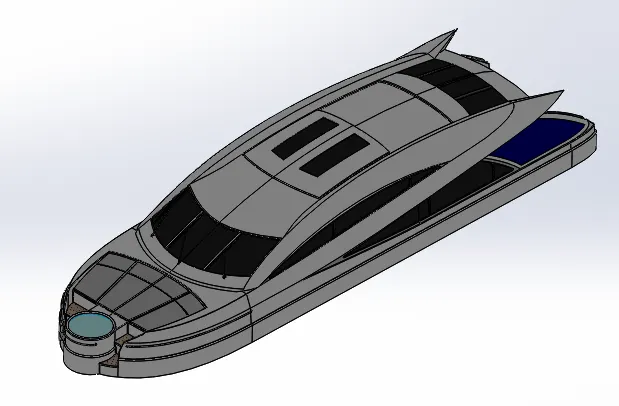
A Super structure is an upward extension of an existing structure above baseline. This term is applied to various kinds of physical structure such as buildings, bridges, or ships having the degree of freedom zero.
DESCRIPTION OF SUPER STRUCTURE:
BLUEPRINT - A blueprint is a guide for making something-it’s a design or pattern that can be followed.
SKETCH - Create a new sketch or edit the existing sketch, also includes command of line, circle, spline, slot, etc.
SURFACE EXTRUDE – Using the Surface extrude option. We can extrude the boundary edges of a face of a solid body or edges of a surface body in a customized direction.
SURFACE SWEEP – Sweep surfaces are surfaces that are generated from a section curve positioned along a path.
SURFACE KNIT – Use the knit surface tool to combine two or more faces and surfaces into one.
RULED SURFACE – The ruled surface command creates surfaces that extend out in a specified direction from selected edges.
SURFACE TRIM - Create two or more surfaces that intersect at one or more points, or create a surface that intersects with a plane or has sketch on its face.
PROJECT CURVE – It is a tool you are going to use to form 3D curves from two 2D curves from different planes (TOP plane, FRONT plane).
SURFACE LOFT - Loft surfaces are surfaces generated by multiple 3D curves or existing edges creating a smooth tangency between the selected curves.
SURFACE FILL – The filled surface feature constructs a surface patch with any number of sides, within a boundary defined by existing model edges, sketches, or curves, including composite curves.
SURFACE EXTEND – Select one or more edges or faces in the graphics area for selected faces/edges. For edges, the surface extends along the plane of the edge.
BOSS EXTRUDE - Extrude a sketch or selected sketch contours into create the solid feature.
CUT EXTRUDE - Cut a solid model by extruding a sketched profile in one or two directions.
DELETE FACE – Click the face and then, go to delete face option in toolbar area.
SURFACE OFFSET – The offset surface tool creates a new surface body from an existing set of faces. The faces may be solid or surface faces.
THICKEN – In Thicken feature, select the side of the surface you want to thicken. When you select thicken both sides, it adds the thickness you specify to both sides.
SWEEP - A sweep is a tool that creates a solid, a cut or a surface feature by moving a profile along a path.
DOME – A dome is a hollow half of a sphere. A dome is a curved formation or structure.
EXTRUDE THIN – The thin feature tool takes the sketched profile and creates a constant thickness in the sketch plane.
SPLIT LINE - Split line used for projects an entity (sketch, solid, surface, face, plane, or surface spline) to surfaces, or curved or planar faces. It divides a selected face into multiple separate faces.
MIRROR - Mirror features, faces & bodies about a plane.
CHAMFER – Creates a sloping surfaces at the edge, chain of tangent edges or the vertex.
FILLET - Create a rounded internal or external face along edges on a solid or surface feature.
APPEREANCE – Main body – (R-255), (G-255), (B-255),
Mattress bodies – (R-192), (G-192), (B-192),
Windows – (R-30), (G-30), (B-30),
Jacuzzi water – (R-192), (G-255), (B-255),
Back side – (R-0), (G-0), (B-128),
Railings – (R-128), (G-128), (B-128),
Window & door frames – (R-92), (G-92), (B-92),
Wipers – (R-115), (G-115), (B-115),
Space around windows – (R-192), (G-192), (B-192).
DECALS – Jacuzzi staircase – Jacuzzi stair step decals.
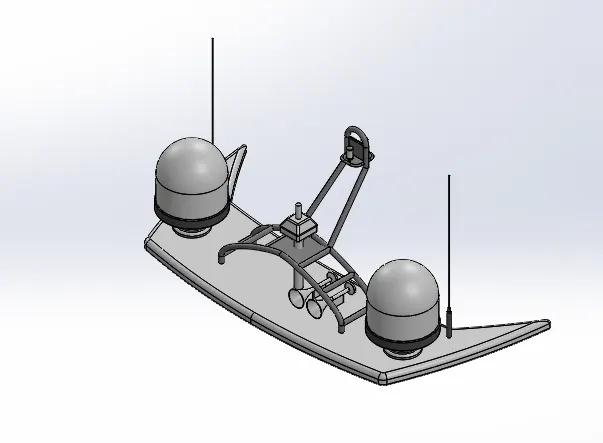
- RADAR MAST:
They are electronic navigation instruments that use a rotating antenna to sweep a narrow beam of microwaves around the water surface surrounding the ship to the horizon, detecting targets by microwaves reflected from them, generating a picture of the ship’s surroundings on a display screen.
DESCRIPTION OF RADAR MAST:
BLUEPRINT - A blueprint is a guide for making something-it’s a design or pattern that can be followed.
SKETCH - Create a new sketch or edit the existing sketch, also includes command of line, circle, spline, slot, etc.
BOSS EXTRUDE - Extrude a sketch or selected sketch contours into create the solid feature.
REVOLVE - To create a revolve feature: Create a sketch that contains one or more profiles and a centerline, line, or edge to use as the axis around which the feature revolves.
SWEEP - A sweep is a tool that creates a solid, a cut or a surface feature by moving a profile along a path.
PROJECT CURVE – It is a tool you are going to use to form 3D curves from two 2D curves from different planes (TOP plane, FRONT plane).
SHELL - Hollow a selected body, creating the thin-walled features.
MIRROR - Mirror features, faces & bodies about a plane.
CHAMFER – Creates a sloping surfaces at the edge, chain of tangent edges or the vertex.
FILLET - Create a rounded internal or external face along edges on a solid or surface feature.
APPEREANCE – Radar mast – (R-255), (G-255), (B-255),
Radars – (R-92), (G-92), (B-92),
Antennas – (R-100), (G-100), (B-100),
Mast – (R-150), (G-150), (B-150),
Lights – (R-255), (G-255), B-227).
ASSEMBLY OF YACHT:
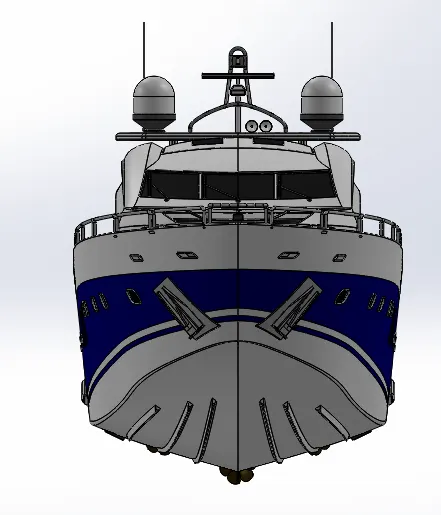
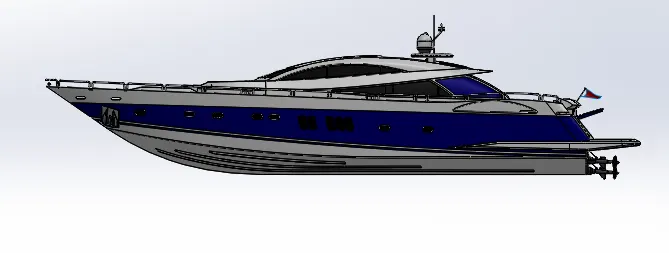
All the Models parts are inserted in the assembly section by using the command insert components. The parts are assembled together with help of planes and mates.
MATES:
Create geometric relation between the component, To define the allowable direction of linear or rotational motion to the parts.
CONCULATION:
I have completed my Modelling and Rendering of YACHT using SOLIDWORKS and SOLIDWORKS VISUALIZE software. It is wonderful experience using SOLIDWORKS.