Project
AIM: To carry out a system-level simulation of an all-terrain vehicle used in BAJA.
Objective:
To prepare a full detailed technical report on the Baja (ATV) model with the continuous variable transmission(CVT).
- Simulink model of ATV without a lookup table.
- Simulink model of ATV with a lookup table.
BRIEF:
ALL-terrain vehicle
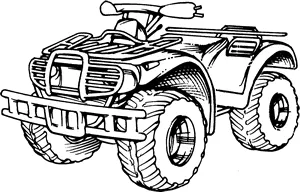
An all-terrain vehicle (ATV) is defined as a motorized off-highway vehicle designed to travel on four low-pressure or non-pneumatic tires, having a seat designed to be straddled by the operator and handlebars for steering control. An all-terrain vehicle (ATV), also known as a light utility vehicle (LUV), a quad bike, or simply a quad, as defined by the American National Standards Institute (ANSI); is a vehicle that travels on low-pressure tires, with a seat that is straddled by the operator, along with handlebars for steering control. As the name implies, it is designed to handle a wider variety of terrain than most other vehicles
.
Continuously variable transmission drive
A continuously variable transmission (CVT) is an automatic transmission that can change seamlessly through a continuous range of gear ratios. This contrasts with other transmissions that provide a limited number of gear ratios in fixed steps. The flexibility of a CVT with suitable control may allow the engine to operate at a constant rpm while the vehicle moves at varying speeds.
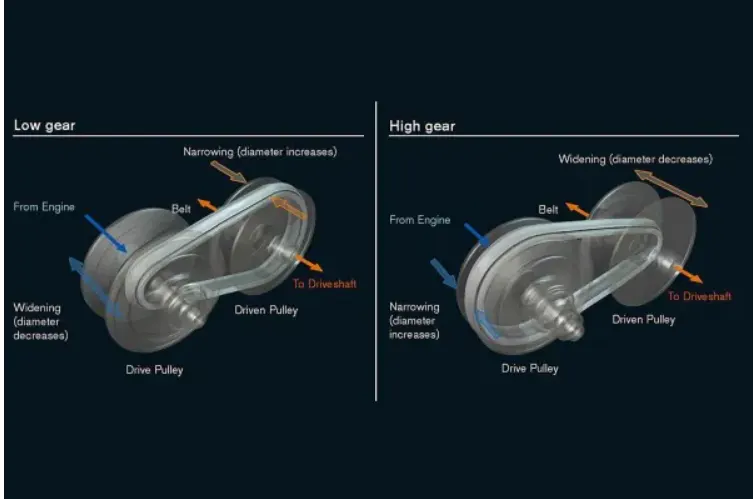
The CVT is an automatic transmission that uses two pulleys with a steel belt running between them. To continuously vary its gear ratios, the CVT simultaneously adjusts the diameter of the "drive pulley" that transmits torque from the engine and the "driven pulley" that transfers torque to the wheels.
Explanation:
Part1
Case study 1
(1) ATV model without a dashboard:-
The below figure represents the Simulink model for the BAJA Atv using the CTV for power transmission.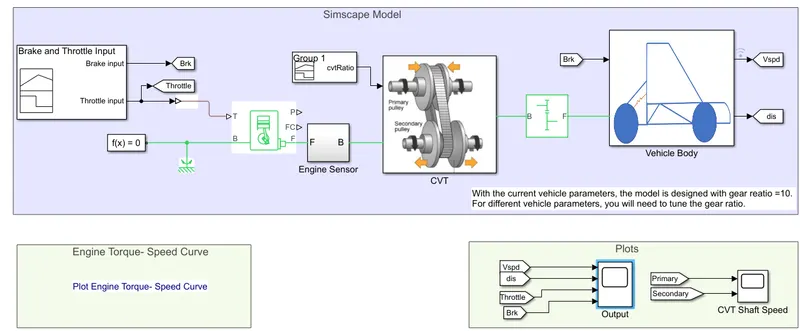
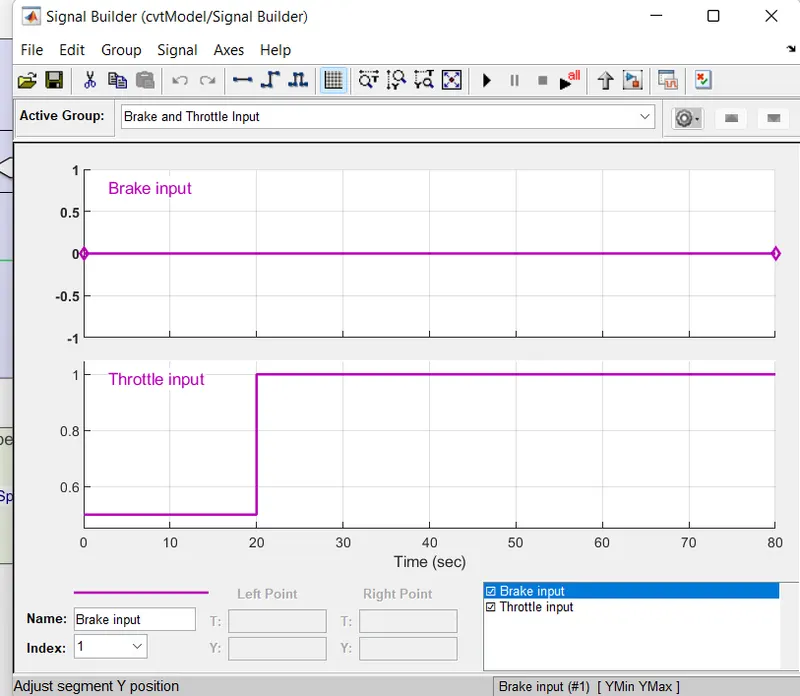
The signal builder is used to give the input to the engine. The throttle and brake are the inputs. As we observe below the throttle input starts at 0.5 at T=0-20 sec and later on from 1 T=20-80 sec. The brake is Constant through the simulation since the run time is only 200 sec.
The throttle is connected to the engine. The engine has 2 rotational outputs F and B.B are connected to rotational reference and f is connected to the engine sensor.
The data of torque and speed curve is taken from the below figure.
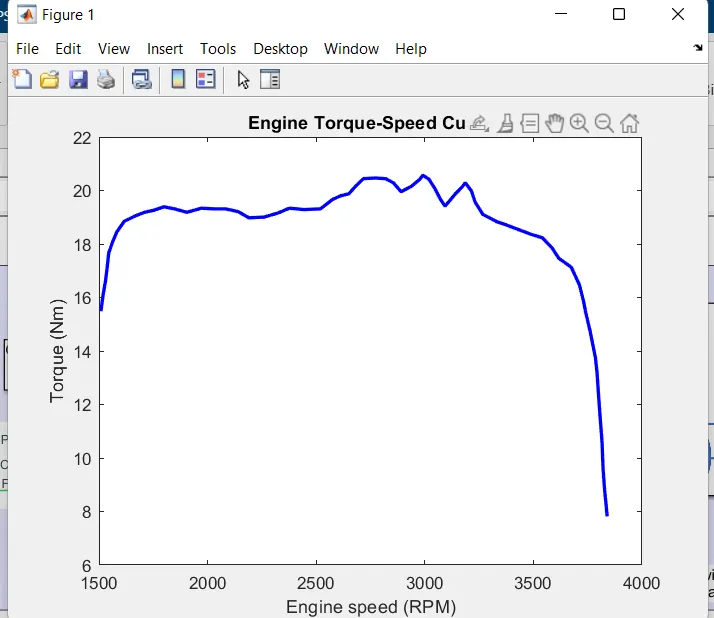
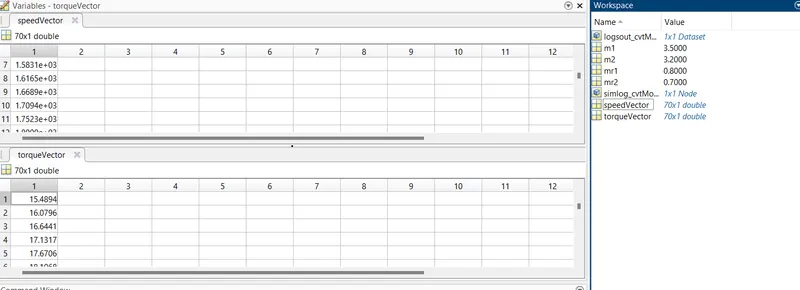
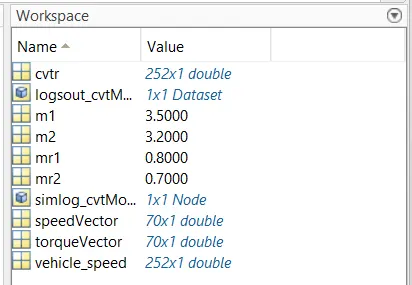
The speed and the torque vector are given from the workspace as shown in the above table.
The engine sensor then connected the CVT.
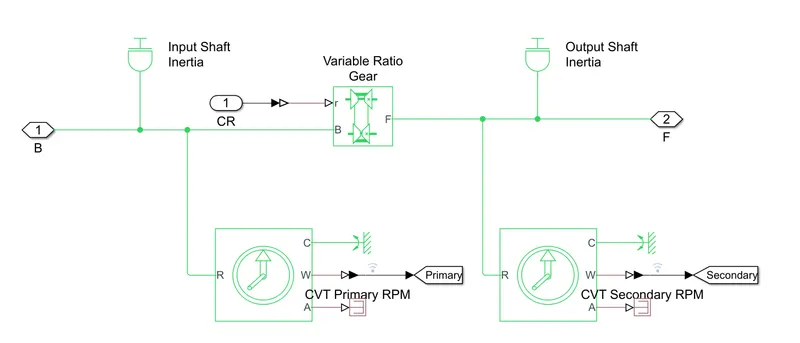
The data for the input and output shaft are (m1=3.5 and m2=3.2) users in the CVT subsystem are given through the workspace. These inputs are given to the variable gear ratio.
The CVT input is given by the signal builder as shown in the figure below.
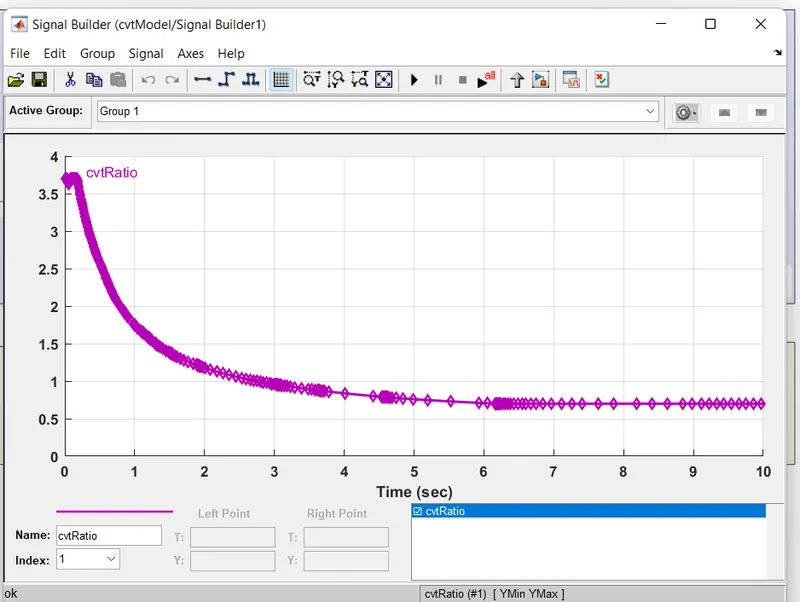
The CVT is connected to the simple gear ratio. From the simple gear ratio, it is connected to the vehicle body.
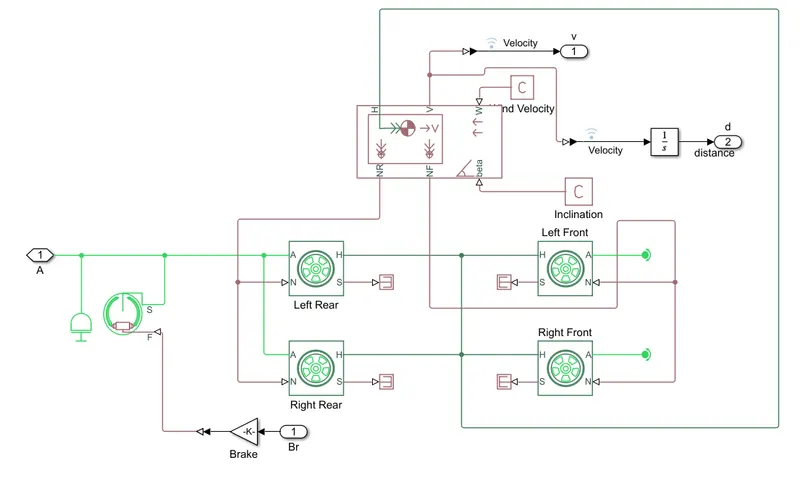
In-Vehicle body subsystem, In contains the data of weight of the vehicle and tire size and so on.
The output from this block is velocity and distance.
RESULT
The rpm output is taken from the engine sensors as shown below.
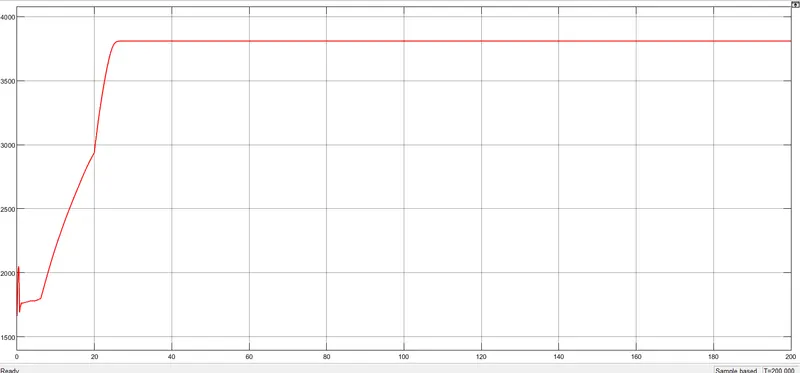
The above graph shows the engine rpm. We gave the throttle input as 0.5 for the first 20sec and increased to 1 after 20sec. The rpm for the first 20 sec was below 2700 and after 20sec it kept o increasing till 3700 and became constant.
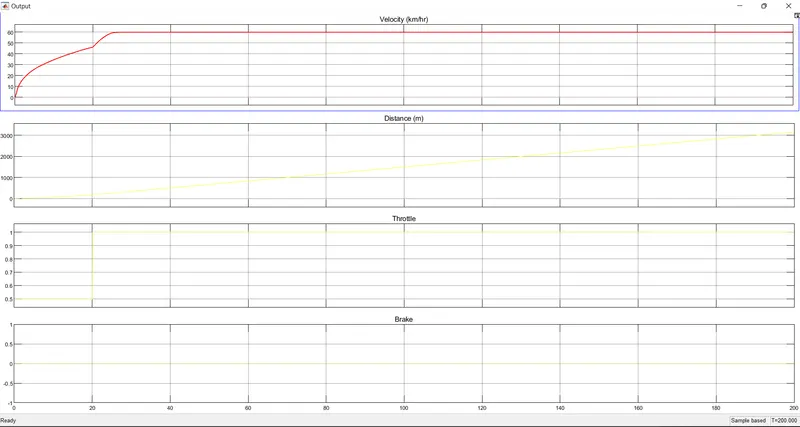
The velocity, distance, throttle, and brake are shown in the above graph plotted.
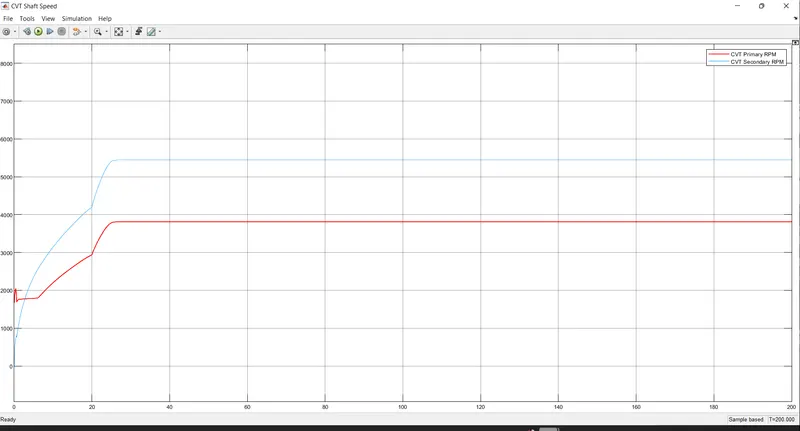
The shaft speed is plotted in the above graph. The graph shows the speed of two shafts in CVT.it also behaved like other graphs. As time increase the speed also increases simultaneously, the same can be absorbed in the above graph.
The observation from the results is that the throttle input is directly proportional to the engine rpm , velocity, and shaft speed.
Case study 2 with using the dashboard
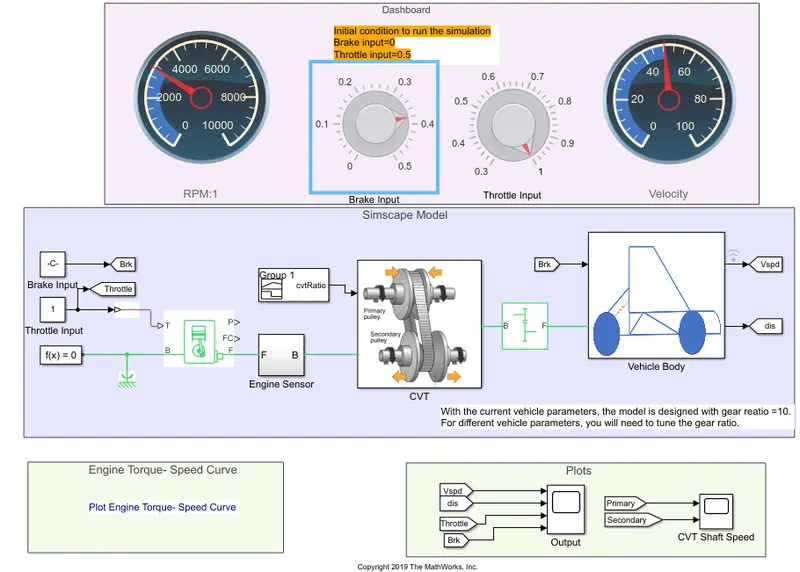
In this model, we have a dashboard that contains the knob to control the input.In this case, the input Throttle &brake are not provided using the signal builder A knob is provided to control both the parameter in real-time for the user.
The output of case 2
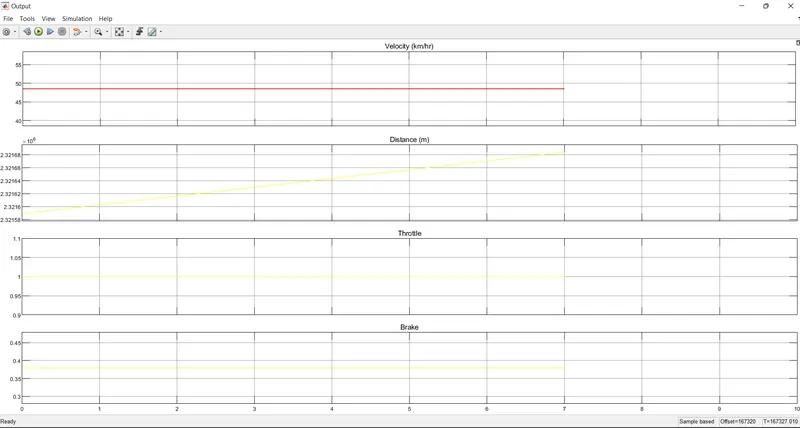
From the above graph, it can be observed that the velocity, throttle, and brake are the same as the input data.
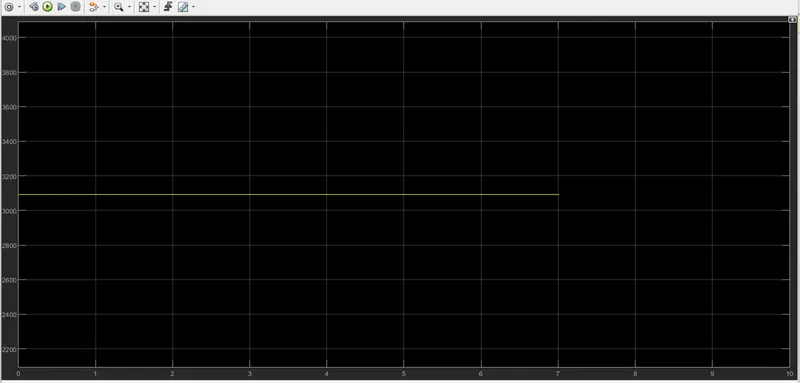
The engine rpm is constant for the given input.
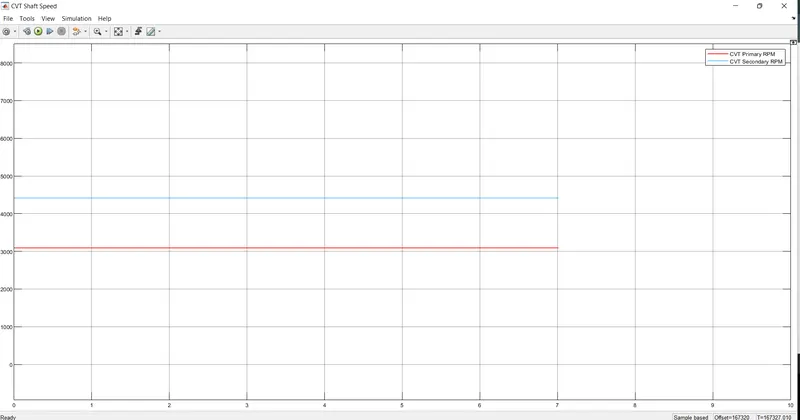
CVT shaft RPM is shown in the above graph.
PART 2
Simulink model of ATV with a lookup table
case study 1
1. ATV model with dashboard(CVT model data)
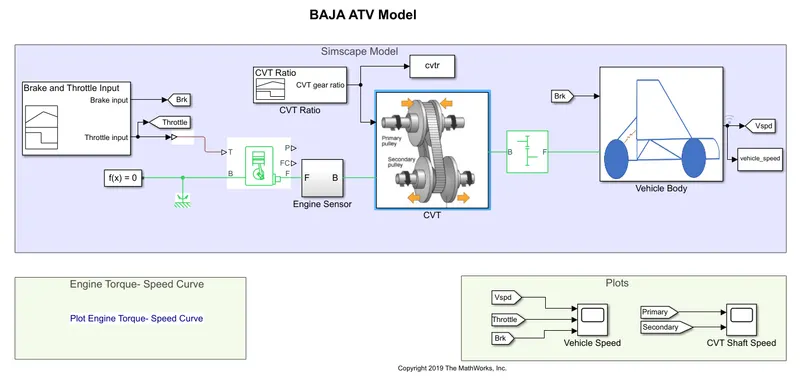
- This model is the same model in part 1 as discussed above
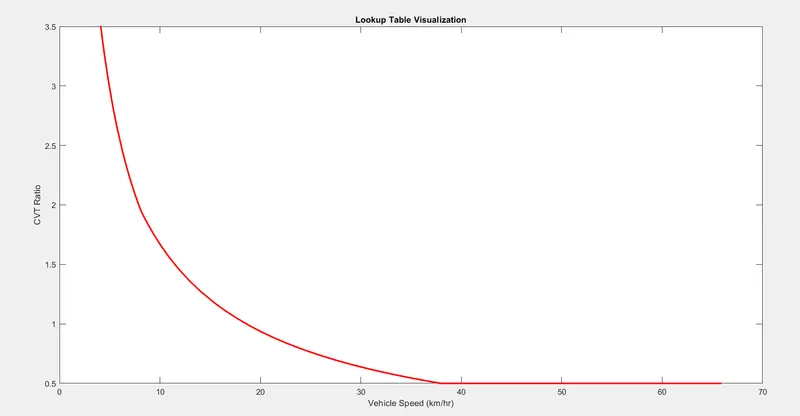
- Here, the lookup table is created by taking the values from the CVT ratio block and final velocities of the vehicle corresponding the CVT ratiovalues.The to workspace blocks are used for this purpose.
- By running the model, the values of the lookup table are stored in the base workspace.
Lookup table visualization
Model2(B): CVTmodel_mapped
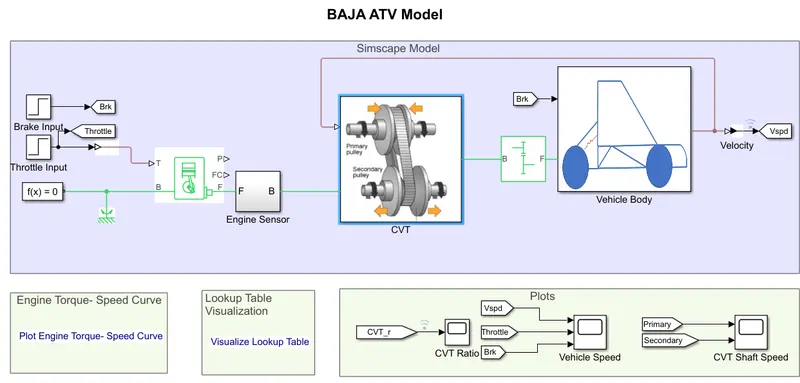
- This model takes input for the CVT subsystem from the lookup table created in the previous model, instead of the signal builder block used earlier.
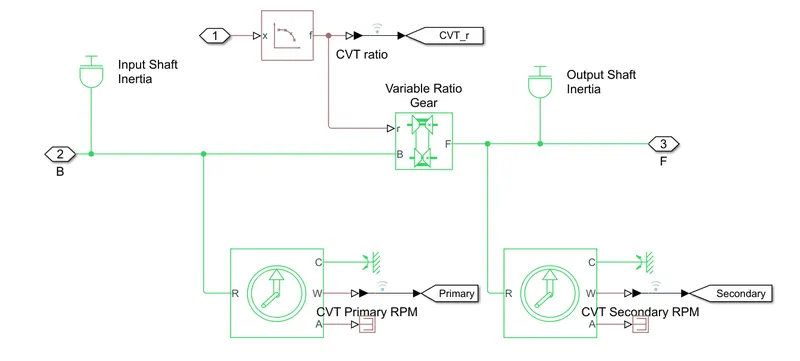
Goto and from blocks are used in order to visualize the values of the CVT Ratio in the output.
RESULTS
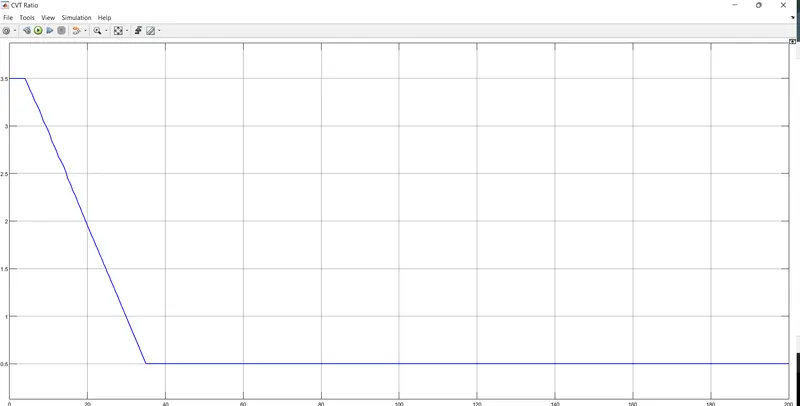
Since the values of the lookup table are readily taken from the initial models, the final results velocity plot is in turn, similar to the earlier one.
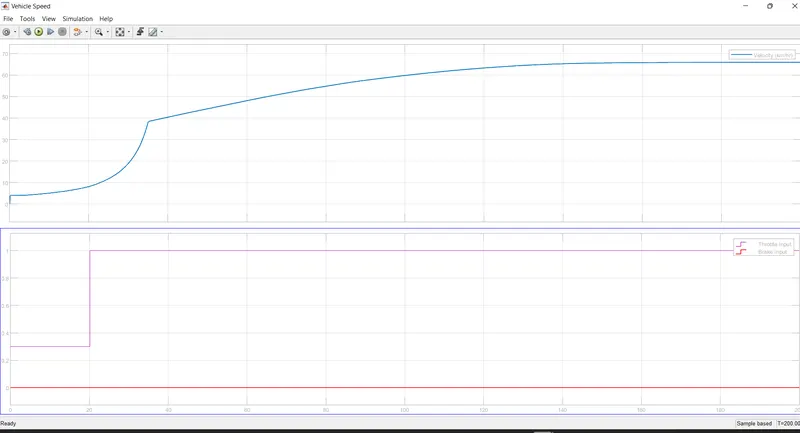
The above graph represents the velocity plot and throttle and brake plot.
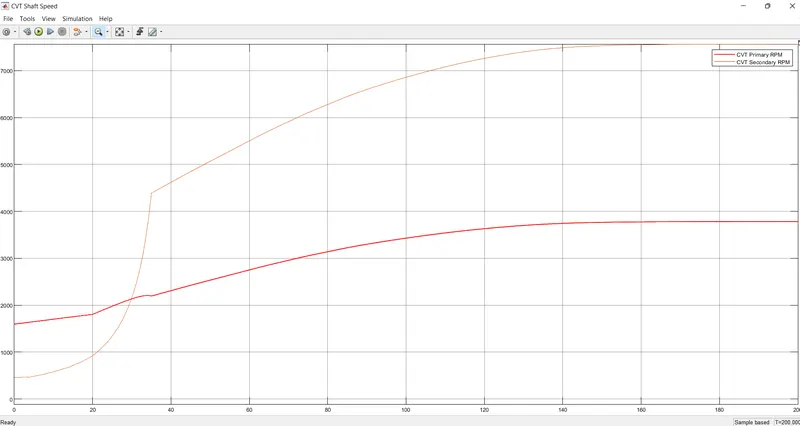
The above graph represents the CVT shaft speed of primary and secondary.
CASE STUDY 2 USING DASHBOARD
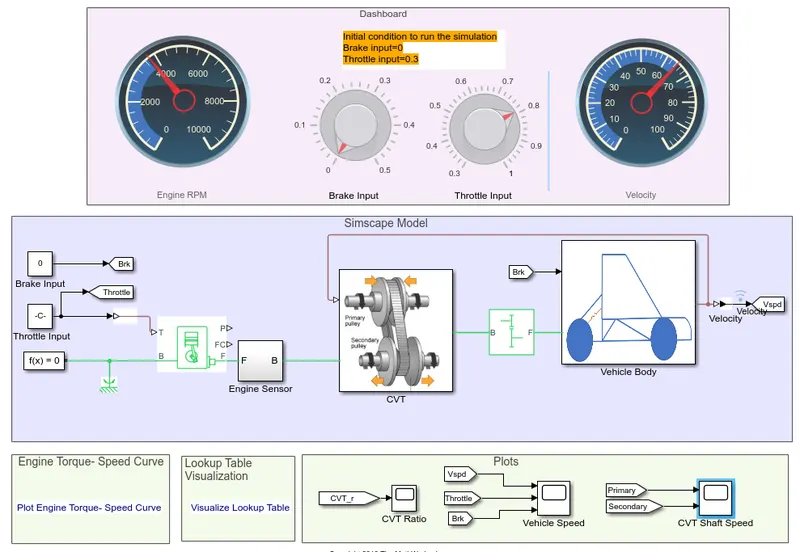
The velocity is feedback to CVT, so that gear ratios are according changed.
Outputs
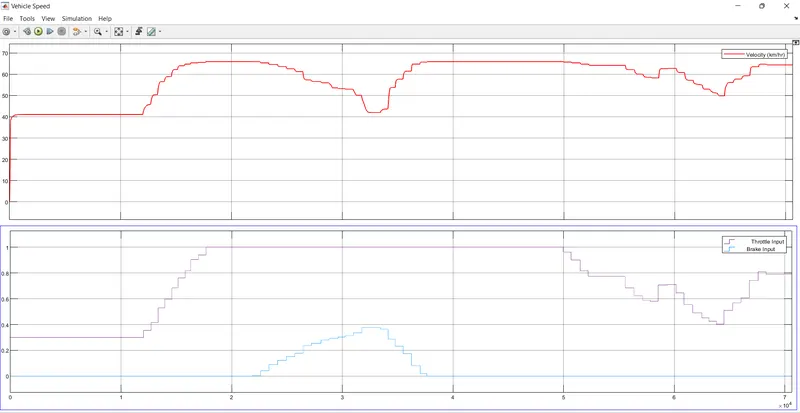
The above plot represents the velocity, brake, and throttle plots.
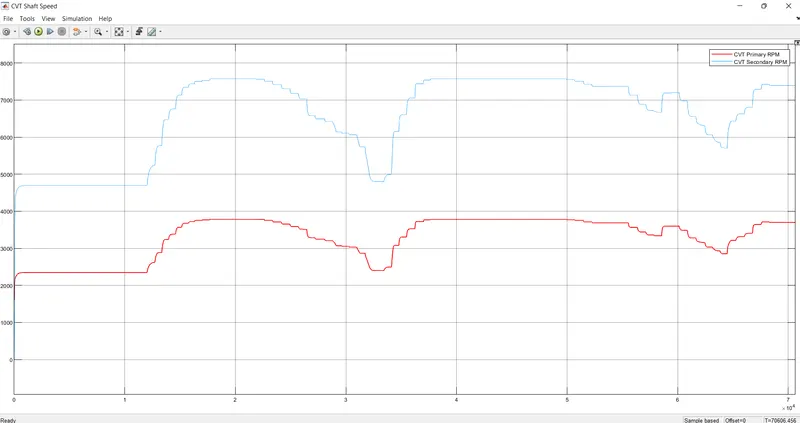
This graph indicates the variation in rpm of primary and secondary shafts with respect to input parameters.
Conclusion
Thus we have successfully analyzed 4 different models of Atv with CVT and recorded the outputs.